If you’re a journalist or researcher, you know your smartphone just doesn't cut it for serious interviews. To capture truly clean audio, you need a dedicated device. A great recorder, like the classic Sony ICD-UX570, delivers the kind of microphone sensitivity and battery life that ensures you get a perfect, transcribable recording every time. This guide is here to help you sort through the noise and find the right tool for the job.
Your Guide to the Best Interview Recorders
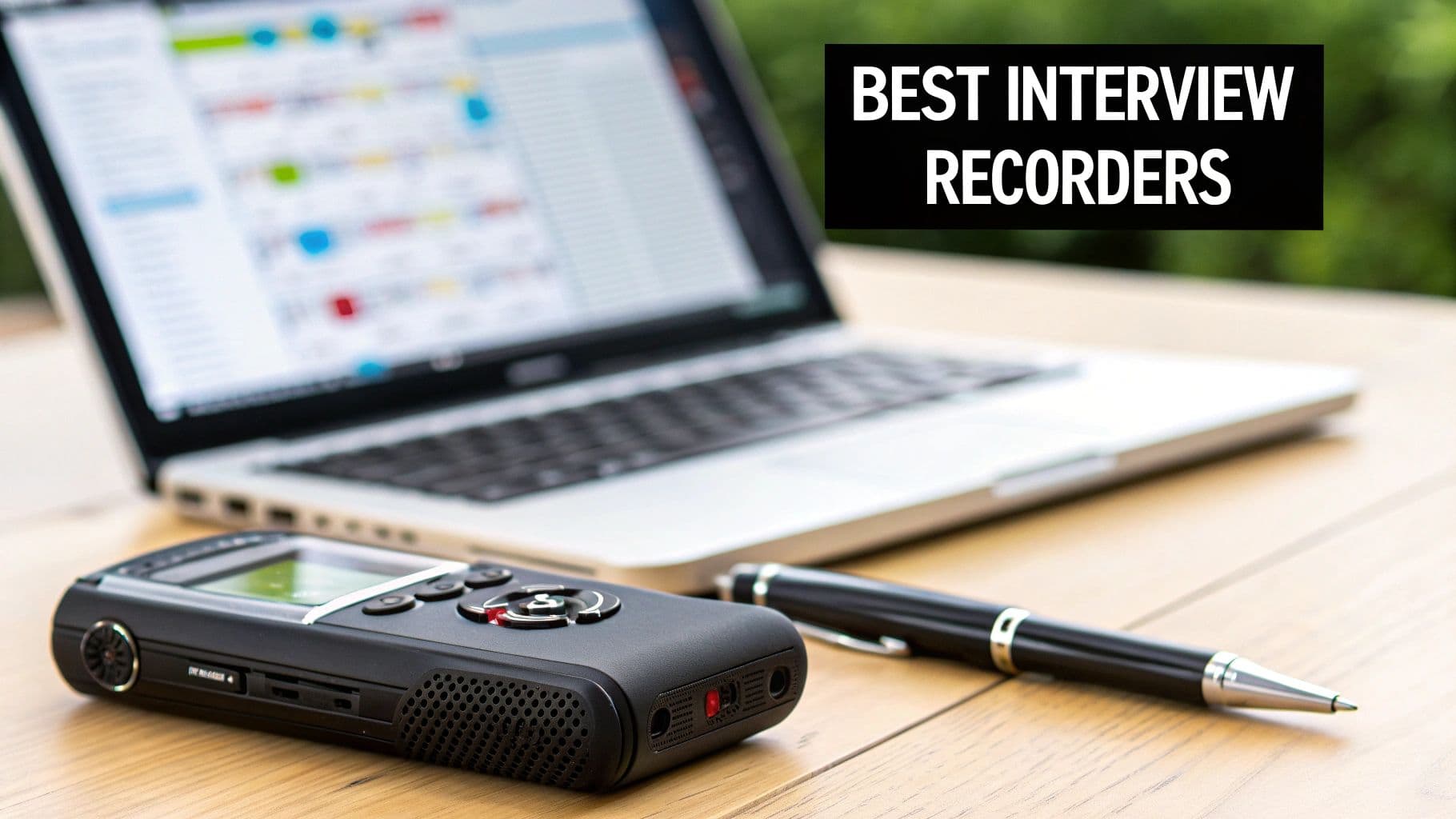
Picking the right recorder can feel daunting, but it really comes down to what you need it to do day in and day out. A truly great interview recorder is more than just a gadget; it's the partner that makes sure you never miss a crucial quote, whether you're in a noisy coffee shop or a cavernous conference hall.
The main reason to ditch your phone is simple: audio quality. Dedicated recorders are built with high-fidelity microphones that are engineered to zero in on voices and filter out the background chatter. This gives you a much cleaner audio file, which makes a world of difference when you or an AI service needs to transcribe it later.
Key Factors for Different Users
Not everyone needs the same bells and whistles. If you're a freelance journalist constantly on the move, you'll probably want something small, light, and with a battery that can go all day. On the other hand, an HR manager conducting sensitive interviews needs a device with serious security, like file encryption, to protect private conversations.
This guide is designed to make that choice easier by focusing on how these devices perform in the real world. We’ll break down the best models by who they're for, from solo podcasters to large corporate teams. And while we're focused on hardware here, if a software solution seems like a better fit, check out our guide on finding the best meeting recorder app for your team.
Quick Picks for Interview Voice Recorders
To give you a head start, the table below highlights our top recommendations for various interview scenarios. This at-a-glance summary helps you quickly identify which recorders align with your specific requirements before diving into our detailed comparisons later in this guide.
| Category | Top Pick | Ideal For | Standout Feature |
|---|---|---|---|
| Best All-Around | Sony ICD-UX570 | Journalists & Researchers | Excellent S-Microphone System |
| Budget-Friendly | Tascam DR-05X | Students & Freelancers | Studio-Quality Stereo Mics |
| Enterprise Teams | Olympus DS-9000 | Corporate & Legal | 256-bit AES Encryption |
This table points you in the right direction, but the real value is in understanding why each one shines in its category. Let’s get into the details.
What Really Makes a Great Interview Recorder?
When you're picking out a voice recorder for interviews, it’s easy to get bogged down in specs. But what truly matters isn't the marketing hype—it's the core features that guarantee clean, reliable audio every single time. A professional recorder is a purpose-built tool, and understanding what makes it tick is the key to choosing one that won't let you down.
The most important place to start is the microphone system. Your smartphone has a single, do-it-all mic, but a dedicated recorder typically uses a pair of high-sensitivity stereo microphones. This setup captures a far richer soundscape, making it easier to distinguish between different speakers and reducing the muddying effect of room echo.
Microphone Types for Different Situations
The kind of microphone built into a recorder really determines where it shines. You’ll generally run into two types, each designed for a specific recording environment.
- Omnidirectional Mics: These are built to capture sound from every direction. Think of them as the perfect tool for recording a roundtable discussion or a focus group. You can place the recorder in the middle of the table and trust it to pick up everyone speaking.
- Directional (Cardioid) Mics: These mics are the opposite—they’re designed to capture sound from directly in front of them while cutting out noise from the sides and back. This is exactly what you want for a one-on-one interview in a noisy café, as it zeroes in on your subject’s voice and pushes distractions into the background.
Some of the more versatile recorders let you switch between different microphone patterns, giving you the best of both worlds. For anyone who conducts different kinds of interviews, that flexibility is a huge plus. And if you’re serious about capturing pristine dialogue, understanding the principles behind choosing the best microphone for podcast recording will give you a major leg up.
Why Your File Format Dictates Transcription Quality
The file format you record in might seem like a minor detail, but it has a massive impact on what you can do with the audio later—especially when it comes to transcription.
MP3s are great for saving space because they are compressed, which means some of the original audio data is thrown away. While that's fine for casual listening, that missing information can trip up transcription software. A high-quality WAV file, on the other hand, is a perfect, lossless copy of the original sound.
To put it in perspective, a 60-minute interview saved as a high-quality WAV file can easily top 600MB. The same recording in MP3 format might only be 60MB. This is why having plenty of storage, whether it’s internal or through a microSD card, is non-negotiable.
The Little Features That Save the Day
Beyond the big stuff, a few practical features separate the truly reliable recorders from the rest of the pack.
- Pre-Record Buffer: This is a lifesaver. The recorder is always listening, and when you finally hit the record button, it tacks on the previous few seconds of audio to the beginning of your file. You'll never miss the start of a great quote again.
- Battery Life and Power: Nothing is worse than a dead battery mid-interview. Look for a recorder that promises at least 20 hours of continuous recording. Even better are models that can run off USB power, so you can hook up a portable power bank and record for as long as you need.
- Manual Level Control: Automatic gain settings are convenient, but they can be fooled. Manual control lets you set the recording volume yourself, so you can prevent "clipping"—that nasty distortion you get when the sound is too loud. It's the only way to guarantee a clean recording every time.
Comparing the Top Voice Recorders Side-by-Side
Picking the right voice recorder isn't about finding the one with the longest feature list. It's about figuring out how a device will actually perform in the real world—whether that’s a quiet office, a bustling café, or a conference room with terrible acoustics.
To help you decide, I’m putting three of the most trusted recorders on the market head-to-head. We’ll look at the Sony ICD-UX570, a go-to for journalists who need speed and simplicity; the Zoom H1n, a favorite among creators who demand control over their audio; and the Tascam DR-05X, a tough, reliable workhorse that offers fantastic value.
There's a reason these dedicated devices are still so popular. The global digital voice recorder market was estimated to be worth between 1.7 and 1.9 billion in 2024, and professionals make up a huge chunk of that. Journalists, researchers, and legal pros know that for critical recordings, a smartphone just doesn't cut it. You can dig into the numbers in this global digital voice recorder market report.
The All-Rounder: Sony ICD-UX570
If you want a recorder that just works, every single time, this is it. The Sony ICD-UX570 is famous for being incredibly intuitive. It’s the perfect device to grab from your bag, hit record, and trust that you'll get great audio without fiddling with settings.
Its secret sauce is the high-sensitivity S-Microphone system. It does a fantastic job of zeroing in on a person's voice while pushing background noise to the side. For a one-on-one interview in a hotel lobby or a quiet coffee shop, you can just point it at your subject and get clean, usable sound.
The trade-off for all that simplicity? You give up manual control. Unlike the Zoom H1n, you can’t fine-tune the gain or apply filters. In really loud environments, the automatic level adjustments can sometimes create a "pumping" sound as it tries to compensate, which can be a little distracting.
The Creator’s Choice: Zoom H1n
The Zoom H1n is for people who want to be in the driver's seat. Where the Sony is automatic, the H1n is all about manual precision. This has made it a darling of podcasters and videographers who need to craft their sound.
It features a pair of built-in X/Y stereo microphones that capture a wide, immersive soundstage. This is brilliant for recording a small group discussion where you want a sense of the room's dynamic. But in a noisy one-on-one interview, that same feature can be a drawback, as it will pull in more of the surrounding chatter than the Sony’s focused mics.
The real magic of the H1n is its hands-on controls. You can dial in the exact recording level, flip on a low-cut filter to kill the rumble from an air conditioner, and monitor everything live with headphones. It’s perfect for anyone who treats audio as a craft and needs to adapt on the fly.
- In a noisy café: The H1n’s manual gain and low-cut filter are your best friends. You can set the levels to avoid distortion from clattering dishes, though you'll still get more background atmosphere than you would with the Sony.
- In a quiet office: The X/Y mics create a wonderfully natural and spacious recording. It’s ideal for high-fidelity interviews that are destined for a podcast or broadcast.
The Durable Workhorse: Tascam DR-05X
The Tascam DR-05X neatly splits the difference between Sony's ease of use and Zoom's pro features. It's built like a tank—a true workhorse that can survive being knocked around in a gear bag day after day.
It comes equipped with a pair of omnidirectional microphones, which are designed to capture sound evenly from all directions. This makes it a great choice for plopping down in the middle of a table to record a small meeting or focus group.
This chart helps show when a focused mic is better than one that captures everything around it.
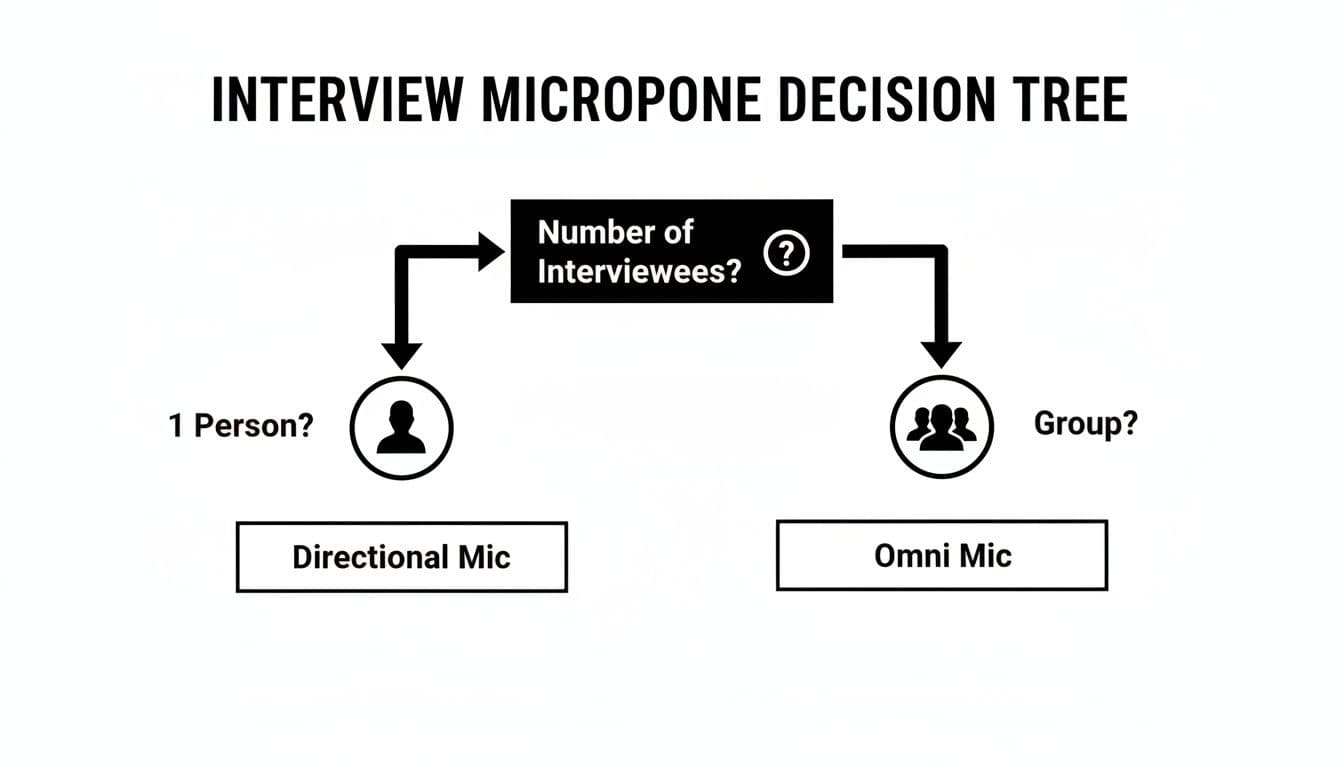
As you can see, a directional mic is your best bet for a single speaker, while an omnidirectional one is the clear winner for groups.
The Tascam has another trick up its sleeve: it doubles as a USB audio interface. You can plug it directly into your computer and use it as a high-quality mic for remote interviews or voiceovers—a versatile perk the other two lack. While it offers some manual settings, the menu system isn't quite as slick as the Zoom's, but the audio quality is outstanding for the price.
Head-to-Head Voice Recorder Comparison
To make the choice even clearer, here's a scorecard breaking down how each recorder stacks up across the metrics that matter most for interviews.
A comparative scorecard of the leading voice recorders, rated across key performance metrics to guide your decision.
| Model | Audio Quality (1-10) | Ease of Use (1-10) | Battery Life (1-10) | Portability (1-10) | Overall Score | Best For |
|---|---|---|---|---|---|---|
| Sony ICD-UX570 | 8 | 10 | 9 | 10 | 9.3 | Journalists & Researchers |
| Zoom H1n | 9 | 7 | 8 | 8 | 8.0 | Podcasters & Videographers |
| Tascam DR-05X | 8 | 6 | 9 | 7 | 7.5 | Students & Hybrid Workers |
As the scores show, the Sony ICD-UX570 is the clear winner for its incredible ease of use and pocket-friendly size. If you want more control and top-tier audio, the Zoom H1n is worth the learning curve. And for maximum versatility, the durable Tascam DR-05X is a fantastic all-arounder. The best choice really comes down to what your daily workflow looks like.
Choosing the Right Recorder for Your Profession
The "best" voice recorder for an interview doesn't exist—what matters is finding the best one for your work. The perfect tool for a journalist chasing a story on the street is probably the wrong choice for a corporate team or a podcaster working from a home studio.
The most important step is figuring out how you’ll actually use it. Are you doing one-on-one interviews in noisy, unpredictable places? Or are you outfitting an entire team that needs something simple and consistent above all else? Your answer will point you in the right direction.
For the Freelance Journalist or Researcher
If you're a journalist or academic researcher, your recorder is your lifeline. You need something that's mobile, tough, and absolutely reliable. It has to be ready to go in seconds, whether you're in a quiet office or a chaotic public space. Most importantly, it can't fail you mid-interview.
This is where a device like the Zoom H1n comes into its own. Its sturdy build and manual controls mean you can quickly adjust to a changing environment, like ducking out of the wind or into a quiet room. You're in complete control of your audio levels, which is crucial for getting a usable recording every time.
- Portability: It needs to be compact and light enough to live in your bag.
- Durability: Your gear has to withstand being tossed around during travel.
- Battery Life: Look for long-lasting batteries or the ability to plug into a USB power bank for emergencies.
Ultimately, you have to be self-sufficient. There’s no IT department to call for help, so your gear has to be dependable and simple enough to troubleshoot on the spot.
For the Corporate or Enterprise Team
When an IT manager is outfitting a sales or HR department, the priorities are completely different. Individual features take a backseat to consistency, ease of use, and security. The goal is simple: make sure every single team member can capture great audio with zero training while keeping sensitive information locked down.
For corporate teams, durability and simplicity are everything. Recorders have to be tough enough for daily use and so intuitive that anyone can pick one up and start recording. Features like 256-bit AES encryption, which you'll find on models like the Olympus DS-9000, become non-negotiable for protecting confidential client calls or internal interviews.
This crowd values consistency over customization. The perfect device is one you can hand out to the whole team to get predictable, high-quality audio every single time, cutting down on support calls and user mistakes.
For the Remote Interviewer and Podcaster
Sometimes, the best tool for recording an interview isn't a portable recorder at all. If you're conducting interviews over video calls or producing a podcast from your desk, a high-quality USB microphone plugged directly into your computer is a much better solution.
This approach has some major perks. You're using your computer's unlimited storage and can record straight into your editing software, which saves a ton of time. A great USB mic, like a Blue Yeti or Rode NT-USB+, will give you that warm, studio-quality sound that’s perfect for capturing clean vocals without any distracting background noise. If you're serious about audio, understanding the essential podcasting gear is a great place to start.
This direct-to-computer workflow also plays nicely with transcription and AI summary tools. There's no need to transfer files from a separate device; the audio is already on your computer, ready to be analyzed. For anyone who works primarily from a desk, it’s easily the most efficient setup.
How to Turn Your Recordings into Usable Intelligence
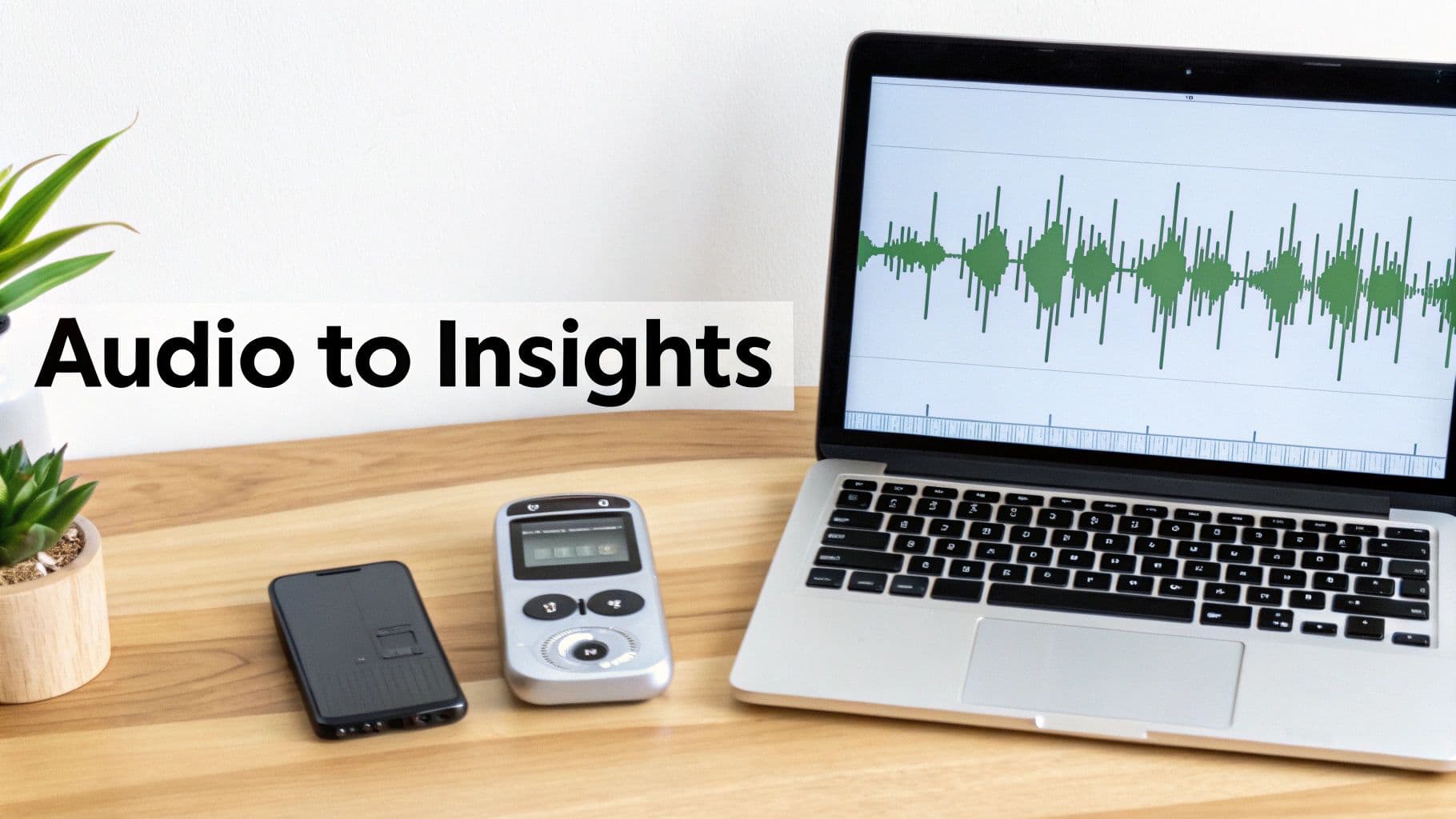
Getting that crystal-clear recording is just the first step. The real magic happens when you turn that raw audio into something you can actually use—notes, summaries, or key takeaways. Today, that means pairing your trusty recorder with smart AI tools for transcription and summarization. A great recording is the fuel for this whole automated process.
Think of it this way: when you record an interview in a high-quality format like WAV, you’re giving the AI transcription engine the cleanest, richest data to work with. This directly translates to better accuracy, meaning you spend way less time fixing mistakes and can trust that the subtle details of the conversation are captured correctly.
A Simple Workflow for Interview Audio
Going from a raw recording to a shareable summary doesn't have to be a headache. The right workflow can save you hours of manual labor and get you to the important insights in minutes. It's all about building a smooth handoff from your recorder to your analysis software.
Here’s how it usually looks in practice:
- Record in High Fidelity: Seriously, always choose WAV or another uncompressed format if you can. This is the single biggest thing you can do to get an accurate transcript.
- Transfer the Files: Pop out the microSD card or plug in the USB cable to get the audio files onto your computer.
- Upload to an AI Tool: Pick an AI transcription service and upload your audio file. Many of these platforms do much more than just convert speech to text.
- Let the AI Do the Heavy Lifting: Once it's transcribed, use the software's features to identify speakers, generate summaries, and even pull out action items. This helps you find what matters most, fast.
This process turns a long audio file into a structured, searchable document. To find the right tool for the job, check out our guide to the 12 best interview transcription software options for 2025.
The New Normal: Hybrid Hardware and AI
The way we use recorders has fundamentally changed. We’re moving away from treating them as standalone devices and toward a hybrid approach that combines top-notch local recording with cloud-based AI. It’s all about getting results faster and more efficiently.
The market data backs this up. The broader Voice AI sector is expected to grow by double digits in the coming years, leaving old-school hardware markets in the dust. People clearly want devices and services that feed into intelligent systems, which means investing in a quality recorder is a solid, future-proof move for any professional.
At the end of the day, picking the right voice recorder isn't just about how well it captures sound. It's about finding a tool that fits perfectly into a modern, AI-driven workflow. That synergy between your hardware and software is what unlocks the true power of every conversation you record.
Common Questions About Interview Recorders
When you're looking for the right voice recorder, a few practical questions always seem to pop up. Getting them answered upfront can make the difference between buying a gadget that gathers dust and one that becomes an indispensable part of your toolkit. Let's dig into the most common ones.
Should I Just Use My Smartphone for Recording Interviews?
It's tempting, I know. Your phone is always with you. But for any interview that matters, a smartphone is a big gamble. The built-in mics are designed to pick up everything, which means you get a ton of background noise and echo that can make voices sound distant and unclear.