Meetings are the backbone of collaboration, but they often produce a chaotic whirlwind of information. You walk out with pages of scribbled text, a dozen action items you can barely decipher, and a nagging feeling you missed the most critical points. The default approach of frantically typing everything said isn't just inefficient; it actively works against comprehension and retention. Effective note-taking isn't about transcription; it's about synthesis. It’s the process of actively listening, identifying key concepts, and structuring information in a way that makes it immediately useful.
Without a systematic approach, notes become a liability instead of an asset. They are difficult to review, hard to share, and nearly impossible to act upon. This guide is designed to change that. We will move beyond the basic, unstructured methods and provide a comprehensive roundup of powerful note taking strategies tailored for different scenarios. Whether you're in a fast-paced brainstorming session, a structured project update, or a complex client discovery call, the right method can transform your ability to capture and leverage information.
This article provides a practical toolkit of ten distinct methods, from the classic Cornell System to modern AI-powered summarization. For each strategy, you'll find a clear explanation of what it is, its specific pros and cons, and a step-by-step guide on how to implement it effectively. The goal is to equip you with a versatile set of techniques so you can choose the perfect one for any situation, ensuring your notes are always clear, actionable, and a catalyst for productivity. Mastering these systems can also complement broader educational frameworks; for instance, understanding how information is structured is a core component of effective strategies for student engagement in online learning, proving these skills are valuable far beyond the conference room.
1. Cornell Note-Taking System
The Cornell Note-Taking System is a highly structured and effective method for capturing, organizing, and reviewing information. Developed by Walter Pauk, an education professor at Cornell University, this approach divides a single page into distinct sections, making it one of the most organized note taking strategies for active learning and recall. It forces you to process information as you record it, which significantly boosts retention.
This method shines in environments where you need to distill complex discussions into key takeaways, such as client meetings, training sessions, or project kick-offs. To learn more about its application in professional settings, you can explore detailed guides on taking better meeting notes.
How It Works
The page is split into three main areas:
- Main Notes Column (Right): This is the largest section. During a meeting or lecture, you take your standard notes here. Focus on capturing key ideas, decisions, and data points.
- Cues/Questions Column (Left): Shortly after the meeting, you review your main notes and pull out keywords, main ideas, or questions that your notes answer. This column acts as a study guide or a quick reference index.
- Summary Section (Bottom): At the end, you write a one or two-sentence summary of the entire page's content. This forces you to synthesize the information at a high level.
Real-World Example
A sales team uses the Cornell method to debrief after a client discovery call.
- Main Notes: They jot down the client's pain points, budget constraints, and desired features.
- Cues Column: They add keywords like "Integration Issues," "Q3 Budget," and "Must-Have: Analytics."
- Summary: "Client needs a cost-effective solution to integrate their CRM and analytics platforms before the end of Q3, focusing on user-friendly reporting."
Tips for Modern Teams
- Integrate with AI: Use an AI transcription tool like Otter.ai or Fireflies.ai to generate the raw text for your Main Notes column. Your job becomes curating this transcript and adding cues and a summary.
- Create a Shared Cue Column: For team meetings, have a designated note-taker manage the main notes, and allow all participants to add questions or keywords to a shared "Cue Column" in a collaborative document.
- Action-Oriented Summaries: Use the summary section to draft a concise recap email for stakeholders, clearly outlining key decisions and next steps. This simple step ensures alignment and accountability.
2. Outline Method
The Outline Method is a classic, hierarchical approach to note-taking that uses indentation, bullets, and numbering to show relationships between concepts. This is one of the most intuitive note taking strategies because it naturally organizes information into main topics, subtopics, and supporting details, creating a clear, logical flow. Its structured format makes information easy to scan and digest, which is ideal for capturing meeting agendas, decisions, and action items.
This method excels in situations where the information is presented in a structured way, such as executive leadership meetings discussing quarterly objectives or remote team standups. It provides a clean, scannable record of discussions, making it easy to track progress and identify key takeaways after the fact.
How It Works
This method organizes information from general to specific.
- Main Topics: Start with the most important ideas or agenda items. These are placed at the far left and are typically marked with a Roman numeral or a number (e.g., I, II, or 1, 2).
- Subtopics: Under each main topic, indent and list related points or supporting details. These can be marked with capital letters (A, B, C) or bullets.
- Supporting Details: Add further indented points under subtopics to capture specific data, examples, or action items. This creates multiple layers of detail, showing a clear hierarchy of information.
Real-World Example
A sales team uses the Outline Method during a call to structure customer objections and resolutions.
- 1. Pricing Concerns
- A. Monthly cost is too high
- B. Lack of flexible payment options
- 2. Feature Gaps
- A. No direct X integration
Tips for Modern Teams
- Let AI Draft the Outline: Use an AI meeting assistant like Fireflies.ai to generate a transcript and automatically create a preliminary outline based on the conversation flow. Your team can then refine and edit this structure.
- Standardize Formatting: Create a team-wide template for outlines. For example, use numbered lists for decisions, bullets for discussion points, and a specific tag like [ACTION] for action items.
- Tag Owners and Deadlines: Directly within the outline, assign owners and due dates to action items (e.g., "A. Finalize proposal - [ACTION: Sarah, EOD Friday]"). This transforms notes into a project plan.
- Convert to Checklists: Easily convert the final outline into a checklist in your project management tool to track accountability and ensure follow-through on all decisions and tasks.
3. The Boxing Method (Sketchnoting)
The Boxing Method, a form of sketchnoting, is a visual note-taking technique that groups related ideas into boxes. This approach moves beyond linear text, using shapes, connectors, and minimal text to capture key concepts and their relationships. As one of the more creative note taking strategies, it's excellent for visual thinkers and for simplifying complex information into an easily digestible format.

This method is especially powerful for diverse global teams, where visual communication can transcend language barriers. It works effectively when combined with AI-generated summaries that provide the foundational text. For a deeper dive into the world of visual notes, sketchnoting pioneer Mike Rohde offers valuable insights.
How It Works
This is a free-form method that prioritizes concepts over chronological order.
- Listen for Big Ideas: Instead of writing every word, listen for distinct topics or main concepts.
- Box Each Idea: Write a main idea and draw a box around it. Each new, separate concept gets its own box.
- Connect the Boxes: Use lines, arrows, or spatial proximity to show relationships between the different boxes.
- Add Visuals: Use simple icons, sketches, or colors to add meaning and emphasis to your notes.
Real-World Example
A product team uses the Boxing Method during a feature brainstorming session.
- Boxes: One box contains "User Onboarding Flow," another has "Dashboard Analytics," and a third is for "Integration APIs."
- Connections: An arrow from "User Onboarding Flow" to "Dashboard Analytics" indicates that the user's first experience should highlight key data points.
- Visuals: A small gear icon is placed next to "Integration APIs" to signify technical setup.
Tips for Modern Teams
- Start with AI Summaries: Let an AI tool like Fireflies.ai capture the meeting transcript and generate a summary. Use this text as the source material to create your visual boxing notes after the meeting.
- Establish a Visual Vocabulary: Create a simple, shared library of icons and shapes for your team (e.g., a lightbulb for new ideas, a flag for action items). This ensures consistency.
- Digitize and Share: Photograph or scan your sketchnotes and upload them to shared spaces like Confluence or Notion. This makes your visual summary accessible to everyone and easy to find later.
- Combine with Action Items: Pair your visual notes with a clear, text-based list of action items generated by your meeting AI. The visual map provides context, while the list drives action.
4. The Charting Method
The Charting Method is a powerful comparative approach that organizes information into a structured table or chart. By using columns and rows to map out relationships between different data points, it transforms raw information into a clear, scannable format. This makes it one of the most effective note taking strategies for data-driven decision-making and analysis.
This method is ideal for business environments where you need to compare options, track progress, or analyze complex data sets. It’s perfect for IT teams evaluating software, sales teams analyzing competitors, or HR professionals comparing job candidates. The visual clarity of a chart simplifies complex information, making it easier to spot patterns and draw conclusions quickly.
How It Works
This method involves creating a matrix to systematically organize information.
- Identify Categories: Before the meeting or session, determine the main categories you need to compare. These will become your column headers (e.g., Features, Pricing, Integration).
- Define Items: The items you are comparing will form the rows (e.g., different software vendors, competitors, or project options).
- Populate the Chart: During the discussion, fill in the corresponding cells with concise notes, data points, or key facts. This creates a direct, side-by-side comparison.
Real-World Example
An IT decision-making team uses the Charting Method to evaluate new AI meeting tools.
- Columns: They set up columns for "Tool Name," "Key Features," "Pricing Model," and "Integration Capabilities."
- Rows: Each row represents a different tool, such as Otter.ai, Fireflies.ai, and Fathom.
- Cell Content: As they review each option, they fill in details like "Real-time transcription," "$20/user/month," and "Connects to Salesforce."
Tips for Modern Teams
- Pre-define Columns: Set up your chart's column headers before a meeting based on its objectives. This keeps your note-taking focused and ensures you capture the most relevant information.
- Use AI to Find Categories: After a call, use an AI summary tool to identify the key comparison points discussed. Use these identified themes to structure your chart columns for a more accurate overview.
- Color-Code for Emphasis: Use color-coding to highlight priorities, status levels (e.g., green for 'Approved,' yellow for 'Pending'), or key differentiators. This adds a layer of visual data that makes the chart even easier to interpret.
- Share as a Live Dashboard: Create your chart in a collaborative tool like Google Sheets or Notion. Share it with the team so everyone has real-time visibility into the comparisons and can contribute updates.
5. Sentence Method
The Sentence Method is a straightforward and highly logical approach where each note is captured as a complete, distinct sentence. Instead of jotting down fragmented phrases or keywords, you record every key piece of information as a full thought. This makes it one of the clearest note taking strategies for creating immediately usable records, such as minutes, summaries, or stakeholder updates.
This method excels in formal settings where accuracy and clarity are paramount, like board meetings, legal briefings, or client handoffs. The structured nature of complete sentences ensures that context is preserved and ambiguity is eliminated, making the notes easy for anyone to understand, even without having been present.
How It works
The process is simple and linear. As you listen, you identify and document each key point, decision, or action item as a separate, numbered sentence.
- Listen for Complete Thoughts: Pay attention to distinct ideas, decisions, or data points presented.
- Capture Each Thought as a Sentence: Write down each point as a grammatically complete sentence. Start a new line for each new thought.
- Number Each Sentence: Assign a sequential number to each entry for easy reference and organization.
Real-World Example
A customer success team uses the Sentence Method to document a client onboarding call for a smooth handoff to the support team.
- Sentence 1: The client's main goal is to reduce manual data entry by 20% within the first quarter.
- Sentence 2: John (client's project lead) will provide the API documentation by this Friday.
- Sentence 3: The support team needs to configure a custom integration with the client's Salesforce instance.
Tips for Modern Teams
- Use AI Transcripts as a Base: Let an AI meeting tool generate a full transcript. Your task is to review it and pull out the most critical sentences, editing them for clarity and conciseness.
- Actor-Action-Outcome: Structure each sentence to clearly state who is responsible (the actor), what they need to do (the action), and why (the outcome), if applicable.
- Highlight Action Items: Bold or highlight any sentences that contain a specific action item or deadline. This makes creating a task list from your notes incredibly efficient.
- Build Executive Summaries: To create a quick summary, simply select the 5-7 most impactful sentences from your notes and compile them into a new document or email.
6. Mind Mapping
Mind Mapping is a dynamic, non-linear method that visually organizes information around a central concept. Popularized by Tony Buzan, this technique uses radiating branches to connect related ideas, subtopics, and new thoughts, making it one of the best note taking strategies for brainstorming and understanding complex relationships. It excels at capturing the flow of creative or strategic discussions where ideas don't follow a linear path.
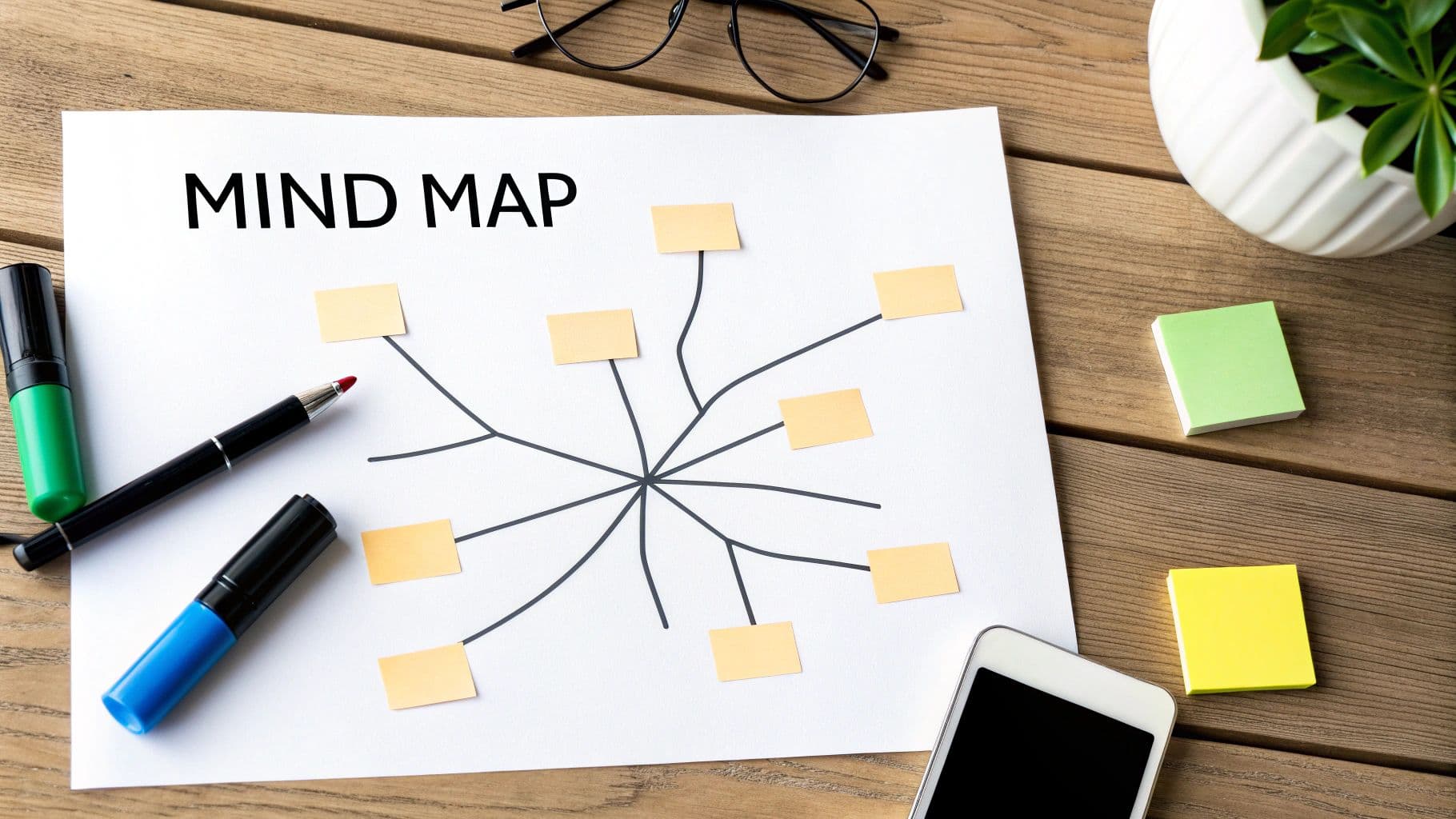
This method is ideal for product roadmap sessions, strategic planning meetings, and any scenario where connecting disparate concepts is key. You can discover more about the mapping method and its applications to see how it can unlock creativity and clarity in your team's discussions.
How It Works
The process is fluid and encourages free association: