A strong internal communication plan is the backbone of any high-performing team. In a world of back-to-back meetings and distributed workforces, the old methods of cascading memos and siloed conversations simply don’t work. They create noise, not clarity, and leave teams disconnected from critical decisions and action items. The key isn't just to talk more, but to communicate smarter by creating systems that ensure information flows efficiently and purposefully.
This guide provides a direct, actionable look at 10 modern internal communication strategy examples that you can adapt and implement right away. We move past abstract theories and dive into specific, replicable protocols for everything from tracking action items to sharing competitive intelligence. Each example is designed to solve a common communication breakdown that hinders productivity and alignment.
You will find detailed breakdowns for various teams, including remote, sales, and operations, with practical steps, sample messages, and key performance indicators (KPIs) to measure success. We will also explore how to integrate smart tools, like AI-powered meeting summarizers, to automate documentation and ensure every conversation leads to a clear, actionable outcome. Forget the clutter of endless email chains and ambiguous meeting notes; these strategies are built to create a culture of transparency, accountability, and focused execution across your entire organization.
1. Asynchronous Meeting Summaries
Asynchronous meeting summaries are a powerful internal communication strategy that uses AI tools to automatically transcribe, summarize, and distribute the key takeaways from a meeting. This allows team members who couldn't attend, or those in different time zones, to stay informed without the need for live participation, combating meeting fatigue and boosting productivity.
This method transforms how information flows, particularly in remote or globally distributed teams. Instead of relying on manual note-taking or hoping someone remembers to share an update, AI-powered summaries provide an objective, searchable record of discussions, decisions, and action items.
How It Works & Key Benefits
Tools like Fireflies.ai, Otter.ai, and Notta integrate with meeting platforms (Zoom, Google Meet, Teams) to record and process conversations. The AI identifies speakers, pinpoints key topics, and generates a concise summary outlining critical decisions and next steps.
- Benefit: Increases alignment by ensuring everyone receives the same information, reducing the risk of miscommunication.
- Benefit: Saves valuable time by eliminating the need for employees to sit through meetings where only a small portion is relevant to their work.
- Benefit: Creates a knowledge base by archiving summaries, making past decisions easily accessible for new hires or project stakeholders.
Real-World Example & Implementation
A global marketing team spread across North America, Europe, and Asia uses this strategy to keep everyone aligned on campaign progress. Their weekly strategy call happens at a time that is inconvenient for at least one region.
- Tool Integration: They connect Fireflies.ai to their team's Slack channel.
- Automation: After each meeting, Fireflies automatically posts the AI-generated summary, a full transcript, and the audio recording into the channel.
- Action Items: The summary clearly lists action items, tagging the responsible team member directly in Slack.
This simple workflow ensures that the team in Asia can wake up, read a 5-minute summary, see their assigned tasks, and start their day with complete clarity. This is one of the most effective internal communication strategy examples for bridging time zone gaps. To explore the best tools for this, you can learn how to automatically summarize meeting recordings on summarizemeeting.com.
2. Action Item Tracking Systems
Action Item Tracking Systems are structured processes that ensure accountability by automatically extracting tasks from conversations and converting them into trackable items. This strategy uses AI to identify action items discussed in meetings, assigning them owners, deadlines, and priority levels directly within project management platforms, eliminating the "who was supposed to do that?" problem.
This approach bridges the gap between discussion and execution, transforming verbal commitments into visible, measurable tasks. Instead of tasks getting lost in meeting notes or email threads, they are systematically captured and integrated into the team's daily workflow, making follow-through a seamless part of the process.

How It Works & Key Benefits
Tools like Notta, Fireflies, and Otter.ai integrate with project management software (Asana, Jira, Salesforce) to automate task creation. The AI listens for trigger phrases like "I will..." or "the next step is..." and automatically populates a task board or CRM with the relevant details.
- Benefit: Boosts accountability by clearly assigning ownership and deadlines for every task, leaving no room for ambiguity.
- Benefit: Improves project velocity by ensuring that action items from one meeting are immediately visible and ready to be worked on.
- Benefit: Enhances cross-functional alignment by providing a centralized, transparent view of all commitments and their status.
Real-World Example & Implementation
An operations team uses Notta to manage complex, cross-departmental initiatives discussed in their weekly syncs. They need to ensure tasks assigned to marketing, sales, and product are not dropped.
- Tool Integration: They connect Notta to their company-wide Asana instance.
- Automation: During their weekly Microsoft Teams call, Notta identifies action items and who they are assigned to. It then automatically creates a new task in the relevant Asana project board.
- Action Items: Each task is auto-populated with a link to the meeting transcript and a due date, providing full context for the assignee.
This workflow ensures that nothing falls through the cracks. Team members receive Asana notifications for their new tasks immediately after the meeting, which makes this one of the most effective internal communication strategy examples for driving execution. You can start by mastering action item tracking for your team on summarizemeeting.com.
3. Decision Documentation Protocol
A Decision Documentation Protocol is a formalized system for capturing, timestamping, and archiving every significant decision made within a company. This strategy creates a centralized, auditable record in a knowledge base, making it clear not just what was decided, but why, when, and by whom.
This protocol transforms accountability and organizational memory. Instead of decisions living in scattered emails or faded meeting notes, they become a permanent, searchable asset. AI summarization tools are crucial here, as they can automatically isolate decision statements, identify stakeholders, and capture the rationale discussed during meetings.
How It Works & Key Benefits
Tools like Notta, Fireflies.ai, and Otter.ai can be configured to specifically highlight and tag decisions made in meetings. The system involves creating a standardized template for every decision record, which is then stored in a central hub like Confluence, Notion, or SharePoint.
- Benefit: Enhances transparency and trust by creating a clear, unchangeable record of why choices were made, which is crucial for compliance and governance.
- Benefit: Accelerates onboarding by giving new hires access to historical context, allowing them to understand the "why" behind current processes.
- Benefit: Reduces repetitive discussions by providing a single source of truth that teams can reference, preventing settled issues from being reopened.
Real-World Example & Implementation
An HR department uses a Decision Documentation Protocol to maintain compliance and consistency when updating company policies. Previously, policy changes were announced in meetings and emails, leading to confusion about the final version and rationale.
- Tool Integration: They use Notta to record all policy review meetings, with a dedicated template in their Notion workspace for "Policy Decisions."
- Automation: After a meeting, the Notta summary highlights key decisions. A designated HR specialist transfers these decisions into the Notion template, including the date, stakeholders present, a summary of the rationale, and the final policy wording.
- Accessibility: The Notion database is tagged by policy type (e.g., "PTO," "Remote Work") and date, making it instantly searchable for the entire company.
This process ensures that when an employee asks why a specific policy was changed six months ago, HR can provide a direct link to the documented decision and its full context. This stands as one of the most vital internal communication strategy examples for organizations in highly regulated industries.
4. Customer-Facing Recap Communications
Customer-facing recap communications extend the benefits of internal summaries to external stakeholders. This strategy involves using AI tools to generate polished, professional recaps of client meetings, which are then shared to confirm mutual understanding, document commitments, and showcase professionalism.
This method bridges the gap between internal discussions and external alignment. Instead of relying on manual follow-up emails that can miss details, an AI-generated summary provides a clear, objective record of the conversation, ensuring both your team and the client are on the same page regarding scope, timelines, and next steps.
How It Works & Key Benefits
Tools like Otter.ai, Notta, and Fireflies.ai can join client-facing calls (on Zoom, Teams, etc.), transcribe the dialogue, and produce a clean summary. This summary can be quickly edited to remove internal jargon before being sent to the client, creating a powerful post-meeting touchpoint.
- Benefit: Enhances client trust by demonstrating transparency, attention to detail, and a commitment to clear communication.
- Benefit: Reduces scope creep by creating a documented record of what was agreed upon, which can be referenced later.
- Benefit: Accelerates project timelines by ensuring immediate clarity on action items for both your team and the client.
Real-World Example & Implementation
A B2B SaaS sales team uses this strategy to solidify commitments made during implementation and onboarding calls. Miscommunication at this stage was previously a major cause of customer churn.
- Tool Integration: They use Otter.ai connected to their CRM and email client.
- Automation & Review: After a client onboarding call, Otter.ai generates a summary. The account manager takes two minutes to review it, remove any internal-only comments, and format it into a branded email template.
- Client Follow-Up: The polished summary, which clearly lists the client’s responsibilities and the team’s next steps, is sent to the client within an hour of the call.
This process ensures that clients feel heard and confident in the plan. It’s one of the most effective internal communication strategy examples for improving external stakeholder management and accountability. To learn more about selecting the right platform for this, you can explore the top meeting summarizers on summarizemeeting.com.
5. Cross-Functional Knowledge Sharing
Cross-functional knowledge sharing is an advanced internal communication strategy that repurposes meeting outputs as a searchable, internal knowledge base. This approach breaks down departmental silos by allowing teams to access and learn from each other's discussions, decisions, and insights without having to attend every meeting.
This strategy democratizes information, transforming routine meetings into valuable assets for the entire organization. When a sales team's call summary is accessible to marketing, or a product team's roadmap discussion is available to customer success, you create a more informed, agile, and aligned workforce.
How It Works & Key Benefits
By integrating AI meeting summary tools with knowledge management platforms like Confluence or Notion, every important conversation becomes a permanent, searchable record. Teams can automatically channel summaries into designated spaces, creating a living library of organizational intelligence. To streamline this process, explore effective knowledge management practices that can enhance collaboration across teams.
- Benefit: Breaks down information silos by making insights from one department (e.g., customer feedback from a support call) instantly available to others (e.g., product development).
- Benefit: Accelerates onboarding and training as new hires can review historical meeting summaries to quickly understand project context and team dynamics.
- Benefit: Fosters innovation by exposing employees to different perspectives and data points, sparking new ideas that wouldn't emerge in a siloed environment.
Real-World Example & Implementation
A rapidly growing tech startup uses this strategy to keep its product, sales, and customer success teams in sync. They were struggling with an information gap where product updates weren't fully understood by sales, and customer feedback wasn't reaching the product team efficiently.
- Tool Integration: They connect Otter.ai to a dedicated Confluence space titled "Cross-Functional Knowledge Hub."
- Automation & Tagging: After every client-facing sales call and internal product planning session, Otter.ai automatically sends the summary to Confluence. Each summary is tagged with keywords like #FeatureRequest, #ClientFeedback, or #RoadmapUpdate.
- Cross-Team Review: Team members can now search the hub for specific tags to get real-time insights. The product manager can filter for #FeatureRequest to inform the next sprint, while the sales team can review #RoadmapUpdate to prepare for client conversations.
This system creates a continuous feedback loop, making it one of the most powerful internal communication strategy examples for building a truly collaborative and data-driven culture.
6. Real-Time Meeting Transcription Display
Real-Time Meeting Transcription Display is an internal communication strategy that provides a live, AI-generated transcript directly on-screen during virtual meetings. This visual aid allows participants to read the conversation as it happens, enhancing comprehension, accessibility, and engagement for everyone involved.
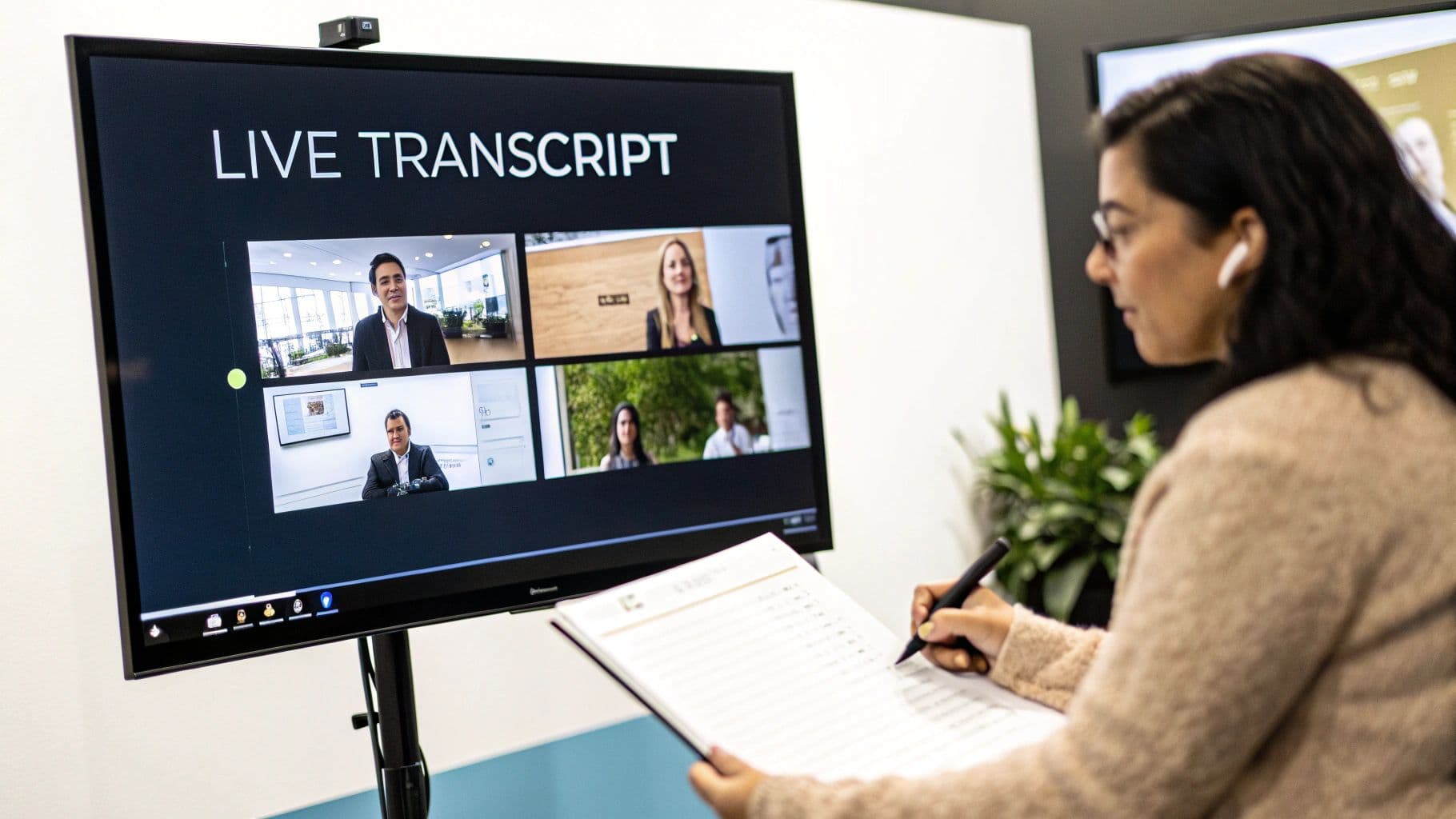
This method moves beyond post-meeting summaries by offering immediate clarity. It is particularly impactful for non-native speakers who can follow the written text to confirm what they hear, and it ensures participants with hearing impairments can participate fully. It also helps anyone who momentarily loses focus or steps away to quickly catch up without disrupting the flow.
How It Works & Key Benefits
Tools like Otter.ai, Notta, or the native captioning features in Zoom and Microsoft Teams integrate directly into the meeting interface. The AI captures spoken words and instantly converts them into text that scrolls in a dedicated window, visible to all participants who enable it.
- Benefit: Boosts inclusivity and accessibility by providing essential support for team members who are deaf, hard of hearing, or non-native speakers.
- Benefit: Improves focus and retention as participants can both see and hear the information, reinforcing key points and reducing misunderstandings.
- Benefit: Enables real-time fact-checking by allowing attendees to quickly scroll back and confirm a specific detail or quote without interrupting the speaker.
Real-World Example & Implementation
A multinational tech company with a strong commitment to diversity and inclusion implemented live transcription for all its global town hall meetings. Their goal was to ensure every employee, regardless of location or native language, felt equally included in critical company-wide updates.
- Tool Integration: They use Otter.ai's live transcription feature, which integrates seamlessly with their company-wide Zoom account.
- Pre-Meeting Communication: Before each town hall, an email is sent with instructions on how to toggle the live transcript display on or off.
- Engagement: During the meeting, moderators occasionally reference the transcript to highlight key quotes or data points, encouraging its use.
This approach has significantly increased engagement scores from non-native English-speaking employees, who report feeling more confident and informed. This is a leading internal communication strategy example for fostering a truly inclusive environment.
7. Competitive Intelligence Extraction
Competitive intelligence extraction is a strategy that uses AI tools to systematically capture, summarize, and distribute market and competitor insights from sales calls and customer conversations. This transforms raw meeting data into a strategic asset, allowing sales, product, and marketing teams to stay ahead of market trends, understand customer needs, and monitor competitor movements.
This method creates a direct feedback loop from the front lines to the strategy-makers. Instead of relying on anecdotal evidence or manual reports, AI-powered extraction provides a structured, searchable database of real-time intelligence, ensuring that crucial information isn't lost after a call ends.
How It Works & Key Benefits
Tools like Fireflies.ai, Notta, and Otter.ai analyze meeting transcripts to identify mentions of competitors, pricing objections, feature requests, and market trends. The AI then organizes this information into concise summaries that can be shared across relevant departments, like product or marketing.
- Benefit: Boosts competitive advantage by providing real-time, unfiltered insights into competitor tactics and customer sentiment.
- Benefit: Accelerates product development by feeding direct customer feedback and feature requests to product teams.
- Benefit: Improves sales effectiveness by equipping reps with up-to-date information on how to counter competitor claims and handle objections.
Real-World Example & Implementation
A B2B SaaS company’s revenue team uses this strategy to maintain its market leadership. They were finding that valuable competitor mentions from sales calls were not being consistently logged in their CRM.