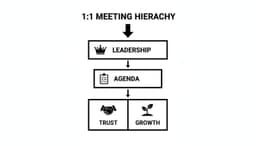
In today's fast-paced work environment, meetings can either be powerful drivers of progress or costly drains on time and energy. The difference often comes down to one critical factor: preparation. Moving beyond simply sending a calendar invite, a structured approach is essential for ensuring every gathering is focused, productive, and results-oriented. A well-thought-out meeting preparation checklist is the key to unlocking this efficiency, transforming routine discussions into decisive action.
This comprehensive guide provides the ultimate checklist, broken down into actionable steps that cover everything from defining clear objectives to leveraging technology for smarter follow-up. We will detail the essential practices that guarantee every participant arrives aligned, informed, and ready to contribute meaningfully. Forget vague agendas and unclear outcomes; this framework is designed to bring precision and purpose to every conversation.
Whether you're a team lead aiming for more productive stand-ups, an executive steering a critical strategy session, or a remote contributor navigating a complex project, these strategies will help you transform your meetings from routine obligations into high-value strategic assets. You will learn how to:
- Structure a meeting for maximum impact from start to finish.
- Engage participants by assigning clear roles and responsibilities.
- Follow through with effective action item tracking and post-meeting communication.
We'll also explore how modern AI tools can streamline this process, making exceptional preparation the new standard for your team. By implementing this detailed meeting preparation checklist, you can reclaim valuable time, drive better decisions, and foster a culture of productivity and collaboration.
1. Define Meeting Objectives and Goals
The single most critical step in any effective meeting preparation checklist is defining a clear purpose. A meeting without a defined objective is just a conversation, often leading to wasted time and ambiguous outcomes. Establishing precise goals beforehand ensures every discussion is focused, every participant is aligned, and the time spent together is productive. This foundational step transforms a potential time-waster into a strategic tool for decision-making and progress.

This process involves identifying exactly what you need to accomplish. Are you aiming to make a specific decision, share critical information, or brainstorm new ideas? The answer dictates the meeting's structure, attendees, and agenda. Understanding the difference between broad goals and specific, measurable objectives is key. For a deeper dive, you can learn more about the distinction between goals and objectives in this complete guide.
Practical Examples in Action
- Sales Teams: Instead of a generic "pipeline review," a specific objective could be: "Analyze the three largest stalled deals in the pipeline to identify next steps and assign owners for each action item by the end of the meeting."
- Remote All-Hands: A vague "company update" becomes a targeted objective: "Communicate Q3 financial results, demo the new product feature, and answer at least five pre-submitted employee questions about the return-to-office policy."
- Revenue Teams: A "sync" is clarified with the objective: "Align on the new Q4 pricing strategy and finalize the discount approval workflow for the enterprise sales team."
Actionable Tips for Setting Objectives
To implement this effectively, follow a structured approach:
- Use the SMART Framework: Ensure your objectives are Specific, Measurable, Achievable, Relevant, and Time-bound.
- Share Objectives in the Invite: Include the 2-3 primary objectives directly in the calendar invitation. This allows participants to arrive prepared to contribute meaningfully.
- Tag Objectives in AI Tools: When using AI summarization tools like Fireflies.ai or Otter.ai, tag your predefined objectives. This helps the AI better categorize discussion points and generate more accurate, relevant summaries and action items.
2. Create a Detailed Agenda with Time Allocations
Once you have clear objectives, the next essential item on any meeting preparation checklist is crafting a detailed agenda. An agenda is the roadmap for your meeting, guiding the conversation from start to finish and ensuring all critical topics are covered. Without a structured, timed agenda, discussions can easily drift, dominant voices can monopolize the time, and you risk ending the meeting without achieving your goals. A well-constructed agenda provides clarity, sets expectations, and empowers participants to prepare effectively.
This process involves more than just listing topics; it requires assigning a specific time allocation and an owner to each item. This structure holds everyone accountable and maintains momentum. Furthermore, a detailed agenda significantly enhances the effectiveness of AI summarization tools. When tools like Otter.ai or Notta process the meeting transcript, a clear agenda allows them to accurately segment the conversation by topic, leading to more precise summaries and better action item detection for each distinct part of the discussion.
Practical Examples in Action
- IT Teams: For a technical review, an IT manager could structure the agenda as: "5-min: Review previous action items, 15-min: Deep dive on security patch deployment (led by Jane), 5-min: Decision on rollout timeline." This keeps the technical discussion focused and outcome-oriented.
- HR & Training: A training coordinator organizing an HR onboarding session can create segments like "10-min: Company Culture Overview," "15-min: Payroll & Benefits Walkthrough," and "5-min: Q&A." This helps new hires follow along and ensures all essential information is covered.
- Global Teams: A project lead can schedule a call with specific agenda slots to accommodate different time zones, such as dedicating the first 15 minutes to updates from the APAC team and the next 15 minutes to input from the EMEA team.
Actionable Tips for Creating Agendas
To build a powerful and effective agenda, incorporate these practical steps:
- Follow the 80/20 Rule: Allocate approximately 80% of the meeting time to discussion and collaboration and reserve the final 20% for making decisions and defining clear action items.
- Share in Advance: Send the agenda to all participants at least 24 hours before the meeting. This gives everyone time to review the topics, gather their thoughts, and prepare to contribute.
- Build in Buffer Time: Add a 5-minute buffer between major agenda topics. This provides a natural transition and prevents one discussion from running over and derailing the entire schedule.
- Tag Agenda Items for AI: Before the meeting, label your agenda items with keywords. You can then use these keywords as tags in your meeting summarization tool to help it correlate transcript segments with the planned topics.
3. Identify and Invite the Right Participants
A packed meeting room, virtual or physical, is often a sign of inefficiency, not importance. A critical part of any meeting preparation checklist is strategically selecting attendees. Inviting only the essential decision-makers, stakeholders, and experts keeps the conversation focused, improves engagement, and prevents unnecessary schedule clutter. This deliberate approach ensures that everyone present has a clear role, leading to faster decisions and more productive outcomes.
This process is about quality, not quantity. Before sending a single invitation, ask: "Who is absolutely essential for achieving the meeting's objective?" Answering this question honestly prevents scope creep and ensures the discussion remains relevant. By curating the attendee list, you respect everyone's time and create an environment where meaningful contributions are not just possible but expected.
Practical Examples in Action
- Sales Teams: For a critical forecasting call, a sales manager using a tool like Notta invites only the specific deal owners, their direct manager, and a finance representative. This small group can quickly validate numbers and make decisions without a bloated audience.
- Remote Startups: Instead of mandating attendance for a company all-hands, a startup can make it optional for certain departments. The meeting is recorded using Otter.ai, and the transcript is shared, allowing those with conflicting priorities to catch up asynchronously.
- Operations Teams: A process improvement meeting is limited to the core stakeholders directly involved in the workflow. Other interested parties receive the meeting summary and action items afterward, keeping them informed without slowing down the core discussion.
Actionable Tips for Selecting Participants
To implement this effectively, follow a structured approach:
- Create a RACI Matrix: Before sending invites, quickly map out who is Responsible, Accountable, Consulted, and Informed. Only the R, A, and C roles typically need to be in the live meeting.
- Use 'Required' vs. 'Optional': Clearly label attendees in the calendar invitation. This empowers individuals to make an informed decision about whether their presence is crucial or if they can catch up later.
- Communicate the 'Why': Briefly explain in the invite why each person was invited and what is expected of them. This sets clear expectations and helps participants prepare their contributions.
- Share Transcripts Widely: Ensure that stakeholders who were not invited (the 'Informed' group) receive the AI-generated summary and transcript. This keeps the broader team aligned without consuming their valuable time in the meeting itself.
4. Prepare and Gather Supporting Materials
Arriving at a meeting unprepared with necessary documents is like showing up to a construction site without blueprints. Gathering all relevant materials beforehand is a crucial part of any effective meeting preparation checklist. This ensures that valuable time is spent on discussion and decision-making, not on searching for data or providing last-minute context. Having these materials ready helps participants engage meaningfully and allows everyone to contribute from a shared foundation of knowledge.
This step involves compiling all documents, dashboards, reports, and prior meeting notes that will inform the conversation. Providing this context in advance allows attendees to review the information and come prepared with questions and insights. When using AI meeting tools, pre-loaded reference materials also help the software better contextualize discussions, leading to more accurate transcriptions and summaries that link back to specific data points.
Practical Examples in Action
- Revenue Teams: Before a quarterly planning session, a manager compiles CRM dashboards showing pipeline velocity, historical forecast data, and deal-win reports. These are shared so the team can analyze trends before the call.
- IT Managers: For a vendor comparison meeting, an IT lead gathers system performance metrics, recent incident reports, and project status updates. This data provides a factual basis for evaluating new software solutions.
- HR Teams: An HR professional prepares compliance documentation, draft policy changes, and new training materials for an onboarding strategy meeting, allowing stakeholders to review the legal and practical implications beforehand.
Actionable Tips for Sharing Materials
To ensure your materials are used effectively, follow these best practices:
- Share Materials in Advance: Send all supporting documents at least 24-48 hours before the meeting. This gives participants adequate time to review and prepare.
- Organize by Agenda Item: Structure your materials in a folder or document that mirrors the meeting agenda. This makes it easy for attendees to find relevant information during the discussion.
- Highlight Key Data: Don't just send a 50-page report. Guide your audience by highlighting the specific charts, figures, or paragraphs that are most critical to the conversation.
- Use Centralized Cloud Storage: Host all documents on a shared platform like Google Drive, SharePoint, or Dropbox to ensure everyone has access to the latest version.
5. Conduct Pre-Meeting Stakeholder Alignment
One of the most powerful yet underutilized steps in a meeting preparation checklist is conducting pre-alignment sessions. This involves meeting briefly with key decision-makers or influential participants before the main meeting to preview the agenda, surface potential objections, and clarify desired outcomes. This proactive step ensures the primary meeting is dedicated to decisive action and execution, rather than getting derailed by unexpected debates or fundamental disagreements. By socializing ideas beforehand, you build consensus early and transform the group meeting into a forum for finalization, not initial discussion.
This strategy is particularly effective for high-stakes decisions where multiple departments or senior leaders are involved. A pre-alignment isn't about making the decision in secret; it's about ensuring all critical perspectives are understood and addressed, which allows the main meeting to run smoothly and efficiently. This preparation respects everyone's time by making the group session more productive and less contentious.
Practical Examples in Action
- Technical Teams: A CTO meets individually with engineering leads and the product manager before a major architecture review. This allows them to address specific team concerns privately so the group discussion can focus on the strategic solution.
- Sales Leaders: A sales director syncs with regional managers before a company-wide forecasting call. They align on the narrative and anticipate tough questions, presenting a unified and well-prepared front to executive leadership.
- Operations & Finance: An operations manager aligns with the finance partner before a quarterly budget review meeting. They agree on key data points and justifications, preventing the review from turning into a line-by-line interrogation.
Actionable Tips for Stakeholder Alignment
To implement this practice effectively, follow a focused approach:
- Schedule Short Pre-Alignment Calls: Keep these sessions brief, typically 15-20 minutes. The goal is to align on the big picture, not to have the entire meeting twice.
- Focus on Understanding Concerns: Use the time to listen. Ask questions like, "What are your primary concerns with this proposal?" or "What information would you need to feel comfortable with this decision?"
- Identify Information Gaps: A key outcome of pre-alignment is discovering what additional data or context is needed for the main discussion. This allows you to prepare it in advance.
- Tag Pre-Aligned Decisions: When using a tool like Notta or Otter.ai to record the main meeting, make a verbal note or tag for decisions that were largely settled during pre-alignment. This provides crucial context for anyone reviewing the transcript later.
6. Set Up Technology and Test Meeting Tools
Technical glitches are one of the most common and disruptive meeting derailers. A crucial part of any modern meeting preparation checklist involves verifying that all necessary technology is functioning correctly before the meeting begins. This step prevents embarrassing delays, ensures a smooth experience for all attendees, and guarantees high-quality outputs from tools like AI meeting assistants, which depend on clear audio and stable connections to work effectively.

This pre-flight check goes beyond simply opening the video conferencing app. It involves testing your microphone and camera, ensuring screen sharing permissions are enabled, and confirming that any integrated tools are properly configured. For teams operating remotely, ensuring your communication infrastructure is robust is paramount; explore options like virtual office phone systems for remote teams to build a reliable foundation. A proactive tech check transforms potential chaos into seamless execution.
Practical Examples in Action
- Global Teams: A marketing team spread across continents tests Zoom on their local networks to ensure sufficient bandwidth for clear audio, which is critical for the Otter.ai transcription to capture every nuance accurately.
- Sales Teams: A sales representative verifies that their CRM screen sharing functions flawlessly before a client demo that will be recorded by Notta, ensuring the recording is valuable for post-call analysis.
- Remote Teams: The project manager confirms that the Fireflies.ai bot has been correctly invited and has access to the Microsoft Teams channel ahead of a critical project sync to guarantee automated note-taking.
Actionable Tips for Tech Checks
To avoid last-minute issues, integrate these steps into your pre-meeting routine:
- Log In Early: Join the meeting 5-10 minutes before the official start time to conduct your checks without an audience.
- Optimize Performance: Close all unnecessary applications and browser tabs to free up system resources and improve video and audio quality.
- Use a Wired Connection: Whenever possible, use an Ethernet cable instead of Wi-Fi for a more stable and reliable internet connection.
- Test Your Audio and Video: Use your conferencing tool’s built-in test feature to check your microphone, speakers, and camera.
- Verify AI Tool Integration: Ensure your meeting summarization tool is properly configured to join and record the call as scheduled.
- Have a Backup Ready: Keep a phone dial-in number handy as a backup in case your primary video or internet connection fails.
7. Assign Clear Meeting Roles and Responsibilities
A meeting without clearly defined roles often leads to confusion and inefficiency. Discussions can drift, decisions can go unrecorded, and action items can be missed. Assigning specific responsibilities to participants before the meeting begins is a crucial step in any effective meeting preparation checklist. It establishes accountability and ensures that all critical functions, from time management to note-taking, are handled seamlessly. This proactive step transforms a potentially chaotic gathering into a well-oiled machine.
By designating a facilitator, timekeeper, and note-taker, you distribute the cognitive load of running the meeting. This allows the meeting leader to focus on guiding the discussion rather than juggling logistics. When everyone knows their part, the meeting flows more smoothly, stays on schedule, and produces a clear, actionable output. This structure is especially vital in remote or hybrid settings where engagement can be harder to maintain.
Practical Examples in Action
- Sales Teams: Before a deal review, one person is assigned to monitor the Otter.ai recording, specifically to verify that all action items and follow-up dates are captured correctly for easy import into the CRM.
- Executive Teams: A senior leader designates a "decision recorder" whose sole responsibility is to log every final decision, the rationale behind it, the owner, and the deadline, ensuring nothing is lost post-meeting.
- HR Teams: For compliance or sensitive discussions, a dedicated note-taker is assigned to add necessary context and nuance to the Fireflies.ai transcript, creating a more comprehensive and accurate record.
Actionable Tips for Assigning Roles
To implement this effectively, build role assignment into your standard process:
- Communicate Roles in Advance: Include the assigned roles and responsibilities directly in the calendar invitation so participants know what is expected of them before they join.
- Rotate Responsibilities: Share roles like facilitator and timekeeper across different meetings. This practice helps develop leadership and time management skills throughout the team.