Ever found yourself designated as the official note-taker in a meeting? You're trying to contribute to the conversation, but you're too busy frantically typing, trying to capture who said what and what needs to be done. It’s a classic workplace dilemma.
This is where meeting minutes AI comes in. Think of it as a dedicated assistant that joins your calls to automatically record, transcribe, and summarize everything for you. It uses artificial intelligence to create a reliable record, pinpoint who is speaking, and even pull out the key action items and decisions. The goal? To save you from hours of manual work and make sure nothing important ever slips through the cracks.
Why Manual Meeting Notes No Longer Work
We've all seen it: the frantic scribbling in a notebook or the clatter of keys trying to keep up with a fast-paced discussion. Taking notes by hand isn't just a chore; it’s a broken system. It forces someone to split their attention between participating and documenting, which almost guarantees they'll do neither job well. This old-school method is slow, riddled with human error, and often misses the crucial context behind important decisions.
It’s like trying to navigate a road trip with a paper map instead of a GPS. Sure, the map might get you there eventually, but you have to keep pulling over to read it, you can easily misinterpret a turn, and it offers zero help with traffic. An AI assistant is the GPS for your meetings—it handles the navigation so you can focus on driving the conversation forward.
The True Cost of Old-School Note-Taking
The fallout from poor note-taking goes way beyond a bit of annoyance. It creates real project bottlenecks. When notes are incomplete or reflect the note-taker's personal bias, team members walk away with different ideas of what was decided. This confusion leads directly to misaligned work, missed deadlines, and—worst of all—more meetings to clarify what was said in the last one.
Let’s break down the core problems with the traditional approach:
- Divided Attention: The person taking notes can rarely engage fully in the discussion or share their best ideas.
- Inaccurate Records: Nuance, tone, and specific details are easily lost when someone is struggling to keep up.
- Delayed Follow-Up: The process of typing up, formatting, and sending out manual minutes can take hours, pushing back the start of important work.
To put it in perspective, let's look at a quick side-by-side.
Manual Note-Taking vs AI Meeting Assistants
Here’s a quick comparison that highlights just how different the two approaches are.
| Aspect | Manual Note-Taking | Meeting Minutes AI |
|---|---|---|
| Process | One person is distracted, frantically typing or writing. | The AI bot joins, records, and transcribes automatically in the background. |
| Accuracy | Prone to human error, bias, and missed details. | Captures every word verbatim, creating a complete and objective record. |
| Output | Raw, often messy notes that need to be cleaned up and formatted. | Polished summaries, transcripts, and action item lists delivered instantly. |
| Speed | Minutes are often sent out hours or even days after the meeting. | Notes and summaries are available and shareable the moment the meeting ends. |
| Team Focus | Distracts at least one participant from contributing. | Allows every single person to be fully present and engaged in the discussion. |
The difference is night and day. One method creates more administrative work, while the other eliminates it entirely.
A Smarter Way to Document Decisions
A meeting minutes AI tool doesn't just solve these problems—it completely changes the game. It acts as a perfect, unbiased participant that never gets distracted or misses a single word. What you get is a complete, objective record of the entire conversation that you can trust.
Of course, even with a powerful tool, you still need to know what makes for a good record. Our guide on meeting minutes best practices can help you get the most value out of your AI-generated notes.
By automating the tedious work of capturing conversations, you free up your team to do what they were hired for: to collaborate, innovate, and drive the business forward. The result is a future with more productive meetings and crystal-clear accountability for everyone.
How AI Turns Conversations Into Action
At its heart, an AI meeting assistant isn't some black-box magic. It’s a smart system built to act like the most efficient human assistant you could imagine. It has two main jobs that work together: one part is the "ears," capturing every word spoken, and the other is the "brain," figuring out what all those words actually mean.
This process takes a messy, free-flowing conversation and turns it into organized, useful information. Instead of a giant wall of text, you get structured notes that pull out the important stuff. This lets your team sidestep the boring administrative work and jump straight to getting things done.
The Technology Behind the Transcript
First things first, the AI has to get the spoken words down in writing. This is handled by a technology called Automatic Speech Recognition (ASR). The easiest way to think about ASR is as a super-fast, incredibly focused typist who listens to the meeting and transcribes it on the fly. It's the same fundamental tech that powers voice assistants like Siri and Alexa.
But an ASR transcript by itself is just raw data. It can tell you what was said, but not who said it or why it mattered. To make the transcript genuinely helpful, the AI needs to layer on context and intelligence. This is where the real power of these tools starts to show.
The system then has to move beyond just words on a page and actually understand the dialogue.
From Words to Meaning and Action
Once the conversation is converted to text, Natural Language Processing (NLP) steps in. If ASR is the ears, NLP is definitely the brain. It digs into the transcribed text to understand context, pull out key ideas, and find the most important bits of information. It's what separates a simple recording from an intelligent summary.
NLP handles several critical jobs:
- Speaker Diarization: This is just a fancy term for figuring out who is talking and when. The AI learns the unique sound of each person's voice to label the dialogue, giving you a clean record of "who said what."
- Topic Segmentation: The AI is smart enough to break the meeting down into logical chapters. It senses when the conversation shifts from the Q3 budget to the new marketing campaign, making it easy for you to jump straight to the part you need.
- Key Insight Extraction: The AI is trained to spot patterns that signal an important moment. It can flag when a decision is made, a key question is asked, or a problem is brought up.
- Task Identification: This is where conversation becomes action. The NLP model hunts for phrases like "I'll get that done," "we need to follow up on," or "the next step is..." and automatically builds a to-do list. You can see how AI-powered action item extraction creates serious team accountability.
To see how this fits into the bigger picture of AI in the workplace, this comprehensive guide to AI time tracking explores some related applications.
A Note on Accuracy and Getting the Best Results
Let's be real: no AI is perfect. The quality of your meeting notes depends heavily on the quality of the audio you feed it. A few common things can trip up the AI.
Loud background noise, people talking over each other, and thick accents can sometimes confuse the ASR, leading to a few mistakes in the transcript. Similarly, if your team uses a lot of niche industry jargon, the AI might not catch it perfectly the first time.
The best way to get great results is to aim for clear audio. Encourage everyone to use a headset with a decent microphone and try to keep interruptions to a minimum. A little audio hygiene goes a long way in helping the AI produce a nearly flawless first draft, which saves you even more time on the final review.
How to Choose the Right AI Meeting Tool
The market for AI meeting assistants is exploding. It's set to jump from USD 3.35 billion in 2025 to a staggering USD 21.11 billion by 2030, according to industry forecasts. It’s obvious that businesses are eager to get these tools into their workflow.
But with so many options popping up, how do you pick the right one? A flashy design doesn't mean much if the tool can't get the basics right: accuracy, security, and smooth integration. To make a smart choice, you have to look past the sales pitch and focus on what really matters for your team.
Picking the right tool can be a game-changer for productivity. Picking the wrong one just adds another layer of tech frustration.
Start with Security and Compliance
Before you even think about features, your first and most important question should be about security. You're about to hand over some of your company's most private conversations—everything from confidential product roadmaps to sensitive financial data. A security breach isn't just a headache; it's a potential disaster.
Look for providers who are upfront about their security measures. Here are a few non-negotiables to look for:
- SOC 2 Compliance: This is an industry-standard audit that proves a company has the systems in place to keep your data safe and private.
- GDPR Compliance: If you operate in Europe or have European clients, this is an absolute must. It sets strict rules for handling personal data.
- End-to-End Encryption: This technology ensures your meeting recordings are scrambled and unreadable to anyone without authorization, from the moment they’re recorded to when they're stored.
Evaluate Core Transcription and Speaker ID Accuracy
An AI meeting assistant is only as good as its transcript. If it constantly gets words wrong or can't figure out who said what, it’s creating more work, not less. Remember, the accuracy of the AI is almost entirely dependent on the quality of your audio.
Poor audio in, poor transcript out. It’s that simple.
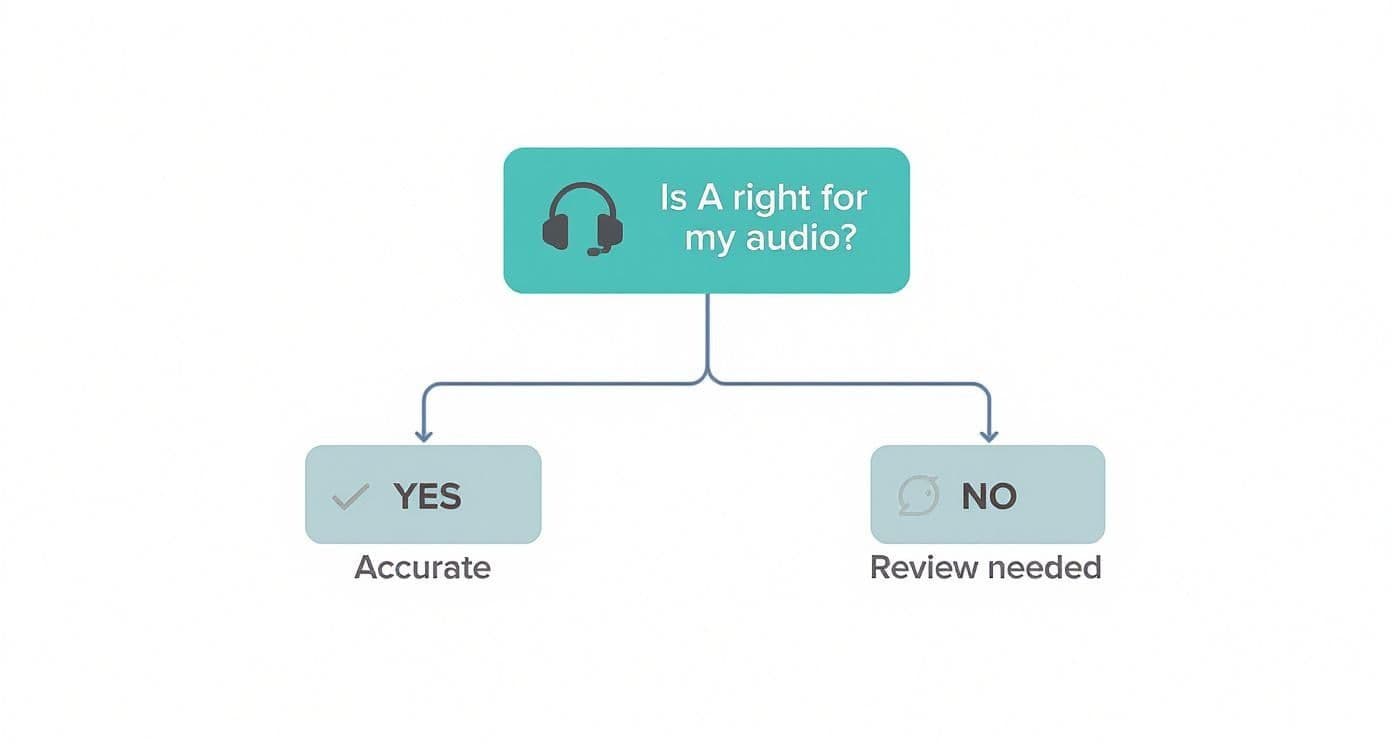
As you can see, good audio gives the AI a fighting chance to be accurate. Bad audio almost guarantees you'll be spending time cleaning up the mess.
When you’re testing a tool, put it through its paces with real-world scenarios. Try it with meetings that include people with strong accents, calls filled with technical jargon, and even some with a bit of background noise. This is the only way to get a true feel for how it will perform day-to-day.
Check for Essential Integrations
A great AI assistant should feel like a natural part of your workflow, not another app you have to constantly manage. The best tools plug right into the software your team already relies on, turning a simple transcription service into a genuine productivity engine.
Make sure the tool connects with your essential platforms:
- Calendar: Can it sync with Google Calendar or Outlook to automatically pop into scheduled meetings?
- Communication: Will it push summaries and action items directly into your team's Slack or Microsoft Teams channels?
- Project Management: Does it connect with Asana, Trello, or Jira, so you can turn action items into actual tasks with a click?
- CRM: For sales teams, an integration with Salesforce or HubSpot is huge for automatically logging call notes and follow-ups.
Without these connections, you're back to the soul-crushing work of copying and pasting. That completely defeats the point. For a deep dive into which tools integrate best, check out our guide on the best AI meeting assistant tools of 2025.
Run a Pilot and Gather Feedback
Never, ever make a final decision based on a sales demo. Demos are designed to work perfectly. The real world? Not so much.
The only way to know if a tool is right for you is to test it with your own team and your own meetings. Most tools offer a free trial, so take full advantage of it.
- Assemble a small team of 5-10 people from different departments like sales, engineering, and marketing.
- Have them use the tool for all their meetings for a week or two.
- Collect specific, honest feedback. Ask about transcription accuracy, how easy it was to use, and whether the summaries were actually helpful.
This hands-on approach gives you real data to work with, ensuring the tool you choose is one your team will actually use and benefit from.
Putting Your Meeting AI to Work
It’s one thing to get a powerful new tool, but it's another thing entirely to weave it into your team's daily rhythm. Getting a meeting minutes AI to stick isn’t about just turning it on; it’s about creating a simple, repeatable process that feels natural. By thinking about it in three distinct phases—before, during, and after the meeting—you can skip the usual awkward adoption phase and get real value right away.
This approach helps turn the AI from just another app into a core part of your team's productivity. It sets every meeting up for success, ensures everything is captured clearly, and drives immediate action once the call ends.
Phase 1: Pre-Meeting Setup and Preparation
The road to great automated minutes starts well before anyone even joins the call. This pre-meeting phase is all about laying the groundwork by connecting the right accounts and setting clear expectations. You usually only have to do this once, and it pays off in every single meeting afterward.
First, you'll want to connect your meeting AI to your team’s calendar, like Google Calendar or Outlook. This simple step is a game-changer. It lets the AI bot automatically know when and where your meetings are, so it can show up on its own without you having to manually invite it every time.
Next up is permissions. Make sure the AI has what it needs to join calls and, just as importantly, let your team know it'll be there. A quick heads-up in Slack or Microsoft Teams is all it takes to avoid surprising anyone. It’s a small gesture that builds transparency and trust from the start.
Phase 2: In-Meeting Best Practices
Once the meeting kicks off, your main job is to feed the AI the cleanest audio possible. Just remember: the AI’s accuracy is only as good as the audio it hears. It’s like trying to have a conversation in a loud restaurant—the clearer everyone speaks, the better the understanding.
To make this happen, it helps to establish a few simple audio ground rules for the team:
- Use a Headset: A proper headset and mic combo cuts out way more background noise and echo than a standard laptop mic ever could.
- One Speaker at a Time: Try to encourage people not to talk over each other. This really helps the AI figure out who is saying what.
- Mute When Not Speaking: This is just good meeting etiquette, but it’s even more important when an AI is listening in to create a transcript.
These small habits make a huge difference, creating a clean audio feed that helps the meeting minutes AI generate a super accurate first draft.
Phase 3: Post-Meeting Review and Distribution
The meeting ends, and within a few minutes, the AI serves up a full transcript, a neat summary, and a list of action items. This is where you come back in, but your role has changed from scribe to editor.
This review step is crucial. The AI is impressively accurate, but it might not catch the sarcasm in a joke or recognize a brand-new acronym. A quick human check ensures the final record is not just technically correct but also captures the true feeling of the conversation.
After your quick polish, the last step is sending it all out. The best tools plug right into your existing workflow, letting you:
- Share the summary directly into a project's Slack channel.
- Turn action items into tasks in tools like Asana or Jira.
- Email the full minutes to everyone who attended with one click.
This smooth handoff ensures that key decisions don't just sit in someone's inbox. They flow directly into the places where work actually gets done, creating a tight loop of discussion, decision, and action.
See How Different Teams Use Meeting AI
The real magic of an AI meeting minutes tool isn't just that it can transcribe a call. It's how it morphs to solve the specific headaches of different teams across a company. Think of it like a Swiss Army knife for meetings—project managers use it to nail down deadlines, while sales reps use it to capture every customer detail. By taking over the tedious work of note-taking, it lets each team get back to what they're actually good at.