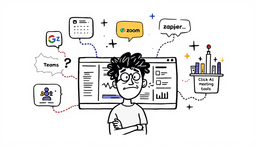
What is Bot-Free Meeting Assistant?
Bot-free meeting tools (Bot-Free AI Note Taker) capture your meeting content without joining the meeting, unlike a traditional meeting assistant bot. These tools work seamlessly in the background, ensuring your meeting is recorded or transcribed with complete privacy and no interruptions. I find these tools extremely helpful, especially in meetings where confidentiality is a priority, and everyone wants to avoid the awkwardness of knowing a bot is listening in.

Difference Between Bot vs Bot-Free Meeting Tool Assistant
I like to compare them this way: meeting assistant's bots show up, but bot-free tools stay invisible. A bot appears in the attendee list and can trigger recording alerts. Bot-free tools capture locally or through your device, so no one sees a new participant. That difference changes how people behave in meetings.
Traditional Bot Tools
Bot-Free Tools
Examples: Supernormal, Granola, Otter OtterPilot
Best Bot-Free AI Meeting Note Taker
I've tested a few, and these stand out for different reasons. Some are simple browser extensions, others are full desktop apps. I'll highlight what each does best so you can pick the right fit for your workflow.
How Bot-Free Meeting Assistant Technology Works
At a high level, bot-free tools grab Audio from your device and turn it into text and summaries. Some do this through a browser extension, others through a desktop app, and a few integrate directly with meeting platforms. Understanding the capture method helps you choose the right balance of privacy and convenience.
🌐 Browser Extension Method
Example: Supernormal's Chrome extension activates with a single click and captures everything through your browser without any visible changes to the meeting interface.
Desktop Application Method
Example: Granola's desktop app can capture any meeting - Zoom, Teams, phone calls, or even in-person discussions - without anyone knowing.
Real-Time Integration Method
Example: Otter's OtterPilot can join your Zoom meeting invisibly, providing live captions only to you while processing everything in the background.
When to Choose Bot-Free Meeting Assistant Tools
I reach for bot-free tools when discretion matters. They're great for sensitive client calls, internal strategy sessions, or when company policy forbids visible bots. I avoid them when legal consent or full video capture is required.
✅ Perfect Scenarios
- Sensitive Business Meetings: Board meetings, M&A discussions, confidential strategy sessions
- Client Meetings: When recording permission is unclear or would create awkwardness
- Company Policy: Organizations that prohibit bots or external recording tools
- Personal Productivity: Taking notes for your own follow-up without involving others
- Cross-Company Meetings: When multiple organizations are involved
❌ When to Avoid
- Team Transparency: When everyone should know the meeting is being captured
- Compliance Requirements: Legal/medical meetings requiring explicit consent
- Video Analysis Needed: When you need to capture visual content or screen sharing
- Automated Workflows: When you need CRM integration or automatic sharing
- Unattended Meetings: When you can't attend but need the recording
Privacy & Legal Considerations
I always treat recording as a serious responsibility. Laws and company rules still apply even if the tool is invisible. I recommend checking local regulations and your employer's policy before recording. When in doubt, I ask permission or use a visible tool.
🚨 Important Legal Notice
Bot-free doesn't mean legal-concern-free. Recording laws still apply!
🎯 Golden Rule: Use bot-free tools responsibly and ethically. When transparency is essential, choose visible bot tools instead.
Bot-Free vs Bot Tool Features
I see bot-free tools as the privacy-first option and bot tools as the full-featured option. Bot-free wins on discretion and platform flexibility. Bot tools win on unattended recording, video capture, and deep integrations. I choose based on what matters most for the meeting.
| Feature | Bot-Free Tools | Bot Tools | Winner |
| Privacy/Discretion | 🟢 Complete | 🔴 Visible | 🏆 Bot-Free |
| Setup Complexity | 🟡 Extension/App install | 🟢 Just Invite Bot | 🏆 Bot Tools |
| Transcription Quality | 🟡 Good (95%+) | 🟢 Excellent (98%+) | 🏆 Bot Tools |
| Platform Support | 🟢 Universal | 🟡 Platform-Specific | 🏆 Bot-Free |
| Video Recording | 🔴 Audio Only | 🟢 Full Video | 🏆 Bot Tools |
| Unattended Recording | 🔴 Must Attend | 🟢 Can Miss Meeting | 🏆 Bot Tools |
| CRM Integration | 🟡 Limited | 🟢 Full Integration | 🏆 Bot Tools |
| Cost | 🟡 $10–40/mo | 🟢 $0–20/mo | 🏆 Bot Tools |
Bot-Free Setup Guide
Setting up bot-free tools is usually quick. For extensions, I install, grant mic access, and link my calendar if needed. For desktop apps, I pick the Audio source and test once. I always run a short practice call to confirm everything works.
🌐 Browser Extension Setup
Tool Recommendations by Use Case
I match tools to roles and needs. For executives, I pick apps with local processing and strict privacy controls. For client-facing roles, I prefer invisible extensions that keep conversations natural. For security teams or budget-conscious users, I choose options that balance cost with the right privacy features.
💼 Executive/Leadership
Needs:
🤝 Client-Facing Roles
Needs:
🔒 Security-Conscious Organizations
Needs:
💰 Budget-Conscious Users
Needs: