Need to turn an MP3 file into text? You've got options. For a quick turnaround, an instant online AI service is your best bet. If privacy is non-negotiable, free local software like Whisper keeps your data on your machine. For developers needing to build transcription into an app, cloud APIs from Google, AWS, or Azure are the way to go.
The right choice really boils down to what you value most: fast results, total data security, or building something custom.
Your Quick Guide to MP3 Transcription
Gone are the days of painstakingly typing out audio recordings by hand. Today, a whole host of powerful tools can automatically convert your MP3s into text, saving you a massive amount of time. The trick is figuring out which tool is the right fit for your job, because each approach has its own strengths.
Most of the time, the decision comes down to one of three things: speed, privacy, or scale.
Are you a student with a two-hour lecture you need transcribed before an exam? A simple online service will be your best friend. A journalist working on a sensitive interview? You’ll want local software that runs completely offline. Or maybe you're a developer building a voice-activated feature into your product? A cloud API is really the only path forward.
This quick visual breaks down that decision process.
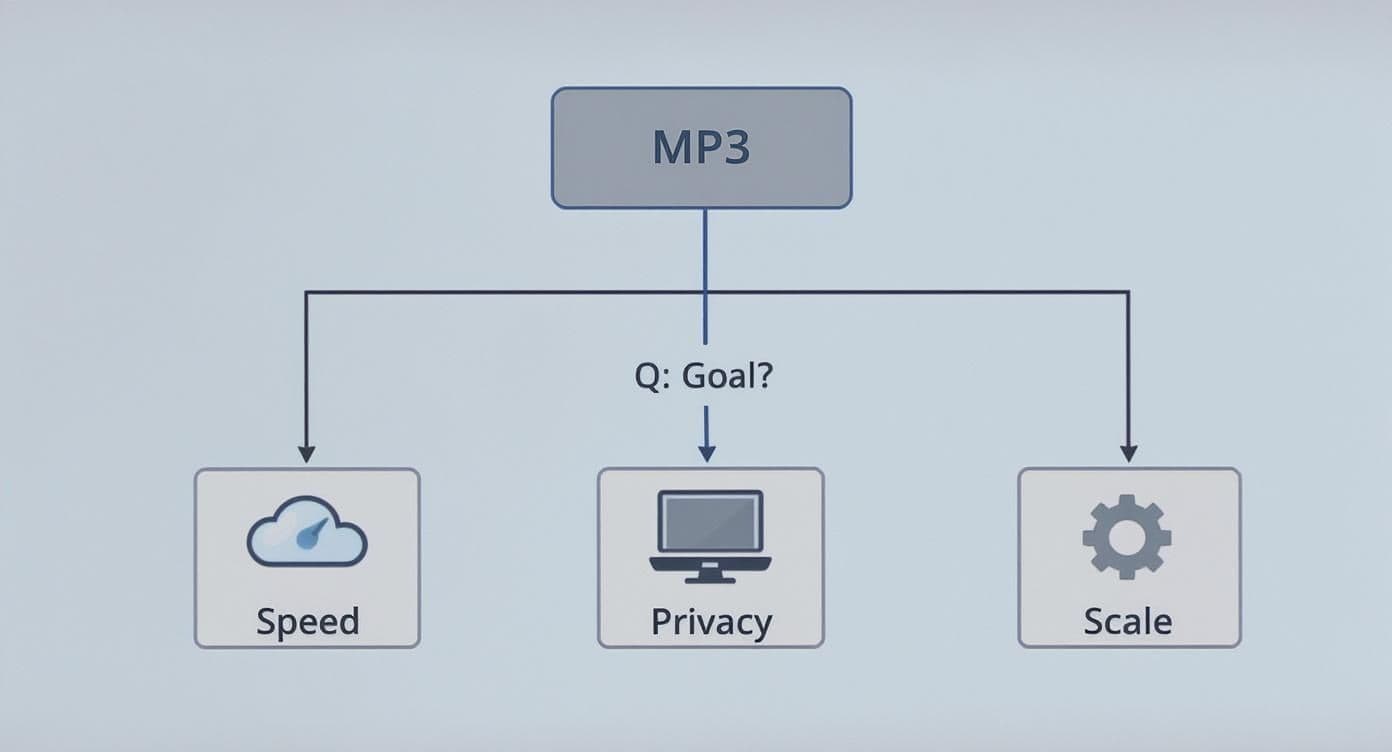
As you can see, your end goal points you directly to the right technology for the job.
Choosing Your Transcription Path
To really nail this, you need to get familiar with the different audio to text converter tools out there. Demand for this technology is exploding. The AI transcription market was already valued at 4.5 billion in 2024** and is expected to skyrocket to **19.2 billion by 2034. That kind of growth means we're seeing more powerful and accessible tools pop up all the time.
But why bother transcribing in the first place? A clean text version of your audio does more than you'd think. It makes your content:
- More Accessible: It opens up your audio to people who are deaf or hard of hearing.
- Easily Searchable: Forget scrubbing through an hour-long recording. Just hit CTRL+F to find that one specific quote or topic.
- Repurpose-Ready: That interview transcript can instantly become a blog post, a series of social media updates, or the foundation for training materials.
These benefits are a game-changer in business, especially for getting accurate records of important conversations. For more tips on that, check out our guide on how to convert speech to text for meeting notes.
To make the choice even clearer, here’s a quick comparison of the three main approaches.
Comparing MP3 Transcription Methods
| Method | Best For | Ease of Use | Cost | Privacy |
|---|---|---|---|---|
| Online AI Services | Quick, one-off tasks; convenience | Very Easy | Freemium/Subscription | Low (files uploaded to servers) |
| Local Software | Sensitive data; full control | Moderate | Free (but requires setup) | High (files stay on your PC) |
| Cloud ASR APIs | App integration; large-scale projects | Difficult (requires coding) | Pay-as-you-go | Moderate (subject to provider terms) |
Ultimately, the best method is the one that aligns with your specific project's needs for speed, security, and technical requirements.
Getting Transcripts Instantly with Online Services
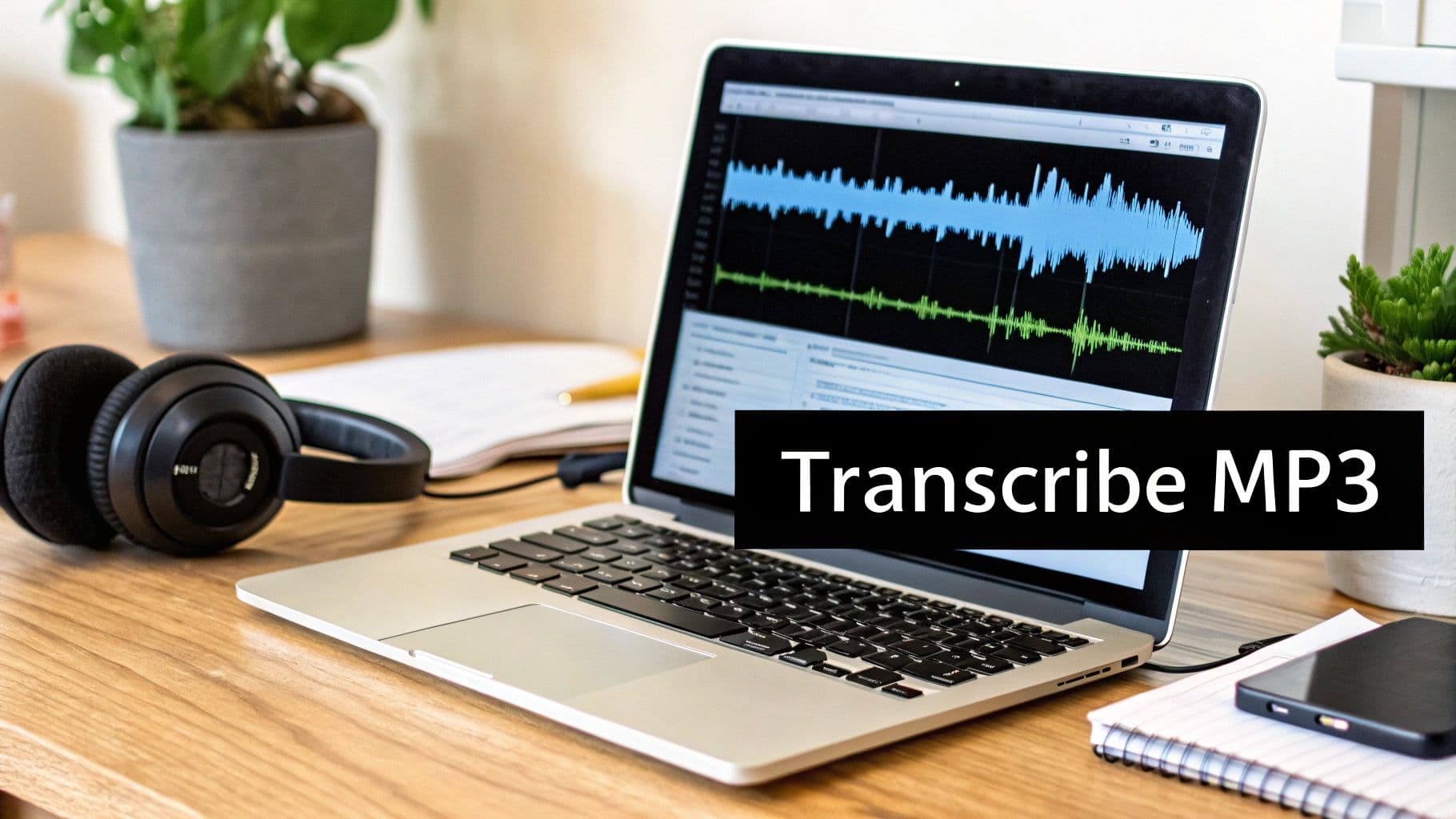
When you need an MP3 file turned into text and you needed it yesterday, online transcription services are your best friend. These platforms are designed from the ground up for one thing: getting the job done fast. No software to install, no complicated setup—just a few clicks and you're off.
The process is usually dead simple. You drag and drop your audio file, the AI engine churns away for a bit, and a few minutes later, your transcript is ready. Most services let you download it in common formats like .txt, .docx, or even .srt for video subtitles. It’s this plug-and-play convenience that makes them so popular.
What to Look for Beyond Basic Transcription
Let's be honest, not all online tools are the same. A basic text dump is okay, but the real time-saver comes from services that offer a little something extra. Finding the right features can drastically cut down on your manual cleanup work later.
Here are a few things I always look for:
- Automatic Speaker Labeling: This is a lifesaver for interviews or meetings with multiple people. It tags who said what ("Speaker 1," "Speaker 2"), so you're not left guessing.
- Timestamping: The transcript includes time codes synced to the audio. This makes it incredibly easy to jump to a specific part of the recording to double-check a quote or clarify something.
- Custom Vocabulary: If your audio is full of industry jargon, unique product names, or acronyms, this feature is a game-changer. You can upload a list of these terms beforehand to teach the AI, boosting its accuracy.
Practical Considerations and When to Use Them
Speed is great, but it’s worth thinking about privacy. When you upload an MP3, you're sending your data to a third-party server. Before you upload anything confidential, take a minute to review the platform’s privacy policy. Most services run on a pay-per-minute or subscription model, but nearly all of them offer a free trial to let you kick the tires.
A perfect real-world example? Turning a podcast interview into a blog post. Manually typing out a 30-minute episode could easily eat up a few hours. An online service can hand you a full transcript in less than 10 minutes. This kind of efficiency is why the marketing transcription market is projected to hit $5.64 billion by 2035, as more businesses repurpose audio for SEO and content marketing. You can read more about the growth of marketing transcription.
Once you have that text, you can quickly polish it, pull out the best quotes, and publish an article that makes your audio content accessible to a wider audience. With so many options out there, it helps to see how they stack up. Check out our guide on the top speech-to-text software options to find a tool that fits your workflow.
Taking Control with Local Transcription Software
While online services are fantastic for their speed, they mean you have to upload your files to someone else's server. That's not always an option. If you're dealing with sensitive interviews, confidential research, or just want total privacy, running transcription software locally is the way to go.
This approach keeps your MP3 files on your own computer, from start to finish.
The undisputed champion in this space is OpenAI's Whisper. It’s a powerful, free, and open-source model that you run directly on your own machine. Once you have it set up, you don't even need an internet connection. Your data never leaves your hard drive. It's the digital equivalent of working in a locked room.
Getting Started with Whisper
The thought of running a local AI tool might sound a little scary, but it’s become surprisingly simple. You don't need to be a command-line pro anymore.
Several free applications now wrap Whisper in a simple, user-friendly interface. Tools like MacWhisper for macOS or Const-Me's GUI for Windows give you a simple drag-and-drop window. You just drop your MP3 file in and hit a button.
Getting it running usually looks like this:
- First, you download an installer for one of these GUI applications.
- The first time you run it, you’ll be asked to download a Whisper model.
- Then, you just drag your MP3 file into the app window and click "Transcribe."
This setup gives you the power to transcribe mp3 to text without any recurring costs. After the initial setup, you can process as many files as you want, completely free. If you want to explore more options, our guide to the best free transcription software covers several excellent alternatives.
Balancing Speed and Accuracy with Model Sizes
One of the cool things about Whisper is that you get to choose a "model." Think of these as different-sized engines for the AI. They range from tiny to large, and your choice directly affects both speed and the quality of the transcript.
Here's a quick breakdown:
- Tiny & Base Models: These are the fastest and use the least computer power. They're good for a quick first draft of crystal-clear audio but can stumble over accents or background noise.
- Small & Medium Models: This is the sweet spot for most people. They provide a major jump in accuracy over the smaller models without being painfully slow on a modern computer.
- Large Model: This is the most accurate and powerful version. It’s a beast at handling tough audio—multiple speakers, technical jargon, you name it. The catch? It needs a powerful computer (especially one with a good graphics card) and takes a lot longer to run.
This hands-on approach puts you in the driver's seat. You can fine-tune the process based on your specific needs and your computer's hardware, all while getting professional-grade transcripts without ever paying a subscription fee.
Weaving Transcription into Your Workflow with Cloud APIs
For a lot of businesses and developers, transcribing an audio file isn't just a one-and-done task. It’s a critical step in a much bigger process. This is where the heavy hitters come in—cloud-based Automatic Speech Recognition (ASR) APIs from providers like Amazon Web Services (AWS), Google Cloud, and Microsoft Azure.
These services aren't simple web tools; they're powerful engines that let you build transcription directly into your own software. Instead of manually uploading MP3s, you can set up a completely automated pipeline. Imagine a system where every single customer support call is transcribed the moment it ends, and that text is instantly logged in your CRM for analysis. That's the leap you make here—from simply converting audio to actively putting that spoken data to work.
Why Go the API Route?
The biggest reason to choose an API is scalability. You can throw hundreds, even thousands, of hours of audio at these systems without ever thinking about server capacity. The pay-as-you-go pricing is also a huge plus, since you're only billed for the exact amount of audio you process, whether it's a 10-second clip or a massive archive.
Plus, these platforms are built for professional use and come loaded with features you won't find in most consumer-grade tools:
- Real-Time Transcription: You can get a live text feed from an audio stream. This is exactly what you need for live webinar captions or building voice command features.
- Custom Vocabularies: Got a lot of industry jargon, unique product names, or acronyms? You can teach the model your specific language to dramatically improve accuracy.
- Speaker Diarization: Just like the more advanced online services, these APIs can distinguish between different people talking and label their speech accordingly.
This powerful toolkit is the reason APIs are the foundation for so many modern applications. If you're curious about how this tech is applied in other areas, there are great resources on things like AI auto-captioning for accessibility.
How to Get Started with an API
Okay, so using an API does require a bit of technical know-how, but getting your foot in the door is surprisingly straightforward. It usually starts with signing up for an account with a cloud provider, generating an API key to authenticate your requests, and then using their Software Development Kits (SDKs) to interact with the service from your own code.
This kind of automation turns a tedious, manual job into a seamless, background process, saving an incredible amount of time. For anyone who needs to transcribe mp3 to text at a serious scale, an API is the ultimate solution. It gives you the raw power and flexibility to build a system that fits your exact needs, turning spoken words into structured, usable data.
How to Polish Your Raw AI Transcript
Getting an automated transcript is a huge time-saver, but it's just the beginning. Think of that AI-generated text file as raw lumber—it has potential, but you need to shape and sand it before it’s truly useful. This cleanup process is what turns a messy stream of words into a professional, easy-to-read document.
The first thing I always do is a simple proofread. Even the best AI tools stumble over proper names, niche terminology, or heavy accents. The only way to catch these errors is to read the transcript while listening to the original MP3. You'll be surprised at what you find, and fixing these mistakes ensures the text is a faithful record of the audio.
Adding Structure and Clarity
With the basic word-for-word accuracy locked in, it's time to make the transcript readable. Nobody wants to face a solid wall of text. Adding some basic structure makes all the difference, helping readers find what they need in a snap.
Your best friends here are punctuation and speaker labels.
- Punctuation: AI often guesses where sentences end, and it's not always right. Go through and add periods, commas, and paragraph breaks to create a natural conversational flow. This alone makes the text far less intimidating.
- Speaker Labels: If you’re transcribing a meeting or interview, knowing who said what is non-negotiable. Swap out those generic "Speaker 1" and "Speaker 2" tags for actual names, like "Mark:" or "Dr. Chen:". It’s a small change that adds a massive amount of context.
- Timestamps: Most tools can add timestamps automatically, but if yours doesn't, consider manually adding them at key moments. Placing a timestamp at the start of a new topic or every few minutes makes it incredibly easy to jump back to the source audio.
Preparing Your Transcript for Other Tools
Once your transcript is clean and well-structured, it becomes a powerful resource you can plug into other workflows. You can feed this high-quality text into other AI tools to analyze it, summarize it, or even generate brand-new content from it.
For instance, that polished meeting transcript can be dropped into an AI summarizer to instantly pull out action items and key takeaways. The text from a podcast interview? That’s your source material for a dozen social media snippets, a detailed blog post, or a newsletter.
This is why post-processing matters so much. The demand for accurate text from audio is massive—the U.S. transcription market was valued at a staggering USD 30.42 billion in 2024. This market is built on the need for clean, reliable transcripts for everything from medical dictation to legal depositions. You can get a better sense of the scope from this overview of the U.S. transcription industry.
By taking the time to polish your AI's output, you’re not just making a document; you're creating a professional-grade asset. This is how your effort to transcribe mp3 to text goes from a simple file conversion to a genuinely valuable tool.
Common Questions About MP3 Transcription
As you start turning MP3s into text, a few questions always seem to come up. Let's walk through some of the most common ones I hear—getting these answers straight can save you a lot of headaches and get you better results right out of the gate.
How Can I Improve My Transcription Accuracy?
This is the big one. You've run your audio through a tool, but the transcript is riddled with errors. What went wrong? The good news is, you have more control over the final quality than you might think.
It all starts with the source audio. A clean recording made with a decent microphone in a quiet room will always produce a better transcript than a muffled phone recording from a noisy coffee shop. Garbage in, garbage out.
But what if the audio is already recorded? You're not out of luck. You can often clean it up using a free tool like Audacity. Just a few minutes spent reducing background noise or normalizing the volume can make a massive difference to the AI's performance.
Another pro tip: look for a custom vocabulary feature. If your audio is packed with specific industry jargon, company names, or acronyms, you can upload a list of these terms beforehand. This essentially gives the AI a cheat sheet, dramatically improving its accuracy on specialized content.
Is AI Transcription Better Than a Human?
This is the classic trade-off between speed and perfection. Honestly, the "better" option comes down to your budget, deadline, and what you need the transcript for.
AI transcription is incredibly fast and cheap. It’s the perfect fit for:
- Getting a quick, searchable draft of internal meeting notes.
- Transcribing interviews to pull quotes for an article.
- Processing a massive backlog of audio without breaking the bank.