Let's get real for a moment. Most Quarterly Business Reviews (QBRs) are a painful slog. They're often a chaotic mess of endless slide decks, vanity metrics that look impressive but mean nothing, and conversations that wander off into the weeds without any clear purpose or outcome.
It's no wonder so many senior leaders think QBRs are a colossal waste of time—they feel too long, too tactical, and just plain overloaded with information nobody can act on.
Why Your QBRs Are Failing and How a Template Can Help
A business quarterly review template isn't just a document; it's a structured framework that helps you assess performance, get everyone on the same page, and set clear, strategic goals for the next 90 days. It’s the tool that turns those frustrating, chaotic meetings into focused, data-driven sessions that actually build momentum.

This is where a standardized business quarterly review template becomes your secret weapon. It’s not about just filling in blanks; it's about building a repeatable process that forces focus, consistency, and accountability into every single review.
A solid framework makes you move beyond just reporting numbers and pushes you to tell a compelling story about your performance. It ensures every discussion is grounded in the right data and, most importantly, ends with concrete next steps.
Turning Wasted Time into Strategic Wins
The real problem with bad QBRs isn't a lack of effort—it's a complete lack of structure. When every department shows up with its own slide format, its favorite metrics, and a personal agenda, what you get is a bunch of disconnected reports, not a strategic conversation.
A well-designed template fixes this by creating a common language and a predictable flow. It gets everyone preparing correctly and keeps the meeting locked on what actually matters. If you're looking to really dig in and fix your process, this guide on Mastering Quarterly Business Reviews for RevOps Growth is a great resource.
This structured approach pays off in a few critical ways:
- Forces Accountability: Everyone knows exactly what data to bring and how it’ll be judged. No more hiding behind fuzzy numbers.
- Drives Strategic Alignment: It directly connects what your team did to the company's bigger goals.
- Ensures Actionable Outcomes: The format is built to lead straight to defining next steps, assigning owners, and setting deadlines.
To get started, it helps to see what a high-impact QBR template really consists of. These are the non-negotiable elements that turn a scattered meeting into a strategic powerhouse.
From Chaos to Clarity: The Core of a Great QBR Template
| Component | What It Solves | The Main Benefit |
|---|---|---|
| Executive Summary | Information overload and lack of focus | Gives leaders the 30,000-foot view of wins, losses, and priorities in 60 seconds. |
| Performance vs. Goals | Vague reporting and vanity metrics | Creates a clear, data-backed picture of what was achieved versus what was promised. |
| Key Initiatives Review | Lack of context on major projects | Connects daily work to strategic impact, showing progress on big-ticket items. |
| Learnings & Insights | Repeating the same mistakes | Fosters a culture of continuous improvement by analyzing what worked and what didn't. |
| Next Quarter's Plan | Meetings that end with no clear next steps | Guarantees the meeting concludes with a concrete, actionable plan for the next 90 days. |
Building your template around these core pillars ensures every review is not just a report, but a genuine strategic planning session.
Connecting Internal KPIs to Market Realities
A truly effective template also forces you to look outside your own company. For example, recent corporate earnings in the S&P 500 jumped 12.0% year-over-year, blowing past the 4.8% forecast. A good template prompts you to pull in these kinds of external benchmarks, so you can see how your internal numbers stack up against the market and make smarter calls on risks and opportunities.
By putting a solid template in place, you can finally transform your QBR from a meeting everyone dreads into a high-impact session that builds real, sustainable momentum.
Designing a QBR Template That Actually Works
A great quarterly business review template does more than just present data; it tells a story. It’s the narrative of where you’ve been, where you are, and, most importantly, where you’re going. To build one that works, we need to ditch the generic placeholders and create a logical flow that guides the conversation from big-picture strategy down to specific, actionable steps.
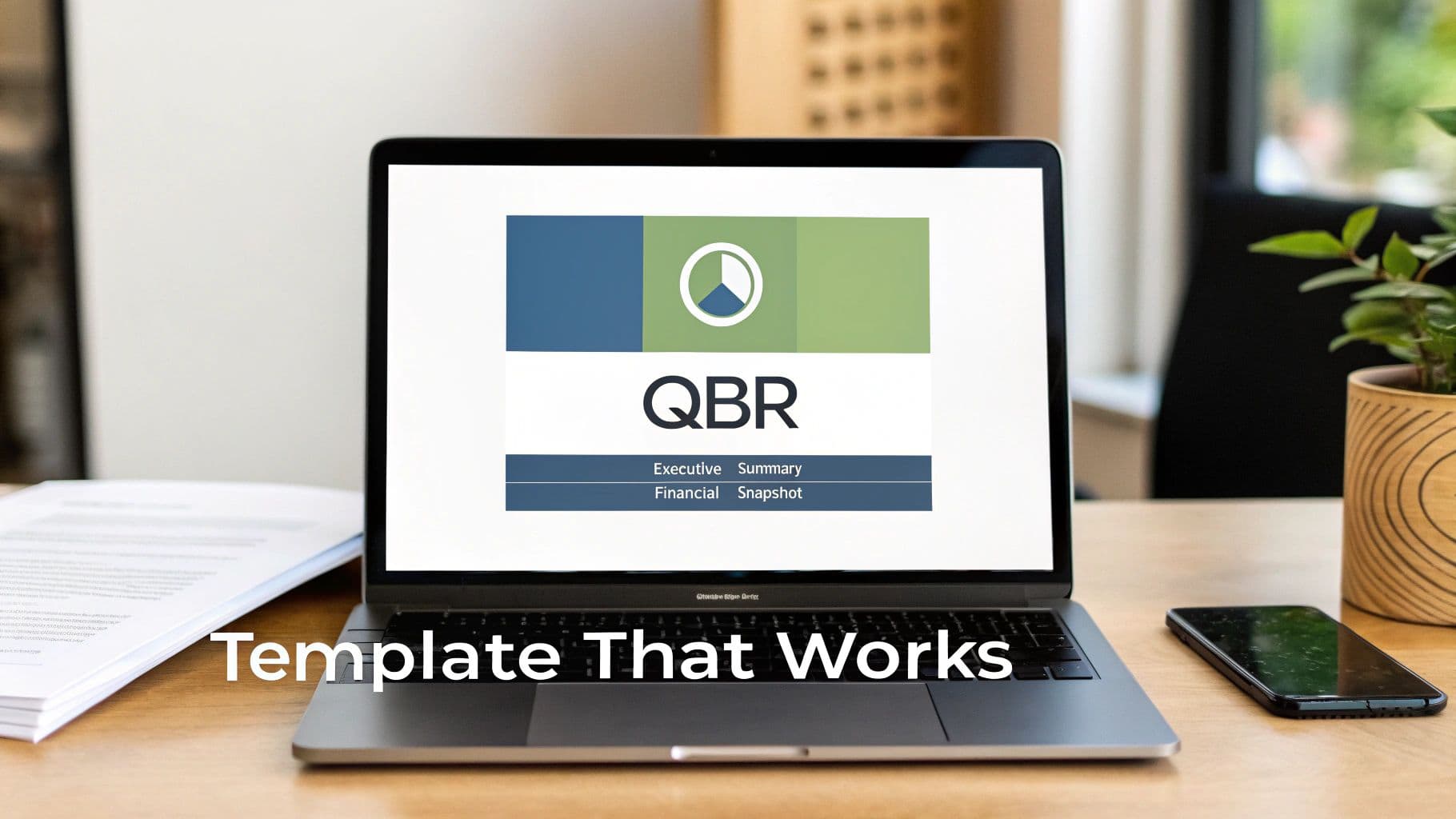
The trick is to create a framework that’s consistent quarter-to-quarter but flexible enough for different teams to use effectively. Let's walk through the essential sections I've found make for a truly successful QBR.
The Executive Summary: The 60-Second Overview
Always, always start with a punchy executive summary. This isn't just an introduction; it's the entire story in a nutshell. Senior leaders are incredibly busy, and this section gives them the most critical information right at the top.
Your summary should hit these three questions in a few quick bullet points:
- What were our biggest wins? (e.g., "Landed our largest enterprise client, adding $250k in new ARR.")
- What were our biggest misses? (e.g., "Product launch slipped by three weeks due to unexpected technical hurdles.")
- What's our #1 priority for the next 90 days? (e.g., "Drive adoption for the new feature set with a focused marketing push.")
This approach immediately sets the stage. Even if someone has to drop off the call early, they walk away with the main takeaways.
Financial Health: A Clear Financial Snapshot
Next, you need to talk money. But the key here is to avoid drowning everyone in spreadsheets. You're aiming for clarity, not an exhaustive audit. This part of your template should offer a clean, high-level look at the company’s financial state.
I recommend focusing on a few vital signs:
- Profit & Loss (P&L) Summary: Just a simple view of revenue, cost of goods sold (COGS), and net profit.
- Cash Flow: A basic line chart showing cash in versus cash out is perfect.
- Budget vs. Actual: A bar chart comparing what you planned to spend versus what you actually spent in key departments.
The story you're telling here is all about financial stability and discipline. Are we making money? Is our cash flow healthy? Are we sticking to our budget?
Performance Against Goals: The Accountability Section
This is the core of the QBR. It’s where you put your plans for the quarter right next to the actual results. Whether you use OKRs, KPIs, or some other framework, this section is all about accountability.
I’ve found that a simple table is the clearest way to present this:
| Objective | Key Result / Metric | Target | Actual | Status |
|---|---|---|---|---|
| Increase Market Share | Grow new user sign-ups | 10,000 | 11,500 | Achieved |
| Improve Customer Retention | Reduce churn rate | < 5% | 6.2% | Missed |
| Launch New Feature | Ship "Project Phoenix" | By Mar 31 | Apr 21 | Delayed |
Don't just throw the numbers up and move on. For every goal, add a one-sentence comment explaining the why behind the number. For that missed churn goal, for instance, you might add, "New user onboarding friction was the main cause of early churn."
Departmental Deep Dives: Context and Contributions
After looking at the big company goals, it’s time to zoom in on the teams. This section gives each department—Sales, Marketing, Product, Engineering—a chance to share a quick snapshot of their performance and projects.
But this isn’t a free-for-all where every team gets to present a 20-slide deck. The template should enforce some discipline. I recommend giving each department a single slide or section to cover:
- Top 3 Accomplishments: What were your biggest wins?
- Key Metrics Dashboard: Show us the 3-5 numbers that really matter for your team.
- Major Roadblocks: What’s getting in your way?
- Priorities for Next Quarter: What are the top 1-3 things you'll be working on?
This structure keeps the updates focused and tied to the overall business story. While the QBR is a high-level review, managers can find more granular formats in guides covering the best project status update templates for more frequent check-ins.
Looking Ahead: The Strategic Plan
Finally, the template needs to pivot from looking back to looking forward. This last section is where you formalize the plan for the next 90 days. It should clearly state the top 3-5 company-wide priorities and the major initiatives that will get you there.
This section must end with a clear action item list. Every single decision made or next step identified during the meeting needs to be captured with two non-negotiable details:
- A Single Owner: Who, by name, is responsible for this?
- A Specific Due Date: When is it going to be done?
This final step is what turns a review meeting into a real planning session. It ensures all the insights and discussion lead to actual, tangible progress.
Choosing KPIs That Tell the Real Story
A stunning quarterly review template is just a pretty document without the right data. The metrics you choose—your Key Performance Indicators (KPIs)—are the engine that drives the whole process. Pick the wrong ones, and you'll find yourself drowning in vanity metrics and having conversations that completely miss the point.
The real goal here is to cut through the noise. We need to move beyond surface-level numbers and select the handful of KPIs that tell the true, unvarnished story of your business's health.
Lagging vs. Leading: Seeing the Whole Picture
First things first, you have to understand the two fundamental types of KPIs: lagging and leading indicators. It's a classic mistake to focus only on one. Most teams lean heavily on lagging indicators simply because they're easier to measure.
- Lagging Indicators: These are your rearview mirror. Think quarterly revenue, customer churn rate, or the number of deals closed. They measure past performance and tell you what already happened.
- Leading Indicators: These are your crystal ball. They’re forward-looking metrics that give you a hint of what's to come. We're talking about things like sales pipeline growth, the number of product demos scheduled, or website conversion rates.
A balanced QBR template absolutely must include both. If you only look at lagging indicators, your review becomes a history lesson. But when you weave in leading indicators, you transform it into a genuine strategic planning session. You give yourself the power to adjust course before the next quarter's results are locked in.
Getting Specific: KPIs for Every Department
Generic, company-wide KPIs are a decent starting point, but the real magic happens when you drill down into department-specific metrics. Each team contributes to the business in a unique way, and their KPIs should reflect that. The trick is to draw a straight line from each team's performance to the company's big-picture goals. When figuring out what to track, it's crucial to understand how to set effective Key Performance Indicators for employees.
Here are a few practical examples of what this looks like for different teams.
For a Sales Team
It's tempting to fixate on that one big number: total revenue. But that number alone doesn't tell you much. To get a real sense of your sales team's health, your template needs to dig a bit deeper.
- Sales Cycle Length: On average, how long does it take to close a deal? If this number is creeping up, it could be a red flag for friction in your sales process or a shift in the market.
- Quota Attainment Percentage: What slice of your sales reps are actually hitting their individual targets? If it's low across the board, it might mean your targets are unrealistic or your team needs more training.
- Average Deal Size: Is the value of your typical new customer going up or down? This tells you if you're successfully moving upmarket or just filling the pipeline with smaller, less profitable deals.
For a Marketing Team
Marketing teams often get trapped reporting on vanity metrics like social media likes or impressions. A solid QBR template forces them to connect the dots between their activities and actual business results.
- Customer Acquisition Cost (CAC): How much are you spending to bring in a new paying customer? This is the ultimate yardstick for marketing efficiency.
- Lead-to-Customer Conversion Rate: Of all the leads marketing generates, what percentage actually turn into paying customers? This metric is the bridge between marketing efforts and sales outcomes.
- Marketing-Sourced Revenue: How much of the company's revenue can you trace directly back to marketing campaigns? This is the KPI that makes the C-suite sit up and listen.
KPI Ideas for Different Business Functions
Choosing the right metrics can feel overwhelming. To make it easier, here's a quick-reference table with some solid starting points for key departments. Use this to spark ideas for the most impactful KPIs to include in your own QBR template.
| Department | Primary KPI | Supporting Metric | Typical Data Source |
|---|---|---|---|
| Sales | Quota Attainment % | Average Deal Size | Salesforce, HubSpot CRM |
| Marketing | Marketing-Sourced Revenue | Customer Acquisition Cost (CAC) | Google Analytics, Marketo |
| Customer Success | Net Revenue Retention (NRR) | Customer Health Score | ChurnZero, Gainsight |
| Product | Feature Adoption Rate | Net Promoter Score (NPS) | Pendo, Mixpanel |
| Finance | Gross Margin | Operating Cash Flow | QuickBooks, NetSuite |
| HR | Employee Turnover Rate | Employee Satisfaction (eNPS) | HRIS (e.g., Workday), SurveyMonkey |
Remember, these are just examples. The best KPIs for your business will be tightly aligned with your specific strategic goals for the quarter and the year.
Look Outside: Connecting Your Data to the Real World
Your business doesn’t exist in a bubble. A truly world-class QBR template encourages you to look beyond your own walls and consider the macroeconomic trends that could be impacting your performance.
For example, maybe you see that global trade grew by 2.5% last quarter. If you have an international supply chain or customer base, that external data point provides critical context for your own revenue figures and helps you forecast demand more accurately.
Show, Don't Just Tell: Visualizing Your Data
How you present your data is every bit as important as the data itself. A dense spreadsheet will make eyes glaze over, but a clean, intuitive chart can make an insight jump off the page.
Your QBR template should provide clear guidelines on how to visualize key metrics.
- Use line charts to show trends over time (e.g., Monthly Recurring Revenue growth).
- Use bar charts for comparing values across different categories (e.g., revenue by product line).
- Use pie charts sparingly, but they can work well for showing composition (e.g., breakdown of lead sources).
The goal is to make the data understandable at a glance. Have your teams pull data directly from their systems of record—like Salesforce for sales data or Google Analytics for marketing—and plug it into pre-formatted charts. This ensures consistency and saves everyone from reinventing the wheel every 90 days. By focusing on the right KPIs and presenting them clearly, your QBR stops being a data dump and starts being a strategic conversation.
Running a QBR That Leads to Action, Not Apathy
Having a great template is a fantastic start, but it’s only half the battle. The real test is how you run the meeting itself. A poorly facilitated QBR, even with the best data, will suck the energy right out of the room and lead to the exact apathy you're trying to avoid. Your goal is to run a session that feels sharp, productive, and frankly, energizing.
This whole process kicks off long before anyone steps into the room. The single most important pre-meeting task is to send the fully populated template to all attendees at least 48 hours in advance. This simple move completely changes the dynamic. People walk in having already processed the numbers, ready to talk about what they mean and what to do next, instead of seeing the data for the first time.