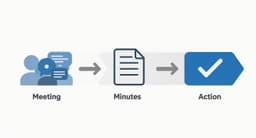
Taking minutes of a meeting is about so much more than just jotting down notes. It’s the process of creating an official, usable record of what was discussed, what was decided, and who is doing what next. Think of it less as a secretarial task and more as a strategic skill. Good minutes are what turn a conversation into a concrete, trackable plan, keeping everyone on the same page long after the meeting ends.
Why Better Meeting Minutes Drive Better Outcomes

Let’s be honest, being asked to take minutes can feel like a chore. But what if you viewed it as one of the most powerful tools you have for pushing projects forward? When you shift your mindset from simple note-taking to strategic documentation, everything changes. Well-crafted minutes put a stop to those dreaded, "So… what did we decide?" follow-up emails and create a single source of truth for the entire team.
This has become even more critical as we've all moved to a more hybrid way of working. The explosion of virtual meetings has completely changed how we collaborate. In fact, between 2020 and 2022, the portion of virtual meetings jumped from 48% to a staggering 77% of all meetings worldwide. That firehose of digital interaction makes clear, concise minute-taking more important than ever.
The Real Job of Your Meeting Minutes
The best meeting minutes are absolutely not a word-for-word transcript. Nobody has time to read that. Instead, they’re a focused summary built to drive action and provide clarity.
At their core, their goals are to:
- Create Accountability: By clearly listing action items, who owns them, and when they’re due, there’s no confusion about who is responsible for what.
- Ensure Alignment: A shared record makes sure the whole team understands the final decisions and next steps—even people who couldn't make it to the meeting.
- Keep a Historical Record: Minutes act as an official log. This is incredibly valuable for tracking a project’s journey or looking back on why a certain decision was made.
- Turn Talk into Action: This is the most important part. The ultimate goal is to convert all that discussion into a solid plan that actually moves the work forward.
This idea of organization extends beyond just our notes. Think about it—just as solid minutes lead to better project outcomes, the way we organize our entire workspace impacts our focus. It's interesting to see how a tidy desk policy boosts productivity in the workplace, creating a better environment for getting things done.
To give you a clearer picture, I've put together a simple table that breaks down the key parts of action-oriented meeting minutes.
Anatomy of Action-Driving Meeting Minutes
| Component | What It Does | Real-World Example |
|---|---|---|
| Basic Info | Sets the context. Who was there, and when/where did this happen? | Meeting: Q3 Marketing BrainstormDate: October 26, 2023Attendees: Jane, Mike, Sara, Ben |
| Key Decisions | Captures the final outcomes, not the entire debate leading up to them. | Decision: Approved the "Winter Warm-Up" campaign concept. Budget set at $15k. |
| Action Items | Makes next steps crystal clear with owners and deadlines. | Action: [Mike] to draft the creative brief for the campaign by EOD Friday, 10/28. |
| Open Questions | Logs important items that still need answers or were tabled for later. | Parking Lot: Research costs for a targeted social media ad buy. Discuss at next week's sync. |
This structure ensures anyone can quickly scan the document and know exactly what happened and what needs to happen next. It’s all about clarity and momentum.
Getting this right takes a structured approach. You can find more practical tips in our guide on https://summarizemeeting.com/blog/meeting-minutes-best-practices-8-tips-for-perfect-records. By focusing on outcomes, you can turn what feels like an administrative chore into a powerful tool for your team’s success.
Your Pre-Meeting Prep for Flawless Note-Taking
The secret to great minutes? The real work happens long before anyone joins the call. If you walk into a meeting cold, you’re setting yourself up for failure. You'll spend the whole time playing catch-up instead of capturing the insights that actually matter. A little prep work changes everything, turning you from a frantic typist into an informed and active participant.
Start by having a quick chat with the meeting organizer. Your goal is to understand the why behind the meeting. Are you there to make a final decision, brainstorm a new campaign, or just get a status update?
Knowing this helps you filter the signal from the noise. For a decision-making meeting, your ears will perk up at phrases like "we've reached a consensus" or "the final decision is..." In a brainstorming session, you’re listening for creative sparks and new directions, not getting lost in the weeds of every single comment.
Master the Meeting Agenda
Once you know the meeting's purpose, the agenda becomes your roadmap. Don't just give it a passing glance—really dig into it. Pinpoint the agenda items that are most likely to spark a major debate, lead to a concrete decision, or generate a list of action items. These are the moments where you'll need to be sharpest.
A good agenda gives you a skeleton for your notes before the meeting even starts.
Using this structure, you can anticipate the flow of conversation and mentally prepare for the most important parts.
With this knowledge, you can create a simple template in your document that mirrors the agenda. This small step has a massive payoff. It eliminates that real-time scramble to organize your thoughts and ensures you don't miss a critical point while you're busy formatting a heading. Your template is a guide, letting you simply fill in the blanks as the discussion moves forward.
Set Up Your Note-Taking Environment
Finally, get your tools in order. Whether you're a fan of Google Docs, a dedicated notes app, or a trusty notebook and pen, have it open and ready with your template. Pre-fill all the basic information you already know:
- Meeting Title: The official name.
- Date and Time: So there's a clear record.
- Attendee List: List everyone invited and leave a way to mark who actually showed up.
- Agenda Items: These should be your main headings.
This prep work saves you precious time and mental energy during the meeting. Instead of typing out the obvious stuff, your full attention can be on listening and capturing the decisions and action items that will keep the project moving forward. It’s a simple workflow that makes taking minutes of a meeting far less stressful and infinitely more effective.
Capturing What Matters in the Moment
When a meeting is moving at a breakneck pace, the instinct is to become a human transcriptionist and capture every single word. But that's a surefire way to get lost in the weeds. Effective note-taking isn't about volume; it's about precision. Your real job is to capture the essence—the decisions, actions, and key takeaways—without getting buried in conversational fluff.
To pull this off, you have to learn to listen differently. Instead of just hearing the discussion, you need to actively listen for trigger points that signal something important just happened.
Tune Your Ears for Key Triggers
Certain phrases are like signposts telling you to pay close attention. When you hear these, your pen should be moving or your fingers should be typing.
- Decision-Making Language: Words like "agreed," "approved," "we've decided," or "the consensus is" are your cue to record a final decision.
- Action-Oriented Verbs: Listen for phrases like "we need to," "the next step is," or when someone asks, "Who can take this on?" This is your signal to create a new action item.
- Clarifying Questions: When someone asks for clarification, the answer often reveals a critical piece of information that others might have missed.
Developing this skill transforms taking meeting minutes from a passive chore into an active, strategic role. You become a filter, pulling actionable intelligence from the natural flow of conversation.
Choose Your Note-Taking Style
Not all meetings are created equal, so your note-taking style shouldn't be a one-size-fits-all approach. Your prepared template gives you structure, but how you fill it in can adapt to the situation.
For example, the Action-Oriented Method is perfect for fast-paced project check-ins. You simply create two columns: "Decisions" and "Action Items." Every note you take must fall into one of these categories. This forces extreme focus and produces an incredibly clear, concise summary.
Another great option is the Quadrant Method, which divides your page into four sections: General Notes, Key Decisions, Action Items, and Open Questions. This works wonders for brainstorming or strategy sessions where ideas are flying and you need a way to organize different types of information on the fly.
Handle the Speed with Smart Techniques
Even with the best preparation, some discussions move at lightning speed. This challenge is amplified by modern meeting dynamics. As of 2025, while 94% of meetings are scheduled for an hour or less, attendee counts have risen by 13.5% since before the pandemic. More voices in less time means you need a strategy to keep up. You can dig into how meeting structures have evolved by reviewing these modern meeting statistics.
Here are a few practical tips I've learned to rely on:
- Develop Your Own Shorthand: You don’t need to learn a formal system. Just create abbreviations for common names, projects, or terms (e.g., "AI" for Action Item, "Q4PP" for Q4 Project Plan).
- Use Placeholders: If you miss a specific number or date, don't grind everything to a halt. Just type [ASK SARA FOR BUDGET #] and circle back after the meeting.
- Know When to Interrupt: Don't be afraid to politely interject if a decision is unclear. A simple, "Just to confirm for the minutes, are we saying Mike will handle the client follow-up by Friday?" saves you from guessing later and benefits the whole team.
Your role isn't just to record; it's to ensure clarity. By capturing what truly matters, you create a document that fuels progress, not just fills an archive.
Turning Raw Notes into a Clear Action Plan
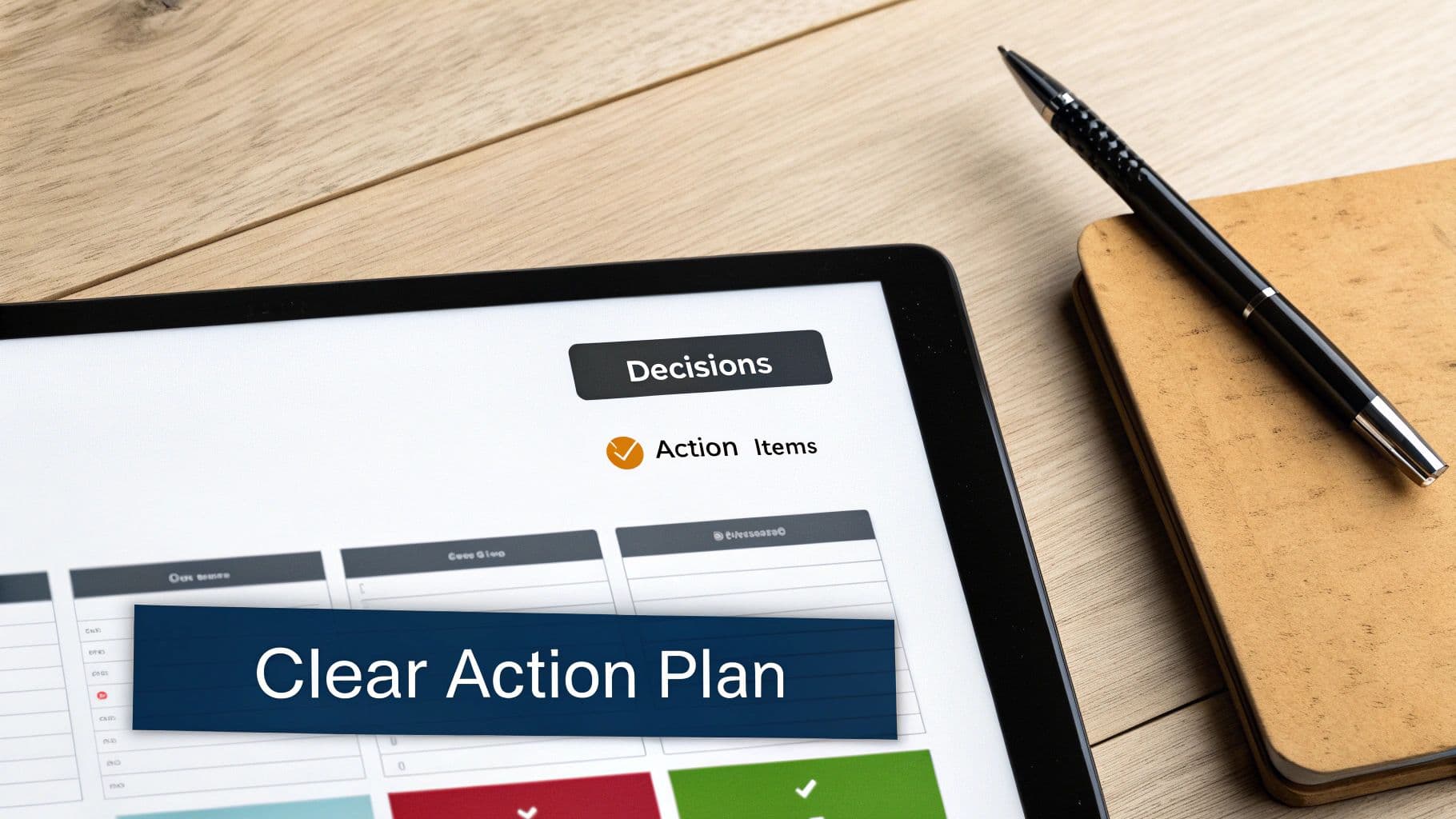
The notes you furiously typed during the meeting are your raw material, not the finished product. The real magic happens next, when you transform that rough draft into a document anyone on your team can digest in five minutes.
Your goal isn't a word-for-word transcript; it's clarity. This is your chance to edit for impact. That means cutting the conversational fluff, fixing typos, and arranging everything into a logical, scannable format. Good structure is everything—use clear headings, bullets, and a bit of bold text to make the key takeaways jump off the page.
Structure Your Summary for Maximum Clarity
A great summary starts with the basics before getting into the nitty-gritty. This lets everyone, especially people who missed the meeting, get up to speed in seconds.
Kick things off with the essential details right at the top:
- Meeting Title: Something specific, like "Q4 Product Launch Sync."
- Date & Time: A must-have for future reference.
- Attendees: A quick list of who was in the room.
- Absentees: It’s also helpful to note who was invited but couldn't make it.
This simple header sets the stage perfectly. From there, your focus should shift to outcomes. Experts suggest that a one-hour meeting should produce about half a page of minutes, zeroing in on the most critical facts and next steps. Brevity matters, especially when you consider that nearly half of all professionals sit through three or more meetings every day.
Once the basics are covered, the two most important parts of your minutes are the decisions made and the action items assigned. Make these sections impossible to miss.
Spotlight Decisions and Actions
Let's be honest, your colleagues are scanning for two things: what was decided and what they have to do. So, give those elements the VIP treatment they deserve.
The Decisions Log Create a dedicated section called "Key Decisions." A simple bulleted list is perfect for outlining each final call.
- Decision: The go-live date for the "Atlas Project" is officially moved to November 15th.
- Decision: The proposed $25,000 budget for the new marketing campaign is approved.
- Decision: We will move forward with the new CRM software, and migration will start in Q1.
This format is clean, direct, and eliminates any room for confusion.
The Action Items Table This is easily the most critical part of your meeting summary. An action items table creates immediate accountability by spelling out who is doing what, and by when. If you want to really nail this part, check out this guide on creating a meeting action items template that actually works.
Here’s a simple but incredibly effective way to structure it:
| Action Item | Owner | Due Date |
|---|---|---|
| Draft the project charter for the Atlas Project. | Sarah P. | 10/28/2024 |
| Send the final campaign budget to finance. | Mike R. | 10/26/2024 |
| Schedule CRM software training for the team. | David L. | 11/04/2024 |
When you organize your notes into this kind of outcome-focused format, you’re not just creating a record. You’re building a tool that keeps projects moving and ensures everyone is on the same page.
Using Modern Tools for Smarter Minute Taking
Technology can be your secret weapon for taking meeting minutes faster and more accurately. The real trick is letting today's tools handle the heavy lifting of transcription. This frees you up to focus on what actually matters: capturing context, confirming decisions, and clarifying who owns what. You don't have to be a stenographer; let the software do that part.
Chances are, the platforms you already use every day have some powerful features baked right in. Tools like Microsoft Teams and Google Meet offer live transcription, which creates a running text log of the entire conversation. Think of it as a safety net. Recording the meeting also gives you a definitive source of truth you can always go back to if a detail gets fuzzy later on.
Tapping into AI Meeting Assistants
Beyond those built-in features, a whole new category of AI-powered tools has popped up to tackle this exact problem. These dedicated assistants can join your meeting, record the audio, and spit out a full transcript just moments after you hang up.
But where they really shine is in summarization. Instead of dumping a giant wall of text on you, they can produce a concise summary, pull out the key topics discussed, and even suggest action items. This gives you an incredible first draft to work from.
This screenshot from Otter.ai shows a perfect example. Notice how the tool breaks down the conversation by speaker and provides a quick, summarized overview.
This visual separation makes it so much easier to track who said what and jump straight to the most important parts of the discussion.
Weaving Tech into Your Workflow
Let's be clear: the goal here isn't to replace the minute-taker. It's to make their job easier and more effective. An AI-generated summary is a fantastic starting point, but it's not the final product.
It still needs your critical eye to make sure the nuance is right and the context hasn't been lost in translation.
Here’s a practical way to approach it:
- Record and Transcribe: First, let an AI tool capture the raw conversation automatically.