In today's remote-first work environment, mastering virtual meetings is no longer optional. It's the core of effective team productivity, collaboration, and decision-making. We have all endured disorganized video calls that drain energy, kill momentum, and ultimately lead nowhere. This experience, often called "meeting fatigue," is not an inevitable consequence of remote work; it's a symptom of poor practices.
Moving beyond the obvious advice of muting your microphone, a new set of sophisticated strategies has emerged. These methods transform digital gatherings from necessary burdens into powerful engines for progress. This guide provides a comprehensive roundup of the most impactful, actionable best practices for virtual meetings. We will go beyond theory to provide concrete steps and real-world examples you can implement immediately.
Here, you will learn how to structure every session for maximum focus, engagement, and accountability. We'll cover everything from advanced facilitation techniques and strategic use of interactive tools to creating truly inclusive virtual environments. These insights are designed to ensure every meeting you run is a valuable investment of time, delivering tangible results and leaving participants feeling energized, not exhausted. Get ready to leave meeting fatigue behind for good and unlock the true potential of your team's collaboration.
1. Establish and Share a Clear Agenda
A meeting without an agenda is like a ship without a rudder. It drifts aimlessly, wasting everyone's time. One of the most fundamental best practices for virtual meetings is to create and distribute a structured agenda beforehand. This simple document transforms a potential time-waster into a focused, productive session by setting clear expectations for all attendees.
An effective agenda does more than just list topics. It defines the meeting's purpose, outlines specific objectives, allocates time for each discussion point, and clarifies each participant's role. This preparation ensures everyone arrives ready to contribute meaningfully, significantly boosting engagement and efficiency.
How to Implement a Clear Agenda
Creating a powerful agenda is straightforward. The key is to be intentional and detailed.
- Define a Single, Clear Objective: What is the one key outcome you need from this meeting? State it at the very top.
- List Actionable Topics: Instead of "Discuss Q3 Marketing," use action-oriented phrases like "Decide on Q3 budget allocation for social media ads."
- Assign Time and Ownership: Allocate a specific time block for each item and assign a person to lead that part of the discussion. This creates accountability.
Real-World Examples
Leading tech companies have built their collaborative cultures on this principle. Microsoft, for instance, embeds structured agendas into its Teams meeting culture to ensure every virtual call has a purpose. Similarly, Google’s famous Project Aristotle found that psychological safety and structure, including clear goals and agendas, were critical for high-performing teams. By adopting this practice, you can model the efficiency of these industry leaders. To dive deeper into creating agendas that boost productivity, you can learn more about how to run effective team meetings that drive results.
2. Optimize Audio and Video Setup
Poor audio or a grainy video feed can derail a meeting faster than any other technical issue. Optimizing your technical setup is one of the most crucial best practices for virtual meetings, ensuring that your message is delivered clearly and professionally. A high-quality audio and video experience minimizes distractions, prevents miscommunication, and keeps attendees focused on the conversation, not the connection quality.
Investing a small amount of effort into your setup signals respect for everyone's time and attention. It elevates the entire meeting from a potential source of frustration to a seamless, professional interaction. Clear audio ensures your contributions are heard, while a stable, well-lit video feed enhances non-verbal cues and builds stronger connections.

How to Implement an Optimal Setup
A professional setup doesn't require a Hollywood budget. The focus is on reliability and clarity.
- Prioritize Audio: If you have to choose, invest in audio first. Use an external microphone or a headset with a noise-canceling mic to eliminate background noise.
- Stabilize Your Connection: Whenever possible, use a wired Ethernet connection instead of Wi-Fi for a more stable and faster internet feed.
- Position Your Camera Correctly: Place your webcam at eye level to create a more natural, engaging line of sight. Good lighting, with a light source in front of you, is also key.
Real-World Examples
Leading remote and hybrid companies understand the power of a standardized technical experience. Remote-first pioneer GitLab, for instance, outlines minimum technical requirements for its global team to ensure seamless collaboration. Similarly, Salesforce provides home office stipends, empowering employees to purchase high-quality webcams and headsets. By adopting these standards, you create an environment where technology supports the meeting's goals instead of hindering them. For more details on gear, you can explore guides on the best equipment for video conferencing.
3. Implement Active Facilitation Techniques
In a physical room, conversational cues are easy to read. In a virtual setting, silence can be misinterpreted and dominant voices can easily take over. Active facilitation is the practice of deliberately guiding the meeting's flow, managing participation, and ensuring every voice is heard. This is one of the most critical best practices for virtual meetings as it transforms passive attendees into engaged collaborators.
A strong facilitator acts as a neutral guide, not a dictator. Their role is to steer the conversation toward its intended objectives, encourage balanced participation, and maintain momentum. By actively managing the dynamics, a facilitator ensures the meeting stays on track, achieves its goals, and fosters a psychologically safe environment where everyone feels comfortable contributing their ideas.
How to Implement Active Facilitation
Effective facilitation requires intentionality and a few key techniques. The goal is to create structure without stifling natural conversation.
- Rotate Speaking Opportunities: Instead of asking "Any questions?", go around the virtual room and ask each person for their input directly. Use a pre-determined order or a 'popcorn' style where one person passes the turn to the next.
- Monitor All Communication Channels: Keep an eye on the chat for questions or comments from those who may be less comfortable speaking up. Acknowledge these contributions and bring them into the main discussion.
- Use Engagement Tools Strategically: Leverage built-in tools like polls, Q&A features, and breakout rooms to break up the monotony and encourage interaction on specific topics.
The following summary box highlights the significant impact that these facilitation techniques can have on meeting outcomes.

This data underscores how a structured approach to engagement directly boosts participant satisfaction and provides a clear toolkit for facilitators.
Real-World Examples
This practice is central to how innovative and efficient organizations operate. Design firms like IDEO use active facilitation in virtual workshops to ensure creative ideas flourish. Similarly, Agile teams rely on a Scrum Master to facilitate key ceremonies like sprint planning and retrospectives, ensuring the process is both efficient and inclusive. By adopting these methods, you can elevate the quality and outcomes of your own virtual collaborations. For a deeper look at specific facilitation methods, consider exploring resources from the International Association of Facilitators (IAF).
4. Strategic Use of Breakout Rooms and Interactive Features
Passive listening in a virtual meeting leads to disengagement. To combat this, one of the most effective best practices for virtual meetings is the strategic use of interactive features. Tools like breakout rooms, polls, and virtual whiteboards transform attendees from passive observers into active participants, replicating the dynamic energy of in-person collaboration.

These features break the monotony of a single-speaker format by creating opportunities for small-group discussion, real-time feedback, and creative brainstorming. By intentionally designing moments of interaction, you can boost engagement, enhance learning retention, and foster a stronger sense of team connection, even when everyone is miles apart.
How to Implement Interactive Features
Leveraging these tools effectively requires more than just turning them on; it requires a thoughtful plan integrated into your meeting agenda.
- Plan Your Interactions: Decide when and why you will use a feature. For example, use a poll to kick off a discussion or a breakout room for a specific problem-solving task.
- Provide Clear Instructions: Before sending participants into breakout rooms, clearly state the task, the time limit, and what they need to deliver when they return.
- Facilitate Actively: As the host, visit different breakout rooms to answer questions and ensure groups are on track. Use a virtual whiteboard to capture ideas collaboratively.
Real-World Examples
The power of interactive features is proven across various industries. Design sprints at companies like Google Ventures rely heavily on virtual whiteboards (like Miro or Mural) to brainstorm and map out user journeys collaboratively. Similarly, consulting firms frequently use polling features during client strategy sessions to gather instant, anonymous feedback on complex proposals. By integrating these tools, you can facilitate more inclusive and productive discussions, ensuring every voice is heard.
5. Establish Virtual Meeting Etiquette and Ground Rules
In a physical office, social cues and established norms guide behavior. In a virtual setting, these cues are often lost, making explicit ground rules essential. One of the most critical best practices for virtual meetings is to establish and communicate clear etiquette guidelines. This framework ensures every participant understands the expectations for interaction, leading to smoother, more respectful, and productive sessions.
Effective virtual etiquette goes beyond simply telling people to mute their microphones. It covers protocols for speaking, using the camera, interacting in chat, and managing interruptions. By setting these ground rules, you create a psychologically safe and predictable environment where everyone feels comfortable contributing, preventing common virtual meeting frustrations and keeping the focus on the objectives.
How to Implement Virtual Meeting Etiquette
Creating a shared understanding of etiquette is a collaborative process that builds a foundation for respect and efficiency.
- Create a Shared Document: Collaboratively draft a simple document outlining your team's meeting norms. Include rules like "camera on is the default," "use the 'raise hand' feature before speaking," and "avoid multitasking."
- Communicate Rules Consistently: Attach your etiquette guide to recurring meeting invitations or create a slide at the beginning of presentations to briefly review the key rules.
- Model the Right Behavior: As a leader or meeting host, consistently model the behavior you expect from others. Start on time, keep your camera on, and engage actively.
Real-World Examples
Leading remote-first companies have mastered this practice to build strong virtual cultures. For instance, remote work pioneers like Buffer and GitLab publish their communication and meeting etiquette publicly, making expectations transparent for everyone. Similarly, many financial services firms have strict protocols for virtual client meetings, covering everything from professional attire and backgrounds to audio quality, ensuring a consistent and high-quality brand experience. By defining your own rules, you build a more professional and efficient virtual environment. You can explore further insights on fostering this environment by reading about how to improve team collaboration.
6. Implement Time-Boxing and Meeting Duration Management
Unstructured virtual meetings can easily spiral out of control, leading to the dreaded "Zoom fatigue" and draining participant energy. One of the most effective best practices for virtual meetings is to deliberately structure your sessions with strict time limits. Time-boxing involves allocating a fixed time period to each agenda item and sticking to it, transforming an endless discussion into a focused, high-energy session.
This approach combats attention decay by breaking down a meeting into manageable segments. Instead of a single, long-haul call, participants engage in a series of short, purposeful sprints. This keeps everyone focused, respects their schedules, and ensures the meeting achieves its objectives without consuming unnecessary time or mental bandwidth.
How to Implement Time-Boxing and Duration Management
Effectively managing your meeting clock is about discipline and clear communication. The goal is to make time a visible and respected resource for everyone involved.
- Schedule Shorter Meetings by Default: Instead of the standard 30 or 60 minutes, schedule 25- or 50-minute meetings. This builds in a natural buffer for breaks between calls.
- Use a Visible Timer: Share your screen with a simple countdown timer during each segment. This creates a shared sense of urgency and helps the facilitator keep discussions on track.
- Create a "Parking Lot": When a discussion starts to derail or exceed its allotted time, move the topic to a designated "parking lot" to be addressed later.
Real-World Examples
This practice is a cornerstone of productivity at top companies. Google championed this by introducing "speedy meetings" in Google Calendar, which automatically shortens meetings to 25 or 50 minutes. Similarly, consulting firms like BCG are known for their highly structured, time-boxed check-ins that maximize information exchange in minimal time. By adopting time-boxing, you can bring this same level of focus and efficiency to your own team’s virtual collaborations, a practice heavily influenced by productivity experts like Cal Newport, author of Deep Work.
7. Document and Follow Up with Action Items
A productive meeting's value diminishes quickly if decisions and next steps vanish into thin air. One of the most critical best practices for virtual meetings is to systematically document outcomes and follow up with clear action items. This creates a bridge between discussion and execution, ensuring that momentum is not lost once the call ends.
Failing to formalize next steps leads to confusion, missed deadlines, and redundant conversations. By creating a shared, accessible record of what was decided, who is responsible, and when it's due, you build a culture of accountability and ensure every virtual session drives tangible progress. This simple habit transforms meetings from talk-fests into action-oriented catalysts.
How to Implement Effective Follow-Ups
Turning discussion into documented action is a skill that requires a deliberate process. The key is to be consistent and clear.
- Assign a Dedicated Note-Taker: Rotate this role among team members for each meeting to ensure one person is focused on capturing key points, decisions, and action items.
- Use a Standardized Template: Create a simple template that includes sections for attendees, key decisions, action items, owners, and deadlines.
- Send Summaries Promptly: Distribute the meeting summary and action items within 24 hours while the context is still fresh in everyone’s minds.
Real-World Examples
High-performance organizations are built on rigorous follow-up. Amazon is famous for its "two-pizza team" meetings, where detailed memos and structured follow-up protocols are non-negotiable. Similarly, Atlassian integrates its meeting notes directly into project management tools like Jira, seamlessly converting discussion points into trackable tasks. By adopting this practice, you can ensure your virtual collaboration leads to real-world results. To streamline this process, you can explore tools for automating action item extraction from your meetings.
8. Create Inclusive and Accessible Virtual Environments
A truly productive meeting ensures every voice can be heard. Creating an inclusive and accessible virtual space is a critical best practice for virtual meetings, as it removes barriers that prevent full participation. This means actively designing your meetings to accommodate attendees across different time zones, technical abilities, cultural backgrounds, and accessibility needs.
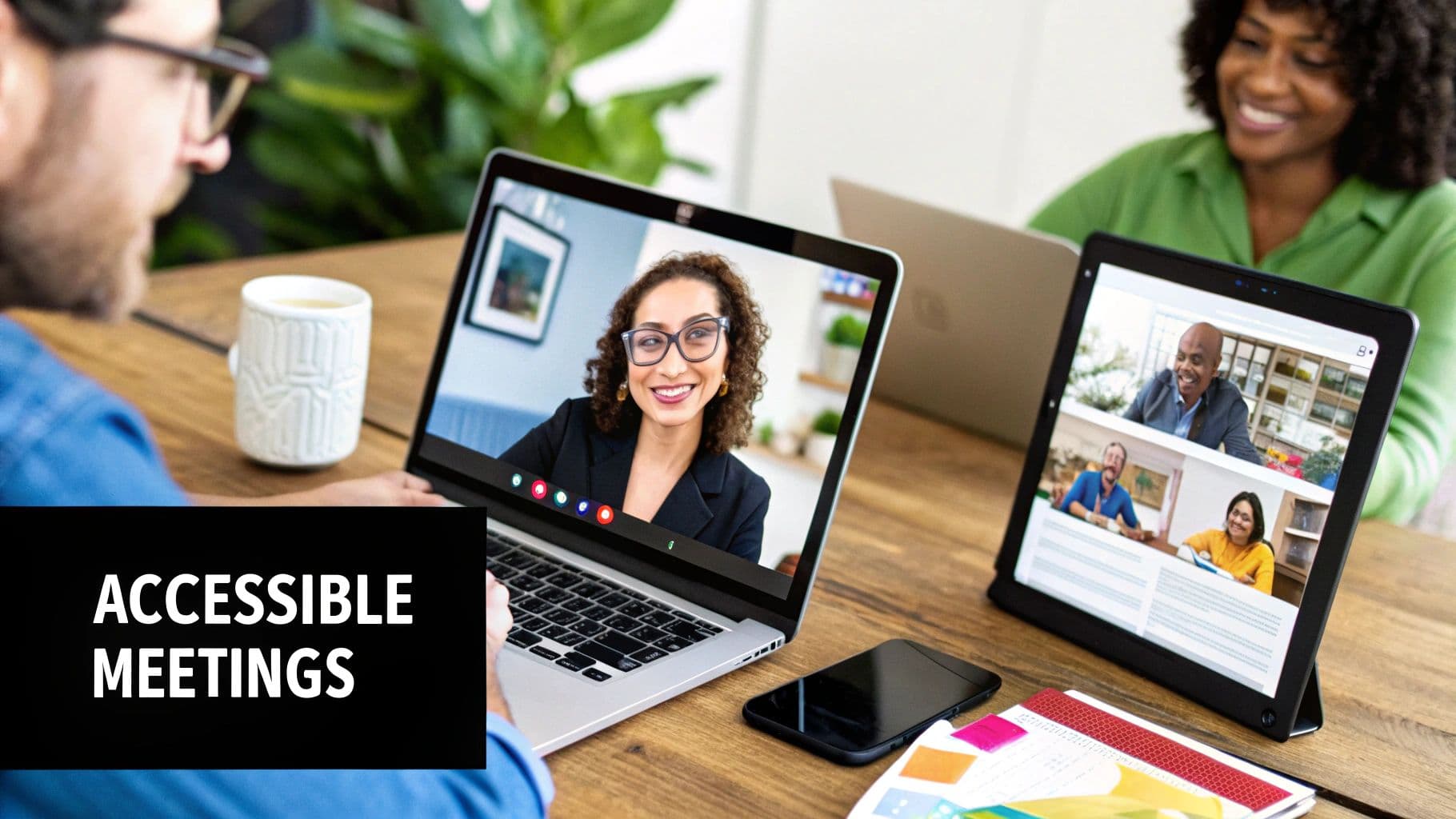
This approach moves beyond simple logistics to foster a sense of belonging and psychological safety. When team members feel seen and supported, they are more likely to contribute their best ideas, leading to stronger collaboration and better outcomes. An inclusive environment is not just a courtesy; it's a strategic advantage for global and diverse teams.
How to Implement Inclusive and Accessible Environments
Building an inclusive meeting culture requires intentionality and empathy. It's about proactively considering the needs of all participants.
- Schedule Thoughtfully: Use tools that display multiple time zones to find a time that is reasonable for everyone. If a perfect time doesn't exist, rotate the inconvenient slots.
- Provide Materials in Advance: Share the agenda, presentations, and key documents ahead of time. This helps non-native speakers and those who need more time to process information.
- Enable Multiple Participation Channels: Encourage the use of voice, chat, polls, and reactions. This allows people to contribute in the way they feel most comfortable.
- Leverage Accessibility Features: Activate real-time captioning and ensure any shared materials are compatible with screen readers.
Real-World Examples
Many forward-thinking companies have integrated inclusivity into their virtual meeting protocols. IBM, for example, rotates its global team meeting times quarterly to fairly distribute inconvenient hours among different regions. Microsoft Teams incorporates AI-powered real-time captioning to support attendees who are deaf or hard-of-hearing. Similarly, Unilever has been known to use cultural liaison roles in global meetings to ensure discussions are respectful and inclusive of all backgrounds. Making your meetings more accessible also means ensuring everyone can follow along, which is why you should learn more about how to take better meeting notes to share with your team.