So, what makes a truly great meeting summary? It boils down to three things: capturing the key discussion points, documenting the final decisions, and clearly listing the action items—complete with owners and deadlines. Get those right, and you’ve turned a simple recap into a powerful tool for getting things done.
Why Great Meeting Summaries Are Your Secret Weapon
We’ve all been there. You walk out of a meeting feeling energized and ready to go, but a day later, that momentum has vanished. What happened? Meetings are where plans get made, but without a solid record, they often become black holes of forgotten promises and wasted time.
This isn't just an annoyance; it has a real cost. In the U.S., poorly run meetings drain an estimated $37 billion from the economy every single year. A sharp, clear meeting summary is your best defense against contributing to that statistic.
Turning Conversations Into Action
A well-written summary does more than just list what was said. It brings clarity to the chaos and holds everyone accountable. Think of it as the bridge connecting your conversation to actual execution. It becomes the single source of truth, making sure the entire team is on the same page, whether they were in the room or not.
This simple document is a game-changer for your team. It:
- Keeps Everyone Aligned: Confirms that all participants left with the same understanding of what was discussed and decided.
- Makes Progress Visible: Creates a clear paper trail of who promised to do what by when, making follow-up a breeze.
- Brings Absentees Up to Speed: Allows anyone who missed the meeting to catch up quickly without interrupting the team’s flow.
Learning how to write a killer meeting summary is a non-negotiable skill for anyone serious about team productivity. To take it a step further, think about how you share it. Exploring effective content distribution strategies can help ensure your summary actually gets read and acted on.
The Blueprint for a Perfect Meeting Summary
So, what does a great meeting summary actually look like? It's not about transcribing every word. A truly effective summary is a simple, scannable document that respects everyone's time and, most importantly, keeps the momentum going.
Of course, you need the basics like the date and who was there. But the real magic happens when you build your summary around three core pillars. This is what turns a page of notes into a real plan of action.
Meetings are a massive economic engine. Before the pandemic, they generated a staggering $2.8 trillion in global economic output. That number alone shows why it's so critical to capture the decisions and insights from every call. Without a solid summary, all that potential value just evaporates. You can dig into the economic impact of meetings in this report if you're curious.
This is what we're aiming for: turning the natural chaos of a discussion into a clear, actionable summary.
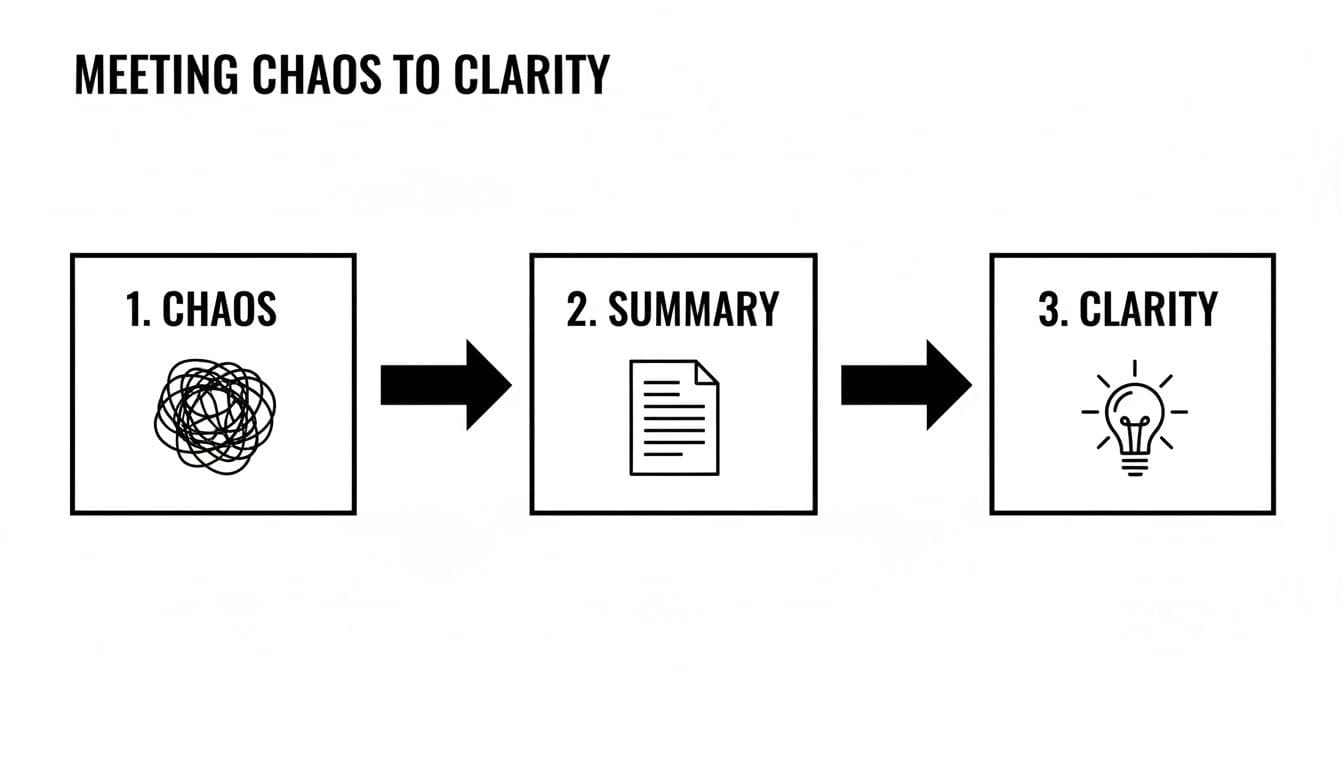
The summary is the bridge. It connects a messy conversation to focused, forward progress.
The Three Pillars of an Effective Summary
Every summary should answer three fundamental questions that anyone reading it—whether they were in the room or not—is going to have. Nailing these three things makes your recap instantly useful.
- Key Discussion Points: This isn't a play-by-play. Just list the 2-4 most important topics you covered. Think of it as setting the stage for the decisions that follow.
- Decisions Reached: State the final outcomes clearly and without any fluff. Ambiguity is your worst enemy here. Use direct language so there's absolutely no room for misunderstanding.
- Action Items with Ownership: This is the most important part. Every single task needs a name and a deadline next to it. No exceptions.
Throughout this process, keeping a neutral and objective tone is key. If you want to dive deeper into that, check out our complete guide to writing clear, unbiased summaries.
Crafting Actionable Next Steps
This is where so many meeting summaries fall apart. Vague "next steps" are where good intentions go to die. "Look into the Q3 budget" is basically useless because it’s not assigned to anyone and has no deadline.
A great action item, on the other hand, is specific, measurable, and assigned.
See the difference? The second one gives clear ownership (Sarah), a specific task (finalize and share the revised budget), and a firm deadline (Friday, Oct 25). This kind of clarity eliminates all the guesswork. Sarah knows exactly what she needs to do and by when.
Every single action item in your summary needs to be this direct and accountable. It’s the only way to make sure things actually get done.
Real-World Templates for Any Meeting Type
A one-size-fits-all meeting summary just doesn't work. The frantic daily stand-up needs a totally different approach than a deep-dive client strategy session. The real skill is knowing how to tailor your summary to fit the meeting's purpose and the people who will read it.
Think about it this way: for a quick check-in, brevity is king. For a complex project kickoff, you need to be thorough to make sure everyone is on the same page. This adaptability is what separates a summary that gets read and used from one that’s instantly archived.
Let's dive into a few practical templates you can steal and tweak for some of the most common meetings you’ll have.
Template 1: The Lean Daily Stand-Up Summary
Daily stand-ups are all about speed and clearing roadblocks. The summary has to match that energy. Ditch the long paragraphs—this format is designed to be scanned in 30 seconds while you're grabbing your morning coffee.
Here's a bare-bones example:
- Phoenix Launch
- October 26, 2024
- API access is still pending for the marketing team. (Owner: Chris)
- Key Updates:
- Design team wrapped up the final mockups.
- Dev is on schedule for the beta release next Tuesday.
- Chris to chase IT on API access by EOD.
See how simple that is? It’s intentionally sparse. It puts the most critical piece of information—the blocker—right at the top and assigns a clear, immediate action.
Template 2: The Comprehensive Strategy Meeting Summary
When you're in a high-stakes meeting like quarterly planning, your summary needs more meat on its bones. It’s not just about capturing what was decided, but why. This context is invaluable when you look back on it months later.
Here’s what that looks like:
This detailed format creates a solid record of the meeting, making it easy for anyone—even those who weren’t there—to understand the strategic thinking behind the decisions. You can explore a variety of other meeting summary templates to find a style that fits your team's needs perfectly.
Template 3: The Client-Facing Project Check-In
Summaries written for clients serve a completely different purpose. They need to be professional, reassuring, and laser-focused on progress and what’s next. The goal is to build confidence and maintain transparency without bogging them down in the weeds.
Finding that balance is key. If you're looking to really nail this down, it can be helpful to see how others approach it. This guide on how to write a meeting minutes template that drives action offers some great pointers for structuring these kinds of communications.
Here’s a clean format that works great for client updates:
- Website Redesign
- Date of Meeting: October 26, 2024
- [Your Team], [Client Team]
- Progress Since Last Meeting:
- Homepage wireframes are complete and attached for your review.
- The backend development for the user login portal is now 75% complete.
- Next Steps:
- Our Team: We will deliver the first high-fidelity design mockups by next Friday.
- Client Team: Please provide feedback on the attached wireframes by this Wednesday, Oct 30.
This template is clear, concise, and manages expectations perfectly by laying out what both teams are responsible for. No ambiguity, just a clear path forward.
Choosing the Right Summary Format
Knowing which template to use comes down to the meeting's context. A quick internal huddle has different needs than a formal client presentation. This table should help you pick the right format at a glance.
| Meeting Type | Primary Focus | Ideal Format | Key Audience |
|---|---|---|---|
| Daily Stand-Up | Blockers & Quick Updates | Bullet Points | Internal Team |
| Weekly Team Sync | Progress, KPIs, & Next Steps | Short Paragraphs | Internal Team & Manager |
| Project Kickoff | Goals, Scope, & Roles | Detailed | Cross-Functional Teams |
| Client Check-In | Progress & Action Items | Professional, Lean | Client & Stakeholders |
| Sales Demo | Client Needs & Proposed Solution | Persuasive, Brief | Prospective Client |
| Brainstorming Session | Ideas & Key Themes | Free-form, Visual | Internal Creative Team |
Ultimately, the best format is the one that gets the job done. Don't be afraid to mix and match these ideas to create a template that works perfectly for your specific situation. The goal is always clear communication, not rigid adherence to a rulebook.
Using AI to Create Smarter Summaries
Let’s be honest: writing a detailed summary after a long, winding meeting is a total drag. It pulls you away from the work you should be doing and eats up valuable time just trying to piece together your notes. This is exactly where modern AI tools are changing the game, turning a tedious task into a quick, automated step in your workflow.
Imagine having a dedicated assistant on every call that never misses a detail. That's essentially what these AI-powered platforms do. They can automatically join your meetings, transcribe the entire conversation, and produce a surprisingly solid summary in just a few minutes.
How AI Summarization Tools Work
So, how does this magic actually happen? These tools plug right into your calendar and video conferencing apps like Zoom or Microsoft Teams. When a meeting kicks off, an AI bot joins the call, listens in, and starts processing the conversation in real-time.
It’s not just spitting out a wall of text, though. The real value is in its ability to analyze the discussion.
Many of the best tools can even tell who is speaking, which makes the transcript way easier to follow. More importantly, they use natural language processing to zero in on the key moments—the decisions, the questions, and the action items.
Here’s a great example of how a modern AI tool presents its output. Notice how it’s designed for a quick scan, not a deep read.
This clean layout instantly shows you the main topics and who's responsible for what, cutting down your review time dramatically.
Key Features to Look For
Not all AI summarizers are built the same. As you start exploring options, you'll find that some features provide way more practical value than others.
Here are the essentials to look for:
- Automatic Action Item Detection: This is a big one. The best tools can pick up on phrases like "I'll get that done by Friday" or "Can you handle the report?" and automatically create a to-do list with names attached.
- Speaker Identification: A summary is a lot more useful when you know who said what. This feature adds crucial context, especially when it comes to decisions and commitments.
- Customizable Summary Formats: Does your team prefer a quick paragraph, a bulleted list, or a more detailed outline? Look for a tool that lets you tailor the output for your audience.
- Integrations with Your Workflow: The real power comes from connecting your summary to the tools you already use. Integrations with platforms like Slack, Asana, or Trello let you push action items directly into your project management system, closing the gap between talk and action.
Of course, the question of reliability always comes up. While the tech is impressive, it isn't flawless. If you're curious about how dependable these summaries are, you can learn more about how accurate AI meeting summaries really are in practice.
Putting AI Into Practice
Adopting an AI tool doesn’t mean you can just set it and forget it. The smartest way to use it is to treat the AI-generated summary as a really good first draft.
Plan to spend just a few minutes reviewing it. Clean up any small mistakes, clarify any points that might be ambiguous, and add your own insights. This "human-in-the-loop" approach gives you the best of both worlds: the raw speed of AI combined with your strategic oversight.
This simple workflow frees you from the drudgery of note-taking. You can finally be more present and engaged in the meeting itself, knowing the heavy lifting is already being handled.
Common Mistakes That Make Summaries Useless
Knowing how to write a great meeting summary is as much about what you leave out as what you put in. Even with the best intentions, a few common slip-ups can turn a helpful recap into just another email that gets archived and forgotten.

If you want your team to actually read and use your summaries, you need to actively sidestep these all-too-common traps. Let's look at the biggest culprits I've seen over the years.
Trying to Create a Perfect Transcript
This is the number one mistake. People confuse a summary with meeting minutes, but they serve completely different purposes. A summary should be the highlight reel, not the full-length feature film.
Your team doesn't need a word-for-word playback of a meandering conversation. They need the outcome.
Instead of typing out every single thing that was said, zero in on the essentials: what was discussed, what was decided, and what happens next. This respects everyone's time and makes the document scannable.
Writing Vague and Unassigned Action Items
This is where good intentions go to die. An action item without an owner and a deadline is just a nice idea—and nice ideas don't move projects forward.
Think about how often you've seen notes like this:
- "We should look into the new software."