An action items template is really just a simple document that turns all that meeting talk into a clear, concrete plan. It’s all about capturing who is doing what, and by when, so that great ideas don’t just vanish the moment a meeting ends.
Why Your Meetings End Without Clear Next Steps

Let’s be real. How many times have you left a meeting feeling a general sense of agreement, but with zero clarity on what happens next? It’s a huge source of project delays and kills momentum. This is what I call “meeting amnesia”—where crucial decisions and tasks are forgotten almost as soon as everyone disconnects.
If you really want to fix this, it helps to learn how to run more effective meetings from the start. Without a system to capture next steps, even the most amazing discussions end up being a waste of everyone's time.
From Great Ideas to Dropped Tasks
Picture this: a project team wraps up a fantastic brainstorming session. The energy was high, ideas were flying, and everyone seemed on the same page. The meeting ends with a vague, "Okay, great chat! Let's get going on this." A week passes, and... nothing. Crickets. Progress stalls because nobody knew who was supposed to actually do what.
It's about more than just making a to-do list; it’s about creating accountability. This one small document ensures everyone walks away knowing exactly what they’re responsible for.
The Power of a Simple Document
When you start using a standardized action items template, the whole dynamic changes. Suddenly, every important decision has a documented outcome. It provides the structure your team needs to turn valuable meeting time into actual progress you can see.
Of course, this all hinges on capturing those details accurately during the meeting. If you want to get better at that, our guide on how to take better meeting notes is a great place to start.
Crafting Your Perfect Action Items Template
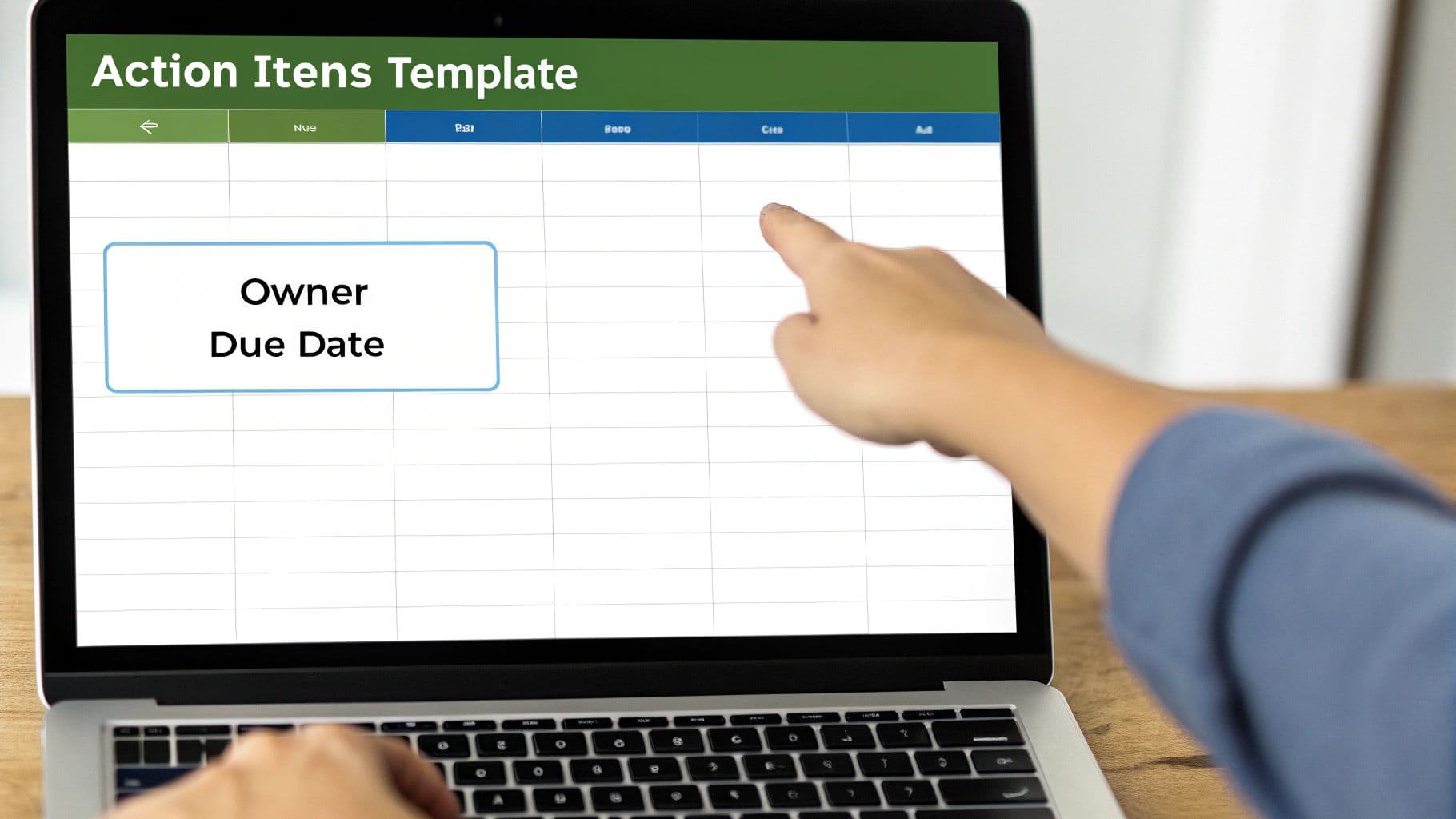
Let's move beyond generic checklists that nobody ever looks at again. A genuinely useful action items template isn't just a list; it's a tool built to create clarity and keep the momentum going after the meeting ends. The secret is to include fields that leave no room for guesswork and force your team to agree on the specifics in the moment.
We've come a long way from scribbling tasks in the margins of a notepad. Back in the '90s, most action items were buried in meeting minutes, which made them easy to forget. But as teams moved to digital tools, companies that standardized their templates saw a huge jump in follow-through—some even reported a 25% reduction in tasks that fell through the cracks. For an in-depth look, ProjectManager.com has some great historical context on how these tools have evolved.
Laying the Foundation: What Every Template Needs
To build a template that actually works, you need to start with the essentials. Each of these fields plays a critical role in preventing common roadblocks like vague responsibilities or shifting priorities.
Here’s a breakdown of the must-have components for any action items template you create. Think of this as the bare minimum for driving accountability and ensuring everyone is on the same page.
Key Components for Your Action Items Template
| Template Component | Purpose | Example |
|---|---|---|
| Action Item | A clear, verb-driven description of the task. | "Finalize Q3 marketing budget slides." |
| Owner | The single person accountable for getting it done. | "Sarah Jenkins" |
| Due Date | A specific, non-negotiable deadline. | "End of Day, Friday, Oct 27" |
| Priority | A rating to show what's most important now. | "High / Medium / Low" |
| Status | A simple way to track progress at a glance. | "Not Started / In Progress / Complete" |
These components create a system of record that is easy to scan and understand, turning good intentions into concrete actions.
Thinking about how these items fit into the bigger picture is key. For more on structuring this within your notes, check out our guide on creating a better meeting minutes format with action items.
Taking Your Template to the Next Level
Once you’ve nailed the basics, you can add a few extra columns to make your template a proactive problem-solving tool. My personal favorite is adding a field for "Blockers" or "Dependencies."
This gives team members a designated spot to flag anything holding them back. Is Sarah waiting on data from the finance team? Is Mark stuck because he needs a software license approved? Putting it in the template makes the issue visible to everyone and forces a conversation before a small delay becomes a major problem.
When you're looking for inspiration, it helps to see what others are doing. Checking out different meeting templates can spark ideas for a custom layout that fits your team’s unique workflow and communication style perfectly.
How to Integrate the Template into Your Workflow
A great action items template is a fantastic start, but it's only half the story. If it just gathers digital dust in a shared drive, it’s not doing anyone any good. The real value comes when you embed it into your team’s daily and weekly habits, making it a living document that actually drives accountability. This isn’t about adding more paperwork; it’s about building a better system.
The goal is to make your template the single source of truth for every task that comes out of a meeting. It should be the first place anyone looks to see what they own and when it’s due. That’s when the magic happens.
Make It a Live Process
One of the best things you can do is assign a "live scribe" during each meeting. This person's only job is to fill out the template in real-time as decisions are made and tasks are assigned. Everyone can see it happen live on the shared screen.
Doing this accomplishes a few crucial things right away:
- Instant Clarity: No more "Wait, who was doing that?" conversations after the meeting ends.
- Immediate Buy-In: Team members can confirm their assignments and deadlines on the spot.
- No Vague Tasks: You can turn fuzzy ideas into concrete, measurable actions before anyone leaves the room.
By 2025, using a shared action items template has become the standard. It’s why platforms like ClickUp offer tons of options designed to be dynamic, with custom fields and automations. Agile teams love them because they fit right into their workflow. You can find more on how templates are adapting to modern workflows on Hypescribe.com.
Create a Rhythm of Accountability
To keep the template from being forgotten, build routines around it. The most effective habit is the five-minute "action item review" at the start of every follow-up meeting. Before you jump into a new agenda, pull up the template and do a quick rundown of the open items from last time.
This simple, consistent check-in shows the team that these tasks matter—they aren't just suggestions, but commitments that everyone is tracking. It turns the template from a simple document into an essential tool that keeps the entire team aligned and pushing forward. No more letting important work fall through the cracks.
Pro Tips for a More Dynamic Tracking System

So, your team is finally on board and using the action items template regularly. That’s a huge win! But a basic list is just the starting line. It's time to level up from a static document to a smart, dynamic dashboard that actually drives your projects forward.
A fantastic and easy first step is color-coding. If you’re using a spreadsheet, dive into conditional formatting. You can set up simple rules to automatically highlight tasks based on their status. For example, make any task marked "Overdue" pop in bright red, or flag "High Priority" items in yellow. This simple visual cue lets anyone see potential roadblocks in seconds, without even reading the text.
This isn't just about looking organized; it gets real results. We've seen that organizations with a solid action items template can boost task completion rates and hit deadlines up to 30% more often. When owners, priorities, and dates are crystal clear, confusion and forgotten tasks just melt away. You can find more details on how these templates boost team productivity on Jotform.com.
Automate Your Workflow
To really save time and cut down on the manual nagging, look for ways to automate. If your team practically lives in a tool like Slack, you can set up an integration to send automatic reminders to task owners a day before something is due. It’s a gentle nudge that keeps accountability high without a manager having to chase people down.
You can also automate the very first step: capturing the action items themselves. Many teams are now using AI meeting assistants that listen in on a call and generate a draft list of action items. It's a massive time-saver. If that sounds interesting, you can check out our guide on AI-powered action item extraction.
Implement a Weekly Review
Finally, make your action items list the star of a weekly review. This shouldn't be a long, drawn-out status meeting. Instead, keep it short and focused, dedicated solely to running through the open items.
The goal is simple:
- Give shout-outs for completed tasks.
- Talk through anything that's stuck and find a solution.
- Re-confirm what the priorities are for the week ahead.
Making this a regular habit transforms your template from a simple tracking sheet into a living dashboard that keeps everyone focused, accountable, and moving in the right direction.
Common Mistakes That Make Templates Fail
Let's be honest, even the most beautifully designed action items template is useless if no one actually uses it. I've seen countless teams get excited about a new template, only to have it collecting digital dust within a few weeks. It usually boils down to a few classic, and completely avoidable, blunders that turn a helpful tool into a bureaucratic nightmare.
The Over-Engineered Masterpiece
The number one reason templates fail? They're way too complicated. We’ve all been there—someone unveils a spreadsheet with 15 different columns, intricate dropdown menus, and color-coding rules that require a user manual.
While it might look like a productivity powerhouse, it's a total drag to use in a real-world meeting. When you're trying to capture a quick decision, nobody wants to pause the conversation to fill out seven mandatory fields. The template gets ignored, and you're back to scribbling notes on a napkin.
The Curse of Vague Action Items
Another classic pitfall is writing action items that are fuzzy and unclear. When a task is too broad, the person assigned to it either doesn't know where to start or interprets it completely differently than you intended. It's a recipe for procrastination and missed deadlines.
The fix is simple: be brutally specific.
- Instead of: "Look into the Q3 budget."
- Try: "Draft a revised Q3 budget proposal, cutting 10% from the travel category, and send it to Alex for review by EOD Thursday."
See the difference? The first one is a thought bubble. The second is a concrete task with a clear outcome, a deadline, and a specific owner. There’s no ambiguity.
Forgetting the Template Even Exists
Finally, there's the "set it and forget it" syndrome. The meeting ends, someone saves the list of action items to a shared drive, and it’s never seen or heard from again. Until the next meeting, of course, when you start the whole frustrating cycle over.
Your action items list has to be a living, breathing document. The best way to make this happen is to bake it right into your meeting rhythm. Kick off every follow-up meeting with a quick, five-minute review of the outstanding action items. That simple habit creates accountability and ensures things actually move forward between discussions.
A Few Common Questions
Even with a great action items template, you're bound to run into a few practical questions. Getting a team to buy into a new process is all about having clear answers for those common roadblocks.
I've seen these same questions pop up time and again with teams just starting to track their tasks more formally. Let's tackle them head-on.
What’s the Best Format for an Action Items Template?
Honestly, the best format is whichever one your team will actually use. There's no magic bullet here. The trick is to pick a platform that’s already part of your team's daily life. The last thing you want to do is force another new tool on everyone.
Think about what you're already using:
- Shared Spreadsheets (Google Sheets/Excel): You can't go wrong with the basics. Spreadsheets are simple, everyone knows how to use them, and they're perfect for teams that just need a no-fuss way to track tasks.
- Project Management Tools (Asana/Trello/Jira): If your team is already managing their work in one of these, build your template right there. This is a huge win because it keeps your meeting action items tied directly to the projects they affect.
The biggest mistake I see is trying to implement a system in a tool nobody uses. Meet your team where they are, and you'll have a much better chance of success.
How Do You Make Sure People Actually Complete Their Action Items?
This all comes down to visibility and routine. It's less about nagging people and more about making progress (or lack thereof) obvious to the whole team.
The single most effective habit you can build is starting every single follow-up meeting with a quick, five-minute review of the open action items. That's it. This simple ritual creates a natural rhythm of accountability.
Should We Keep One Giant Master List for All Meetings?
That depends entirely on how your team works.
For a specific, self-contained project, a single master list is the way to go. It puts everything in one place, stops tasks from getting scattered across a dozen documents, and acts as the one true source for that project's to-do list.
But, if you're running different recurring meetings for separate teams or topics (like a weekly marketing sync and a monthly product deep-dive), it's much smarter to keep a dedicated list for each. The goal is always clarity. Don't mix streams if you don't have to; it just creates confusion.
Ready to pick the right tool to manage your meetings and action items? Summarize Meeting has a comprehensive comparison of 20+ AI meeting summarizers to help you find the perfect fit. Check out your options at https://summarizemeeting.com.