In a fast-paced work environment, manual note-taking is a recipe for missed details. Key decisions, action items, and crucial customer feedback often get lost in the shuffle of back-to-back calls. The core problem isn't a lack of focus; it's the impossibility of simultaneously participating in a conversation and perfectly documenting it. This is where automated tools step in, ensuring every important moment is captured accurately.
The best meeting transcription software does more than just convert speech to text. It uses AI to automatically record, transcribe, summarize, and identify key takeaways from your discussions on platforms like Zoom, Google Meet, and Microsoft Teams. This frees up your team to engage fully in the conversation, confident that a reliable, searchable record is being created in the background. Finding the right tool, however, depends entirely on your specific needs, team size, and workflow.
This guide provides a comprehensive breakdown of the top 12 platforms available in 2025. We cut through the marketing jargon to give you a clear, practical analysis of each option. You will find:
- A ranked list based on real-world performance and features.
- Detailed pros, cons, and specific use-case scenarios.
- Clear pricing breakdowns for different team sizes.
- Screenshots and direct links to help you evaluate each tool quickly.
Our goal is to help you select the ideal software to turn your team’s conversations into actionable intelligence, saving time and eliminating the "who was supposed to do what?" follow-up emails. Let's find the solution that fits your workflow.
1. Otter.ai
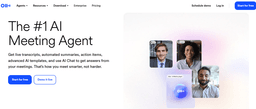
Otter.ai is a household name in this category, solidifying its top spot by acting less like a simple transcription tool and more like a dedicated AI meeting assistant. It integrates seamlessly with Zoom, Google Meet, and Microsoft Teams, sending its "OtterPilot" bot to automatically join, record, and transcribe your calls. This makes it one of the best meeting transcription software options for teams that need a reliable, set-it-and-forget-it solution.
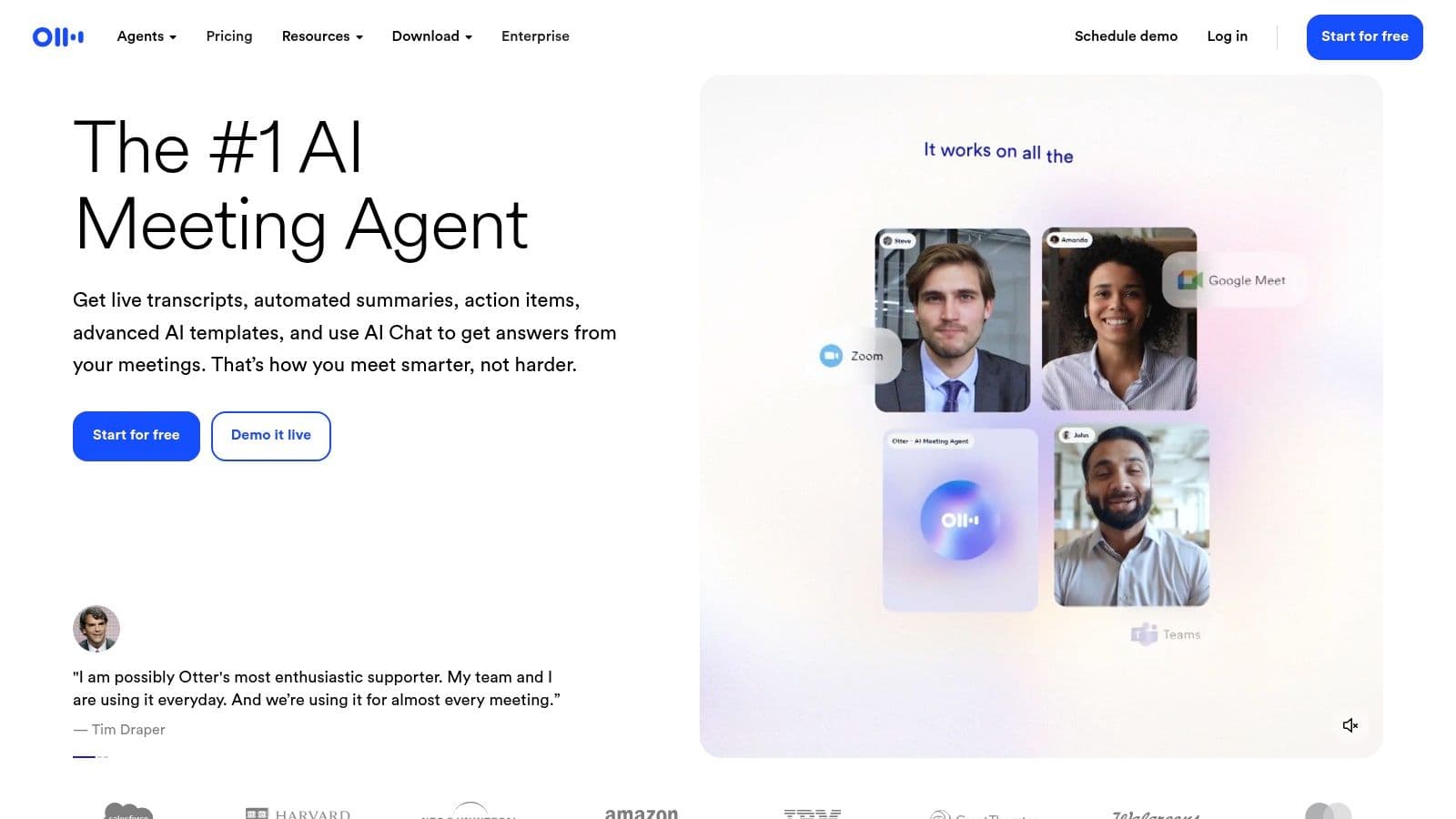
The platform truly excels in its post-meeting workflow. Users get an AI-generated summary, a list of action items, and a fully searchable transcript with clear speaker identification. You can even ask Otter's AI Chat questions about the meeting content, such as "What were the Q3 budget concerns?" to get instant answers without rereading the entire transcript. This feature alone makes it invaluable for busy professionals and distributed teams. For a deeper dive into its capabilities, you can explore what Otter.ai is and how it streamlines communication.
Key Features & Pricing
Otter.ai's strength lies in its well-rounded feature set and generous plan limits. The Business plan, in particular, offers a substantial number of transcription minutes, making it a cost-effective choice for active teams.
- Best For: Individuals and teams of all sizes needing automated meeting documentation and collaborative follow-up.
- Standout Feature: The OtterPilot automatically joins and transcribes calendar events, and its AI Chat lets you query meeting content for quick insights.
- Pros: Excellent mobile apps, extensive collaboration tools, and high per-conversation transcription limits.
- Cons: Advanced integrations, like connecting to HubSpot or other CRMs, are locked behind the more expensive Enterprise plan.
- Pricing: Offers a free Basic plan. Paid plans start with Pro at 16.99/user/month and Business at 35/user/month, with custom pricing for Enterprise.
Website: https://otter.ai
2. Fireflies.ai
Fireflies.ai carves out its space as one of the best meeting transcription software options by focusing on deep integration and powerful, sales-oriented analytics. Like its competitors, it sends an AI notetaker, "Fred," to your calendar events on Zoom, Google Meet, and Microsoft Teams to record, transcribe, and summarize conversations. It’s an ideal choice for teams that want their meeting data to flow directly into their existing workflows and CRMs.

The platform's strength lies in its Conversation Intelligence features, which are particularly useful for sales and customer success teams. Fireflies.ai can analyze talk time, sentiment, and keyword mentions across all your meetings, providing valuable insights into team performance and customer interactions. Its AI assistant, AskFred, allows you to chat with your meetings to pull up key information instantly. You can get a better sense of its capabilities by exploring what Fireflies.ai is and how its features work together.
Key Features & Pricing
Fireflies.ai stands out with its unlimited transcription minutes on paid plans and extensive support for over 69 languages, making it a highly scalable and cost-effective solution for global teams.
- Best For: Sales teams, global organizations, and businesses wanting to integrate meeting data directly into their CRMs.
- Standout Feature: Conversation Intelligence provides analytics on speaker talk time and sentiment, while its wide range of native integrations connects seamlessly to platforms like Salesforce and HubSpot.
- Pros: Generous unlimited transcription on paid plans, extensive language support, and powerful analytics for performance tracking.
- Cons: The best analytics and conversation intelligence features are reserved for the more expensive Business plan, and some AI features operate on a separate credit system.
- Pricing: Offers a free plan with limited transcription credits. Paid plans start with Pro at 18/user/month and Business at 29/user/month, with custom Enterprise pricing available.
Website: https://fireflies.ai
3. Fathom
Fathom carves out its niche by positioning itself as an AI notetaker specifically optimized for customer-facing teams, particularly in sales and customer success. It integrates directly with Zoom, Google Meet, and Microsoft Teams to automatically record, transcribe, and summarize calls. Where it truly shines is in its ability to create tailored summaries based on the type of meeting, making it some of the best meeting transcription software for teams that follow specific playbooks.
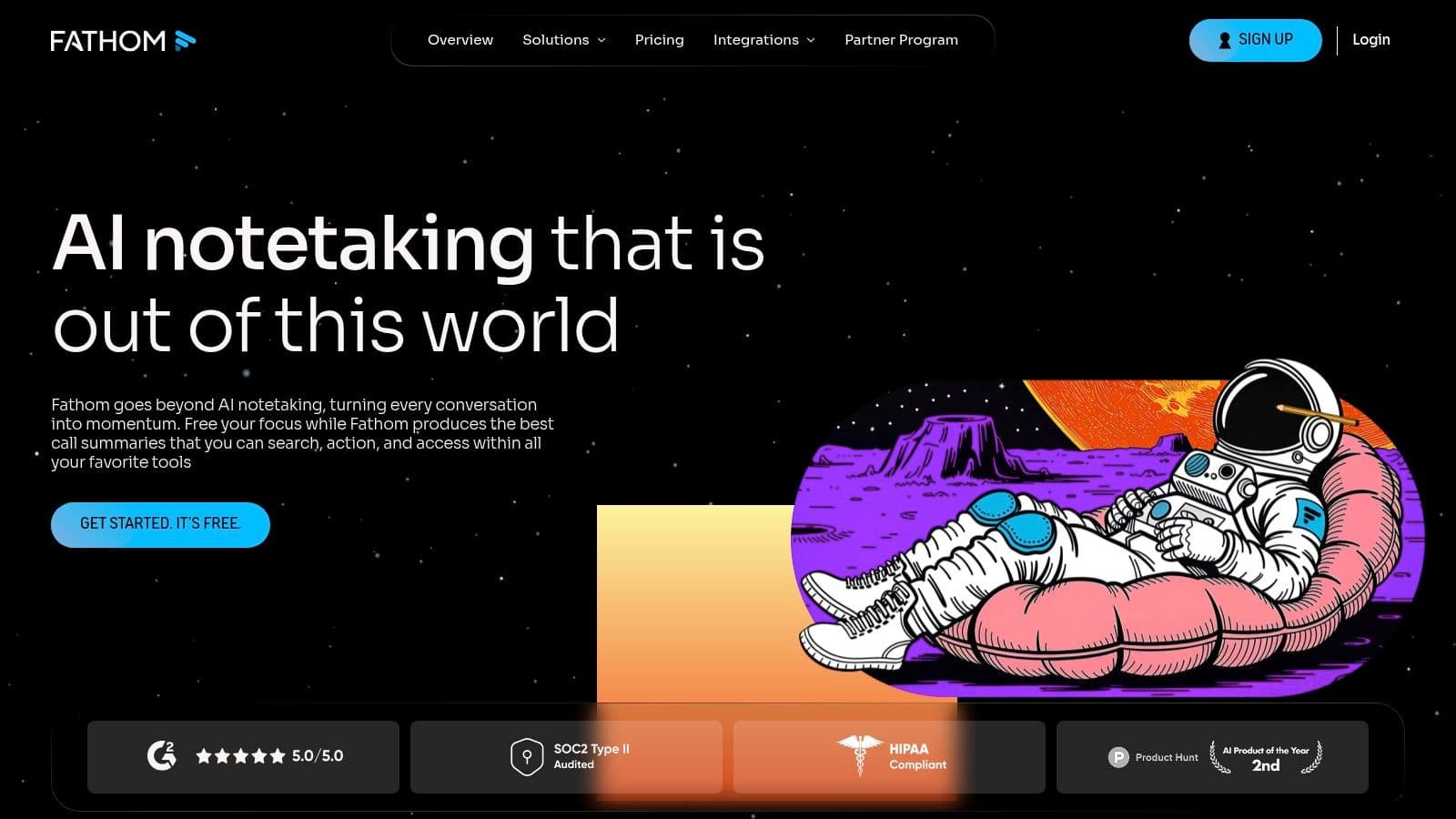
The platform goes beyond simple transcription by allowing users to create highlights during a call and push key insights directly to CRMs like HubSpot and Salesforce. This workflow automation is a game-changer for sales reps needing to update deal notes or for support agents logging customer feedback. Fathom’s focus on structured, role-based summaries and direct CRM integration makes it a powerful tool for streamlining post-meeting administrative tasks and ensuring key data is never lost.
Key Features & Pricing
Fathom’s appeal lies in its generous free offering and its focus on team-based workflows. The ability to sync call data directly into a CRM without manual entry is a massive time-saver for revenue-focused teams.
- Best For: Sales teams, customer success managers, and any client-facing professional needing to sync meeting notes with their CRM.
- Standout Feature: The ability to generate customized summary templates (e.g., for sales discovery or support calls) and one-click CRM sync for call notes and highlights.
- Pros: Offers unlimited recordings and transcriptions on its free plan, excellent CRM and Slack integrations, and powerful team collaboration features like call playlists.
- Cons: Advanced administrative controls, such as SSO and data retention policies, are reserved for the more expensive Team Edition plan.
- Pricing: Offers a robust free plan for individuals. The Team Edition starts at $24/user/month, with custom pricing available for enterprise needs.
Website: https://fathom.video
4. Avoma
Avoma positions itself as an end-to-end meeting lifecycle assistant, moving beyond simple transcription to encompass scheduling, AI-generated notes, and deep conversation intelligence. It connects with all major conferencing platforms, CRMs, and dialers, automatically recording and transcribing conversations to create a unified source of truth. This makes it one of the best meeting transcription software choices for sales, customer success, and revenue-focused teams that need to analyze conversations at scale.
The platform excels by providing actionable insights directly from meeting data. It automatically extracts key topics, identifies action items, and generates detailed AI summaries that can be pushed directly to your CRM. With features like conversation playlists for training and coaching, plus an "Ask Avoma" assistant to query meeting details, it transforms raw transcripts into strategic assets. Its generous pricing model, where only recording users need a paid license, makes it accessible for entire organizations to view and collaborate on meeting intelligence.
Key Features & Pricing
Avoma’s unique value is its modular design, allowing teams to start with powerful transcription and AI notes and later add advanced conversation and revenue intelligence features as they grow. This scalability, combined with robust security, makes it a strong contender.
- Best For: Sales, customer success, and revenue teams needing a unified platform for meeting intelligence, coaching, and CRM integration.
- Standout Feature: The AI Note Taker provides real-time transcription and generates structured summaries, while its deep CRM integrations automatically sync call data.
- Pros: Free view-only seats for non-recording team members, enterprise-grade security (SOC 2, HIPAA), and modular add-ons for specialized intelligence.
- Cons: Add-on costs for revenue and conversation intelligence can increase the total price significantly, and enterprise plans have minimum seat requirements.
- Pricing: Offers a free Basic plan. Paid plans start with Starter at 24/user/month and Plus at 59/user/month. Advanced and Enterprise plans are also available.
Website: https://www.avoma.com
5. Grain
Grain is built for teams that don't just want to transcribe meetings but want to extract, share, and scale insights from customer conversations. It acts as an AI notetaker that joins your calls on Zoom, Google Meet, and Microsoft Teams, but its real power lies in creating a shareable video library from your discussions. This makes it one of the best meeting transcription software choices for sales, customer success, and product teams needing to bring the voice of the customer directly into their workflows.

The platform excels at turning long recordings into actionable, bite-sized assets. During a call, you can highlight key moments in real-time, which Grain then clips into shareable video snippets complete with transcripts. These clips can be organized into "Stories" or playlists to showcase product feedback, customer testimonials, or sales objections. Syncing these insights directly into tools like Slack, Notion, or Salesforce transforms meeting data from a static record into a dynamic, collaborative resource.
Key Features & Pricing
Grain’s unique value is its focus on creating a "conversation intelligence" hub. Its generous free plan is a great starting point for individuals, while paid tiers unlock powerful team analytics.
- Best For: Customer-facing teams (sales, success, research) that need to share key meeting moments and build a customer insights library.
- Standout Feature: The ability to create and share video highlight clips from meetings, complete with transcripts, which can be embedded in other tools.
- Pros: Excellent for clipping and sharing key insights, strong team collaboration features, and a generous free plan with unlimited recordings.
- Cons: Uploading past recordings is limited on the free tier, and advanced conversation intelligence features require more expensive plans.
- Pricing: Offers a free "Notetaker" seat. Paid plans start with the Starter plan at 19/user/month and the Business plan at 39/user/month.
Website: https://grain.com
6. Notta
Notta positions itself as a powerful AI meeting recorder, transcriber, and summarizer, with a strong emphasis on multilingual support. It’s designed for global teams that frequently communicate across different languages, offering seamless live transcription and translation. The platform integrates with major meeting tools like Zoom and Google Meet, sending its bot to record and transcribe sessions, making it a strong contender for the best meeting transcription software for international businesses.

What makes Notta particularly useful is its focus on cross-language workflows. Users can not only get an accurate transcript with speaker identification but also translate it into multiple languages directly within the platform. Its interface is clean and intuitive, simplifying the process of managing recordings, customizing vocabulary for better accuracy, and exporting transcripts. The inclusion of CRM and Zapier integrations in its business plans also helps streamline post-meeting actions for sales and operations teams.
Key Features & Pricing
Notta offers a competitive balance of transcription minutes and advanced features, especially for teams needing administrative oversight and multilingual capabilities. The platform's enterprise-level controls, like SSO, add significant value for larger organizations.
- Best For: Global and cross-language teams needing accurate transcription with built-in translation.
- Standout Feature: The Transcript Translation capability allows users to instantly convert meeting notes into different languages, breaking down communication barriers.
- Pros: Competitive pricing for the number of transcription minutes offered, intuitive user interface, and robust enterprise-level admin controls like SSO and audit logs.
- Cons: Some translation add-ons come with extra fees, and per-conversation time limits are based on the subscription plan.
- Pricing: A free plan is available. Paid plans start with Pro at 14.99/user/month and Business at 59/user/month, with custom pricing for Enterprise.
Website: https://www.notta.ai
7. Tactiq
Tactiq distinguishes itself as a lightweight yet powerful transcription tool, delivered primarily through a simple Chrome extension. It integrates directly into your browser to capture conversations from Google Meet, Zoom, and Microsoft Teams, making the setup process incredibly fast and straightforward. This approach positions Tactiq as one of the best meeting transcription software choices for users who want immediate value without complex installations or administrative overhead.

The platform generates real-time captions and transcripts, but its real value comes from its post-meeting AI features. Tactiq provides AI-generated summaries, action items, and even allows you to ask questions about the meeting content. Its innovative AI Workflow Builder lets you automate post-meeting tasks, like sending key takeaways to a Notion page or creating follow-up tickets in a project management tool. This focus on automation helps teams streamline their workflows and discover how to take better meeting notes with minimal effort.
Key Features & Pricing
Tactiq offers a compelling mix of accessibility and advanced AI functionality, with clear pricing that appeals to both individuals and growing teams. The platform is also SOC 2 and ISO 27001 certified, ensuring enterprise-grade security.
- Best For: Individuals, freelancers, and teams looking for an easy-to-deploy browser extension for real-time transcription and AI-powered meeting summaries.
- Standout Feature: The AI Workflow Builder and Meeting Agents automate post-meeting actions, saving significant time on administrative follow-up.
- Pros: Extremely fast and simple setup, clear and affordable pricing tiers, and a good balance of transcription accuracy and AI-generated insights.
- Cons: Lacks the deep conversation intelligence analytics of some dedicated CI platforms, and expanded admin controls are reserved for higher-tier plans.
- Pricing: Offers a free plan with 10 meeting transcriptions. Paid plans start with Pro at 12/user/month and Team at 20/user/month, with custom Enterprise options.
Website: https://tactiq.io
8. Rev
Rev secures its spot by offering a powerful hybrid approach that combines AI-driven speed with human-powered accuracy. While many tools focus solely on automation, Rev provides an integrated platform where you can get an instant AI transcript from your Zoom, Google Meet, or Microsoft Teams call, and then seamlessly upgrade to a 99% accurate human-generated transcript if the stakes are high. This flexibility makes it one of the best meeting transcription software choices for users who need both everyday efficiency and guaranteed precision for critical recordings.
The platform is ideal for organizations that handle sensitive or complex content where transcription errors are not an option, such as legal depositions, medical consultations, or board meetings. Its AI notetaker handles the day-to-day documentation, while the on-demand professional services for transcription, captions, and subtitles ensure accessibility and compliance. This two-pronged strategy allows teams to manage costs effectively, using AI for volume and human experts for quality assurance when it matters most.
Key Features & Pricing
Rev's unique value proposition is its all-in-one service model, catering to a wide spectrum of accuracy and budget requirements. The subscription includes a generous amount of AI transcription, with clear per-minute pricing for human services.
- Best For: Organizations in legal, media, and academic fields requiring a mix of fast AI transcription and high-accuracy, human-verified transcripts.
- Standout Feature: The ability to escalate an AI transcript to a human professional with a single click, providing a seamless workflow from automated draft to polished final document.