We've all been there. The meeting was great—full of energy, solid ideas, and clear agreements. But then... nothing. A week later, you realize those brilliant "next steps" have vanished into a black hole of cryptic notes and forgotten email threads.
This isn't just a minor annoyance; it's how projects stall and momentum dies. The only way to turn productive conversations into actual progress is to get serious about tracking action items.
Why Your Action Items Get Lost After Meetings

Think about the last time a project went off the rails. It probably started with a seemingly harmless moment of confusion after a meeting. A project manager can't get their remote team on the same page because no one remembers who was supposed to do what. A sales leader is frustrated, chasing down follow-ups that were never assigned.
This disconnect isn't just a feeling; it's a measurable problem. While 54% of employees say they want post-meeting summaries with clear action items, a mere 39% report ever getting them. That 15-point gap is where productivity goes to die.
The Real Cost of Vague Assignments
When tasks are fuzzy and ownership is unclear, the fallout is much bigger than a simple missed to-do. It creates a ripple effect of dysfunction that can poison a team's culture.
Here’s what really happens:
- Wasted Time: You end up in another meeting just to clarify what was decided in the last meeting.
- Blown Deadlines: Without a name and a date attached, tasks just float. There's no urgency, so projects get delayed.
- Tanking Morale: People get demoralized when their input leads nowhere. It makes them feel like their time and ideas are worthless.
From Messy Notes to Lost Opportunities
The path to a forgotten task usually begins with bad notes. A quickly scribbled phrase on a notepad or a loose bullet in a shared doc is a recipe for failure. It lacks the structure needed to actually get things done. Learning how to take better meeting notes that drive action is the first step to fixing this.
Without a single, easy-to-access place to track action items, you’re relying on memory and messy email chains. That approach just doesn't scale. It’s a breeding ground for ambiguity, where everyone thinks someone else has it covered.
Here’s a look at some of the most common ways manual tracking fails and the real-world consequences.
Common Action Item Tracking Failures and Their Business Impact
| Tracking Failure | Common Scenario | Business Impact |
|---|---|---|
| No Clear Owner | Everyone agrees "we" need to update the sales deck, but no single person is assigned the task. | The deck never gets updated, and the sales team uses outdated materials, potentially losing deals. |
| Vague Deadlines | A task is assigned to be completed "next week" or "ASAP" with no specific date. | The task is continually pushed back in favor of more urgent items, causing project delays. |
| Decentralized Notes | Team members take notes in their personal notebooks, Google Docs, or Slack DMs. | There's no single source of truth. Time is wasted trying to find what was decided, leading to miscommunication. |
| No Follow-Up | The meeting ends, and action items are never mentioned again until the next status meeting. | Accountability disappears. People forget their commitments, and momentum is completely lost. |
| Lack of Context | An action item is recorded as "Finalize the report," but lacks notes on key decisions or required inputs. | The assigned person has to re-do work or chase down colleagues for clarification, wasting time and resources. |
This cycle of inefficiency does more than just hurt the bottom line. It erodes the trust and momentum that a great meeting is supposed to build. That’s why a structured system isn’t a luxury—it’s a necessity.
Lay a Bulletproof Foundation for Accountability

Before you even think about slick software or AI assistants, we need to get the basics right. Technology is just an amplifier; it makes a good process great, but it turns a bad process into pure chaos. The real key to accountability isn't a tool—it's clarity.
This clarity comes from a simple but incredibly powerful framework I call the "Who, What, When." Getting this trio right is what turns vague meeting chatter into actual progress and builds a culture where everyone knows exactly what’s on their plate.
Who: The Single Point of Ownership
I've seen it a thousand times: the number one reason action items fall through the cracks is fuzzy responsibility. When a task gets assigned to "the marketing team" or "everyone," it's really been assigned to no one. This is a classic case of the bystander effect—everyone assumes someone else has it covered.
To fix this, every single action item needs one owner. Just one. That person doesn't have to do all the work themselves. They can delegate, coordinate, and pull in teammates, but they are the single point of contact responsible for getting it done and reporting back.
Think of them as the mini-project manager for that task. This creates a crystal-clear line of accountability that makes follow-up a breeze.
For example, instead of a project manager asking in a public channel, "What's the status of the design mockups?" they can go straight to Jane, the assigned owner, and get an immediate, clear answer. That kind of precision saves a ton of time and cuts out the back-and-forth.
What: Turning Ambiguity into Action
Next up is the "What." An action item has to be a specific, observable task, not a vague idea. Too many teams write down fuzzy goals that go nowhere because nobody is sure what "done" actually looks like.
Just look at the difference:
- Vague: "Look into the Q3 marketing budget."
- Specific: "Analyze Q3 marketing spend by channel and present a budget reallocation proposal to the leadership team."
The first one is an open invitation to procrastinate. The second is a clear directive with a defined outcome. A good "What" should be so clear that anyone on the team can read it and understand the deliverable without needing a bunch of extra context. Using a great meeting action items template that actually works can help you structure your thoughts and make sure you nail down every necessary detail.
When: Setting Concrete and Realistic Deadlines
Finally, every action item needs a "When"—a firm, non-negotiable deadline. Phrases like "ASAP," "next week," or "soon" are absolute productivity killers. They create a false sense of urgency but provide zero structure, which means the task will get pushed aside again and again.
A deadline should be a specific date. For bigger, more complicated tasks, it's even better to break it down with milestone deadlines.
- Initial Draft Due: End of Day, Wednesday
- Team Review Completed: End of Day, Friday
- Final Version Submitted: Noon, next Monday
Now, it’s not just about setting deadlines; it’s about setting realistic ones. Dropping a complex task on someone and demanding it in 24 hours is a recipe for burnout and shoddy work. The best way to do this is to set the deadline with the task owner. Just ask them, "What’s a realistic timeline for you to get this done?" This simple question builds buy-in and makes the owner far more committed to a date they helped set. This process is what turns your system for tracking action items into a reliable engine for getting things done.
Let AI Do the Heavy Lifting: Automatically Capture Your Action Items
Once you've nailed the "Who, What, When" framework, it's time to put it on autopilot. Let’s be honest, trying to manually jot down every single commitment during a fast-paced discussion is a recipe for disaster. You’re either half-listening or you’re missing key details.
This is where technology steps in to bridge the gap. AI meeting assistants like Fireflies.ai and Otter.ai aren't just a futuristic gimmick; they're practical tools that can act as a dedicated notetaker for your entire team.
How Does it Actually Work?
These tools join your calls and listen in, using natural language processing to pick up on commitments as they're made. The tech is surprisingly smart, trained to recognize the trigger phrases we all use when assigning or accepting a task.
Think of it as a virtual assistant that perks up its ears anytime someone says things like:
- "I’ll get that over to you by Friday."
- "We need to finalize the Q3 budget."
- "Can you send me the latest deck?"
- "My next step is to research new software options."
Instead of someone having to interrupt the flow to write that down, the AI just grabs it. It captures the statement, figures out who likely owns it, and adds it to a draft list of action items. This keeps your team fully present and engaged, knowing that no task will slip through the cracks.
Here’s what that looks like in practice. The AI transcribes the meeting and pulls out the key tasks automatically.
Notice how the action items are linked to the exact moment in the conversation? That gives you instant context without having to scrub through the entire recording. It's a massive time-saver.
A Quick Real-World Example
Imagine a weekly marketing brainstorm. Ideas are flying. The content manager says, "Great idea, Sarah. Can you draft a blog post on that topic and have it ready for review by our EOD Wednesday?"
At the same time, the social media lead chimes in, "I'll create a few teaser posts for LinkedIn to support that."
In the old days, a frantic notetaker would be trying to capture both, probably missing the deadline for Sarah's task. With an AI assistant, both action items are logged, assigned, and might even have a suggested deadline pulled from the conversation. This automated approach to tracking action items ensures nothing gets lost in the shuffle.
If you want to dig deeper into how the technology works, you can explore the specifics of automated action item extraction.
The proof is in the numbers. Between January and August 2024, business use of AI for meetings shot up by a staggering 17X. And it's not just hype; over 70% of businesses using these assistants report a major boost in productivity.
This isn't a fleeting trend; it’s a fundamental shift. For a broader look at how this fits into the bigger picture, check out this practical guide to automating business processes.
By letting AI handle the note-taking, you free your team to focus on what humans do best: solving problems and driving the business forward. Now, the next step is to get those captured tasks into the tools your team already uses every day.
Connect AI Summaries to Your Task Management System
Let's be honest, capturing action items with an AI assistant is a huge win. But if those tasks just sit inside a meeting transcript, they're not doing anyone any good. The real magic happens when an action item identified by Otter.ai or Fireflies.ai automatically shows up in the tools your team actually uses to get work done—think Asana, Trello, or Jira.
This connection creates a seamless loop, bridging the gap between a conversation and a completed task. It’s how you make sure a great idea doesn't get lost in the shuffle just because someone forgot to copy and paste it into the right project board.
This simple workflow is where the theory becomes reality, turning a spoken commitment into a fully trackable task without any manual effort.
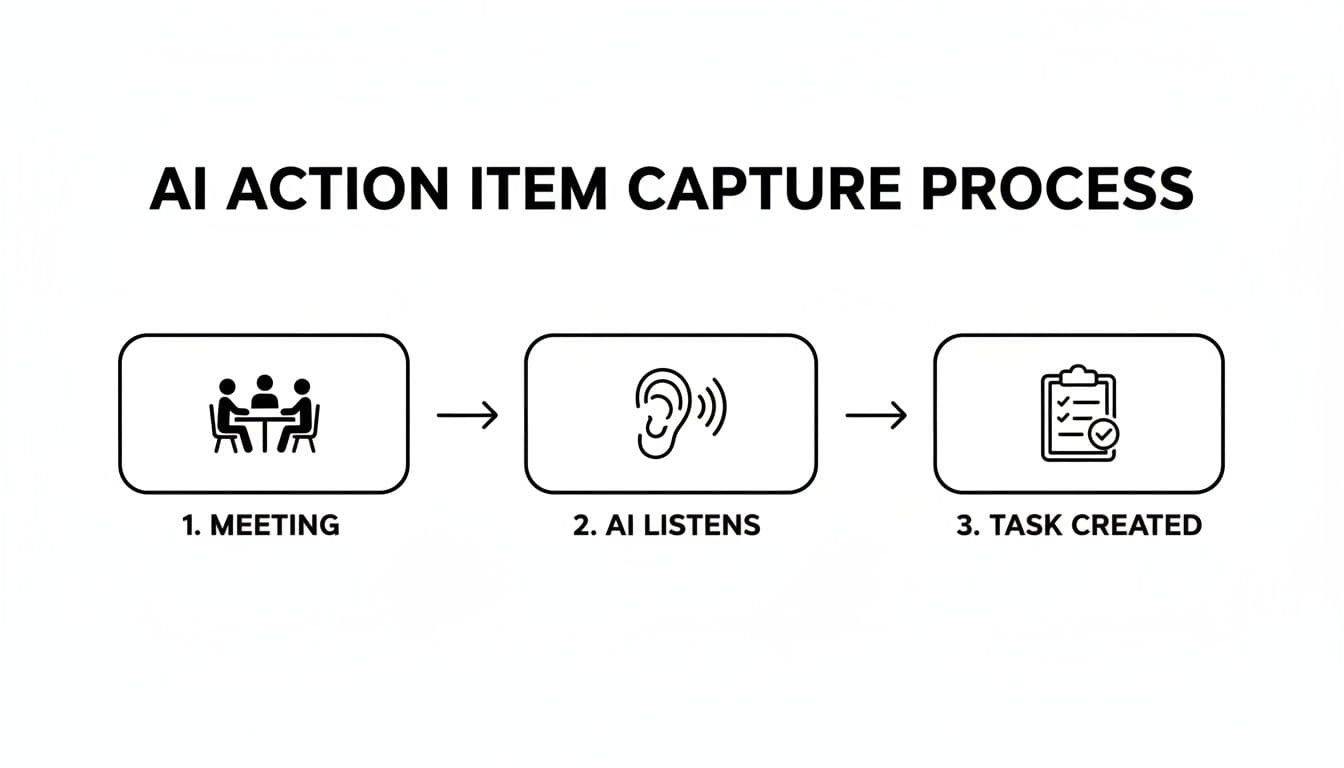
As you can see, this isn't complicated. It's about removing the tedious manual steps and letting technology handle the handoff from discussion to action.
Setting Up Your Automation Bridge
Most modern AI meeting tools and project management platforms are built to play nicely together. You can often connect them directly through native integrations or use a go-between like Zapier or Make to build a custom bridge. Setting this up is usually a one-time thing that pays off every single day.
Imagine this real-world scenario: during a client call, your sales lead says, "I'll get that new proposal over to you by the end of tomorrow." Your AI assistant hears this. Instantly, an automation kicks in.
- A new task—"Send new proposal to client"—pops up in Asana.
- It's automatically assigned to the sales lead.
- The due date is set for tomorrow at 5:00 PM.
- The task description includes a link back to the meeting transcript for context.
This all happens in the background, in seconds. No one has to remember to do it, which means no more human error and no more tasks falling through the cracks.
Why This Connection Is a Game Changer
Hooking these systems together does way more than just save a few minutes of admin time. It builds a foundation of reliability and transparency that fundamentally changes how your team operates. When every commitment is automatically captured and assigned, ambiguity disappears.
The results are immediate:
- Less Administrative Drag: Your team gets to spend less time on data entry and more time on the work that actually matters.
- A Single Source of Truth: Your task manager becomes the undisputed record of all commitments, visible to everyone.
- Built-in Context: Linking back to the transcript means anyone can quickly understand the "why" behind a task, cutting down on needless follow-up questions.
If you're ready to get started, most platforms have simple setup guides. You can explore how to set up your own task management integration to see what's possible with the tools you already use.
Workflow Automation Recipes for Popular Tools
To make this more concrete, here are a few practical automation "recipes" you can set up. These examples show how you can connect your AI meeting assistant to your task manager to put action item tracking on autopilot.
| AI Meeting Tool | Task Manager | Automation Trigger | Resulting Action |
|---|---|---|---|
| Fireflies.ai | Asana | A meeting summary is generated containing a task. | Create a new task in a specific Asana project with the action item, assignee, and due date. |
| Otter.ai | Trello | An "Action Item" is highlighted in an Otter transcript. | Create a new Trello card on a specific board and list, adding the meeting link to the description. |
| Fathom | Jira | A "Task" is created from a meeting highlight. | Create a new issue in a Jira backlog, assigning it to a default user and adding relevant labels. |
| Sembly AI | Monday.com | A meeting ends and a "Key Item" is identified. | Create a new item on a Monday.com board, populating columns for the task, owner, and deadline. |
These are just starting points. The real power comes when you tailor these workflows to your team's specific needs, creating an intelligent system that just works.
Fine-Tuning Your Automated Workflows
Once you’ve got the basics down, you can start getting more sophisticated. For example, you could create rules that route tasks based on keywords.
If your AI summary picks up the word "bug," the automation could send that task straight to your Jira backlog and tag it for the engineering team. If it detects the phrase "customer feedback," it could create a task in a product team's board for review.
By building these smart pathways, you create a system for tracking action items that actively supports your team's workflow instead of adding another layer of complexity to it.
Create a Follow-Up Cadence That Actually Works
So, you've got a great system for capturing action items and assigning them out. That’s a huge win, but it’s only half the battle. The part that really makes a difference is building a consistent follow-up cadence.
This isn't about nagging or micromanaging. It’s about creating a natural rhythm of accountability that keeps the momentum from your meetings alive. When follow-up is part of the culture, it stops feeling confrontational and starts feeling collaborative, ensuring all that talk actually turns into action.