Choosing a CRM can feel overwhelming, but it's one of the most critical technology decisions a sales leader will make. The right platform is more than a digital address book; it’s the engine that streamlines workflows, automates repetitive tasks, and surfaces the data-driven insights your team needs to close more deals, faster. A poorly chosen system creates friction and kills productivity, while the best tool becomes an indispensable part of your sales motion.
This guide cuts through the noise. We provide a detailed breakdown of the top platforms to help you find the best CRM for sales teams, whether you're a startup, a growing SMB, or a global enterprise. We go beyond generic feature lists to give you a clear, practical analysis of what makes each tool stand out for specific sales functions.
Inside, you'll find:
- In-depth reviews of each CRM, complete with screenshots and direct links.
- Practical use cases for different sales models like inside sales, field sales, and account-based selling.
- Honest pros and cons to help you understand the real-world limitations.
- Pricing breakdowns and implementation tips to guide your decision-making process.
At the heart of any effective sales operation is understanding what is sales pipeline management, a process that is meticulously tracked and optimized using the best CRM for sales teams. Our goal is to equip you with the information needed to select a platform that not only manages your pipeline but actively accelerates it, empowering your reps and scaling with your business goals. Let's find the right fit for you.
1. Salesforce Sales Cloud
Salesforce Sales Cloud is the industry standard for a reason. It offers an enterprise-grade, end-to-end sales platform that can manage every aspect of the sales cycle. Its real power lies in its deep customization and scalability, making it a top choice for both ambitious SMBs and large enterprises that need a robust, governable system.
While many platforms offer pipeline management, Salesforce provides advanced forecasting, quoting, and intricate role-based permissions that give sales leaders precise control. The platform truly stands out with its massive AppExchange ecosystem, an integrations marketplace that connects Sales Cloud to virtually any business tool you can imagine. This extensibility ensures the CRM grows with your company, rather than limiting it.
Key Features & Use Cases
- Best For: Growing SMBs to large enterprises needing a highly customizable, scalable solution.
- Advanced Forecasting & Quoting: Move beyond simple pipeline tracking with sophisticated revenue prediction and CPQ (Configure, Price, Quote) tools.
- Native AI (Einstein): Get predictive lead scoring, opportunity insights, and sales activity automation to focus reps on high-value tasks.
- AppExchange: Access thousands of third-party apps to extend functionality for any industry or need. Many teams specifically look for how AI meeting tools integrate with CRMs to enhance productivity.
Pros and Cons
| Pros | Cons |
|---|---|
| Extremely Scalable: Adapts from small teams to global enterprises with industry-specific add-ons. | Steeper Learning Curve: Requires dedicated admin resources. |
| Unmatched Ecosystem: Best-in-class partner network and integration marketplace (AppExchange). | Higher Total Cost: Can become expensive at upper tiers. |
| Deep Analytics & Customization: Powerful reporting and the ability to tailor almost everything. | Complex Implementation: Initial setup can be time-consuming. |
Website: https://www.salesforce.com/sales/
2. HubSpot Sales Hub
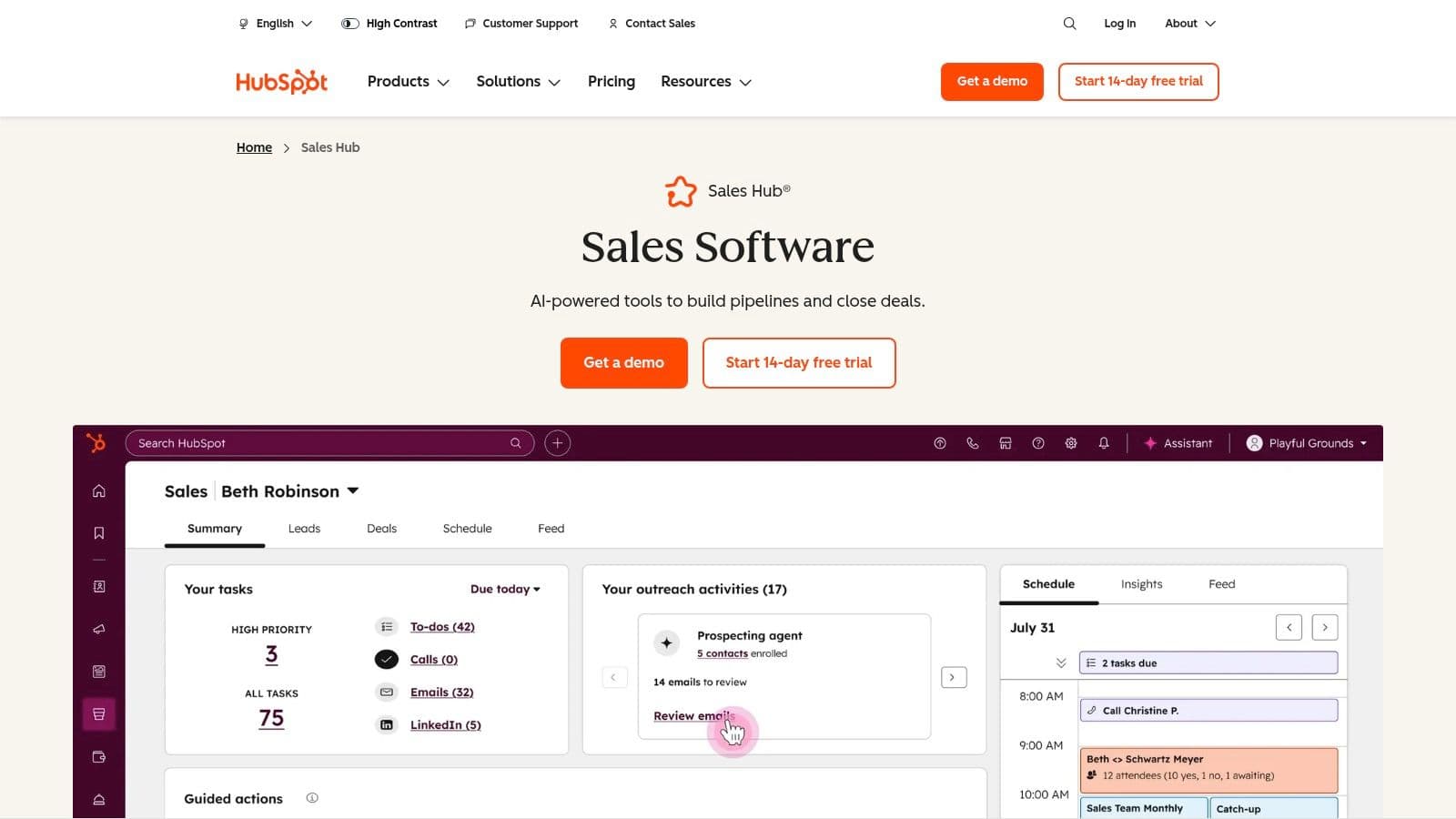
HubSpot Sales Hub is a powerhouse for teams that prioritize ease of use and tight alignment between sales, marketing, and service. It combines a user-friendly CRM with a comprehensive suite of sales tools, making it one of the best CRM for sales teams focused on quick adoption and inbound sales strategies. Its key advantage is the seamless, unified platform that eliminates data silos and creates a single view of the customer journey.
Where other CRMs can feel clunky, HubSpot’s interface is clean and intuitive, drastically reducing the time needed for onboarding. This allows reps to focus on selling rather than data entry. The platform shines by offering powerful free tools that let teams get started without an initial investment, and it scales gracefully with paid tiers that add sophisticated automation, reporting, and AI-powered sales coaching features.
Key Features & Use Cases
- Best For: SMBs and mid-market companies that need an all-in-one platform for marketing, sales, and service.
- Unified CRM Platform: Includes email sequences, meeting scheduling, sales calls, and CPQ (Configure, Price, Quote) tools directly within the CRM.
- Native AI Features: Get AI-powered lead scoring, sales content creation, and conversation intelligence for sales coaching.
- HubSpot Academy: Access extensive free training and certification resources, which is ideal for upskilling teams without a large training budget.
Pros and Cons
| Pros | Cons |
|---|---|
| Quick Setup & User-Friendly: An intuitive interface makes it one of the easiest CRMs to adopt. | Mandatory Onboarding Fees: Required for Pro and Enterprise tiers. |
| Excellent Free Tier: Offers a generous set of free tools to get started and test the platform. | Key Features Gated: Advanced automation is limited to higher-cost plans. |
| Comprehensive Learning Resources: HubSpot Academy provides world-class documentation and training. | Less Customization: Not as deeply customizable as enterprise-level CRMs. |
3. Microsoft Dynamics 365 Sales
For organizations already embedded in the Microsoft ecosystem, Dynamics 365 Sales is a natural and powerful extension. It's designed to provide a seamless experience by deeply integrating with Microsoft 365, Teams, and especially LinkedIn Sales Navigator. This unified environment allows sales teams to work from familiar applications while leveraging a full-featured CRM in the background.
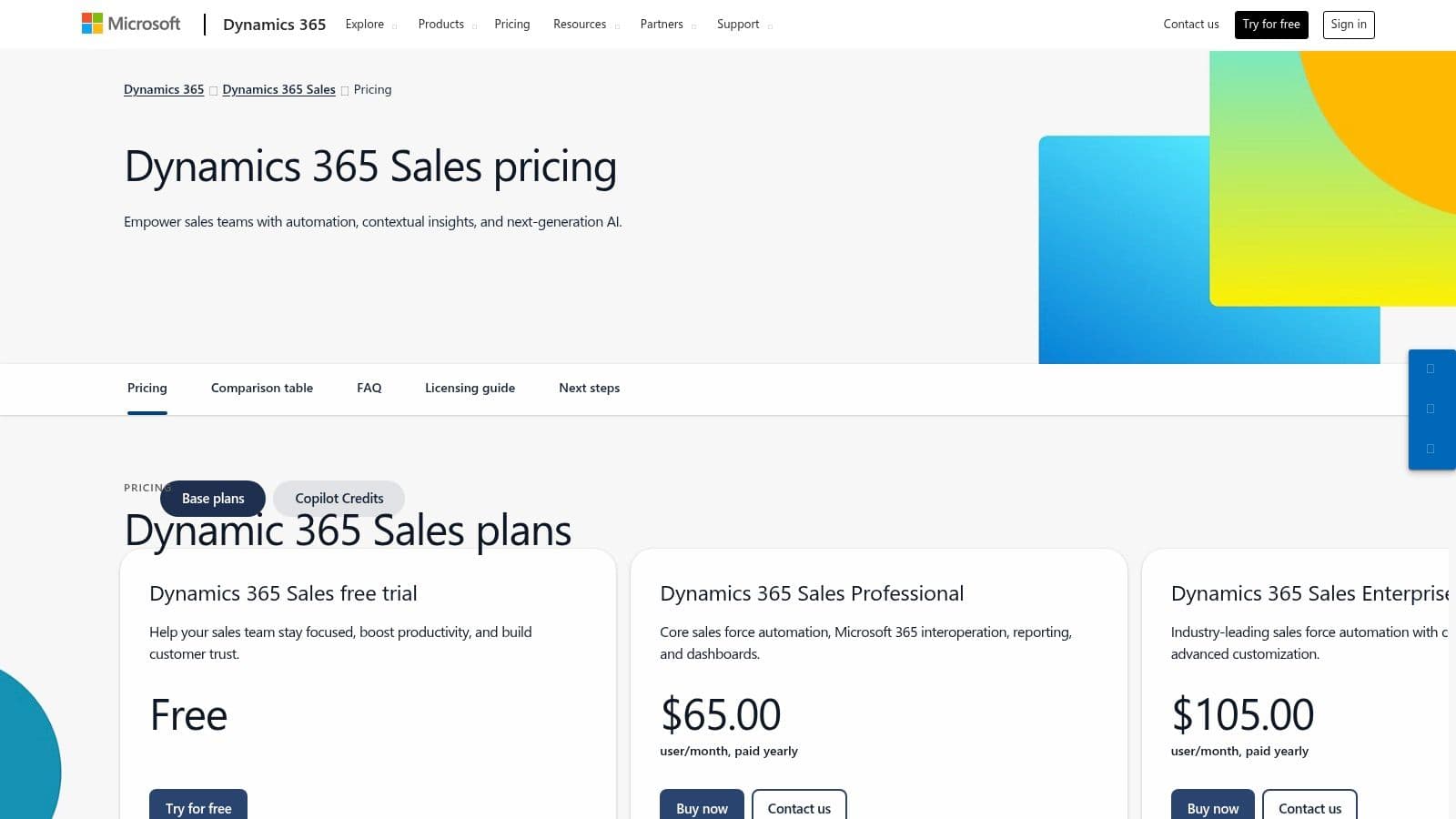
The platform's strength is its ability to centralize data and communication, turning everyday tools like Outlook and Teams into powerful sales instruments. Its native Copilot AI assists with everything from summarizing email threads to preparing for meetings, directly within the workflow. For enterprises prioritizing security, governance, and powerful analytics within a single vendor stack, Dynamics 365 offers a compelling and cohesive solution that is often considered among the best CRM for sales teams.
Key Features & Use Cases
- Best For: Medium to large enterprises heavily invested in the Microsoft stack (Office 365, Azure).
- Native Copilot AI: Get AI-driven assistance for summarizing opportunities, drafting emails, and preparing for meetings directly within Microsoft 365 and Teams.
- Deep Microsoft & LinkedIn Integration: Leverage a unified workflow across Outlook, Teams, and LinkedIn Sales Navigator for richer customer signals and engagement.
- Enterprise-Grade Customization: Tailor the platform with advanced security, reporting, and business process automation to meet complex organizational needs. Understanding these capabilities is a core part of leveraging revenue intelligence tools.
Pros and Cons
| Pros | Cons |
|---|---|
| Familiar Microsoft Stack Experience: Seamless user adoption for teams already using Microsoft 365. | Complexity for Smaller Teams: Can be overkill and require significant configuration. |
| Powerful Analytics & Copilot AI: Built-in intelligence drives productivity and insights. | Relationship Sales Minimum: The LinkedIn bundle has a 10-seat minimum purchase. |
| Broad Enterprise Compliance: Strong security, governance, and compliance features. | Higher Cost: Can be expensive, especially when adding modules. |
4. Zoho CRM
Zoho CRM is a powerful contender known for offering immense value, particularly for small to mid-sized businesses that need more than just a basic sales tool. It sits within the vast Zoho ecosystem, providing seamless integrations with over 40 other Zoho business apps, from finance to HR. This creates a unified operating system for your entire business, not just your sales department.
The platform's strength lies in its balance of robust features and accessible pricing. While competitors often lock key functions behind expensive enterprise tiers, Zoho provides comprehensive lead and deal management, powerful workflow automation, and solid analytics even at lower price points. Its built-in AI assistant, Zia, offers predictive insights and task automation, helping teams prioritize efforts effectively. For teams seeking one of the best CRM for sales teams without an enterprise-level budget, Zoho is a top-tier choice.
Key Features & Use Cases
- Best For: SMBs and mid-market companies wanting an all-in-one CRM that can scale across their entire business.
- Deep Ecosystem Integration: Connects natively with 40+ other Zoho apps (like Zoho Books, Desk, and Campaigns) for a single source of truth.
- Zia AI Assistant: Provides predictive lead scoring, deal closure predictions, and anomaly detection to guide sales reps (features vary by tier).
- Extensive Customization: Tailor modules, layouts, and fields to match specific sales processes without needing a developer.
Pros and Cons
| Pros | Cons |
|---|---|
| Excellent Value: Competitive pricing and a feature-rich free edition for up to three users. | Advanced AI is Gated: Key Zia features are in higher-cost plans. |
| All-in-One Platform: Part of a broad suite of business tools that work together seamlessly. | Support Varies: Premium support often requires a paid plan. |
| Highly Configurable: Adapts well to unique business workflows and data management requirements. | Can Feel Overwhelming: The sheer number of features can be a lot. |
Website: https://www.zoho.com/crm/
5. Pipedrive
Pipedrive is a sales-first CRM built around the activity-based selling methodology. Its core strength is an incredibly intuitive visual sales pipeline that makes it easy for reps to track deals, prioritize next steps, and see exactly where their focus is needed. This user-centric design leads to high adoption rates, making it one of the best CRM for sales teams who need a tool that reps will actually use without extensive training.

Unlike more complex platforms, Pipedrive is designed for speed and clarity, helping sales managers quickly get a handle on team performance and forecasting. The platform’s optional add-ons for lead generation (LeadBooster), project management, and marketing campaigns allow it to scale its functionality as a business grows, without overwhelming new users with features they don't yet need.
Key Features & Use Cases
- Best For: SMBs and mid-market sales teams looking for a user-friendly, pipeline-centric CRM.
- Visual Pipeline & Deal Rotting: A drag-and-drop interface that visually highlights deals that have gone stale, prompting reps to take action.
- Activity-Based Selling Focus: Encourages reps to schedule and complete activities (calls, emails, meetings) to move deals forward.
- Add-On Ecosystem: Expand functionality with integrated tools like LeadBooster for web forms and chatbots, or Projects for post-sale management. Pipedrive’s reporting helps with powerful sales analytics to track performance.
Pros and Cons
| Pros | Cons |
|---|---|
| Very quick to learn and deploy: High user adoption due to its simple interface. | Some reporting and lead-gen functionality behind add-ons or higher tiers. |
| Clear, transparent pricing tiers: Easy to understand costs without hidden fees. | Less depth for enterprise use cases compared with top-tier CRMs. |
| Strong mobile apps for on-the-go selling: Fully functional apps for iOS and Android. | Customization can be limited for complex sales workflows. |
Website: https://www.pipedrive.com/pricing
6. Freshsales (Freshworks)
Freshsales, part of the Freshworks ecosystem, is a sales-focused CRM designed to help small and mid-sized businesses unify customer communications. It achieves this by integrating phone, email, chat, and even SMS directly into the platform, eliminating the need for reps to constantly switch between different applications. This all-in-one approach simplifies the tech stack and gives teams a complete, 360-degree view of every customer interaction.
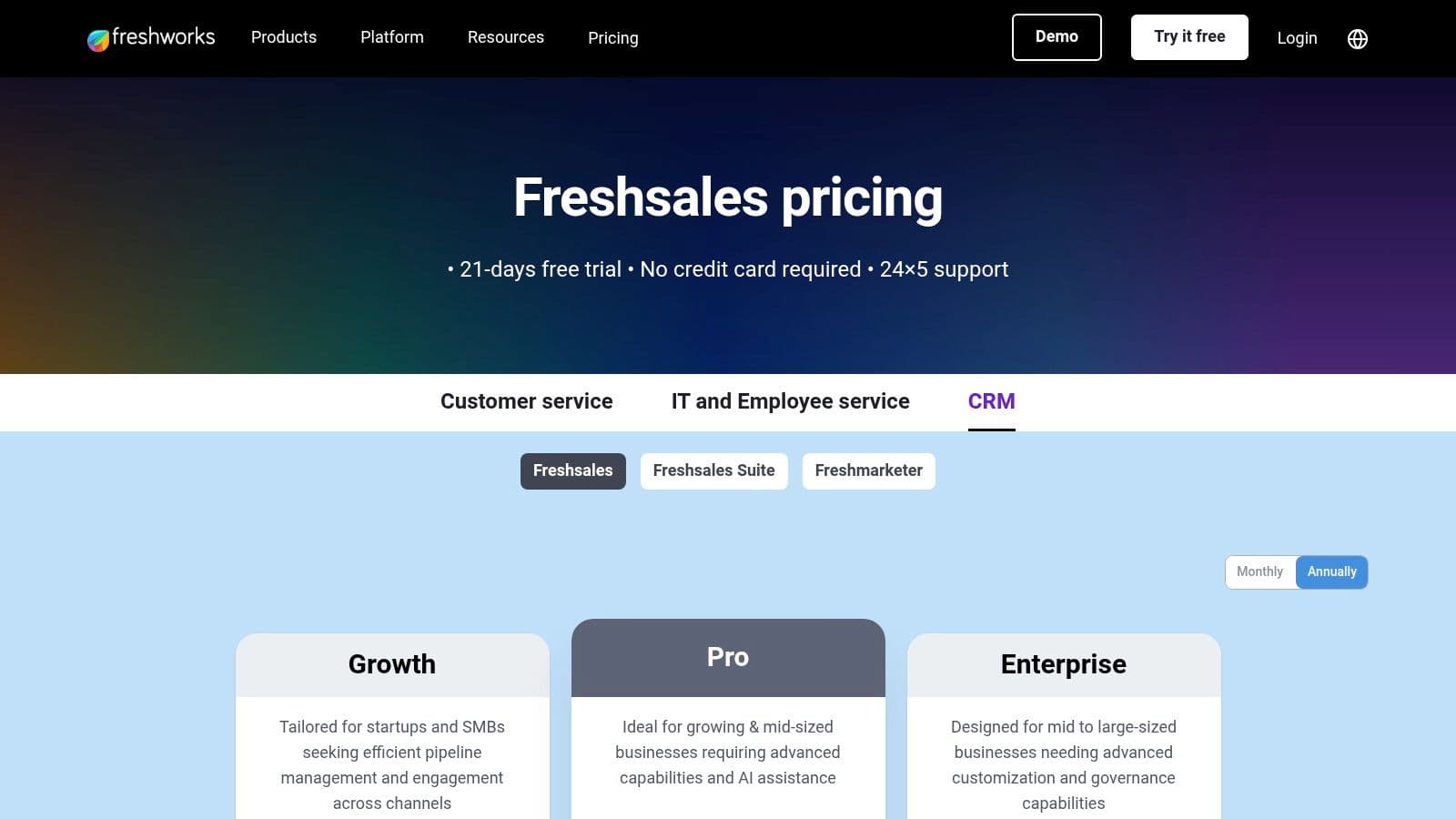
What makes Freshsales a contender for the best CRM for sales teams is its balance of powerful features and user-friendly design. It incorporates its AI, Freddy, to provide deal insights, predictive contact scoring, and sales forecasting, helping teams prioritize their efforts effectively. The platform is notably easy to adopt, with a clean interface and a generous free trial that allows teams to get started without friction.
Key Features & Use Cases
- Best For: SMBs and mid-market sales teams wanting a powerful, all-in-one CRM with built-in communication tools.
- Native Multichannel Communication: Manage calls, emails, chat, and SMS from a single inbox for a unified customer view.
- Freddy AI: Leverage artificial intelligence for lead scoring, deal insights, and identifying at-risk opportunities.
- Visual Sales Pipelines: Use a drag-and-drop Kanban-style interface to track deals through every stage of the sales process.
Pros and Cons
| Pros | Cons |
|---|---|
| Excellent Value: Aggressive pricing and a free plan make it highly accessible for smaller teams. | Fewer Enterprise Extensions: Lacks the deep customization of top-tier rivals. |
| All-in-One Platform: Built-in phone, chat, and email reduce the need for third-party tools. | Add-on Costs: AI session packs and other modules can increase the total price. |
| Easy to Use: Intuitive interface and a quick setup process mean faster team adoption. | Suite-Focused: Strongest when used with other Freshworks products. |
7. monday sales CRM
monday sales CRM leverages the power of monday.com's Work OS to create a visually intuitive and highly customizable sales platform. It excels at bridging the gap between sales activities and broader business projects, making it a strong choice for teams that need deep cross-functional collaboration. The platform’s core strength is its no-code, drag-and-drop interface, which allows sales managers to build and adapt their pipelines, dashboards, and workflows without IT support.
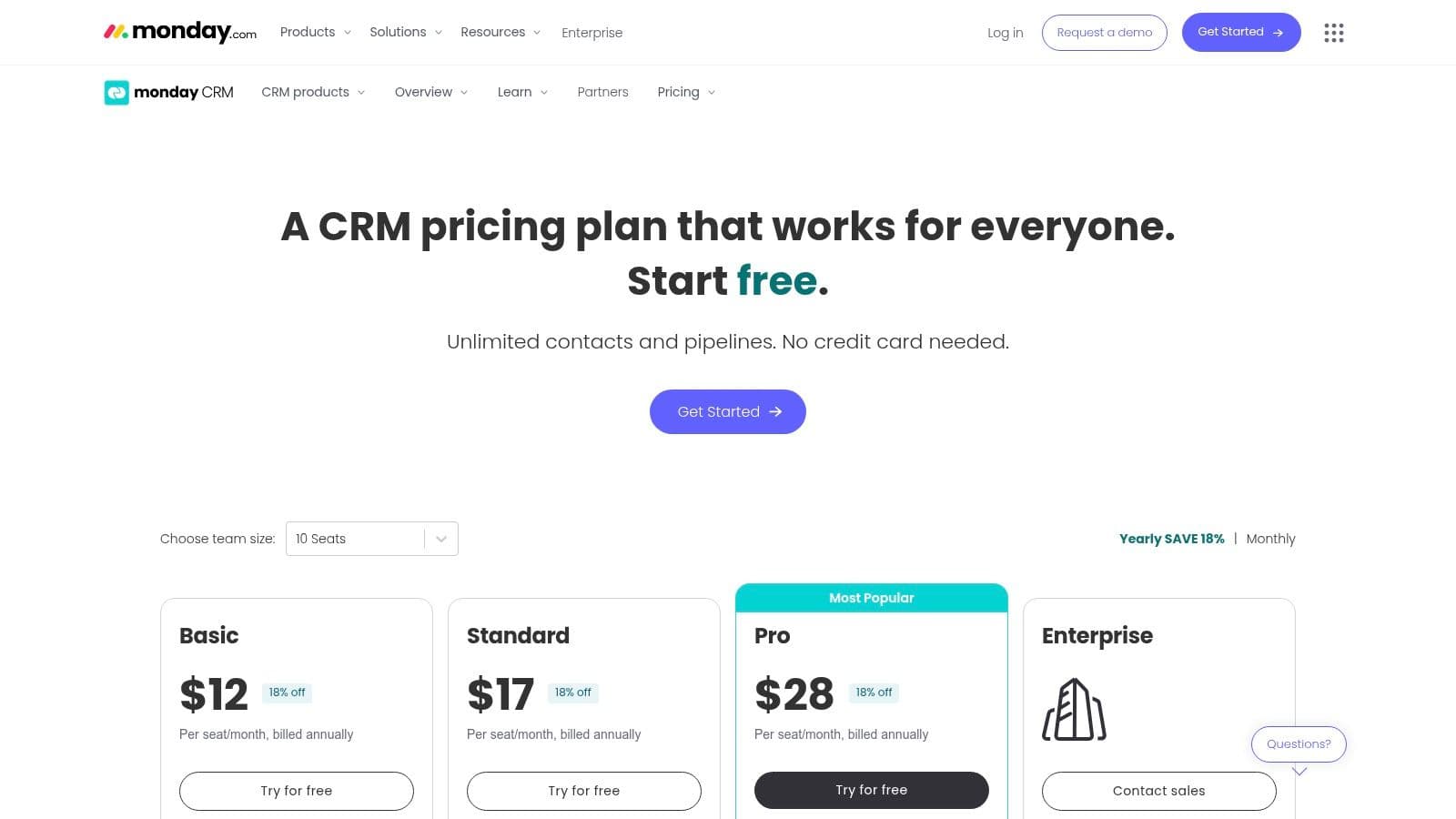
Unlike traditional CRMs that can feel rigid, monday sales CRM is built around flexible boards that can be tailored to any sales process. This makes it one of the best CRM for sales teams that require agility and a central hub for all revenue-related activities. It combines lead and deal management with powerful automation capabilities, email sync, and template builders, ensuring reps can manage their entire workflow from a single, unified workspace.
Key Features & Use Cases
- Best For: Teams needing a highly visual CRM that integrates tightly with project and workflow management.
- No-Code Customization: Adapt pipelines, dashboards, and data fields using a drag-and-drop interface to match your unique sales process.
- Centralized Communication: Manage emails, activities, and notes directly within a deal card, providing a complete 360-degree view.
- Robust Automation: Automate repetitive tasks like assigning leads, sending follow-up emails, and moving deals between stages.
Pros and Cons
| Pros | Cons |
|---|---|
| Highly flexible and visually intuitive: Easy to build and adapt workflows. | Seats sold in bundles: Typically a 3-seat minimum. |
| Excellent for cross-team collaboration: Unifies sales with other departments. | No permanent free plan: Only a 14-day trial is offered. |
| Strong automation and reporting: Powerful capabilities available on higher tiers. | Can feel less sales-specific: May require setup to feel like a traditional CRM. |
Website: https://monday.com/crm/pricing
8. Copper
Copper is the CRM for teams that live and breathe Google Workspace. It’s designed to eliminate manual data entry by seamlessly integrating with Gmail, Google Calendar, and Google Drive, making it feel less like a separate tool and more like an extension of your existing workflow. This native connection allows it to automatically capture contacts, emails, and meeting details directly within your inbox.
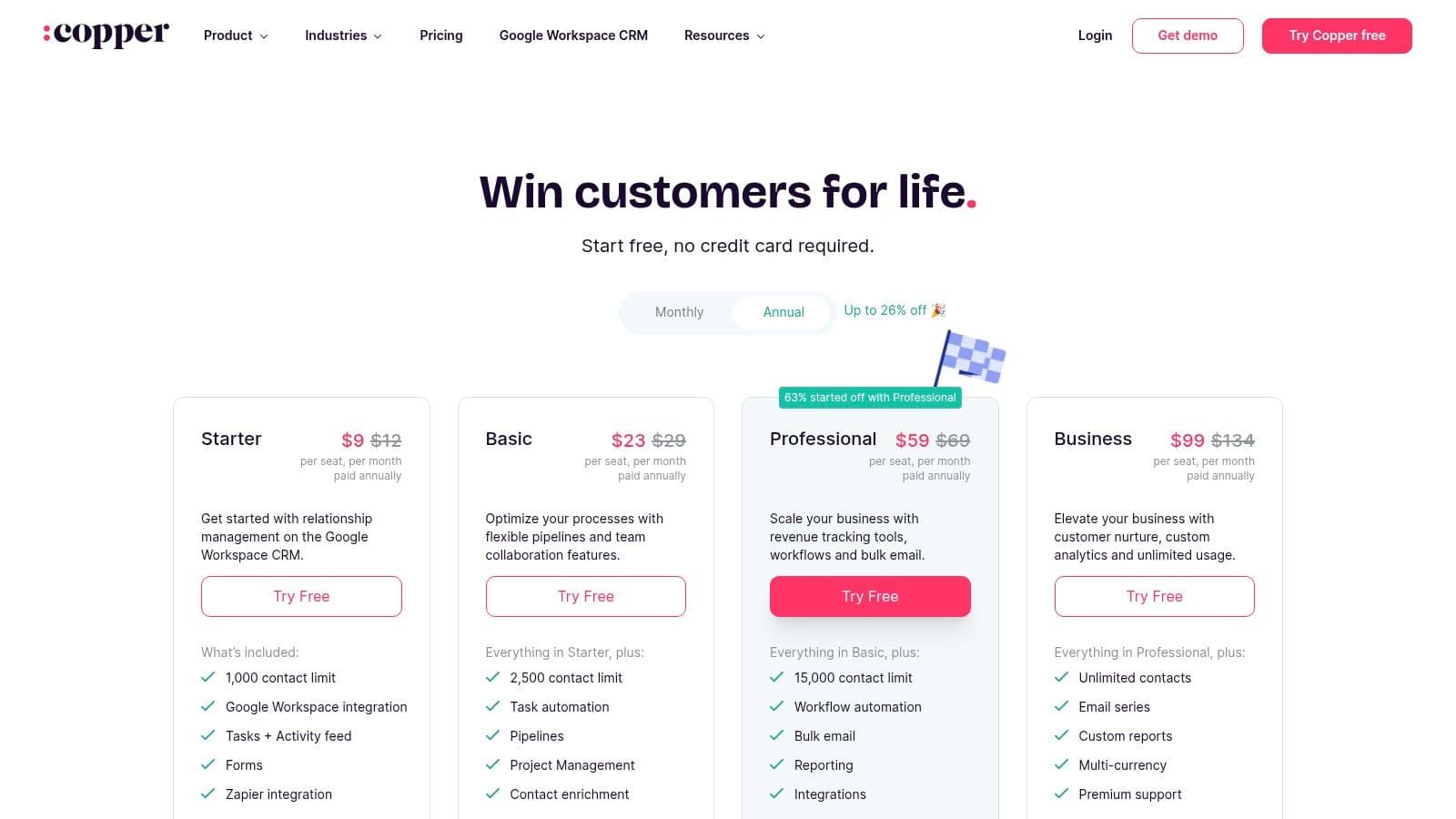
The platform's strength is its simplicity and intuitive user experience, which drives high adoption rates among sales reps who dislike context switching. By bringing CRM functionality directly into a familiar environment via a Chrome extension sidebar, Copper removes the friction often associated with logging activities. For small to mid-sized businesses heavily invested in Google’s ecosystem, Copper is often one of the best CRM for sales teams looking for efficiency.
Key Features & Use Cases
- Best For: Small to mid-sized businesses that operate entirely within the Google Workspace ecosystem.
- Native Google Integration: Functions directly inside Gmail with a Chrome extension, syncing contacts, emails, and calendar events automatically.
- Automated Data Capture: Scrapes contact details and communication history from your inbox, reducing manual entry.
- Visual Sales Pipelines: Simple drag-and-drop pipeline management to track deals and visualize your sales process.