Artificial intelligence is no longer a futuristic concept; it's a practical tool revolutionizing how we capture, organize, and utilize information. The right AI-powered note-taking app can transform scattered thoughts and lengthy meetings into structured, actionable insights. But with a rapidly growing market, choosing the best ai note taking app for your specific needs can feel overwhelming.
This guide cuts through the noise. We provide an in-depth, practical analysis of the top contenders, from comprehensive workspace platforms like Notion and Coda to specialized meeting assistants like Fireflies.ai and Otter.ai. We move beyond generic feature lists to focus on real-world performance, honest limitations, and the specific problems each tool is engineered to solve.
You will find a detailed breakdown for each application, complete with screenshots and direct links, covering:
- Key AI Capabilities: What does the AI actually do, and how well does it perform?
- Ideal Use Cases: Who is this app built for? (e.g., sales teams, students, developers).
- Pricing and Plans: A clear look at free vs. paid tiers.
- Pros and Cons: A balanced view based on hands-on experience.
Our goal is to help you understand which app truly fits your workflow, security requirements, and budget. By the end of this guide, you'll be equipped to select a solution that not only takes notes but actively helps you think, create, and collaborate more effectively.
1. Notion (Notion AI)
Notion has evolved from a powerful all-in-one workspace into a formidable contender for the best AI note taking app by deeply integrating Notion AI across its entire platform. It excels for users who need more than just a note-taker, offering a unified system for documents, project management, wikis, and databases. The AI acts as a built-in assistant, capable of summarizing lengthy documents, generating action items from meeting notes, and even auto-filling database properties based on page content.
What makes Notion AI stand out is its contextual awareness within your workspace. You can ask its AI chat questions about content spread across multiple pages or get research assistance without leaving your document. For teams, this means a single source of truth that is both collaborative and intelligent. Learning how to leverage these features can significantly improve your team's efficiency; for practical guidance, you can explore resources on how to take better meeting notes to maximize its potential.
Key Features and Pricing
Notion’s integrated approach means AI isn't just an add-on; it's part of the core workflow. This is particularly beneficial for creating structured notes and managing complex information.
- AI-Powered Features: Includes AI-driven summaries, writing assistance, research mode, and database autofill.
- Unified Workspace: Combines notes, tasks, and wikis, eliminating the need to switch between multiple apps.
- Enterprise-Ready: Offers advanced features like enterprise search and a zero-data-retention option for enhanced privacy.
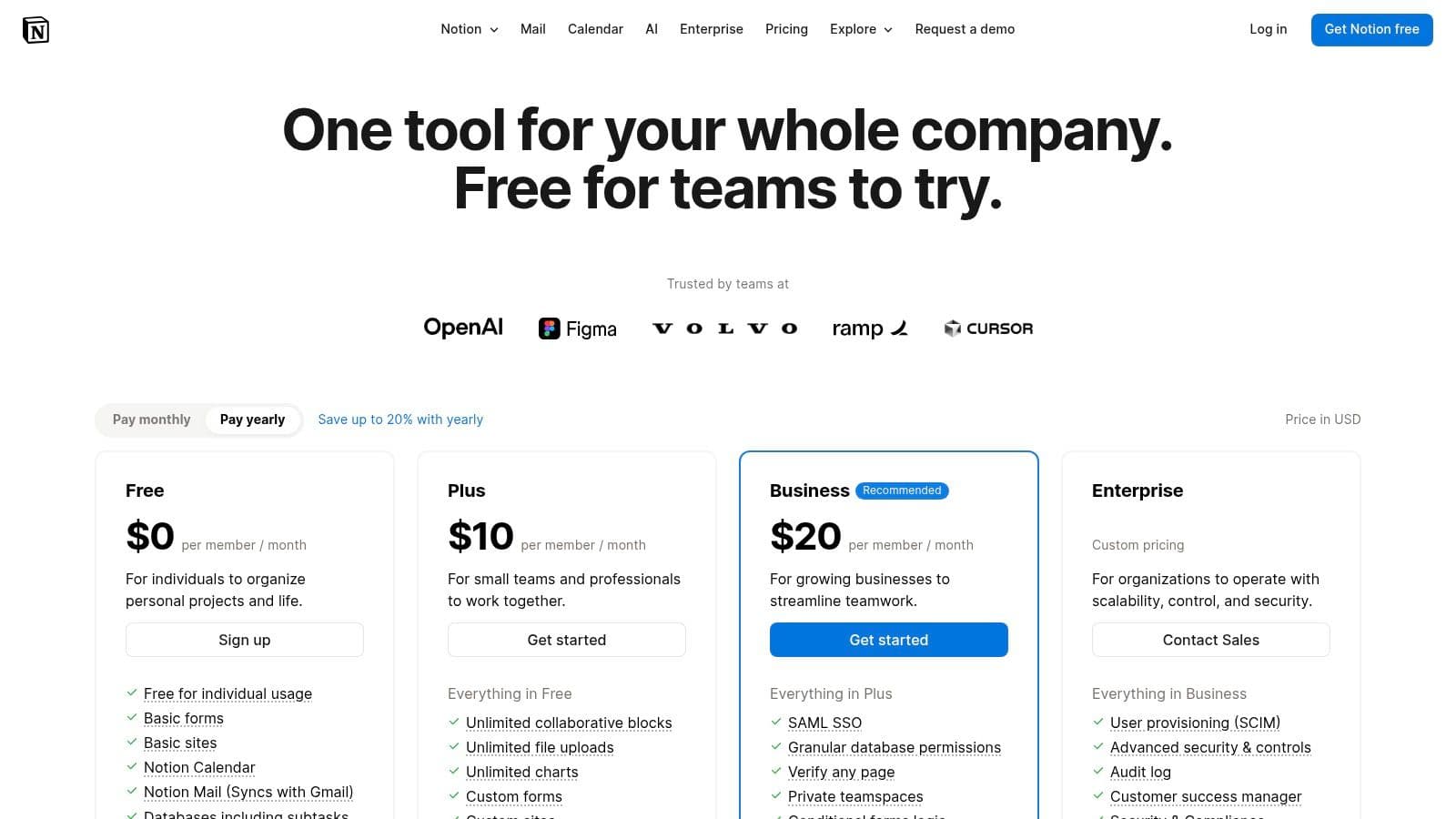
- Pricing: Notion AI is bundled by default in the Business and Enterprise plans. Users on the Free or Plus plans must upgrade to access the full suite of AI capabilities, which can be a significant consideration for individual users or small teams. You can find current details on their pricing page.
Pros and Cons
| Pros | Cons |
|---|---|
| Mature Ecosystem: Extensive templates and integrations are available. | High Barrier to AI: Full AI features require a Business plan upgrade. |
| Versatile: Excellent for mixed document and task management workflows. | Pricing Changes: Upcoming 2025 plan changes may create confusion. |
| Deep Integration: AI is woven directly into pages and databases. | Learning Curve: Can be complex for users new to the Notion system. |
2. Microsoft OneNote with Microsoft 365 Copilot
Microsoft OneNote becomes a powerful contender for the best AI note taking app through its integration with Microsoft 365 Copilot. This combination is particularly compelling for enterprise users already embedded in the Microsoft ecosystem. Copilot acts as an intelligent assistant directly within OneNote, capable of summarizing long pages, generating clear to-do lists from unstructured notes, and answering questions about your notebook's content. It leverages the full context of your Microsoft 365 data, providing a deeply integrated experience.
The primary advantage of OneNote with Copilot is its seamless fit within corporate workflows. The AI extends beyond just note-taking, connecting insights from Teams meetings, Outlook emails, and Word documents directly into your notes. For organizations prioritizing security and compliance, leveraging a tool that inherits Microsoft's robust enterprise-grade security protocols is a significant benefit. This makes it an ideal solution for businesses looking to enhance productivity without compromising on data governance.
Key Features and Pricing
OneNote’s value is amplified by Copilot's ability to synthesize information across the entire Microsoft 365 suite, making it a central hub for organizational knowledge. This integration ensures notes are not just static records but dynamic, actionable assets.
- AI-Powered Features: Includes summarizing pages and sections, creating to-dos from notes, and an AI chat that can answer questions about your notebook content.
- Ecosystem Integration: Copilot works across Microsoft 365 apps like Word, PowerPoint, Excel, and Teams, pulling context into your notes.
- Enterprise-Grade Security: Benefits from Microsoft's comprehensive security and compliance framework, a key factor for corporate users.
- Pricing: Copilot is available as an add-on for many Microsoft 365 Business and Enterprise plans. While Copilot Chat is being rolled out more broadly at no extra cost for some enterprise tiers, full functionality often requires an additional subscription. Details can be found on their official Copilot page.
Pros and Cons
| Pros | Cons |
|---|---|
| Deep enterprise security and compliance: Leverages Microsoft's trusted security infrastructure. | Additional cost for full features: Full Copilot functionality is an add-on for many plans. |
| Strong ecosystem fit: Unmatched integration for existing Microsoft 365 users. | Varying consumer rollout: Availability for non-enterprise users can be inconsistent. |
| Broad availability for enterprise: Copilot Chat is rolling out at no extra cost for many subscriptions. | Less standalone value: Power is tied to the broader Microsoft 365 suite. |
3. Google NotebookLM (with Google One AI plans)
Google NotebookLM is not a traditional note-taker but an AI-powered research and study assistant, making it a unique contender for the best AI note taking app for specific use cases. It excels at synthesizing information by allowing users to upload sources like Google Docs, PDFs, and website links. The AI then becomes an expert on your provided materials, letting you ask complex questions, generate summaries, create study guides, and even produce audio overviews of the content.
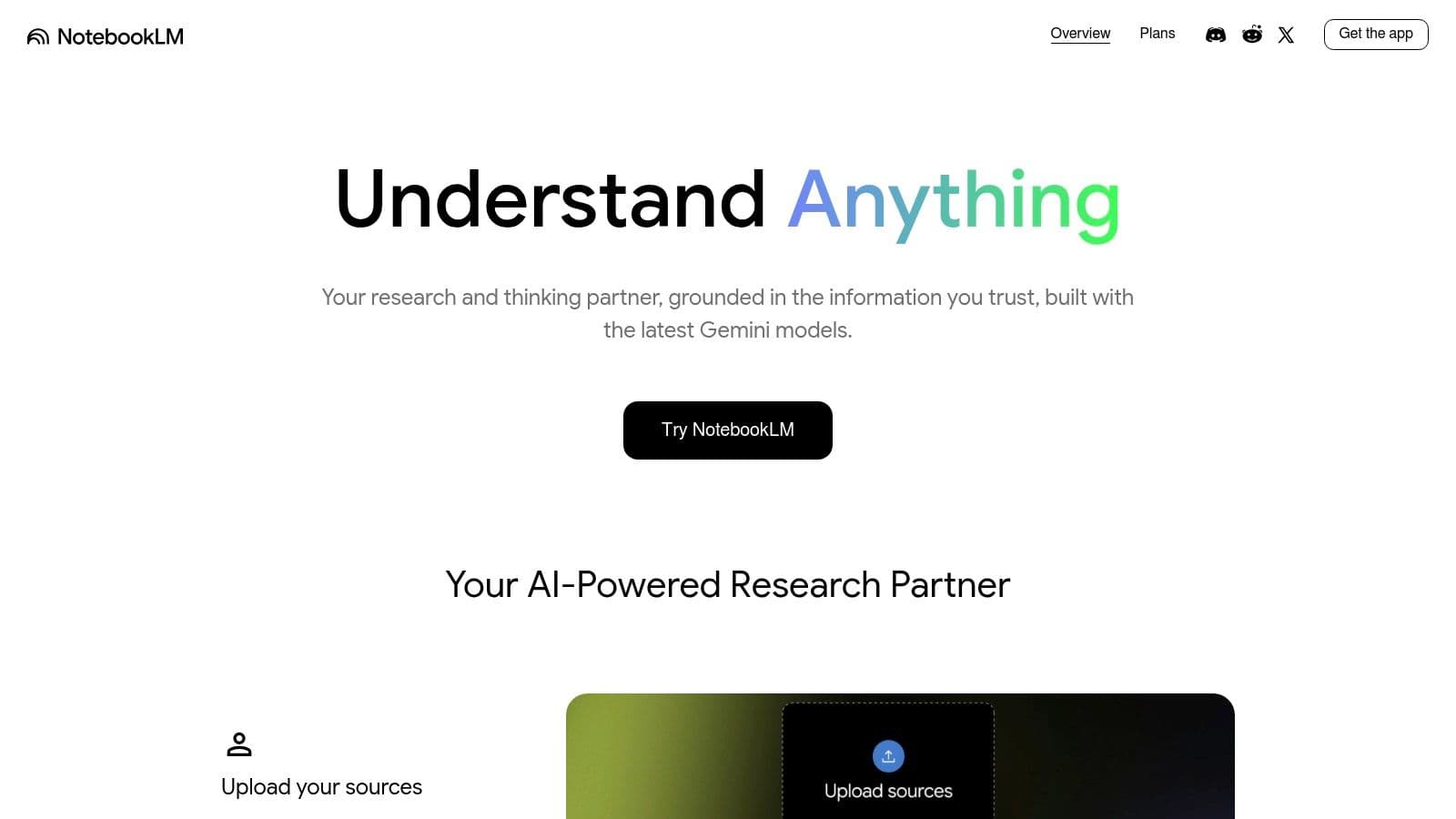
What makes NotebookLM stand out is its "source-grounded" approach. Every answer the AI generates is directly tied to the documents you uploaded, with citations that let you instantly verify the information. This is invaluable for students, researchers, and professionals who need to distill insights from dense material without the risk of AI hallucination. It transforms your collection of files into an interactive, conversational knowledge base powered by Google’s Gemini models.
Key Features and Pricing
NotebookLM’s value lies in its ability to interact with your existing documents rather than requiring you to create notes from scratch within the platform. Its deep integration with the Google ecosystem is a major advantage for existing Drive users.
- AI-Powered Features: Includes source-grounded Q&A, automatic summaries and outlines, and audio overviews of your notes and source content.
- Multi-Source Synthesis: Can analyze multiple document types simultaneously to answer questions and find connections.
- Gemini Integration: Powered by advanced Gemini models with an expanded context window for processing large amounts of information.
- Pricing: NotebookLM is free to use with limits. Full access to its most powerful Gemini models and expanded features requires a paid Google One AI Premium plan.
Pros and Cons
| Pros | Cons |
|---|---|
| Excellent for Research: Ideal for students, educators, and analysts. | Requires Paid Plan: Best features are locked behind a Google One AI Premium subscription. |
| Tight Google Ecosystem Integration: Works seamlessly with Google Docs and Drive. | Workspace Account Hurdles: Requires separate Gemini add-ons for Google Workspace users. |
| Source-Grounded AI: AI responses include citations, ensuring accuracy and trust. | Niche Focus: Less of a general-purpose note-taking app and more of a research tool. |
4. Otter.ai
Otter.ai has carved out a specialized niche as a leading best AI note taking app by focusing almost exclusively on voice conversations and meetings. It excels at real-time transcription, recording audio, and generating automated summaries with action items from virtual or in-person meetings. This makes it an indispensable tool for teams, educators, and anyone who needs to capture discussions accurately without the manual effort of typing notes.
What makes Otter.ai stand out is its seamless integration with major video conferencing platforms like Zoom, Google Meet, and Microsoft Teams. The AI assistant can automatically join your meetings, transcribe the conversation live, and deliver a full summary to all participants afterward. This focus on automating the entire meeting documentation process allows users to stay engaged in the conversation instead of getting distracted by note-taking. To better understand its capabilities, you can find a helpful overview on what is Otter.ai.
Key Features and Pricing
Otter.ai's strength lies in its specialized AI, designed specifically to understand and process spoken language from meetings. This dedicated focus ensures high-quality transcriptions and relevant, actionable outputs.
- AI-Powered Features: Offers live transcription, automated meeting summaries, speaker identification, and action item generation.
- Multi-Platform Integration: Connects directly with popular calendar and conferencing tools to automate meeting recording and transcription.
- Specialized AI Agents: Provides tailored AI "agents" for specific roles like sales and recruiting to generate role-specific insights.
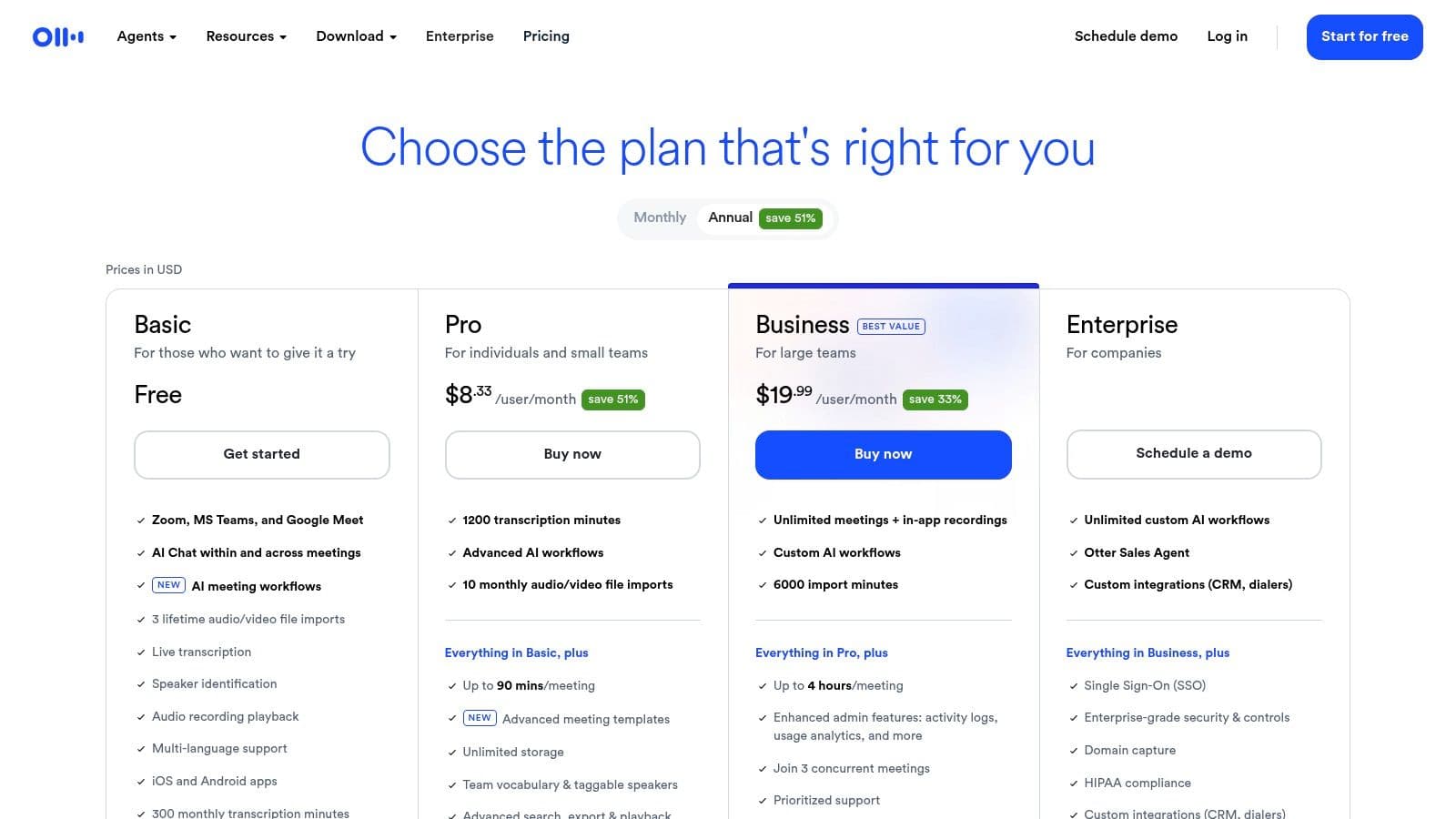
- Pricing: A free plan is available with limited transcription minutes. Paid plans (Pro, Business) unlock more minutes, advanced features, and team collaboration tools. Details are on their pricing page.
Pros and Cons
| Pros | Cons |
|---|---|
| Easy Capture and Sharing: Effortlessly records and distributes meeting notes. | Payment Limitations: Does not support PayPal for subscriptions. |
| Strong Meeting Focus: Optimized for transcribing and summarizing calls. | Gated Features: Some advanced AI features are locked behind higher tiers. |
| Mobile & Team Ready: Excellent mobile apps and discounts for education teams. | Niche Application: Less suited for general text-based note-taking. |
5. Fireflies.ai
Fireflies.ai carves out its niche as a specialized best AI note taking app designed almost exclusively for meetings. Rather than serving as a general-purpose notes platform, it acts as an automated meeting assistant that joins your calls, records them, and generates detailed transcripts, summaries, and action items. This focus makes it an invaluable tool for teams that rely heavily on video conferencing and need a reliable way to capture and organize conversations without manual intervention.
The platform's standout feature is its AI assistant, "AskFred," which allows users to query meeting content directly, much like chatting with a team member who has perfect recall. You can ask for specific decisions, key metrics discussed, or follow-up tasks, and Fred will pull the answers from the transcript. This conversational intelligence, combined with broad integrations into tools like Slack, CRMs, and project managers, automates the post-meeting workflow. To understand its full capabilities, you can explore in-depth resources that answer questions like what is Fireflies.ai.
Key Features and Pricing
Fireflies.ai is built to scale, offering features that support everyone from individual freelancers to large enterprises needing enhanced security and compliance. Its strength lies in automating the entire meeting lifecycle from transcription to action.
- Automated Transcription & Summaries: Provides searchable transcripts and concise AI-generated summaries for every recorded meeting.
- Conversation Intelligence: Analyzes talk time, sentiment, and other key metrics to provide insights into meeting dynamics.
- Broad Integrations: Connects with popular video conferencing platforms (Zoom, Google Meet, Teams) and various CRMs and collaboration tools.
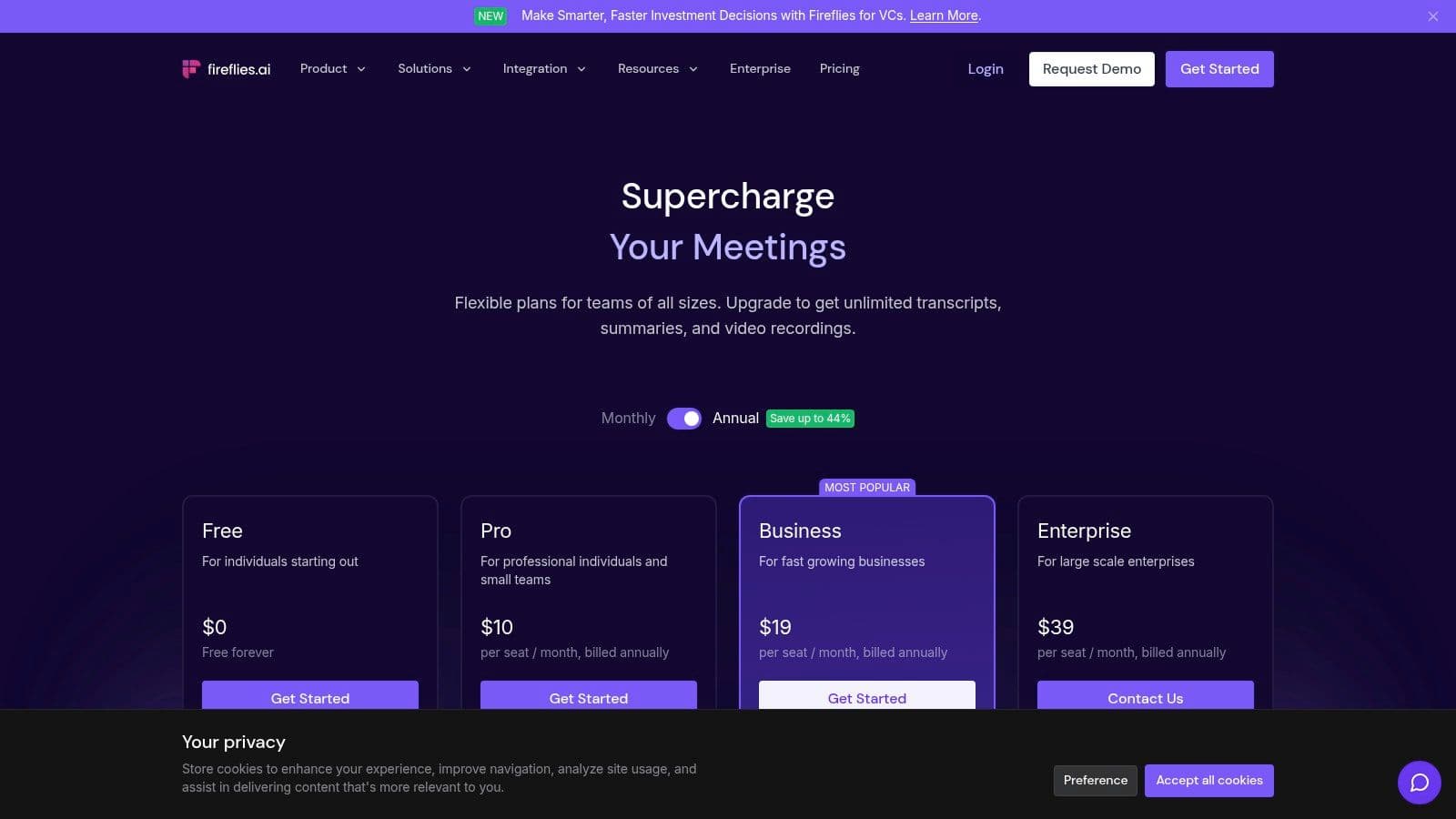
- Pricing: Offers a limited free tier, with paid plans unlocking unlimited transcription, advanced search, and more integrations. Enterprise-level features like SSO and HIPAA compliance are available on higher-tier plans, which you can review on their pricing page.
Pros and Cons
| Pros | Cons |
|---|---|
| Excellent Automation: Completely hands-off meeting recording and note-taking. | Meeting-Focused: Less suited for general-purpose note-taking or document writing. |
| Powerful Integrations: Seamlessly pushes data to CRMs and other work tools. | Analytics Gated: Advanced conversation intelligence is reserved for higher-tier plans. |
| Scalable Security: Offers enterprise-grade options like HIPAA compliance and SSO. | Language Support: Details on support for languages other than English can be unclear. |
6. Supernormal
Supernormal positions itself as a specialized contender for the best AI note taking app by focusing exclusively on automating meeting documentation. It is designed for teams that need to capture, transcribe, and summarize discussions from video calls with minimal effort. The platform automatically joins your meetings, records them, and generates detailed notes, transcripts, and summaries, allowing participants to stay fully engaged in the conversation instead of typing.
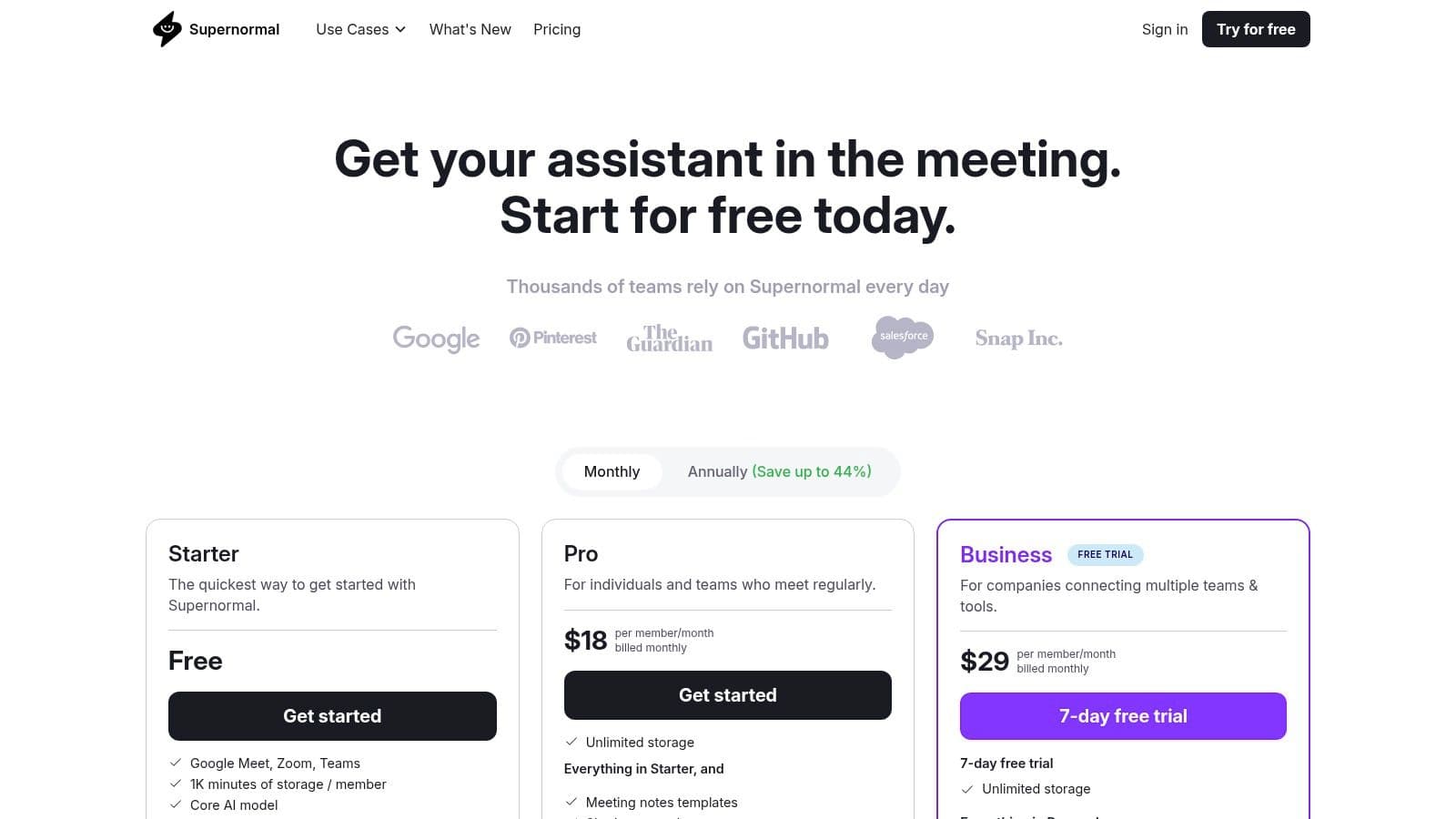
What makes Supernormal particularly effective is its use of customizable templates. Teams can create structured outputs for different meeting types, such as sales calls, interviews, or project check-ins, ensuring consistency and relevance. The platform's deep integrations with tools like Slack, Asana, and various CRMs streamline the workflow by pushing key action items and summaries directly to where the work happens, eliminating manual data entry after a call.
Key Features and Pricing
Supernormal’s strength lies in its "set it and forget it" approach to meeting notes, making it an ideal tool for busy teams that need reliable documentation without the administrative overhead.
- Automatic Meeting Assistant: Joins, records, transcribes, and takes notes automatically for Google Meet, Microsoft Teams, and Zoom.
- Customizable Templates: Create and share templates to generate structured notes tailored to specific meeting objectives.
- Broad Integrations: Connects with popular productivity tools, including CRMs and ATS, to automate post-meeting workflows.
- Pricing: Supernormal offers a free tier with storage limitations. Paid plans are competitively priced and offer generous storage and access to more advanced AI models for higher-quality summaries. Details can be found on their pricing page.
Pros and Cons
| Pros | Cons |
|---|---|
| Easy Setup: Very intuitive to configure and integrate with calendars. | Storage Limits: The free tier has a restrictive storage cap for recordings. |
| Generous Paid Storage: Paid plans provide ample storage for meeting history. | Tiered AI Models: Access to the best AI summarization is reserved for higher plans. |
| Competitive Pricing: Yearly plans offer a cost-effective solution for teams. | Meeting-Focused: Less suited for general-purpose text or long-form notes. |
7. Sembly AI
Sembly AI carves out its niche as a strong contender for the best AI note taking app by focusing almost exclusively on meetings. It acts as an intelligent meeting assistant that joins your calls, records them, and generates detailed notes, summaries, and actionable items. This makes it ideal for teams that spend significant time in video conferences and need a reliable way to capture and distribute key information without manual effort.
What sets Sembly AI apart is its deep analytical capability and strong compliance posture. Beyond simple transcription, it identifies risks, issues, and key topics discussed, providing valuable insights for project management and team alignment. For organizations in regulated industries, its commitment to security standards like SOC 2 and HIPAA offers peace of mind, ensuring that sensitive meeting data is handled responsibly.
Key Features and Pricing
Sembly AI is designed for seamless integration with popular calendars and conferencing tools, making deployment straightforward for teams. Its feature set is tailored to maximize meeting productivity and accountability.
- AI-Generated Notes: Delivers automated summaries, meeting minutes, and extracts action items, risks, and issues.
- Team Analytics: Provides insights into team collaboration, meeting attendance, and topic trends across multiple sessions.
- Broad Language Support: Supports transcription and analysis in over 40 languages, making it suitable for global teams.
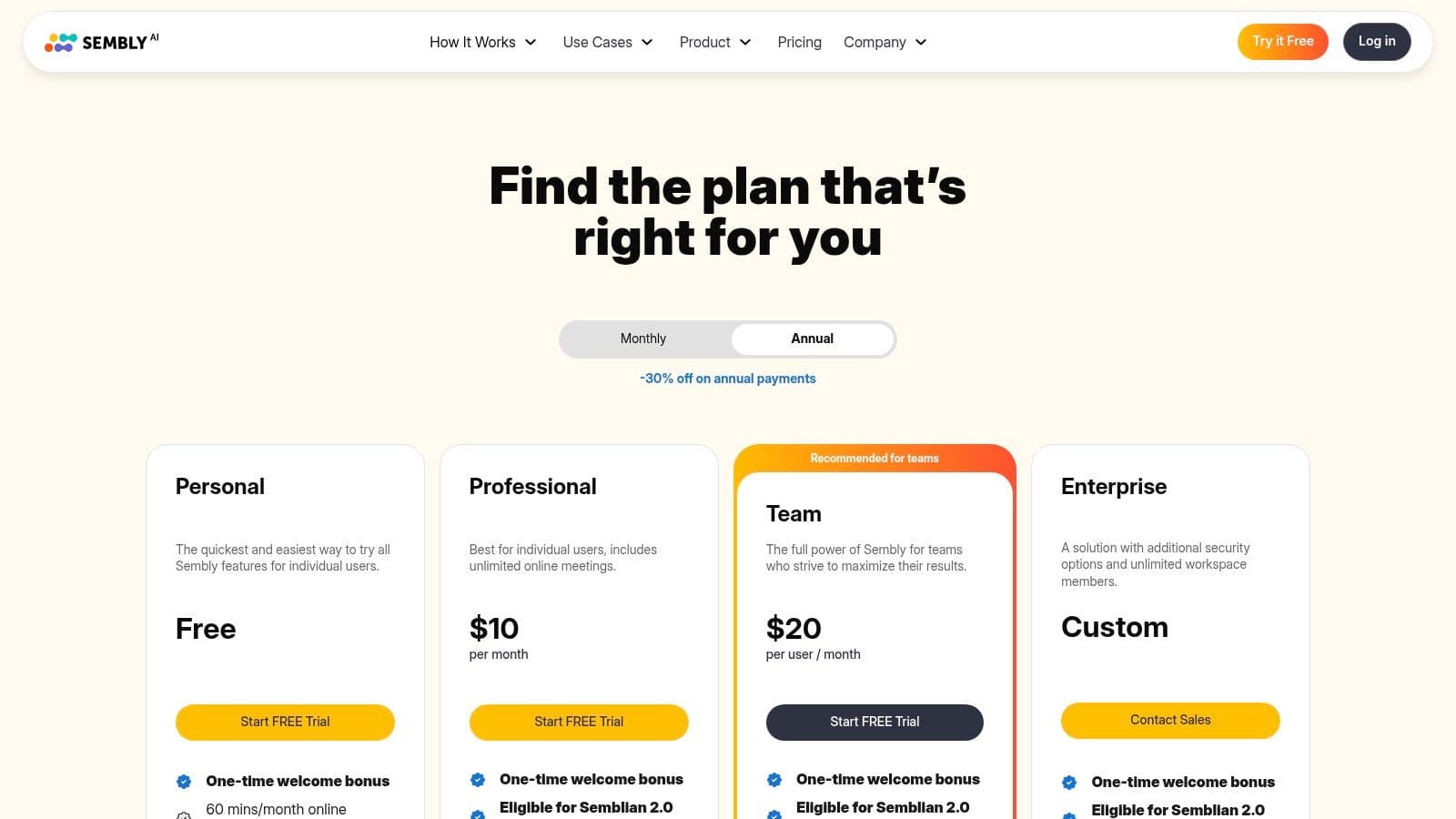
- Pricing: Sembly AI offers several tiers, including a free plan with basic features. Paid plans unlock more advanced capabilities and higher usage limits, with enterprise pricing available upon request. You can review the specifics on their pricing page.
Pros and Cons
| Pros | Cons |
|---|---|
| Team-Friendly Pricing: Plans are structured to be accessible for teams. | Plan-Based Limits: Feature availability varies significantly by plan. |
| Strong Security: Transparent policies and compliance (SOC 2, HIPAA). | Sales Contact Required: Enterprise pricing is not publicly listed. |
| Extensive Resources: Offers annual discounts and a robust help center. | Meeting-Focused: Less suited for general-purpose or personal note-taking. |
8. Mem.ai
Mem.ai positions itself as a self-organizing workspace, making it a strong candidate for the best AI note taking app for users who prioritize speed and intelligent search. It functions like an external brain, capturing information from various sources and using AI to connect related thoughts, notes, and documents automatically. The platform's core strength is its "Mem Chat" feature, which allows you to ask questions and get synthesized answers drawn directly from your entire knowledge base, rather than just a single document.
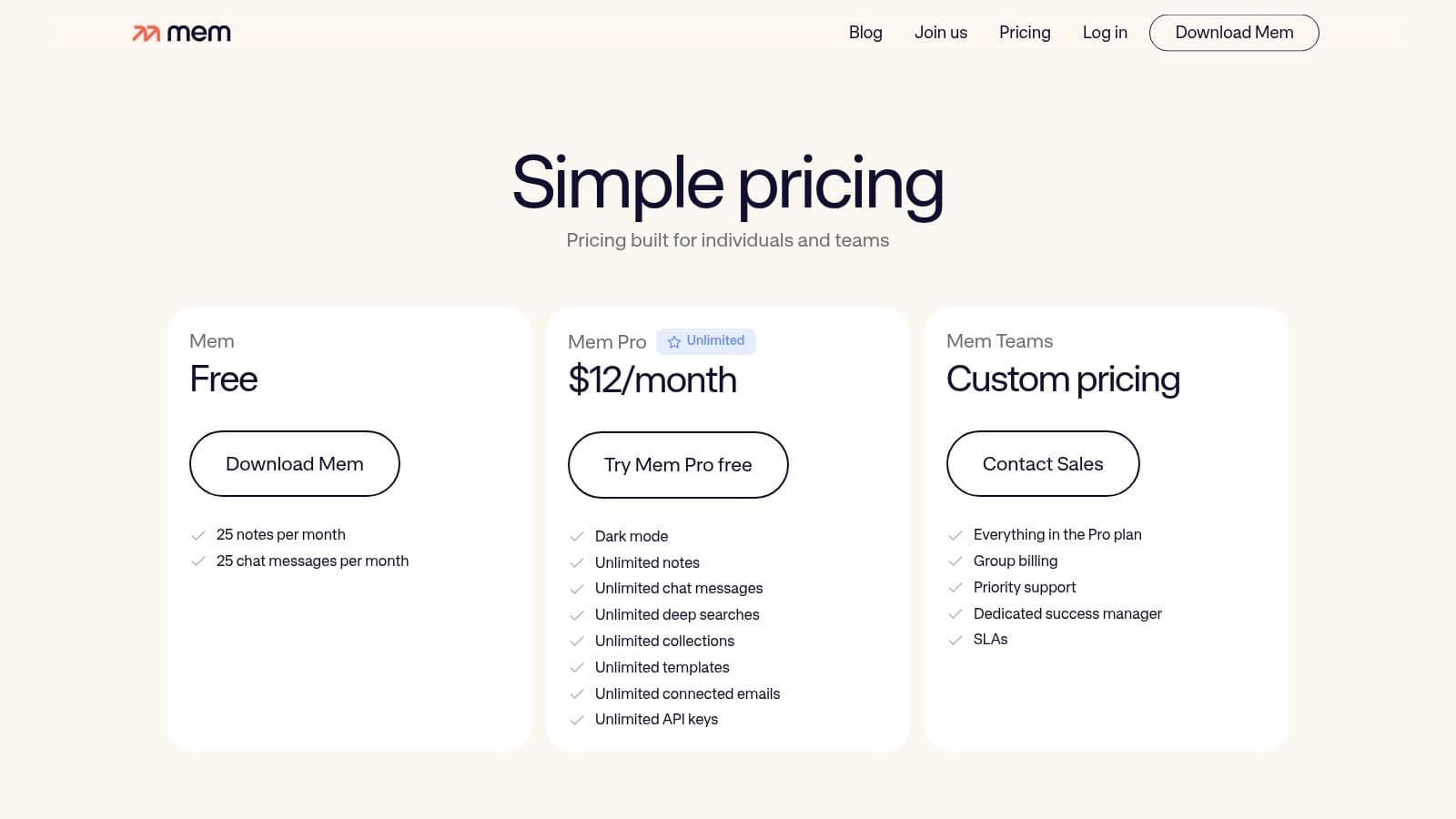
What sets Mem.ai apart is its focus on effortless capture and semantic discovery. You can forward emails, use a quick-capture shortcut, or integrate other apps to send information directly to your Mem. The AI then works in the background, creating a web of interconnected knowledge you can explore through a powerful, natural language search. This is ideal for researchers, writers, and professionals who need to recall and synthesize information from a large volume of notes without manual tagging or folder organization.
Key Features and Pricing
Mem.ai is designed to reduce the friction of both capturing and retrieving information, letting the AI handle the organizational heavy lifting. Its approach makes it feel less like a database and more like a conversational partner for your knowledge.
- AI-Powered Features: Includes Mem Chat for querying your knowledge base, smart search, and automatic linking of related notes.
- Effortless Capture: Integrates with email, SMS, and other platforms to quickly add notes and documents.
- Self-Organizing Workspace: AI automatically surfaces relevant information and connections without manual effort.