Taking effective meeting minutes is more than just scribbling down notes. It’s about creating a clear, official record of what was discussed, what was decided, and who is responsible for what happens next. This document becomes the source of truth that keeps everyone aligned and accountable long after the meeting is over.
Why Effective Meeting Minutes Are a Superpower

Let's be honest, nobody gets excited about taking minutes. It often feels like just another administrative task. But if you shift your perspective, you'll see that well-crafted minutes are the glue holding a project together, preventing crucial details from slipping through the cracks.
Especially now, with our calendars packed with remote and hybrid meetings, having clear documentation isn't just nice—it's essential for keeping everyone on the same page.
From Chore to Strategic Advantage
We've all been there. A week after a big meeting, nobody can quite remember what was decided, and key action items are completely forgotten. This "meeting amnesia" leads to missed deadlines, wasted effort, and a ton of confusion. Before you know it, the project has stalled.
The push for shorter meetings makes this even more important. With 94% of meetings now lasting 60 minutes or less, you have to be incredibly efficient at capturing what matters. Mastering this skill is a surefire way to improve business communication and drive real results.
You don't need to be a professional scribe, either. By following a few simple guidelines, you can make sure your notes are consistently accurate and useful. For a deeper dive, our guide on meeting minutes best practices for perfect records has even more tips. When done right, this simple task becomes a genuine strategic advantage for your team.
Set Yourself Up for Success Before the Meeting
Great minute-taking doesn't start when the meeting does. It actually begins long before anyone sits down at the table. If you want to capture what truly matters, the secret isn't just typing fast—it's being prepared. A little groundwork beforehand can turn a frantic scramble into a focused, calm process.
First things first: touch base with the meeting organizer. Your goal here is to understand the "why" behind the meeting. What decisions need to be made? What are the non-negotiable outcomes? Getting this context helps you tune your ears to the most important details once the conversation gets going.
The Power of a Great Agenda
Think of a clear agenda as your roadmap. It guides the entire meeting, and by extension, your notes. It’s pretty shocking how many meetings still happen without one. In fact, studies show that roughly 64% of recurring meetings and 60% of one-off meetings don't have a plan at all. You can discover more about meeting effectiveness from this research to see just how common this is.
If you have an agenda, study it. If you don't, offer to help draft one. A solid agenda is the foundation for great minutes, plain and simple. For a helping hand, check out our complete guide on how to write a meeting agenda with templates.
This simple prep step helps you anticipate the flow of the discussion. You’ll know which topics are a priority and can set up your note-taking template to match.
Prepare Your Minute Taking Template
Speaking of templates, having a simple, reusable one is a total game-changer. It doesn't need to be fancy. The point is to create a structure with a few key fields that ensures you're capturing all the necessary details every time.
Here are the absolute must-haves for your template:
- Meeting Title and Date: Obvious, but crucial for finding it later.
- List of Attendees: Make a note of who was invited versus who actually showed up.
- Meeting Goals: Just a quick one-sentence summary of the meeting's purpose.
- Agenda Items: Copy these over from the agenda to create a skeleton for your notes.
With your agenda reviewed and your template ready to go, you can walk into that meeting feeling confident. You’ll be ready to listen and capture decisions instead of just trying to keep up.
Capture What Truly Matters During the Discussion
Once the meeting kicks off, your role shifts from planner to active listener. This is where the real work begins. Your goal isn't to create a word-for-word transcript of everything said; it's to capture the essence of the conversation—the key decisions, the deadlines, and the commitments that move work forward. Think of yourself as a journalist covering an event, zeroing in on the most important takeaways.
The secret is to focus on outcomes. An interesting idea is great, but the moment the team agrees to act on that idea and assigns it to someone, that's what you need to write down. This pivot from passively recording chatter to actively identifying commitments is the single most important skill for taking effective minutes.
This infographic breaks down how that prep work pays off during the live meeting, allowing you to focus on the right details.
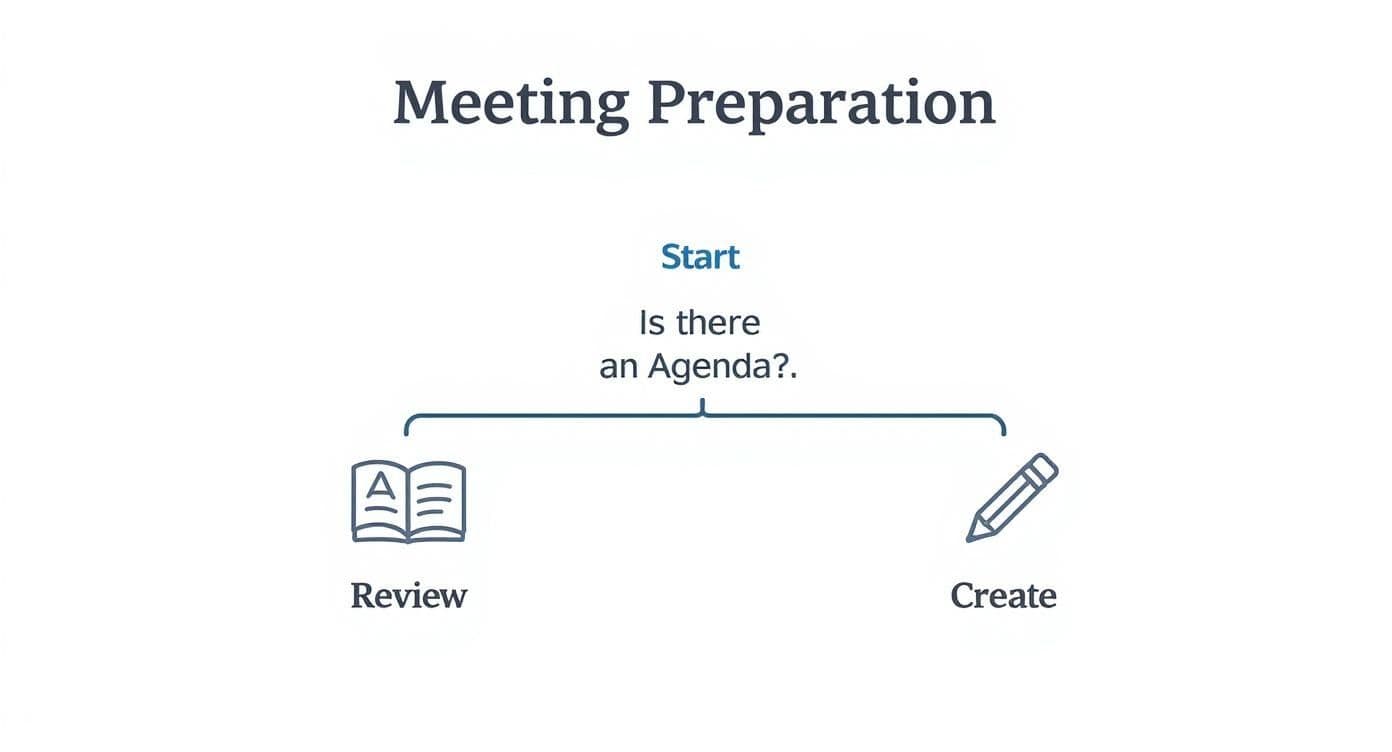
Having this framework ready means you can channel all your energy into capturing what's decided, not scrambling to figure out what the meeting is even about.
Choosing Your Minute-Taking Method
How you take your notes can make a big difference. There's no single "best" way—it really depends on the meeting's pace and your personal style. Are you a fast typer or do you prefer the old-school pen-and-paper approach? Here's a quick comparison to help you decide.
| Method | Best For | Pros | Cons |
|---|---|---|---|
| Digital Document (Google Docs/Word) | Formal meetings, detailed discussions, remote meetings | Easy to format, share, and collaborate on in real-time. | Can be distracting; easy to get caught up in transcribing. |
| Pen and Paper | Small, informal meetings, 1-on-1s | Fewer distractions, encourages concise notes. | Harder to share, requires typing up later. |
| Dedicated Note-Taking App (Evernote/OneNote) | Recurring meetings, project check-ins | Excellent organization, searchable, templates. | Can have a learning curve; might be overkill for simple meetings. |
| Mind Mapping | Brainstorming sessions, creative strategy meetings | Great for visualizing connections between ideas. | Can be messy and difficult for others to follow. |
Ultimately, pick the method that lets you listen more and type (or write) less. The tool is there to serve you, not the other way around.
Finding the Signal in the Noise
So, what do you actually write down? Amid all the back-and-forth, your notes should focus on three things: Decisions Made, Key Discussion Points, and Action Items. Anything else is probably just noise.
For every action item, you absolutely must capture the "three Ws." This simple habit prevents all that post-meeting confusion.
- Who: Assign a clear owner. Use their full name, not just initials, to avoid any mix-ups.
- What: Describe the task clearly. Get specific. "Look into it" is not a task. "Draft the Q4 sales proposal" is.
- When: Every single action item needs a due date. This creates accountability and keeps the momentum going.
For example, don't just write, "Alex to handle the marketing budget." A far more effective note is: "ACTION: Alex Miller to provide the final Q3 marketing budget report by EOD Friday, October 25th." See the difference? That level of clarity is non-negotiable.
If the discussion gets complicated or you're unsure what was actually decided, don't hesitate to speak up. A quick, "Just to confirm for the minutes, are we green-lighting Option A?" can save you and the team a massive headache down the line. Accuracy always trumps speed.
Turn Your Rough Notes Into Actionable Minutes
The meeting’s over, but the real work has just started. Now you’ve got to transform those scribbled, shorthand notes into a clear, professional document that actually gets things done. This is what separates simple note-taking from the skill of creating effective meeting minutes.
The best advice I can give? Tidy up your notes as soon as humanly possible, ideally within a couple of hours. The conversation is still fresh in your head, so it's much easier to fill in any gaps or decipher that weird phrase you jotted down in a hurry. If you wait a day or two, you’ll be scratching your head trying to remember the details.
Give Your Minutes a Clear Structure
Nobody wants to read a wall of text. A well-organized document is scannable and easy to digest, letting people find what they need without having to read every single word.
Break down your minutes into logical sections. At a minimum, every set of minutes should have these four parts:
- The Basics: Meeting title, date, and a list of who was there.
- Key Discussions: A quick, factual summary of the main topics covered.
- Decisions Made: Clearly state any final decisions reached, leaving no room for doubt.
- Action Items: This is the most important part. List out each task, who's responsible for it, and when it's due.
For that last point, consistency is everything. Using a standard format makes it easier for everyone to follow along. We've got a great resource if you need a place to start—check out this meeting action items template that actually works.
The Final Polish and Send-Off
Once you've got the structure down, give it one last proofread. Hunt down typos, fix any grammar mistakes, and ensure the tone is professional and objective. Remember, you’re creating a record of what happened, not sharing your opinion.
Digital tools have made this whole process much easier than it used to be. For example, platforms like Zoom—which logged an incredible 3.3 trillion annual meeting minutes in 2023—help with real-time documentation. If you're curious, you can learn more about these meeting statistics and see how tech is changing how we collaborate.
Finally, get the polished minutes out the door quickly, usually within 24 hours. Send them to everyone who attended and any key stakeholders who couldn't be there. A fast turnaround keeps the momentum going and makes sure everyone is on the same page about what comes next.
Using Modern Tools for Smarter Minute-Taking
Let's be honest: trying to capture every word in a meeting by hand is a losing battle. Thankfully, we don't have to anymore. The tools available today have completely changed the game, handling the tedious work so you can actually focus on what's being said.
This shift isn't just a convenience; it's becoming a necessity. With remote and hybrid work now the norm, digital tools are essential. It's predicted that by 2025, a combined 42% of U.S. meetings will be online and 38% will be hybrid. That's a massive change, making AI assistants and collaborative software your new best friends. You can see the data on these meeting statistics to get a feel for how fast things are moving.
Let Automation Do the Heavy Lifting
Picture this: a tool that transcribes the entire meeting in real-time, accurately identifying who said what. That's no longer science fiction; it’s the standard for modern AI assistants. These platforms spit out a full transcript moments after the meeting ends, often with impressive accuracy.
Many of these tools are smart enough to recognize when someone says "I'll take that on" or "the decision is..." and will automatically flag potential action items. This gives you an incredible head start and dramatically cuts down on your post-meeting cleanup time. If you're serious about working smarter, exploring some of the best AI productivity tools is well worth your time.
A Few Top Tools to Check Out
There's no single "best" tool—it all depends on what your team needs. Here are a few popular options that I've seen work well for different situations:
- Otter.ai: This is a classic for a reason. Its real-time transcription is top-notch, and it does a great job of identifying different speakers on the fly. It's fantastic for live note-taking.
- Fireflies.ai: If you want a "set it and forget it" solution, this is it. It connects to your calendar, automatically joins your calls, and delivers a full transcript and summary right to your inbox.
- Microsoft Teams Premium: For teams already living in the Microsoft ecosystem, the "Intelligent Recap" feature is a game-changer. It pulls notes, tasks, and key moments directly from your Teams meetings.
By bringing one of these tools into your workflow, you’ll not only save a ton of time but also produce far more accurate and useful minutes. It’s a simple change that makes a huge difference.
Got Questions About Taking Minutes? We’ve Got Answers.
Even the most seasoned minute-taker runs into tricky situations. Meetings can be messy, and knowing what to capture (and what to leave out) is an art. Let's walk through some of the questions I hear all the time.
How Much Detail Is Too Much?
This is the big one, isn't it? Striking that perfect balance between being concise and being thorough can feel impossible. My golden rule is to skip the play-by-play. You're not writing a movie script; you're creating a record of what mattered.
Focus on capturing the substance of the conversation. If someone who missed the meeting can read your minutes and understand what was decided and what their next steps are, you've nailed it.
What’s the Real Difference Between Minutes and Notes?
This question comes up a lot, and the distinction is critical. Think of it this way: personal notes are for your brain only. They’re your private scribbles, reminders, and half-formed thoughts.
Meeting minutes, however, are an official document. They're a public record for the entire team and anyone else who needs to be in the loop.
Here's the breakdown:
- Audience: Notes are just for you. Minutes are for everyone.
- Objectivity: Your notes can be full of your own opinions. Minutes need to be strictly objective and factual.
- Purpose: Notes help you remember things. Minutes create accountability and serve as the official record.
How Do I Handle Disagreements or Arguments?
When a discussion gets heated, your job is to stay neutral. It can be tempting to document the back-and-forth, but that's a mistake. It just stirs the pot later.
Instead of writing, "John and Sarah argued about the budget for ten minutes," you capture the outcome. Try something like this: "After a discussion on budget constraints for Project Alpha, the team agreed to revisit the topic in next week's review." This gets the point across professionally and focuses on the result, not the drama.
Finding the right software can make all of this so much easier. At Summarize Meeting, we put together a guide comparing the best AI summarization tools out there. You can check it out and find the perfect fit for your team at https://summarizemeeting.com.