In today's fast-paced work environment, manually transcribing meetings, interviews, and audio files is no longer a viable option. It's time-consuming, prone to error, and pulls focus away from critical conversations. The solution? AI-powered transcription software that automates the entire process, providing accurate, searchable text in minutes. But with a crowded market, how do you find the right tool?
This guide cuts through the noise. We'll break down the 12 best AI transcription software platforms, analyzing them not just by features, but by their practical applications, hidden limitations, and ideal use cases. Whether you're a content creator needing to repurpose video content, a project manager capturing action items from a client call, or part of an enterprise team that needs to document every discussion, you'll find a solution tailored to your specific workflow and budget.
Our goal is to help you make an informed decision quickly. Instead of just listing features, we provide a comprehensive look at what it’s actually like to use these tools for day-to-day tasks. We’ll explore everything from live meeting transcription with speaker identification to collaborative editing and advanced export options. Each review includes screenshots and a direct link to the platform, so you can see the interface for yourself. This breakdown moves beyond marketing claims to deliver an honest assessment, helping you find the perfect AI transcription software to reclaim your time and streamline your communication. We've done the research so you can get back to focusing on what truly matters.
1. Otter.ai
Otter.ai has cemented its place as a top-tier meeting assistant, excelling at real-time transcription and summarization. The platform’s standout feature is its "OtterPilot," an AI agent that can automatically join your meetings on Zoom, Google Meet, and Microsoft Teams, even if you can't attend. This makes it an invaluable tool for global teams working across different time zones, ensuring no one misses critical discussions.
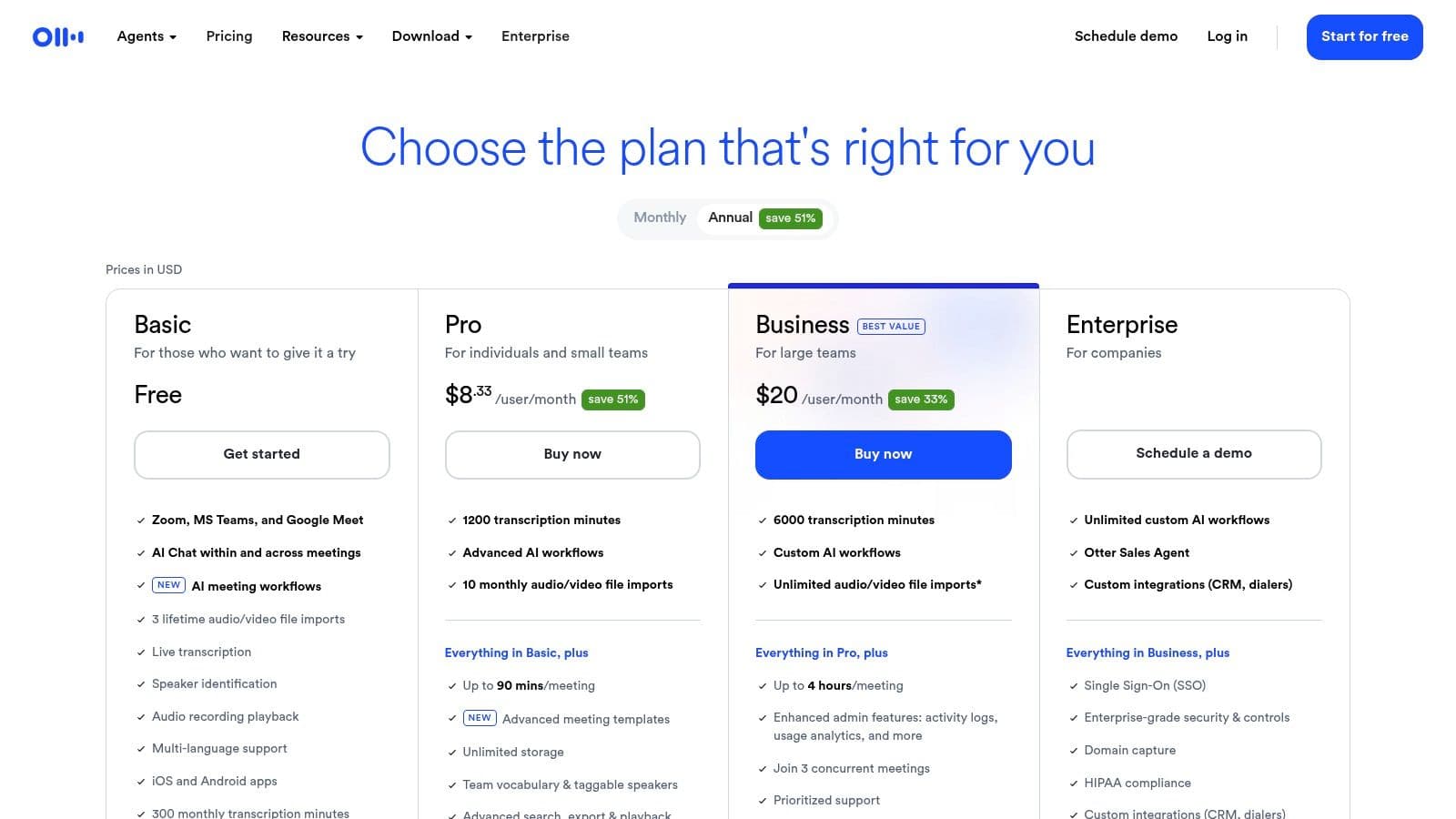
The platform’s user interface is clean and intuitive, making it easy to find and review past meeting notes. One of its strongest selling points is the collaborative workspace. Team members can highlight key parts of the transcript, add comments, and assign action items directly within the document, streamlining post-meeting workflows and boosting accountability. This focus on team collaboration makes it one of the best ai transcription software options for organizations.
Key Details & Pricing
- Best For: Teams needing live meeting transcription and collaborative note-taking.
- Unique Feature: OtterPilot for automatic meeting attendance and real-time note-taking.
- Implementation: Simple setup with calendar integration to automatically sync and join scheduled meetings. A practical tip is to use the "Custom Vocabulary" feature to teach Otter specific industry jargon or names for improved accuracy.
- Pricing: Offers a free Basic plan with limited features. Paid plans start with the Pro plan at 16.99/month, Business at 35/user/month, and custom Enterprise pricing. Note that conversation length limits and transcription minutes vary significantly between tiers.
2. Rev
Rev stands out with its unique hybrid model, offering both rapid AI-driven transcription and professional human-powered services. This dual approach makes it a versatile solution for users who need the speed of automation for everyday tasks but require near-perfect accuracy for critical content like legal depositions or published materials. The platform seamlessly integrates these two services, allowing users to start with an AI transcript and easily upgrade to a human-verified version if needed.
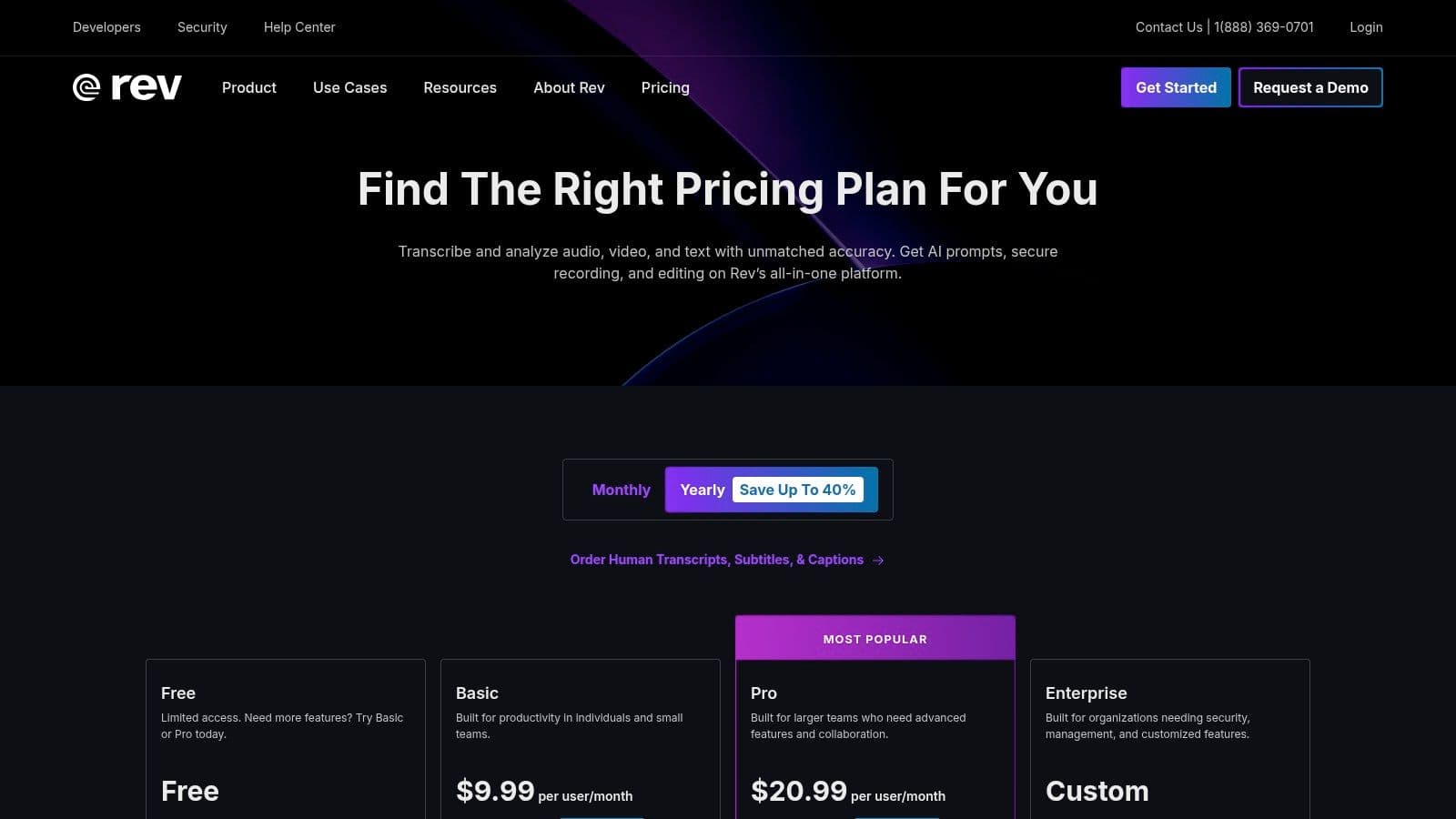
The platform includes an AI Notetaker for live meetings on Zoom, Google Meet, and Microsoft Teams, functioning as a reliable meeting assistant. Its browser-based editor and dedicated mobile apps provide flexibility for reviewing and polishing transcripts on the go. For businesses requiring both automated efficiency and guaranteed precision, Rev's ability to act as a single vendor for both needs makes it one of the best ai transcription software choices available, simplifying procurement and workflow management.
Key Details & Pricing
- Best For: Organizations needing a single platform for both fast AI transcription and high-accuracy human services.
- Unique Feature: A hybrid model that combines AI and a professional network of human transcribers for 99% accuracy on demand.
- Implementation: Easy to use with direct file uploads or through the AI Notetaker integration. A practical tip is to start with the automated service for quick drafts and only escalate to the human service for final, client-facing documents to manage costs effectively. If you want to understand the difference in output, you can learn more about AI transcription accuracy.
- Pricing: The "Rev Max" subscription is 29.99/month (billed annually) and includes 20 hours/month of automated transcription. Human services are priced per minute, starting at 1.50 for transcription and captions.
Website: https://www.rev.com/pricing
3. Descript
Descript revolutionizes the content creation workflow by treating audio and video editing like a text document. Its core innovation is allowing users to edit media simply by editing the AI-generated transcript. This approach makes it incredibly intuitive to remove filler words, correct mistakes, or rearrange segments, significantly speeding up the production process for podcasters, YouTubers, and marketing teams.
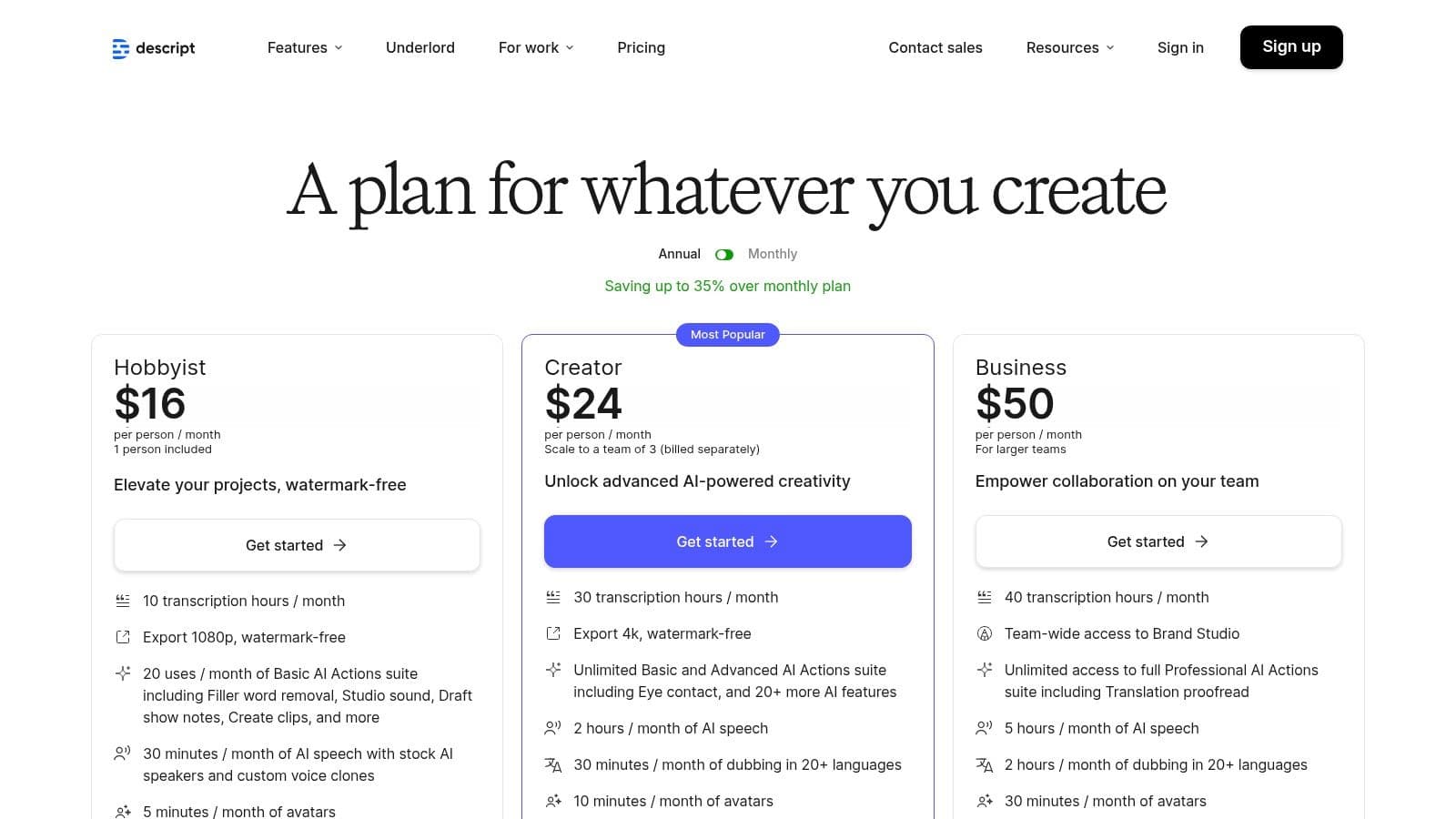
The platform goes far beyond simple transcription with powerful AI features like "Studio Sound," which enhances voice recordings to sound professionally produced with a single click. Descript also offers speaker detection, multi-language support, and collaborative tools for teams to work on projects simultaneously. Its integration of transcription, editing, and publishing tools makes it one of the best ai transcription software choices for anyone creating polished audio or video content.
Key Details & Pricing
- Best For: Content creators, podcasters, and video editors who need transcription as part of a larger editing workflow.
- Unique Feature: Text-based audio and video editing, allowing you to manipulate media by editing the transcript.
- Implementation: Easy to get started by dragging and dropping media files. A useful tip is to leverage the automatic filler word removal ("um," "uh") to instantly clean up raw recordings before you begin detailed edits.
- Pricing: Offers a free plan with 1 hour of transcription. Paid plans include the Creator tier at 15/user/month, the Pro tier at 30/user/month, and custom Enterprise pricing. Transcription hours are limited per plan.
Website: https://www.descript.com/pricing
4. Trint
Trint is a powerful AI transcription platform specifically engineered for journalists, content creators, and newsroom environments. It excels at turning audio and video into searchable, editable text and offers robust tools for crafting stories directly from the transcript. The platform's emphasis on editorial workflows, such as creating quotes and pulling key moments into a "Story" builder, sets it apart for anyone in media production.
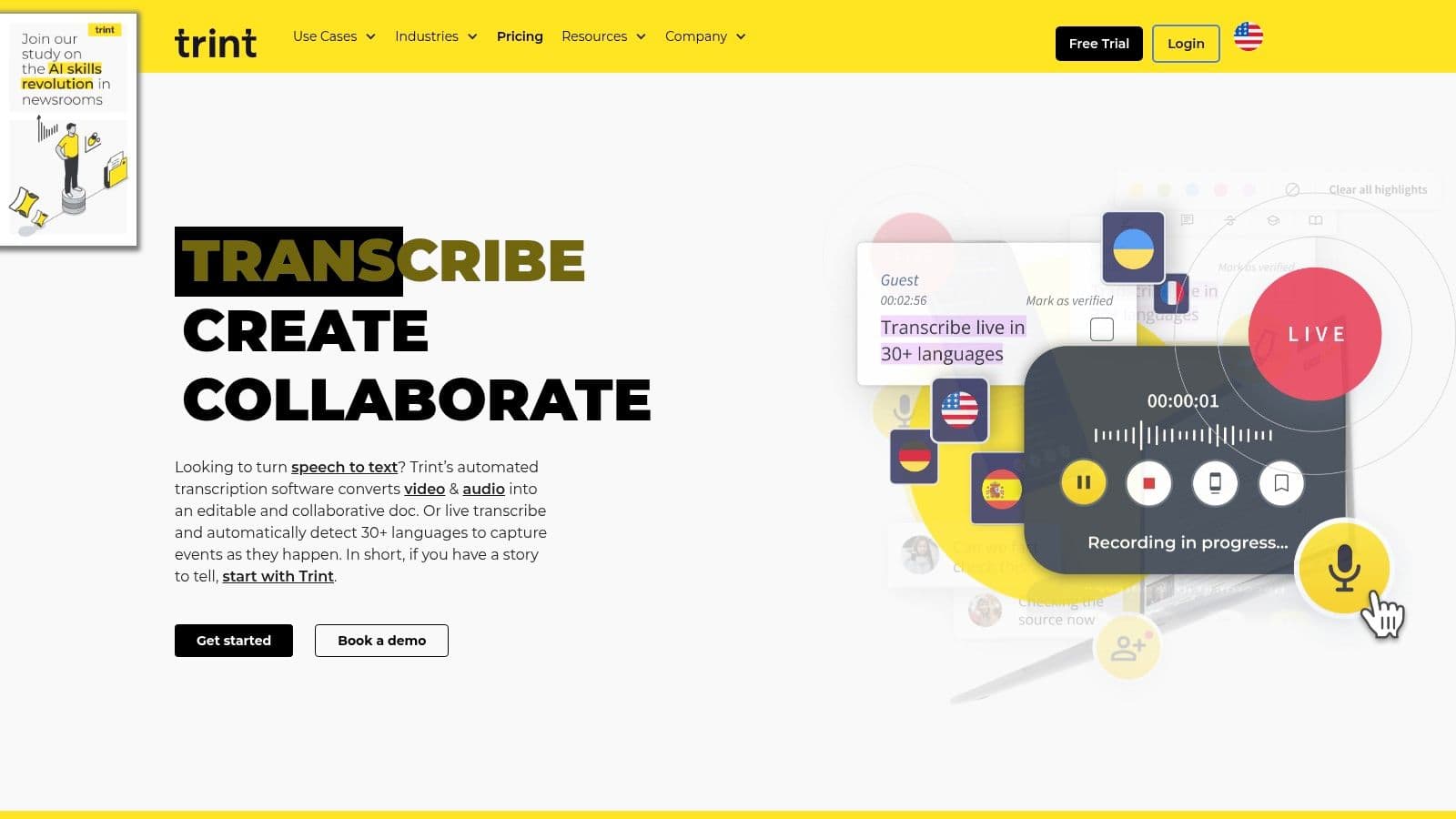
The user experience is centered around a browser-based editor that links the transcript directly to the source audio or video, allowing for quick verification and editing. Real-time collaboration lets teams work on the same transcript simultaneously, adding comments, highlights, and markers. Supporting over 40 languages and offering translation makes it a versatile tool for global content teams, solidifying its position as one of the best ai transcription software solutions for media-focused organizations. Its high security standards, including ISO 27001 compliance, also appeal to enterprises handling sensitive content.
Key Details & Pricing
- Best For: Journalists, content creators, and marketing teams needing collaborative editorial tools.
- Unique Feature: A "Story" builder that allows users to pull key quotes from multiple transcripts to assemble a narrative.
- Implementation: Web-based with a mature mobile app for on-the-go recording and transcription. A good tip is to leverage the custom vocabulary to improve accuracy for specific topics or speakers.
- Pricing: Plans start at 60/user/month for the Starter plan. The Advanced plan is 75/user/month, with custom pricing available for Enterprise teams. Pricing is often geared toward teams and requires a quote for larger-scale needs.
Website: https://www.trint.com/
5. Sonix
Sonix positions itself as a highly accurate and fast AI transcription service, catering to users who need polished, ready-to-use transcripts without extensive manual editing. Its strength lies in its sophisticated in-browser editor, which synchronizes audio playback with the text, allowing for quick corrections and refinements. Supporting over 40 languages and dialects, it is a versatile option for global content creators, journalists, and researchers who handle diverse audio sources.
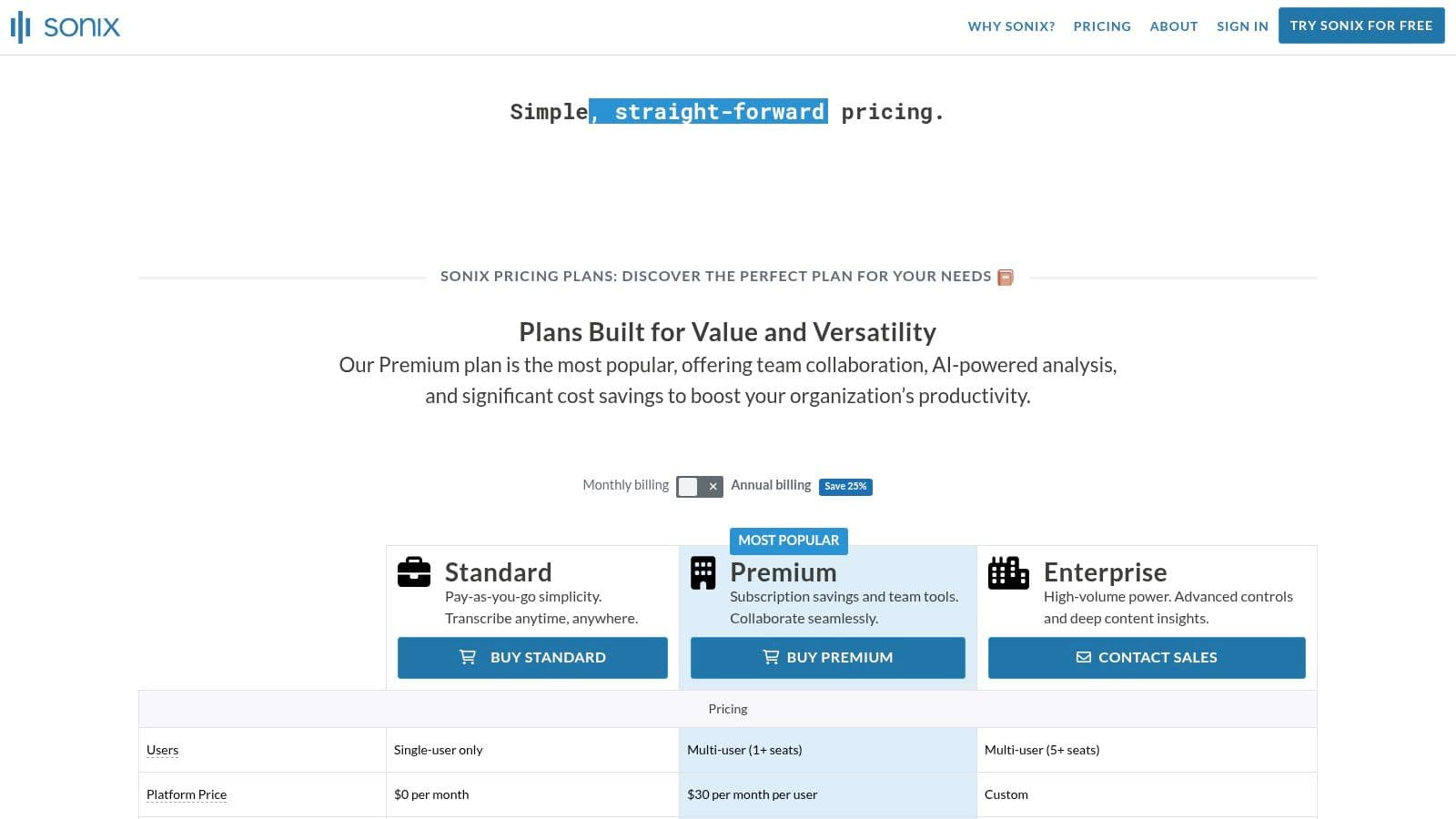
The platform’s combination of a polished user interface and flexible pricing makes it stand out. Unlike many subscription-only models, Sonix offers a pay-as-you-go option, making it accessible for infrequent users or one-off projects. For teams, its collaboration features allow multiple users to review and edit transcripts simultaneously, complete with speaker labeling and timestamping. This balance of individual flexibility and team functionality makes it one of the best ai transcription software choices for users prioritizing both accuracy and a flexible payment structure.
Key Details & Pricing
- Best For: Individuals and teams needing high-accuracy transcripts with flexible pricing.
- Unique Feature: A powerful in-browser editor that tightly syncs audio with text for easy editing and review.
- Implementation: Simple file upload process. For best results, use the custom dictionary to add specific names, acronyms, or industry terms before processing your files to improve recognition accuracy from the start.
- Pricing: Offers a pay-as-you-go plan at 10/hour. Subscription plans start with the Premium plan at 22/user/month (which includes a set number of hours) and an Enterprise tier with custom pricing.
Website: https://sonix.ai/en/pricing
6. Happy Scribe
Happy Scribe carves out a niche by blending powerful AI transcription with human-powered proofreading services, making it a go-to for creators who need broadcast-quality accuracy. The platform is particularly strong for video-centric workflows, offering an extensive range of subtitle and caption formats that integrate directly with professional editing software. This dual approach ensures both speed and precision for projects where mistakes are not an option.
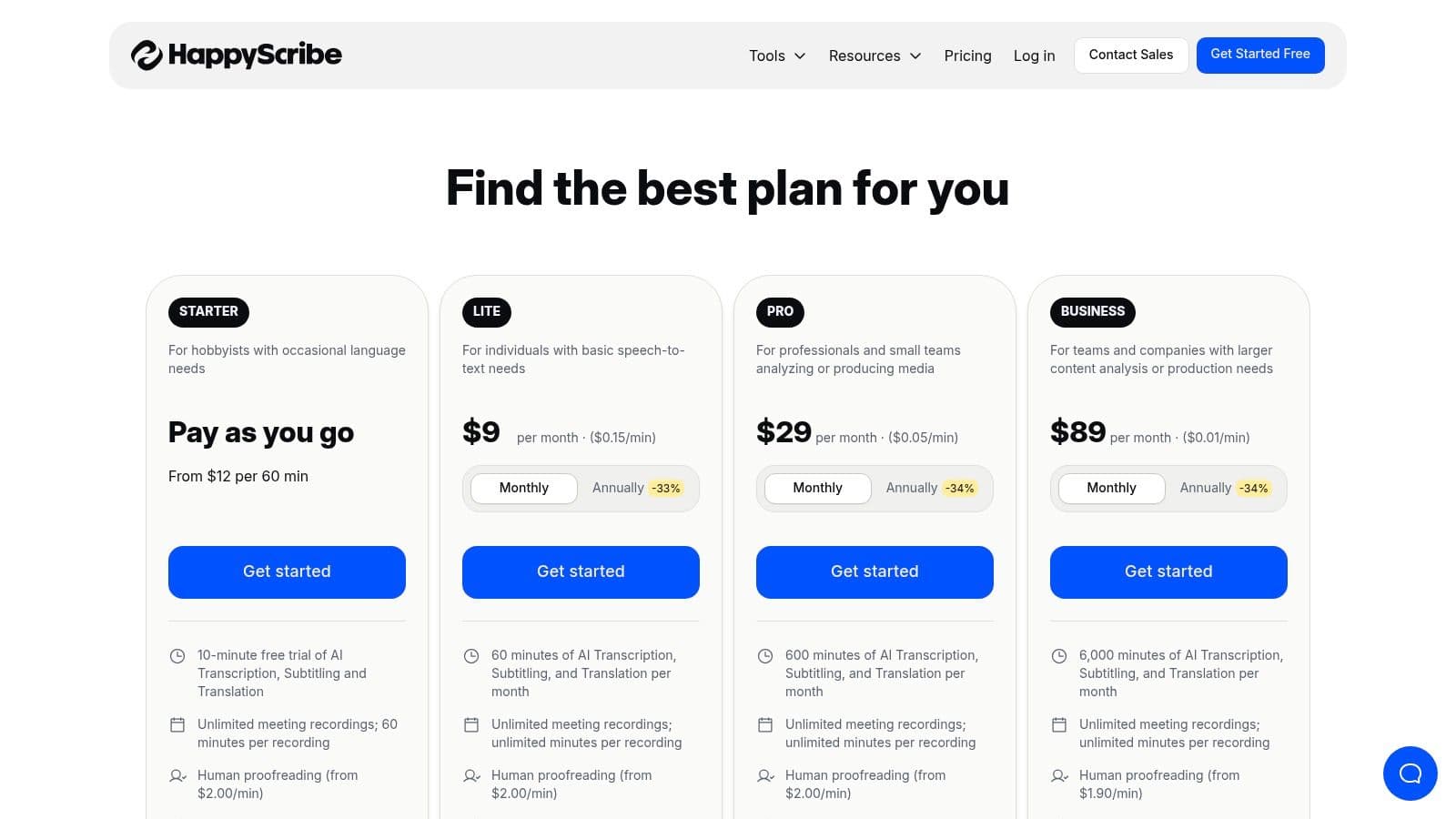
The platform supports a vast number of languages and provides an intuitive editor that allows users to easily review and correct AI-generated transcripts. The ability to seamlessly hand off a transcript to a professional for a final polish is its key differentiator. For marketing teams, educators, and media producers, this hybrid model makes Happy Scribe one of the best ai transcription software solutions for producing polished, globally accessible video content.
Key Details & Pricing
- Best For: Video creators and media teams needing high-accuracy subtitles and diverse export formats.
- Unique Feature: A hybrid service combining automated AI transcription with an optional human proofreading and translation layer.
- Implementation: Simple file upload or integration with platforms like YouTube, Vimeo, and Google Drive. A useful tip is to create a "Glossary" with specific terms or names to improve the initial AI accuracy before a human review.
- Pricing: Offers a free trial. Paid plans include a Basic plan at 17/month, a Pro plan at 29/month, and a Business plan at $49/month, each with varying transcription minute allowances. Human-made services are priced per minute separately.
Website: https://www.happyscribe.com/pricing
7. Temi
Temi distinguishes itself with a refreshingly simple, pay-as-you-go model for AI transcription, making it ideal for users who need high-quality transcripts without committing to a subscription. Backed by the transcription powerhouse Rev, Temi delivers reliable automated transcripts quickly, often returning files within minutes. It is a straightforward tool for converting audio or video into text with minimal fuss.
The platform is designed for ad-hoc use; you simply upload a file, and the service transcribes it with timestamps and speaker identification. Its basic online editor allows for quick corrections before exporting to various formats like DOCX, PDF, SRT, and VTT. This no-frills approach makes it one of the best ai transcription software choices for freelancers, students, or small businesses with sporadic transcription needs who prioritize cost-effectiveness and simplicity over advanced collaborative features.
Key Details & Pricing
- Best For: Individuals and teams with occasional, one-off transcription needs.
- Unique Feature: A straightforward, no-subscription pay-per-minute pricing model.
- Implementation: Extremely simple drag-and-drop file upload. A practical tip is to ensure your audio quality is high, with minimal background noise and crosstalk, to maximize the accuracy of the automated transcript. For more insights on cost-effective options, you can explore some of the best free transcription software.
- Pricing: A flat rate of $0.25 per audio minute. There are no subscriptions, monthly fees, or minimums. The first transcript up to 45 minutes is free.
Website: https://www.temi.com/
8. Notta
Notta positions itself as a powerful yet cost-effective AI meeting recorder and transcriber, making a strong appeal to US-based business and sales teams. It supports real-time transcription and recording for all major platforms like Zoom, Google Meet, and Microsoft Teams through its robust Chrome extension. Its emphasis on security compliance, including SOC 2 and ISO 27001, provides a layer of trust for organizations handling sensitive data.
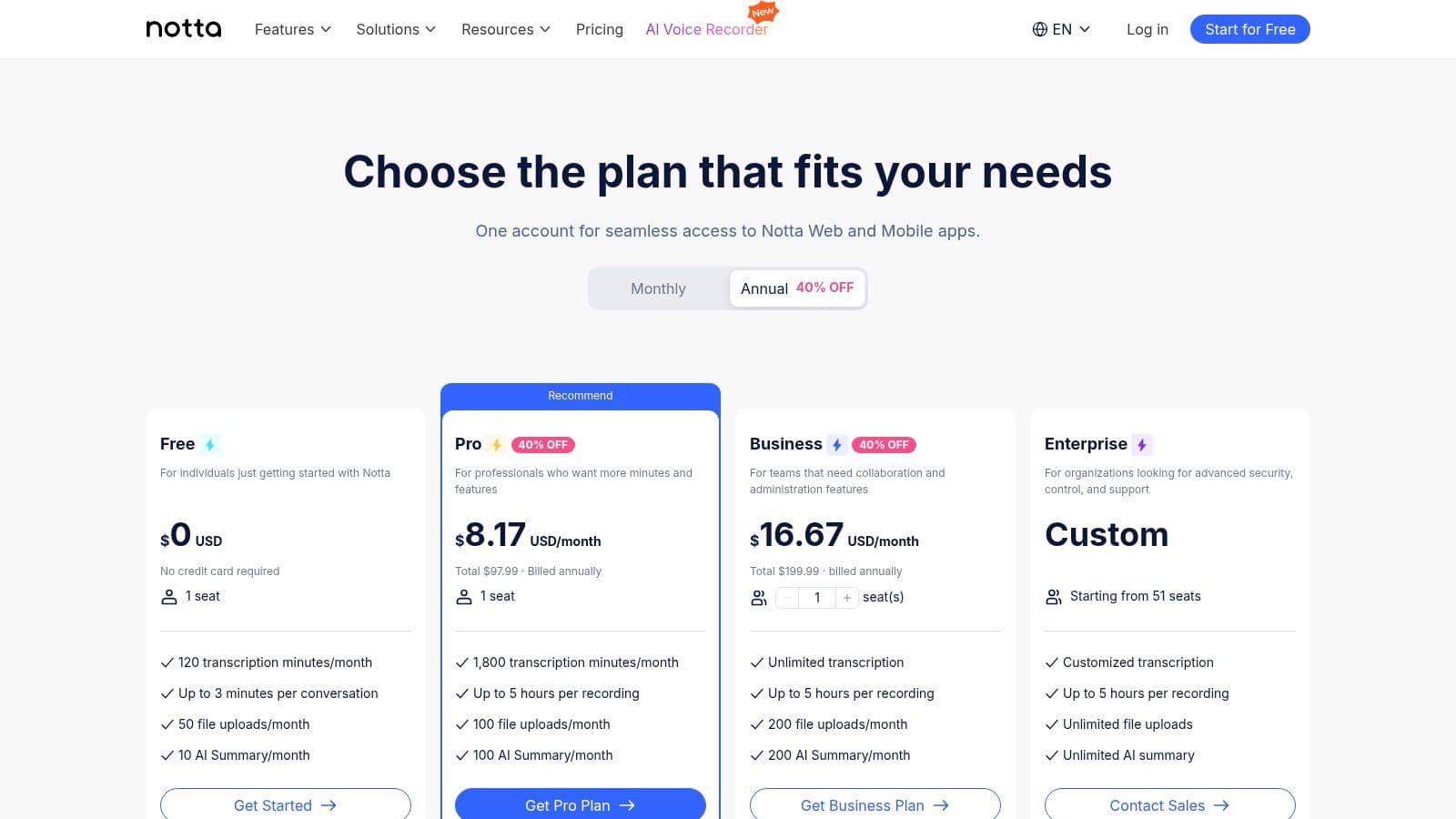
The platform’s real strength lies in its value proposition, offering a high volume of transcription minutes at a competitive price point. Features like speaker identification, custom vocabulary, and AI-generated summaries come standard. For sales teams, the ability to integrate directly with CRMs and automate workflows through Zapier makes it one of the best ai transcription software choices for streamlining post-call processes and logging client interactions efficiently.
Key Details & Pricing
- Best For: Sales teams and businesses needing high-volume transcription with strong security compliance.
- Unique Feature: Excellent minutes-to-price ratio and native CRM integrations tailored for sales workflows.
- Implementation: The Chrome extension offers a seamless way to record meetings without a bot. For optimal accuracy, preload the custom vocabulary with client names, product terms, and industry-specific acronyms before your calls.
- Pricing: A free plan is available. The Pro plan is 13.99/month, and the Business plan is 59/user/month with unlimited minutes (subject to fair use). Custom Enterprise plans offer advanced features like SAML SSO and IP restrictions.
Website: https://www.notta.ai/en/pricing/
9. Fireflies.ai
Fireflies.ai positions itself as a robust AI meeting assistant, distinguished by its offer of unlimited transcription on paid plans. It seamlessly integrates with a wide array of video-conferencing platforms by having its AI bot, Fred, join your calls to record and transcribe. This hands-off approach ensures every conversation is captured without manual intervention, making it ideal for busy professionals and large teams.