A well-managed sales pipeline is the engine of revenue growth, but spreadsheets and manual tracking can only get you so far. As sales cycles become more complex and data becomes more critical, the right technology is essential for forecasting accurately, automating tedious tasks, and giving reps more time to sell. Sticking with outdated methods means leaving money on the table, as deals slip through cracks and follow-ups are forgotten. The core problem is a lack of visibility and control, leading to unpredictable revenue and inefficient teams.
This guide breaks down the 12 best sales pipeline management tools on the market to solve that exact problem. We go beyond the marketing hype to provide a clear, practical analysis of each platform's core strengths, ideal use cases, and potential limitations. You will find a detailed look at everything from user interface and automation capabilities to crucial integrations with tools like CRMs and meeting summarizers.
Our goal is to help you find the perfect fit for your team’s specific needs. Whether you're a startup looking for your first CRM or an enterprise team needing advanced analytics, this list will help you find the perfect tool to build, manage, and close more deals. Each review includes:
- A quick summary of what makes the tool unique.
- An honest look at its pros and cons.
- Real-world use cases to see how it performs.
- Clear pricing information and screenshots.
This comprehensive resource is designed to be your final stop in choosing the right platform to upgrade your sales process and drive consistent results.
1. Salesforce Sales Cloud
Salesforce Sales Cloud is the undisputed heavyweight champion in the CRM world, making it a go-to choice for enterprise-level sales pipeline management tools. It offers unparalleled depth and customization for organizations managing complex sales cycles, large teams, and extensive customer data. Its platform is designed for scale, providing robust governance and security controls essential for large businesses.
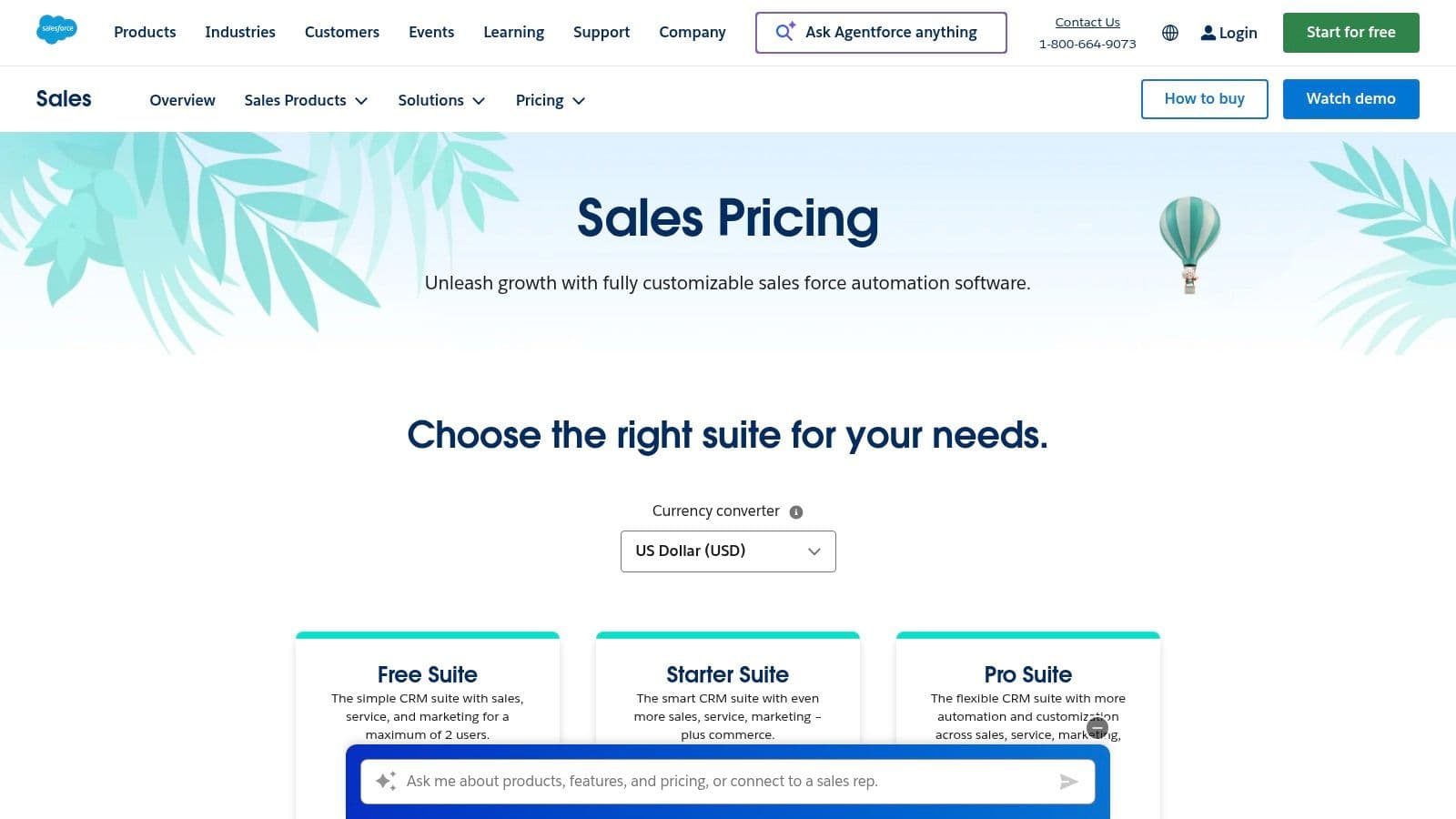
What truly sets Salesforce apart is its ecosystem. The AppExchange marketplace provides thousands of pre-built integrations, allowing you to connect virtually any tool your team uses. Its native features, like advanced forecasting and quoting, are enhanced by powerful AI add-ons. These tools provide deep insights into sales performance and pipeline health. If you're looking to dive deeper into how such platforms transform sales data, you can learn more about the principles of revenue intelligence and its impact.
Key Features & Considerations
Salesforce is less of a single product and more of a complete platform. This offers immense power but also requires significant investment in setup and training.
- Pricing: Starts at 25/user/month for the *Starter Suite*, but enterprise features are in the *Unlimited* tier at 330/user/month.
- Best For: Enterprise and large mid-market companies needing a highly customizable, scalable, and secure solution.
- Pros: Extremely scalable, a massive partner and integration ecosystem via AppExchange, and powerful native AI and analytics features.
- Cons: Can be complex and expensive to implement and maintain, often requiring a dedicated administrator. The total cost of ownership is high for smaller teams.
2. HubSpot Sales Hub
HubSpot Sales Hub is renowned for its user-friendly interface and its powerful, all-in-one CRM platform. It excels at unifying sales and marketing efforts, making it a top choice for startups and mid-market companies seeking rapid implementation and seamless data flow. The platform is designed for growth, offering a generous free tier that allows teams to get started without an upfront investment.
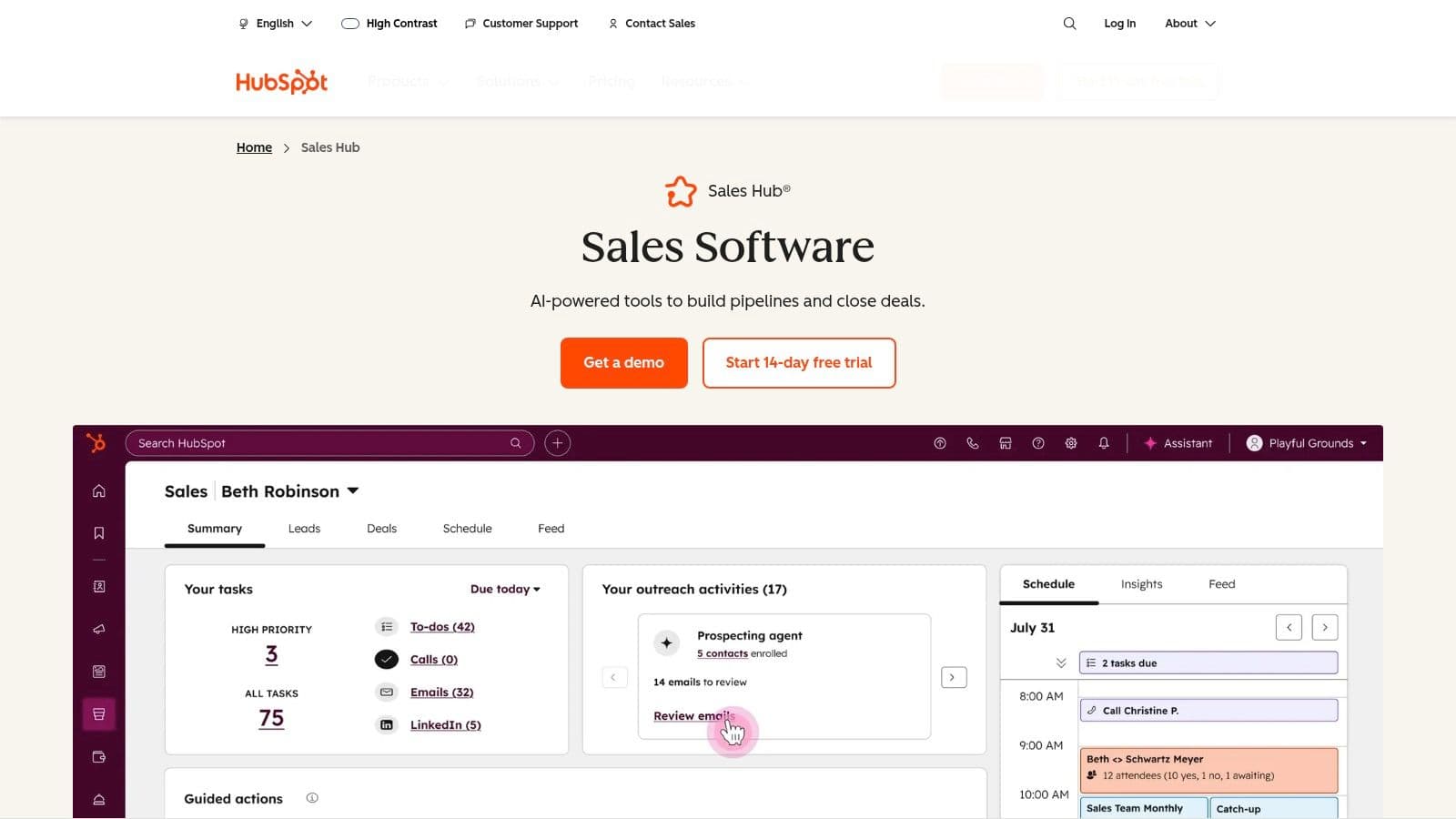
What makes HubSpot stand out is its low-friction setup and strong focus on inbound sales methodology. Its native features, like automated sequences, a dedicated prospecting workspace, and conversation intelligence, are built to help sales reps work more efficiently. The platform’s comprehensive learning resources, through HubSpot Academy, ensure teams can quickly master its sales pipeline management tools and adopt best practices.
Key Features & Considerations
HubSpot balances ease of use with a robust feature set, making it accessible for new users while still providing depth for scaling teams. The integrated CRM is a core advantage, providing a single source of truth for all customer interactions.
- Pricing: Starts with a free plan. Paid plans begin at 20/user/month for the *Sales Starter* tier, with the popular *Professional* tier at 100/user/month.
- Best For: Startups, small businesses, and mid-market companies that prioritize ease of use and close alignment between sales and marketing.
- Pros: Fast time-to-value, an excellent free plan to start, and extensive learning resources via HubSpot Academy.
- Cons: Costs can escalate quickly on higher tiers, and some advanced features require mandatory onboarding fees.
3. Microsoft Dynamics 365 Sales
Microsoft Dynamics 365 Sales is a formidable contender in the sales pipeline management tools space, particularly for organizations already embedded in the Microsoft ecosystem. It offers deep, native integrations with Microsoft 365, Teams, and LinkedIn Sales Navigator, creating a seamless workflow for teams that live in Outlook and other Microsoft apps. The platform is designed for enterprise-level needs, providing sophisticated customization, security, and administration capabilities.
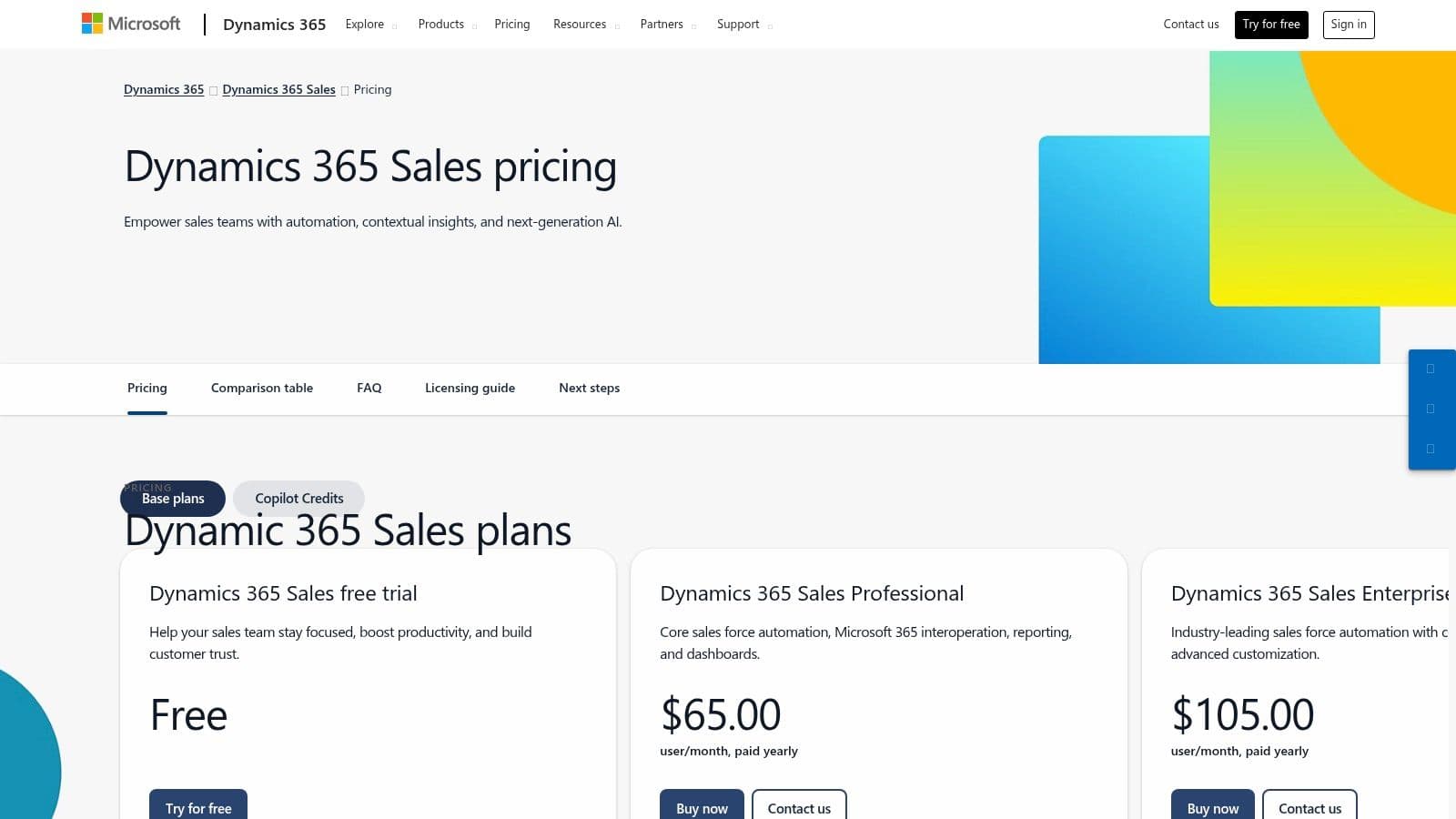
What truly distinguishes Dynamics 365 is its powerful AI integration through Copilot. This assistant helps with tasks like summarizing opportunities, drafting emails, and preparing for meetings directly within the CRM. This tight integration provides a unified and intelligent sales environment. For companies standardized on Microsoft technologies, Dynamics 365 offers a familiar user interface and robust compliance features, making it a natural extension of their existing IT infrastructure and a powerful tool for pipeline management.
Key Features & Considerations
Dynamics 365 Sales excels at providing a connected experience for Microsoft-centric organizations, but its licensing model can be intricate. Understanding the different modules and add-ons is key to managing costs effectively.
- Pricing: Starts with the Sales Professional tier at 65/user/month, with the *Sales Enterprise* tier at 95/user/month. Copilot features require an additional subscription.
- Best For: Mid-market and enterprise companies heavily invested in the Microsoft software stack who need deep Office 365 and LinkedIn integrations.
- Pros: Deep native integration with Microsoft 365 and Teams, strong enterprise security and compliance, and a familiar UI for Microsoft-centric teams.
- Cons: Licensing can be complex with base apps, add-ons, and separate Copilot credits. Implementation often requires specialized partner expertise.
4. Pipedrive
Pipedrive is a sales-focused CRM celebrated for its visual and intuitive approach to pipeline management. It was designed from the ground up to help sales reps stay organized and close deals faster, making it a favorite among small to mid-sized businesses (SMBs). The platform’s core strength lies in its simplicity and user-centric design, which promotes rapid team adoption with minimal training.
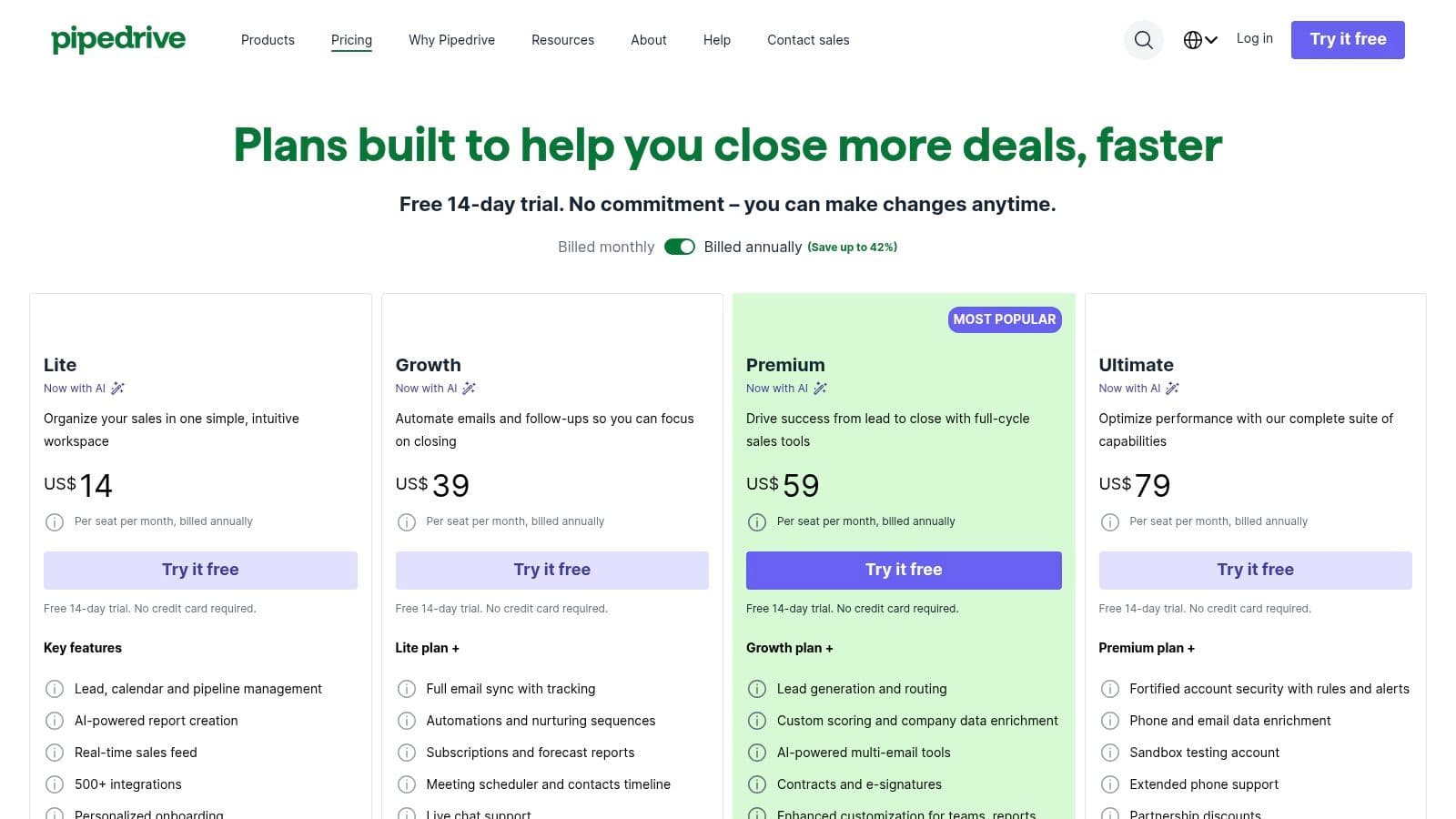
What truly sets Pipedrive apart is its unwavering focus on the sales pipeline as the central hub of activity. The drag-and-drop interface makes moving deals between stages effortless, while AI-powered features offer smart tips to help reps prioritize their efforts. Its ecosystem includes over 500 integrations, ensuring you can connect essential tools. You can learn more about CRM integration capabilities to see how these connections enhance productivity.
Key Features & Considerations
Pipedrive excels at providing core sales pipeline management tools without unnecessary complexity, though advanced features often come as paid add-ons.
- Pricing: Starts at 14.90/user/month for the *Essential* plan, with the popular *Professional* plan at 49.90/user/month. A 14-day free trial is available.
- Best For: SMBs and sales teams that need a straightforward, visually-driven tool for active pipeline management and fast implementation.
- Pros: Extremely intuitive and easy to set up, highly visual drag-and-drop interface, and a clear, transparent pricing structure with a free trial.
- Cons: Many advanced features like lead generation and document management are paid add-ons. It lacks the deep enterprise-level governance of larger suites.
Website: https://www.pipedrive.com/pricing
5. monday sales CRM
monday sales CRM leverages the flexibility of the monday.com Work OS to create a highly visual and customizable sales pipeline management tool. It's an excellent choice for teams that want to blend sales activities with project management in a single, intuitive interface. The platform excels at allowing users to build their ideal workflows from scratch or adapt pre-built templates, making it uniquely adaptable to non-traditional sales processes.
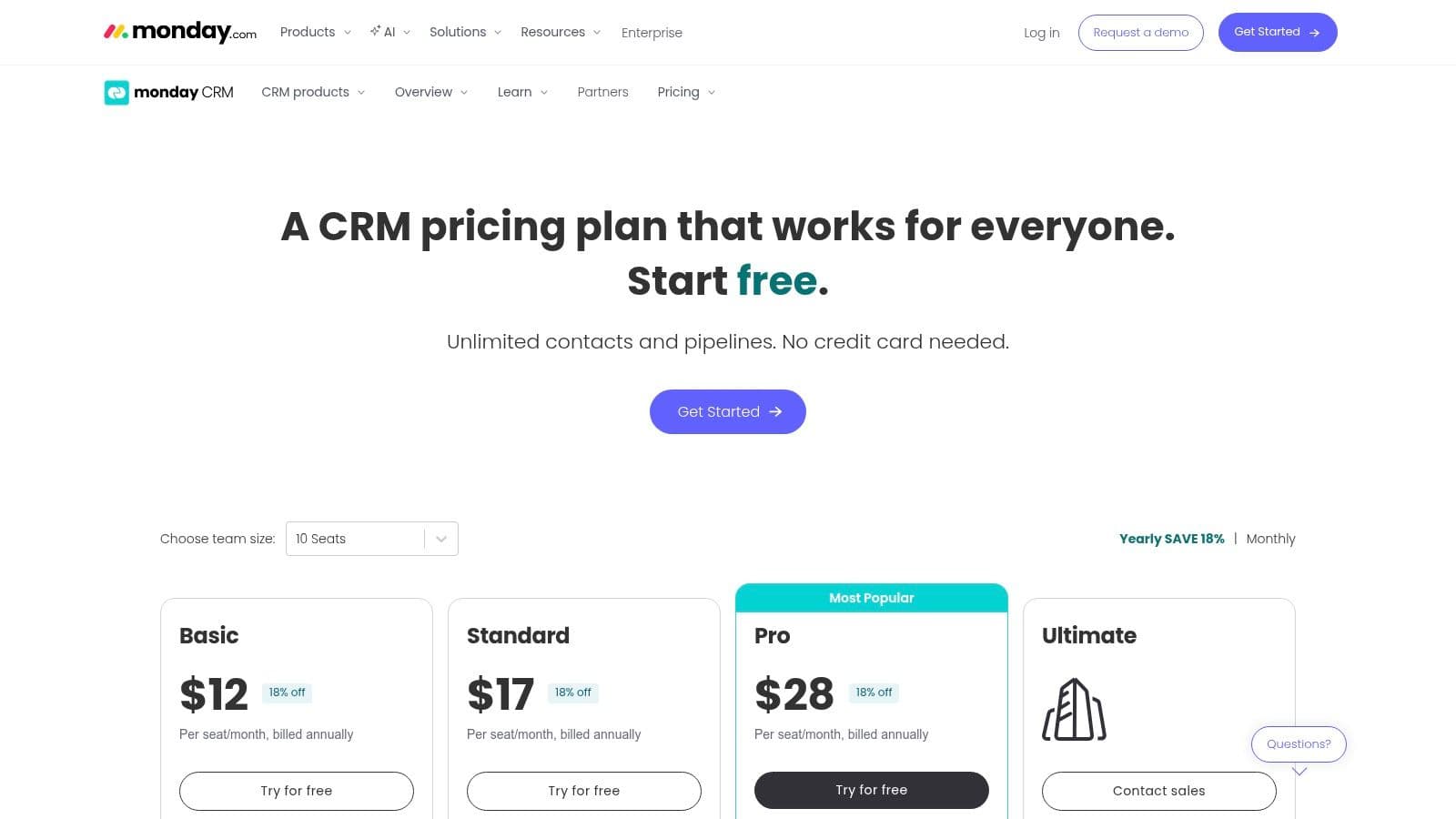
What truly sets monday sales CRM apart is its powerful no-code automation and vibrant interface. Teams can automate routine tasks like lead assignments, follow-up reminders, and status updates without writing a single line of code. This focus on automation and visual management helps streamline operations and is a core component of boosting team output. For those interested in this area, you can learn more about strategies for maximizing sales productivity and team performance. Its integration library is extensive, connecting seamlessly with tools like Slack, Gmail, and Microsoft Teams.
Key Features & Considerations
monday sales CRM's strength lies in its user-friendly, board-based approach to pipeline management. This makes it easy for teams to adopt but might lack the depth of some enterprise-focused competitors.
- Pricing: Starts at 12/seat/month (*Basic CRM*), but features like email sequences and advanced reporting are in the *Pro CRM* tier at 28/seat/month. All plans have a 3-seat minimum.
- Best For: SMBs and mid-market teams looking for a visual, highly customizable CRM that combines sales and project management workflows.
- Pros: Extremely visual and easy to tailor processes, strong no-code automations, and a wide array of excellent workflow templates.
- Cons: The 3-seat minimum can be a hurdle for very small teams, and some advanced sales features like complex territory management are limited.
Website: https://monday.com/crm/pricing
6. Freshsales (Freshworks)
Freshsales, part of the Freshworks ecosystem, is a modern sales CRM that packs powerful communication tools directly into its platform. It’s designed for small to mid-sized businesses that want an all-in-one solution for sales pipeline management, eliminating the need to juggle multiple subscriptions for phone, chat, and email. The platform centers on providing a unified customer view by consolidating interactions from various channels.
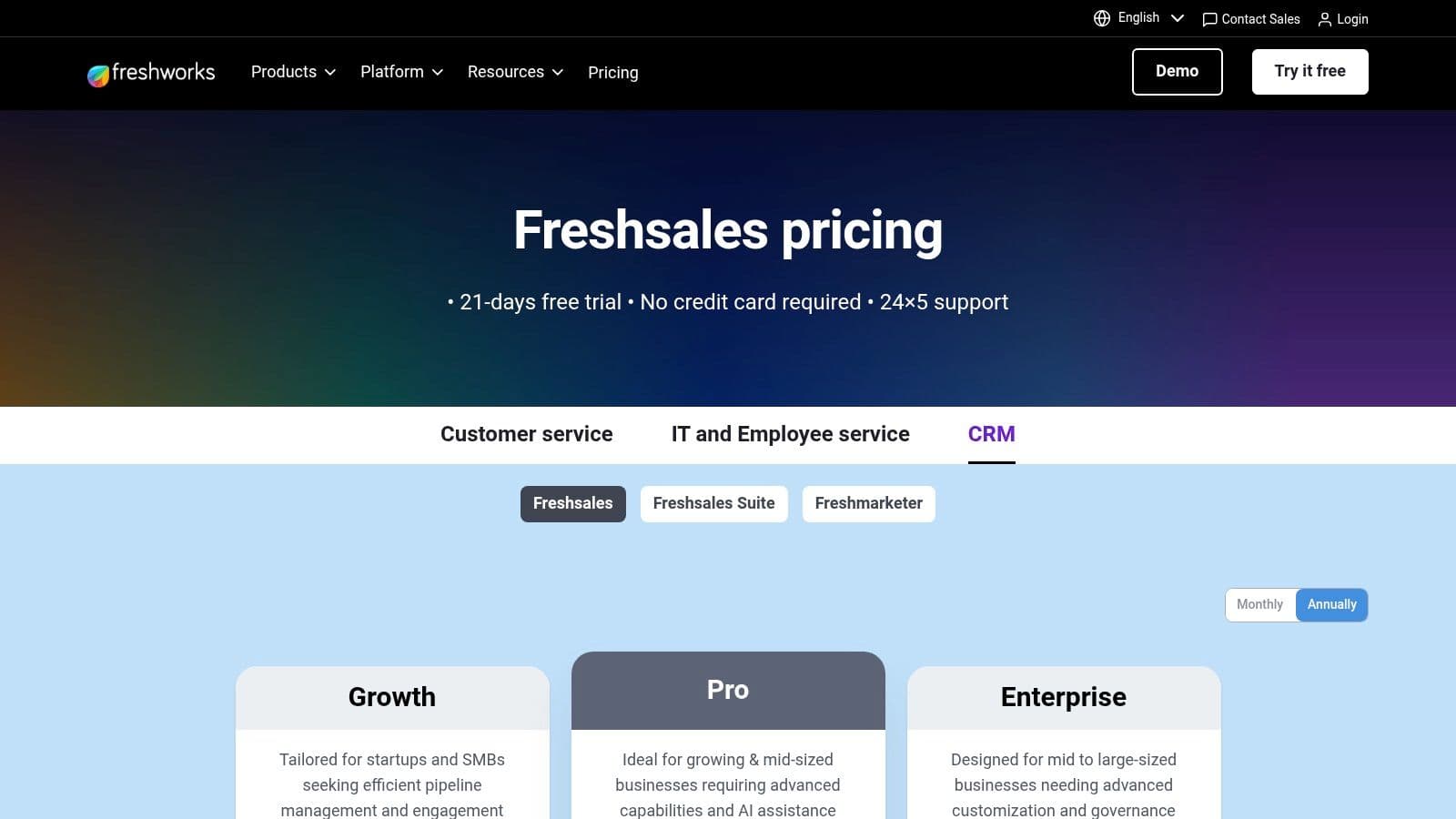
What makes Freshsales stand out is its native integration of communication channels and the inclusion of its AI assistant, Freddy. Freddy AI assists with lead scoring, deal insights, and even content generation, helping teams prioritize their efforts effectively. This built-in intelligence, combined with multi-pipeline management and sales sequences, provides a strong feature set at a very competitive price point, making it an excellent value proposition.
Key Features & Considerations
Freshsales is built for speed and efficiency, offering a clean interface and robust automation without the steep learning curve of more complex enterprise systems.
- Pricing: A free plan is available for up to 3 users. Paid plans start at 15/user/month for the *Growth* tier, with the popular *Enterprise* tier at 69/user/month.
- Best For: SMBs and mid-market sales teams looking for an affordable, all-in-one CRM with built-in communication and AI-powered insights.
- Pros: Very competitive pricing with a generous free plan and a 21-day free trial. The user interface is intuitive and easy to adopt.
- Cons: The integration ecosystem is smaller compared to giants like Salesforce. Advanced analytics and custom modules are reserved for higher-priced tiers.
7. Zoho CRM
Zoho CRM stands out as one of the most feature-rich and cost-effective sales pipeline management tools on the market, particularly for small to mid-sized businesses. It offers a powerful, all-in-one platform that combines sales automation, marketing, and support within a single ecosystem. Its strength lies in providing enterprise-grade functionality without the enterprise-level price tag, making advanced capabilities accessible to growing teams.
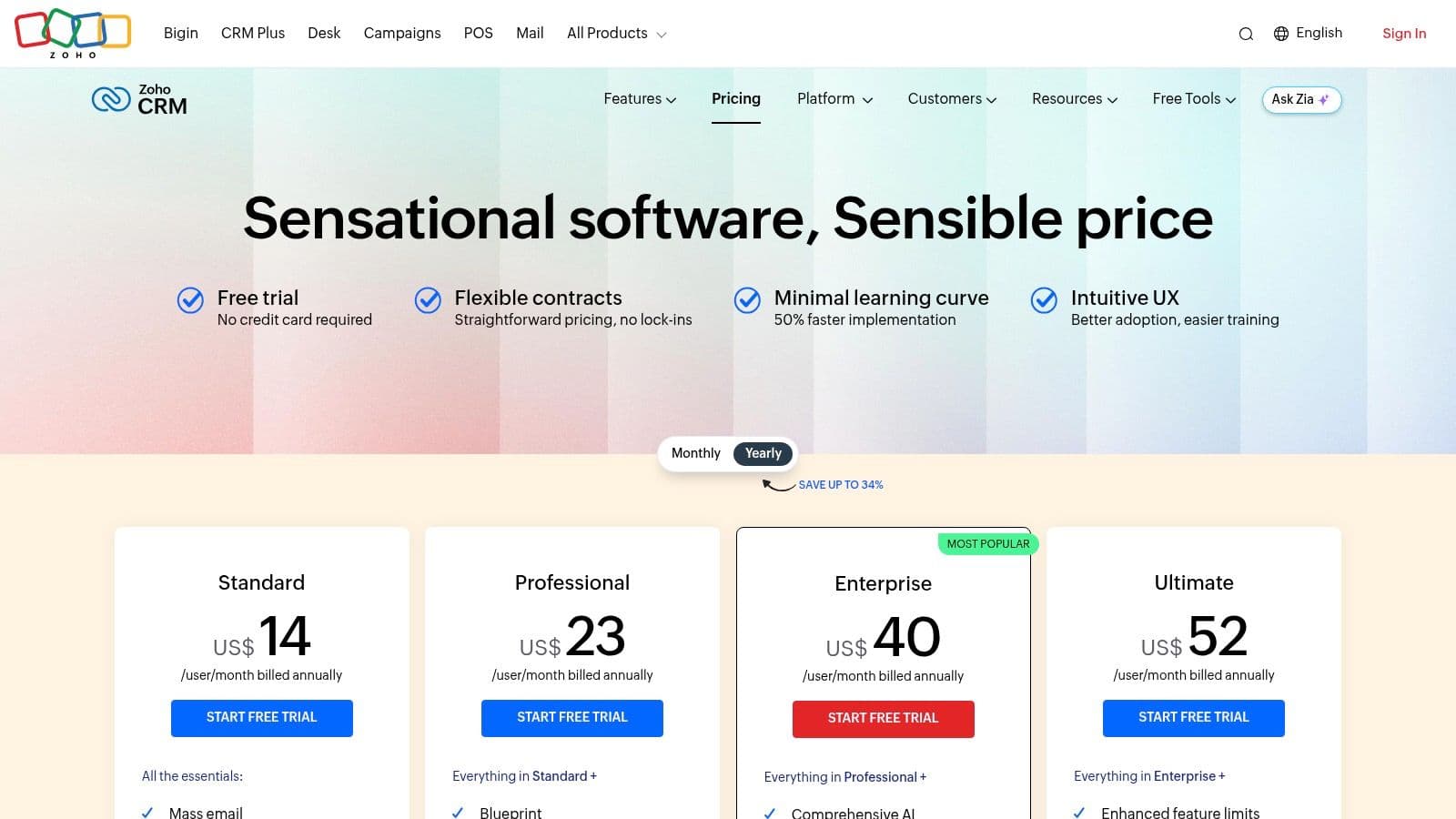
What makes Zoho CRM unique is its deep customization and process management features, like Blueprints, which enforce specific sales processes that reps must follow. This ensures consistency and quality control across the pipeline. The platform also includes Zia, an AI-powered assistant that provides predictions, detects anomalies, and offers intelligent suggestions to help sales reps focus on the most promising deals. Its seamless integration with over 40 other Zoho applications creates a truly unified business operating system.
Key Features & Considerations
Zoho CRM is a compelling option for businesses looking for a scalable solution that can grow with them, offering everything from a free version for startups to advanced tiers for established companies.
- Pricing: A free plan is available for up to 3 users. Paid plans start at 14/user/month for the *Standard* tier, with the popular *Enterprise* tier at 40/user/month.
- Best For: SMBs and mid-market companies that need a highly customizable, affordable, and integrated CRM platform.
- Pros: Excellent value for the price, a comprehensive free edition, and powerful customization options for both UI and processes.
- Cons: The user interface for reporting and some advanced features can have a learning curve. Customer support experiences can be mixed depending on the plan.
8. Copper
Copper is the go-to sales pipeline management tool for teams that live and breathe inside Google Workspace. Its native integration with Gmail, Google Calendar, and Google Drive is its defining feature, designed to eliminate manual data entry and reduce the friction between managing customer relationships and getting work done. The platform automatically scrapes contact information from your inbox, keeping records up-to-date with minimal effort from your sales reps.
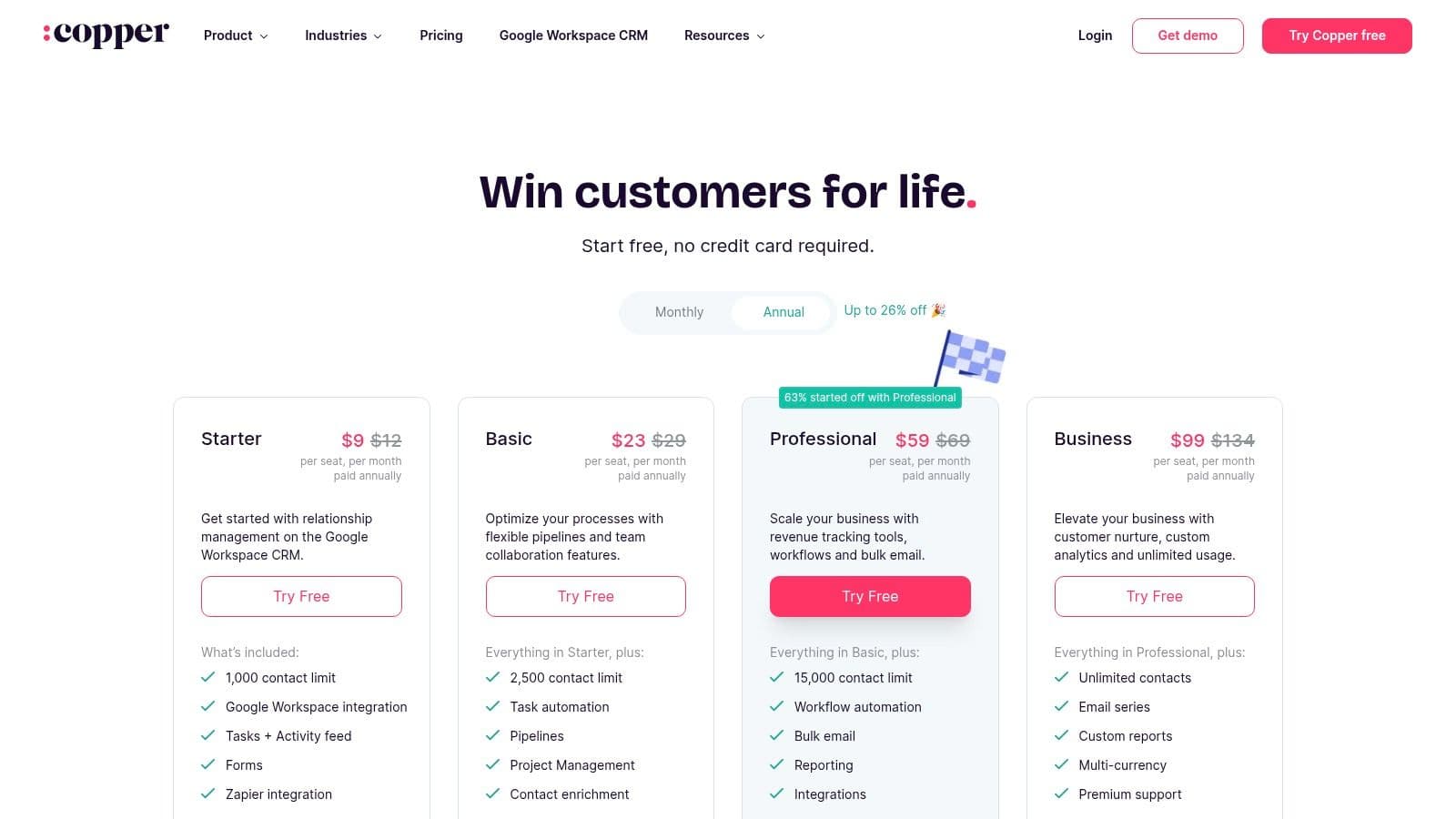
What makes Copper stand out is its commitment to user experience and seamless workflow. Instead of forcing teams to adopt a new, isolated system, it brings powerful CRM capabilities directly into the tools they already use every day. This approach significantly boosts adoption rates and allows teams to manage their sales pipeline without ever leaving their Gmail interface. The visual pipeline and basic project management features also help teams track deal progress and related tasks in one central place.
Key Features & Considerations
Copper excels at simplicity and deep integration, making it a powerful choice for Google-centric businesses but potentially limiting for those outside that ecosystem.
- Pricing: The Basic plan starts at 29/user/month, with the popular *Professional* plan at 69/user/month and the Business plan at $134/user/month.
- Best For: Small to mid-sized businesses and startups that are heavily invested in the Google Workspace ecosystem.
- Pros: Exceptional native Google Workspace integration, a clean and intuitive user interface, and minimal manual data entry required.
- Cons: Less suitable for companies not using Google Workspace, and lower-tier plans have restrictive contact limits. Lacks the deep enterprise controls of larger CRMs.
Website: https://www.copper.com/pricing
9. Insightly
Insightly carves out a unique niche by combining sales pipeline management tools with powerful, integrated project management. This makes it an ideal solution for businesses where the sales-to-delivery handoff is critical, such as agencies, consulting firms, and custom manufacturing. The platform ensures that once a deal is won, all crucial information flows seamlessly into a project, eliminating data silos and kickstarting delivery without delay.
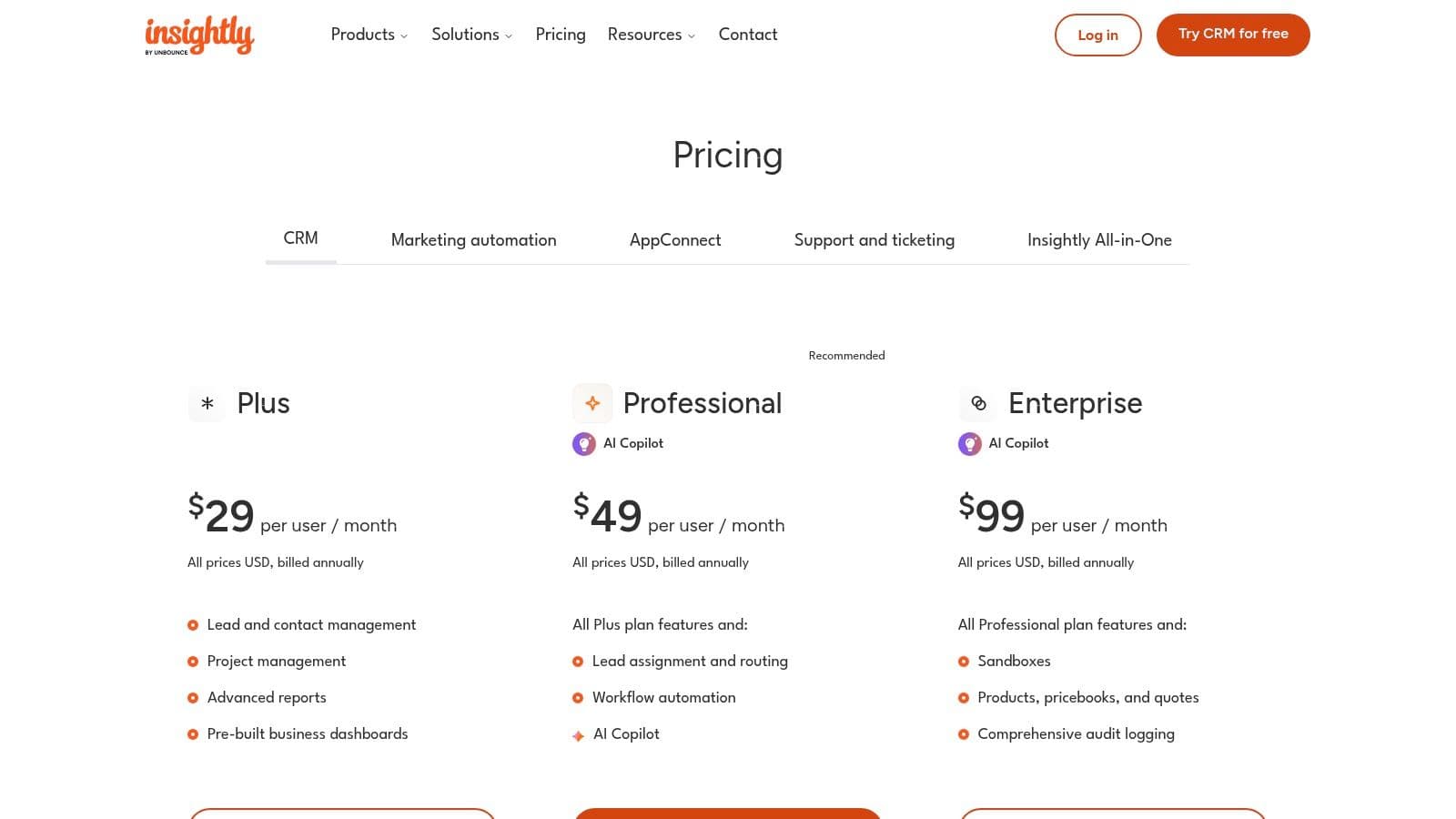
What makes Insightly stand out is its native opportunity-to-project conversion feature. This allows sales teams to manage their pipeline with confidence, knowing that post-sale execution is built directly into their workflow. Its AppConnect platform provides extensive no-code integration capabilities, allowing you to connect your sales pipeline to hundreds of other business applications without needing a developer. This unified approach provides a holistic view of the entire customer lifecycle, from initial lead to final project delivery.