Running a great meeting isn't magic. It boils down to having a clear purpose, a solid agenda, and an engaged team that walks away knowing exactly what to do next. When you get this right, meetings stop being time-sucks and become genuine engines for collaboration and getting things done.
Why Most Meetings Fail and What It's Costing You
We've all been there, right? Trapped in a meeting that just drones on, seemingly without a point. Someone's talking, but you can tell no one is really listening. The conversation veers off into totally unrelated topics, the one person who can actually make the decision isn't even in the room, and you end the hour by... scheduling another meeting.
This isn't just a pet peeve; it's a massive, systemic problem.
Mind-boggling research shows that employees feel 43% of the meetings they attend could just be canceled with zero negative consequences. Think about that. This isn't just frustrating; it's incredibly expensive. When your team is stuck in pointless discussions, they aren't building, creating, or solving real problems. The cost isn't just their salaries for that hour; it's the delayed projects, missed opportunities, and stifled innovation that really hurt.
The Hidden Toll on Your Team
Forget the balance sheet for a second. Bad meetings drain your team's most precious resources: their energy and morale. When people are constantly pulled into gatherings with no clear objective or outcome, they check out. That calendar invite pops up, and they feel dread, not excitement. It makes them feel powerless, which chips away at trust and makes people hesitant to share their best ideas.
Sound familiar? These scenarios play out every day:
- The Brainstorm Hijack: A team gets together to brainstorm ideas, but one loud voice dominates the entire conversation. The quieter, more thoughtful folks never get a word in. The result? You get one person's perspective, not a pool of diverse, creative ideas.
- The Vague Remote Sync: A remote team hops on their weekly call. With no agenda to guide them, the chat wanders from project status to weekend plans and back again. Everyone signs off more confused than when they started.
- The Decision-Making Black Hole: Leadership calls a "critical" meeting, but they show up without the necessary data, and key stakeholders are missing. The group just talks in circles and ends up postponing the decision, stalling an important initiative.
This stuff has a ripple effect. Timelines slip, clients get annoyed, and tension builds within the team. But the real casualty is morale. When people feel like their time is being wasted, their drive to do great work takes a nosedive.
Shifting from Habit to Strategy
Learning how to run effective meetings isn't a "soft skill"—it's a core strategic advantage. It’s about being intentional and creating a space where people can actually collaborate, make clear decisions, and see real progress.
A great meeting leaves a team feeling energized and clear on the path forward. A bad one is like an anchor, dragging down productivity and enthusiasm. Once you truly understand the cost of bad meetings, you can start turning them from a necessary evil into one of your most powerful tools for success.
Deciding If You Actually Need a Meeting
Let's start with a hard truth: the most effective meeting is often the one you don't have. We've all fallen into the trap of making meetings the default response to every problem or question, leaving our calendars—and our brains—completely overloaded.
Before you even think about sending that calendar invite, stop and ask yourself one simple question: "Can this be handled without pulling everyone into a room?" Not everything needs a real-time huddle. Things like simple status updates or sharing a new resource are often handled better (and faster) with a quick message on Slack, an update in Asana, or a comment in a shared document.
This isn't about avoiding your team. It’s about making the time you do spend together count. When you save meetings for the stuff that genuinely requires back-and-forth discussion, debate, or a group decision, they suddenly become incredibly valuable.
When an Email Is Better Than a Meeting
Learning to spot when a simple message will do the trick is a superpower. A good rule of thumb is to avoid meetings that are just one-way information dumps. If you're just talking at people with no need for immediate feedback, you're wasting a lot of valuable time—including your own.
Consider skipping the meeting and using asynchronous communication if your goal is to:
- Give a status update: A project management tool or a shared channel works perfectly for this.
- Share information or resources: Just send an email or a detailed message with the right links and files.
- Gather simple feedback: A quick poll, a survey, or asking for comments on a Google Doc is far more efficient.
Filtering out these non-essential meetings frees up everyone's schedule for the conversations that actually move the needle. This little decision guide can help.
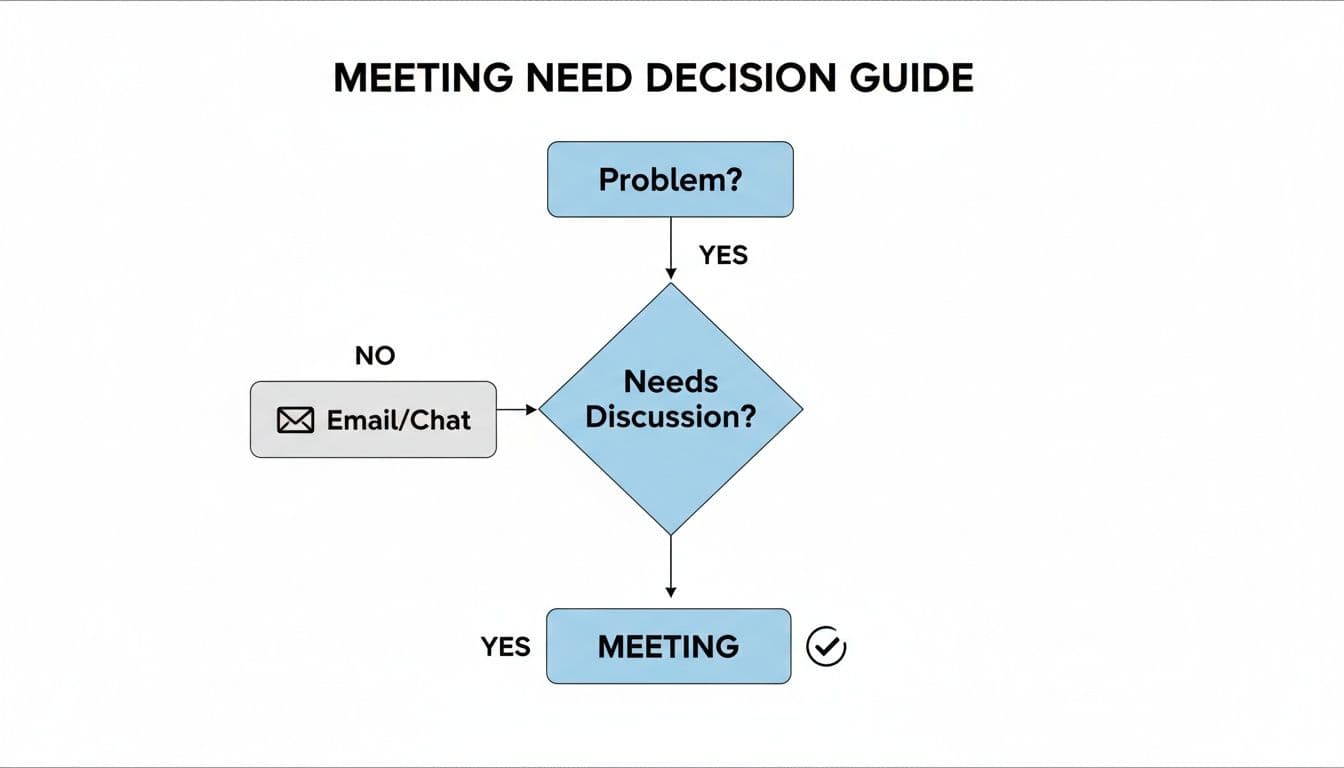
As the chart shows, a meeting really only makes sense when you need to solve a problem collaboratively. Everything else can likely be handled another way, saving countless hours.
Audit Your Calendar—Ruthlessly
Now, take a good, hard look at your recurring meetings. Is that weekly check-in still serving its original purpose, or has it just become a habit? It's amazing how many standing meetings hang around long after the project they were for has wrapped up.
Try doing a meeting audit every quarter. Go through each recurring event on your calendar and ask these questions:
- Does this meeting still have a clear and vital purpose?
- Could we achieve the same goal more efficiently, maybe with an email or a shared dashboard?
- Are the right people—and only the right people—on the invite list?
You’ll probably find some easy wins. That 30-minute daily stand-up could become a 15-minute huddle, or maybe it could be a written update in a dedicated channel three times a week instead.
This "default-to-a-meeting" culture is a massive productivity killer. A shocking 78% of professionals point to too many meetings as the main reason they can't get work done. Globally, it's estimated that we waste 24 billion hours a year in unproductive meetings, which translates to a mind-boggling $37 billion loss in the U.S. alone. Interestingly, research also shows that meeting frequency hurts our effectiveness and well-being more than meeting length. This suggests that longer, less frequent meetings are often a better bet. You can dig into more of this data in a comprehensive evidence review from CIPD.
Match the Meeting Structure to its Purpose
When a meeting is genuinely the best option, its format should be tailored to its goal. Different objectives call for different approaches.
- Decision-Making Meetings: Keep these small and laser-focused. Only invite the essential decision-makers. The agenda needs to clearly state the decision at hand, and all the necessary data and pre-reading should be sent out well in advance. No one should be seeing critical info for the first time in the meeting itself.
- Brainstorming Meetings: These are all about creativity and free-flowing ideas. You want a more diverse group here. Use a good facilitator to make sure everyone gets a chance to contribute—not just the loudest person in the room.
- Alignment Meetings: The main goal here is getting everyone on the same page. These are perfect for project kickoffs or hashing out team conflicts. You need a strong facilitator who can guide the conversation, ensure total clarity, and confirm everyone leaves with a shared understanding.
By being intentional about why you’re meeting, you can design a format that actually works. This simple shift can turn a potential time-waster into a catalyst for real progress.
Guiding the Conversation for Better Outcomes
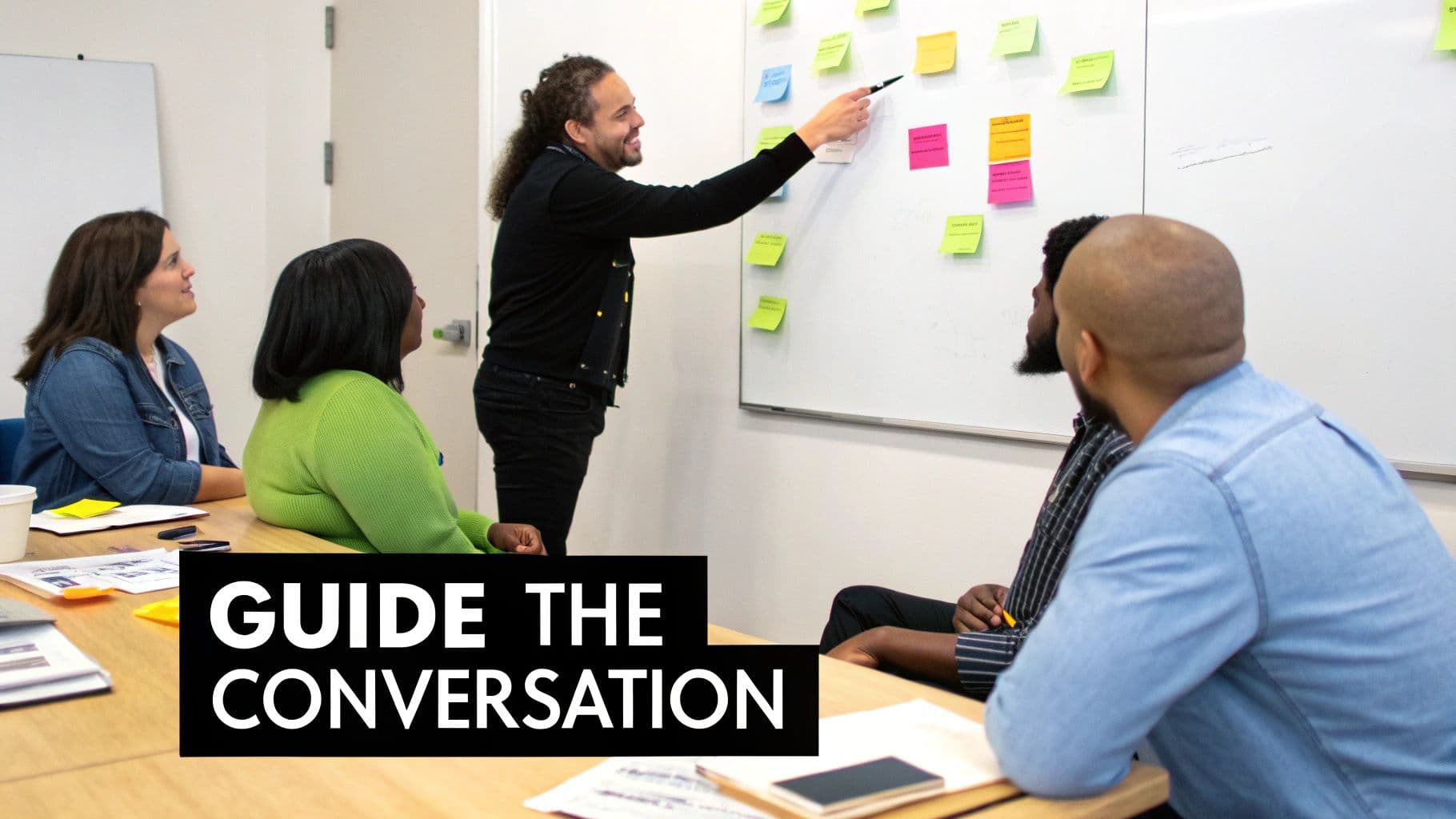
A perfectly crafted agenda is like a map, but a map is useless if the driver gets lost. As the meeting leader, you’re the one in the driver's seat. Without your active guidance, even the best-laid plans can get sidetracked by tangents, dominated by a few voices, or stalled by awkward silence.
Your job is to be the conductor—managing the energy, pace, and direction of the discussion. This means paying attention not just to what’s being said, but also to who isn’t speaking.
Encouraging Participation From Everyone
One of the toughest parts of running a meeting is making sure the best ideas win, not just the loudest ones. It’s natural for a few confident people to steer the conversation, but that often leaves a goldmine of insights untapped. To run truly effective meetings, you have to deliberately make space for your quieter team members.
This isn't just about being polite; it's critical for getting real results. Mentimeter's State of Meetings Report 2023 found a huge personality gap: while 85% of people think meetings are generally effective, 90% of extroverts agree, compared to just 70% of introverts. The same report found that 62% of people believe meetings would be more productive if everyone actually shared their opinions. You can get all the details in their full State of Meetings Report.
Here are a few ways I’ve found to level the playing field:
- Try Silent Brainstorming: Instead of a verbal free-for-all, give everyone five minutes to jot down ideas on sticky notes or in a shared doc. Then, go around the room and have each person share one idea. This gives introverts crucial time to think without being interrupted.
- Use Structured Check-Ins: Kick off the meeting with a "round-robin" where everyone gets 60 seconds to share an update or their initial thoughts. This immediately sets the expectation that every voice matters.
- Directly (and Gently) Ask for Input: Sometimes, a simple invitation is all it takes. Saying, "Sarah, you have a lot of experience in this area. I'd love to hear your perspective," can be a powerful way to bring a quiet but knowledgeable person into the conversation.
Keeping the Discussion Focused
Even with a solid agenda, conversations drift. A side comment sparks a new debate, and suddenly you’re 10 minutes off-topic with the clock ticking. Your role as facilitator is to gently—but firmly—steer everyone back.
A great tool for this is the "parking lot." When an interesting but off-topic idea pops up, acknowledge it and add it to a designated space on a whiteboard or in your notes.
This simple technique validates their contribution without letting the meeting get hijacked. It’s a respectful way to maintain control and ensure you actually accomplish what you set out to do. Of course, keeping track of these points is key; for more on this, check out our guide on how to take better meeting notes.
Choosing the Right Facilitation Approach
Not all meetings are created equal, so why would you facilitate them the same way? The approach you take for a creative brainstorming session should be completely different from how you run a formal decision-making meeting.
For instance, a project kickoff needs a more directive style to get everyone aligned and on the same page. On the other hand, a retrospective thrives on a more open, hands-off approach that encourages honest reflection without judgment.
Here's a quick look at how different techniques align with different goals.
Facilitation Techniques for Different Meeting Goals
| Technique | Best For (Meeting Goal) | How It Works | Pro Tip |
|---|---|---|---|
| Directive Facilitation | Decision-Making or Alignment | The leader actively guides the conversation toward a specific, predetermined outcome, ensuring clarity and consensus. | Have the desired outcome clearly defined in your agenda and be prepared to steer the conversation back to it. |
| Open-Ended Facilitation | Brainstorming or Problem-Solving | The leader creates an open space for ideas, asking probing questions without steering the group toward any single solution. | Use "How might we..." questions to spark creativity. Avoid shooting down "bad" ideas; focus on generating quantity first. |
| Structured Facilitation | Status Updates or Retrospectives | The leader uses a rigid format, like a round-robin or a "start, stop, continue" framework, to ensure equal airtime. | Set a timer for each person's turn to keep the meeting moving and prevent anyone from dominating the time. |
Ultimately, choosing the right technique comes down to understanding what you need to achieve by the time everyone logs off. Being flexible and intentional in your approach is what separates a good facilitator from a great one.
Making Hybrid and Remote Meetings Work for Everyone
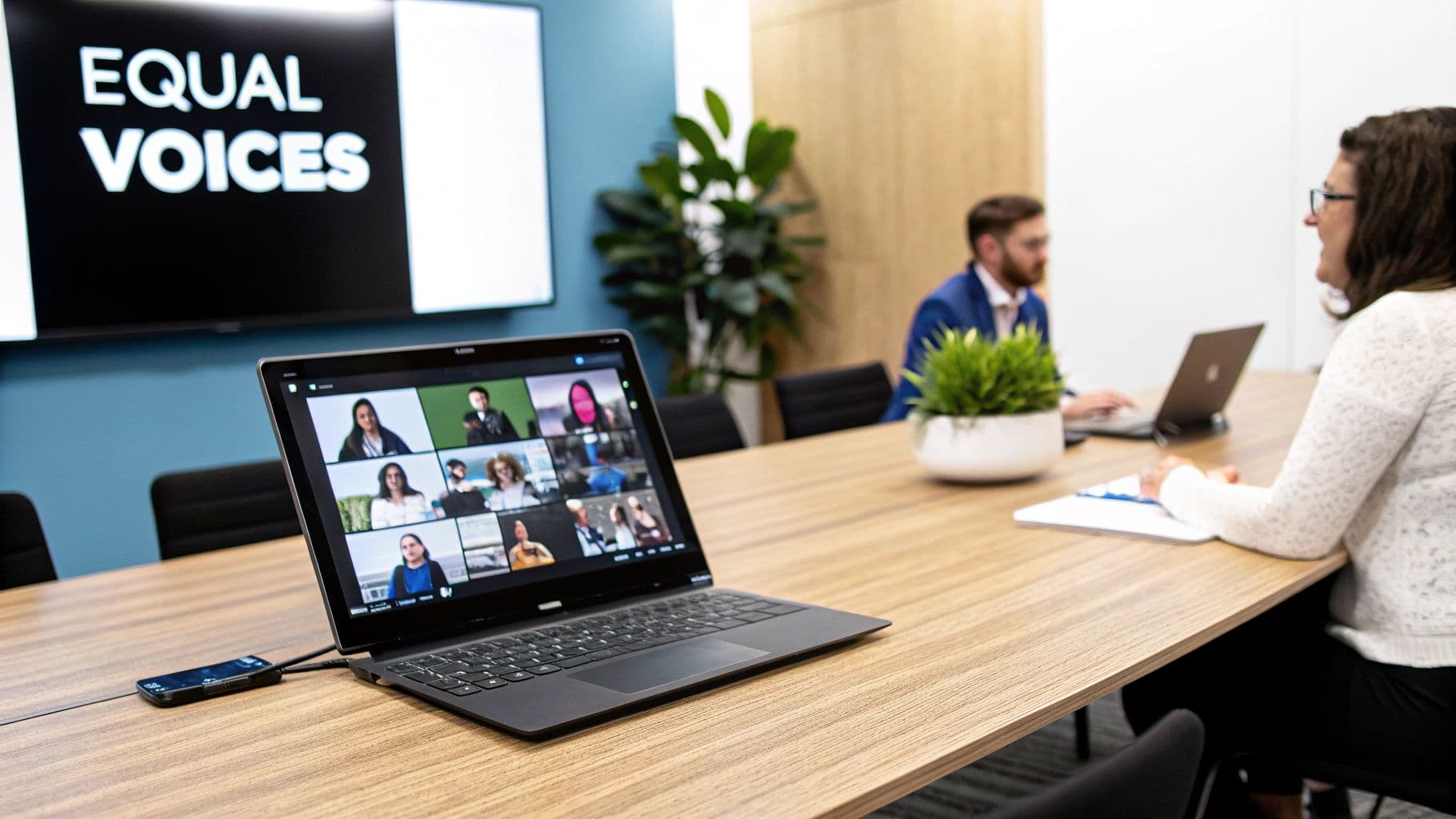
Running a great meeting is one thing. Running one where people are scattered across different offices, homes, and time zones is a completely different challenge. Hybrid and remote work has complicated the simple get-together, often creating a lopsided experience where folks in the physical room dominate the conversation.
The real problem isn't just about getting the tech right—it’s about fairness. To make a distributed meeting actually work, you have to consciously bridge the gap between the physical and digital worlds. The goal is simple: make location irrelevant, so a great idea is a great idea, no matter where it comes from.
Creating an Equitable Experience
The classic mistake in hybrid meetings? Letting an "us vs. them" dynamic take hold, where you have the "in-person" group and the "remote" group. When people in the conference room can have side chats, read body language, and interact easily, remote attendees are immediately at a disadvantage.
A simple rule can fix this: one screen, one person. Even if a few people are in the same office, have everyone join the call from their own laptop. This simple shift forces every bit of communication through the central platform, leveling the playing field and killing off those exclusive side conversations.
Another powerful tactic is for the facilitator to intentionally call on remote attendees first for feedback or ideas. This ensures their voices get heard before the in-room discussion takes over and they get left behind. It's these kinds of deliberate communication strategies that make all the difference. For more practical advice, check out our guide on how to manage remote teams effectively.
The Pre-Flight Tech Checklist
Nothing kills momentum faster than technical glitches. That awkward "Can you hear me now?" dance wastes time and sucks the energy right out of the room. A quick pre-flight check can prevent most of these headaches.
Before the meeting kicks off, make sure you’ve got these bases covered:
- Audio Quality is Everything: Is the conference room mic good enough to pick up everyone clearly, not just the person sitting next to it? For remote folks, a decent headset should be non-negotiable.
- Video Framing Matters: Make sure the camera in the meeting room actually captures everyone. Remote attendees need to see who's talking.
- Collaboration Tools are Ready: If you’re planning to use a digital whiteboard or a shared doc, make sure everyone has access before the meeting starts.
This isn't just an IT problem; it's a productivity killer. The shift to virtual collaboration has been huge. Between 2020 and 2022, the share of virtual meetings shot up from 48% to 77%. By 2023, a massive 86% of workers were in meetings with at least one remote participant.
But here's the kicker: 81% of workers also say they lose time to tech issues, and 78% complain they can't hear everyone, which directly tanks engagement.
Bridging the Digital and Physical Divide
Beyond the tech, great hybrid facilitation requires a specific mindset. You have to be hyper-aware of the different experiences people are having and actively work to bring them together.
A great way to do this is to use the chat feature as the main channel for questions. This lets remote team members "raise their hand" without having to awkwardly interrupt. The facilitator can then keep an eye on the chat and weave those questions into the flow of conversation.
If you want to ensure your virtual gatherings are seamless, you can find some great advice on mastering the art of setting up a conference call. In the end, making hybrid meetings work is all about being intentional. It means over-communicating, using technology as a bridge, and never forgetting the people on the other side of the screen.
Turning Conversations into Action with AI Tools
Let's be honest. Even the most productive, high-energy meeting is a complete waste of time if nothing happens afterward. The real magic isn't in the discussion; it's in what gets done because of it. But this is exactly where things fall apart. Momentum fizzles out, lost in a sea of vague memories and messy, half-written notes.
This is the classic breakdown of the manual follow-up process. Someone gets stuck being the note-taker, but they're also supposed to be an active participant. It’s a recipe for disaster. Important details slip through the cracks, action items are forgotten, and accountability vanishes. Before you know it, you're having the exact same conversation a week later.
The Trouble with Manual Note-Taking
We’ve all been there. One person is nominated as the scribe for the meeting. Right away, they’re at a disadvantage, forced to split their attention between contributing to the conversation and furiously typing to keep up. It's almost impossible to do both well, which inevitably leads to notes that are incomplete or just plain wrong.
This manual system creates a huge bottleneck. After the call, that one person has to spend even more time trying to decipher their own shorthand, organize it into something that makes sense, and then send it out. By the time that summary email finally lands in everyone’s inbox, the energy and clarity from the meeting are long gone.
Let AI Handle the Follow-Up
This is where technology can step in and make a real difference. AI-powered tools are completely changing how to run effective meetings by taking over the entire post-meeting grunt work. Think of platforms like Fireflies.ai or Otter.ai as your dedicated meeting assistant, one that ensures nothing is ever missed.
These tools plug right into your calendar and video conferencing apps like Zoom or Google Meet. They can automatically join your calls, record the audio, and spit out a full, speaker-labeled transcript within minutes. Suddenly, you have a perfect, searchable record of the entire conversation. If you’re curious about the mechanics, you can learn more about what an AI meeting assistant is and how it can help your team.
But a simple transcript is just the starting point. The real power is in how these tools can actually understand the conversation and pull out the important stuff: