Meetings are a constant, but their outcomes don't have to be a mystery. Ineffective follow-up, forgotten action items, and unclear decisions are common results of poor documentation. The right meeting summary template solves this by providing a clear, consistent structure to capture what matters most, turning discussions into actionable plans. A generic template, however, rarely fits every situation. A formal executive board review requires a different format than a quick daily stand-up or a creative brainstorming session.
Finding the perfect fit can be a time-consuming distraction. This guide eliminates the search. We've curated a comprehensive list of the 12 best sources for high-quality meeting summary templates, designed for the platforms your team already uses. Whether you prefer the simplicity of Microsoft Word and Google Docs, the dynamic databases of Notion and ClickUp, or the visual collaboration of Miro and Lucidspark, you'll find a solution here.
Each entry includes a direct link, a brief overview of its ideal use case, and practical tips for customization. We’ll show you exactly how to adapt these resources for different teams, including sales, operations, HR, and executive leadership. Our goal is straightforward: to provide a one-stop resource that helps you quickly find and implement the best template for your specific needs. Stop building summaries from scratch and start standardizing your process for better accountability and follow-through. Let’s dive into the options that will make your meetings more productive.
1. Microsoft Word (Microsoft Create)
Microsoft Create serves as the central hub for a vast collection of professional meeting summary templates designed for Microsoft Word. Given Word's near-universal presence in business, these templates offer an accessible and familiar starting point for teams already embedded in the Microsoft 365 ecosystem. The platform provides a clean, searchable interface where you can find templates for everything from formal board meeting minutes to informal team check-in notes.
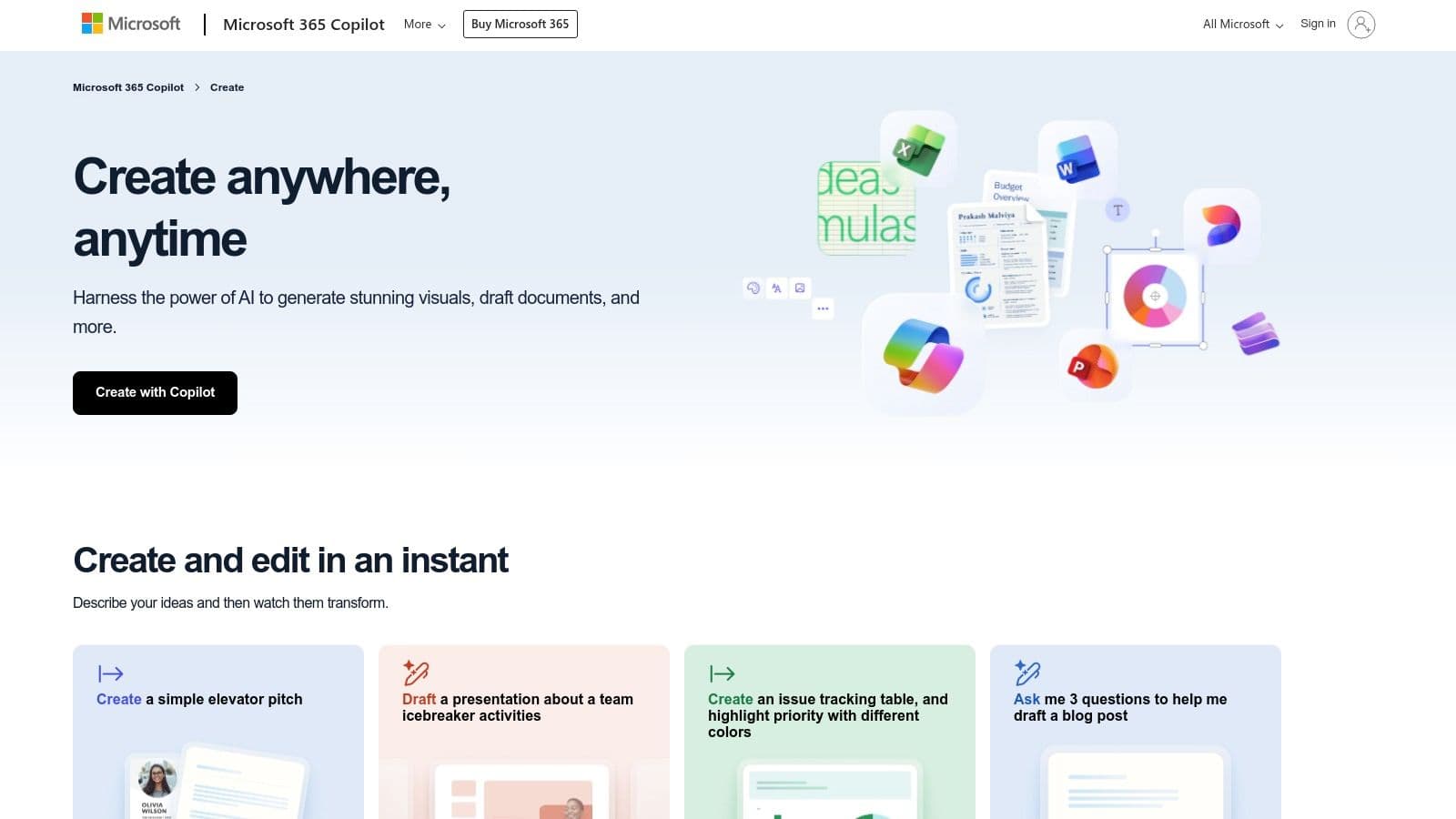
The primary advantage is its seamless integration with tools you likely already use. Templates can be opened and co-authored in real-time using Word on the desktop or online, with changes synced instantly via OneDrive. This eliminates version control issues and simplifies collaboration. For those looking to automate, the real power lies in the Copilot add-on, which can generate a draft of your meeting minutes directly from a transcript, saving significant time.
Key Features & User Experience
- Wide Selection: Offers dozens of free, designer-made templates for various meeting types.
- Deep Integration: Natively connects with OneDrive for storage, Outlook for sharing, and Teams for collaboration.
- AI-Powered Drafting: The optional Copilot feature can convert meeting transcripts into structured minutes, a major efficiency boost.
- Accessibility: Templates are usable in the free Word Online version, though a Microsoft 365 subscription unlocks full desktop app functionality and advanced features.
While the basic templates are free, unlocking the platform's full collaborative and AI potential requires a Microsoft 365 subscription and a separate purchase for Copilot. However, for organizations standardized on Microsoft, it's an incredibly powerful and integrated solution. To get the most out of these templates, it helps to understand the fundamentals of what makes meeting records effective; you can review these best practices for writing meeting minutes to ensure your summaries are always clear and actionable.
2. Google Docs
For teams deeply integrated into the Google Workspace ecosystem, Google Docs provides a fast, collaborative, and intelligent solution for creating meeting summaries. Its standout feature is the native integration with Google Calendar, which streamlines the note-taking process from the very start. The platform has moved beyond a simple template gallery to offer smart, context-aware tools that make capturing meeting details effortless.
The primary advantage of Google Docs is its "smart canvas" functionality. By simply typing "@" in a document, you can trigger a "Meeting notes" building block. This allows you to select a specific event from your Google Calendar, and Docs will automatically populate a pre-formatted template with the meeting title, date, and attendees. This direct link between your calendar and your notes eliminates manual data entry and ensures accuracy, allowing teams to jump straight into productive collaboration.
Key Features & User Experience
- Calendar-Linked Templates: The "@" mention feature instantly pulls event details from Google Calendar to create a structured summary.
- Seamless Collaboration: Real-time co-editing, commenting, and action item assignments are built directly into the platform, ideal for distributed teams.
- Centralized Sharing: Documents are easily shared via a link or through Google Drive, with granular permission controls for viewing, commenting, or editing.
- Free Accessibility: The core features, including the meeting notes block and standard templates, are available for free with any personal Google account.
While the core functionality is free, access to advanced features like creating and sharing custom company-wide template galleries is often tied to paid Google Workspace plans and administrator settings. However, for a quick and integrated workflow, Google Docs is unparalleled. To ensure these notes are effective, it is important to understand how to write a meeting summary that drives action, a skill that enhances the value of any template you use.
Website: https://docs.google.com
3. Notion Template Marketplace
The Notion Template Marketplace is a dynamic hub for teams that live inside Notion's interconnected workspace. It offers a vast gallery of official and community-built meeting summary templates that go beyond simple documents. These templates are often structured as databases, allowing for deep customization and relational links to other project boards, task lists, and company OKRs, making meeting notes an active part of your workflow rather than a static record.
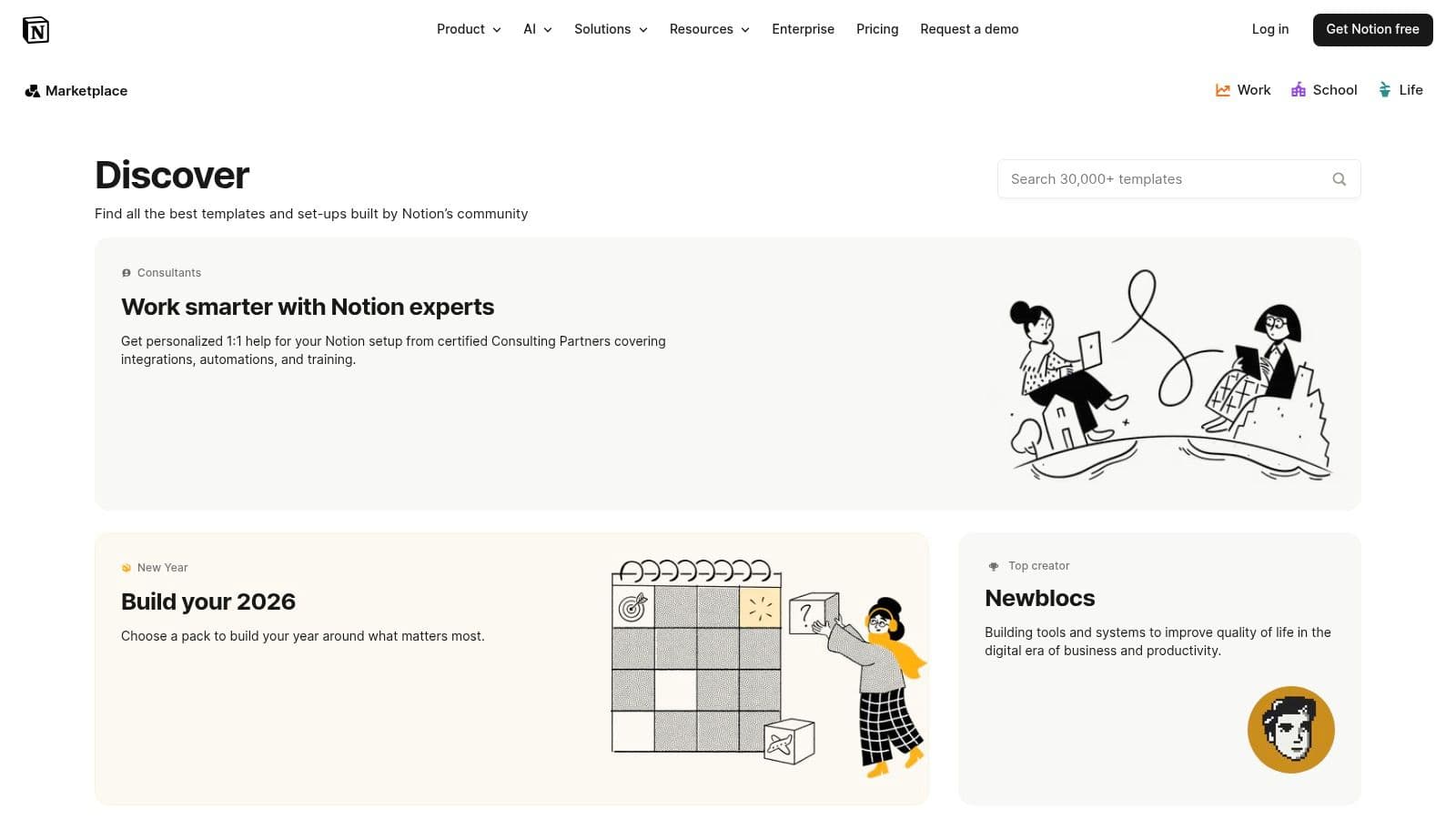
The key advantage is the native integration with Notion's powerful features. You can tag action items, assign owners, and set deadlines directly within the meeting notes, and these items will automatically populate a master task database. With the addition of Notion AI, you can summarize lengthy discussions or generate action items with a single click, embedding intelligence directly into your documentation process. This transforms the meeting summary from a report into a command center for your projects.
Key Features & User Experience
- Deep Customization: Templates are built on Notion’s flexible block system, allowing for complete control over layout, properties, and database relations.
- Integrated AI: Notion AI can be used directly on the page to summarize notes, create tasks, and improve writing clarity.
- Relational Databases: Link meeting notes directly to specific projects, client pages, or quarterly goals for comprehensive context.
- Vibrant Community: Access hundreds of high-quality, often free, templates created by Notion power users for various niche needs.
While Notion offers a powerful free tier, leveraging its full potential across a team typically requires a paid subscription. The platform’s greatest strength is also its main consideration: it delivers the most value when your team is already committed to the Notion ecosystem. For those new to the tool, mastering its capabilities is key; you can learn how to take better meeting notes with a structured approach. To further enhance team coordination, you can also boost your workflow with a Notion content calendar template for comprehensive content planning.
Website: https://www.notion.so/templates
4. Atlassian Confluence Templates
For teams deeply integrated into the Atlassian ecosystem, Confluence provides a powerful, native solution for creating and managing meeting summaries. Rather than standalone documents, Confluence treats meeting notes as dynamic pages within a collaborative workspace. The platform offers a default meeting notes template that structures information logically with dedicated sections for attendees, goals, action items, and key decisions, ensuring consistency across all company meetings.
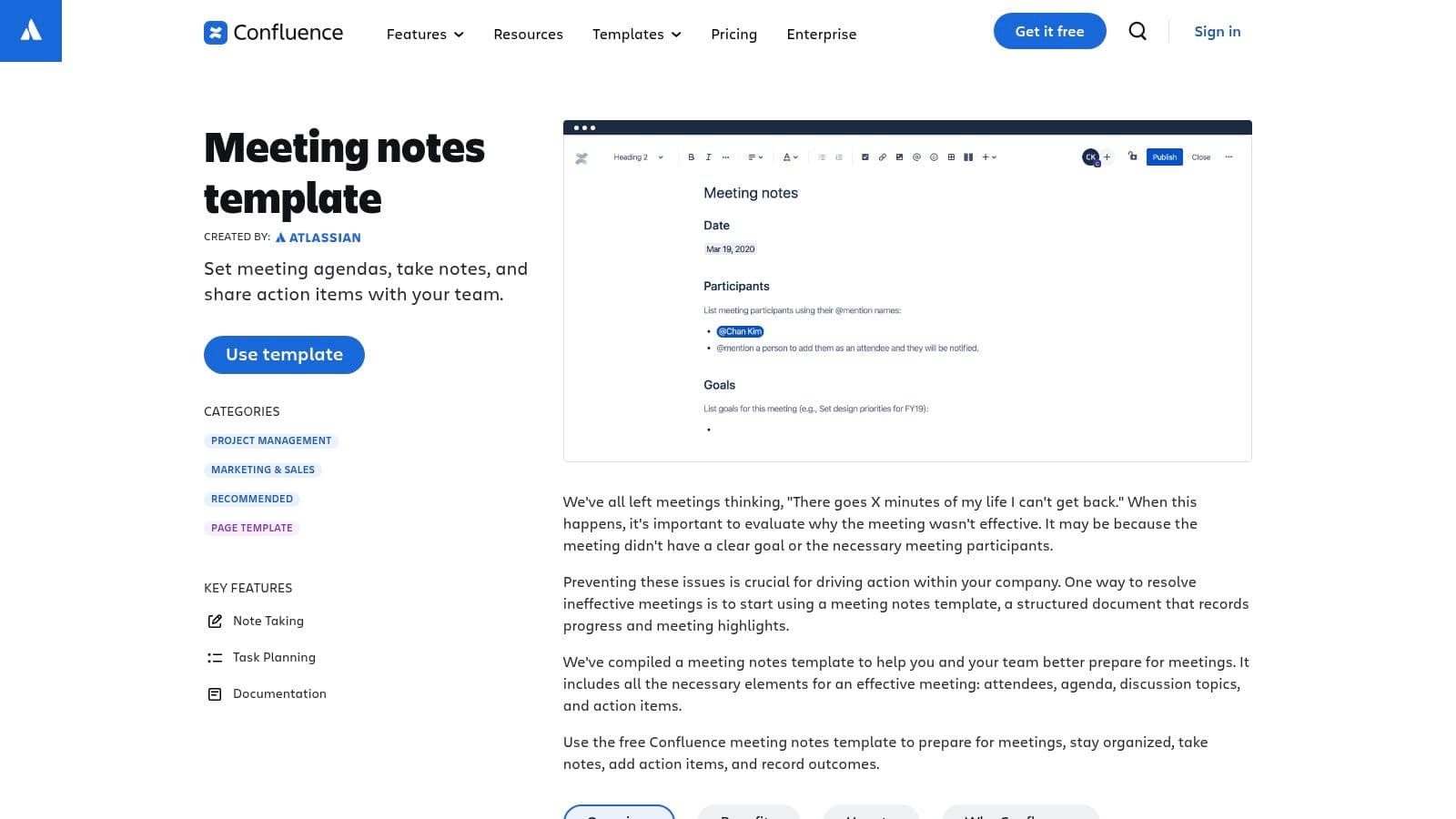
The standout advantage is its direct integration with Jira. Action items created within a Confluence meeting summary can be instantly converted into Jira tickets, assigning them to team members and tracking them within project sprints. This creates a seamless workflow from discussion to execution, eliminating the manual transfer of tasks between different applications. Collaborative editing, inline comments, and a complete version history make it a living document rather than a static report.
Key Features & User Experience
- Native Jira Integration: Convert action items directly into trackable Jira issues, linking decisions to development or project work.
- Structured Templates: Standardizes meeting documentation with pre-defined sections for agenda, notes, tasks, and decisions.
- Collaborative Workspace: Supports real-time co-editing, @-mentions to tag colleagues, and inline commenting for follow-up discussions.
- Centralized Knowledge Base: Meeting notes are stored and searchable within your team's Confluence space, creating an organized historical record.
While Confluence offers a free plan for up to 10 users, accessing its full potential requires a paid subscription. It may be overly complex for teams needing simple meeting summary templates for external sharing. However, for organizations already using Jira and Confluence, it’s an unparalleled tool for embedding meeting outcomes directly into project workflows and building a transparent, accessible knowledge base.
5. Miro Templates (Miroverse)
Miro offers a highly visual and collaborative approach to meeting documentation, positioning its templates as dynamic digital whiteboards rather than static documents. The Miroverse, its community-driven template library, provides a rich collection of meeting summary templates designed for interactive sessions like brainstorming, workshops, and strategic planning. This platform is ideal for teams that think and work visually, allowing them to capture ideas, notes, and action items on an infinite canvas.
The core advantage of Miro is its real-time, co-editing environment, which empowers hybrid and remote teams to contribute simultaneously. Instead of one person taking notes, the entire team can add sticky notes, draw connections, and organize information organically during the meeting. For teams looking to leverage automation, community-built templates like the AI Meeting Notes can even convert raw meeting transcripts into structured visual summaries, bridging the gap between spoken words and organized action plans.
Key Features & User Experience
- Visual & Interactive: Board-style templates for agendas, notes, and action items that facilitate dynamic collaboration.
- Community-Driven Library: The Miroverse offers unique templates, including AI-powered workflows for summarizing transcripts.
- Real-Time Co-editing: Unparalleled for hybrid teams, allowing simultaneous input from all participants on a shared canvas.
- Workshop-Oriented: Excels in facilitator-led meetings, retrospectives, and strategic sessions where visual organization is key.
Miro offers a free plan with limited boards, but unlocking the full potential with unlimited private boards and advanced features requires a paid subscription. While it's a powerhouse for visual collaboration, exporting a traditional, text-based summary may require extra formatting. It works best for teams that value the collaborative process as much as the final output.
6. ClickUp Templates
ClickUp offers a comprehensive project management ecosystem where its meeting summary templates are deeply integrated, transforming meeting notes from static documents into dynamic project components. The platform provides several free meeting minutes templates within ClickUp Docs, designed to capture key information and, most importantly, convert discussions directly into actionable tasks. This native integration is ClickUp’s standout feature, ensuring that decisions and action items from a meeting don't get lost in translation.
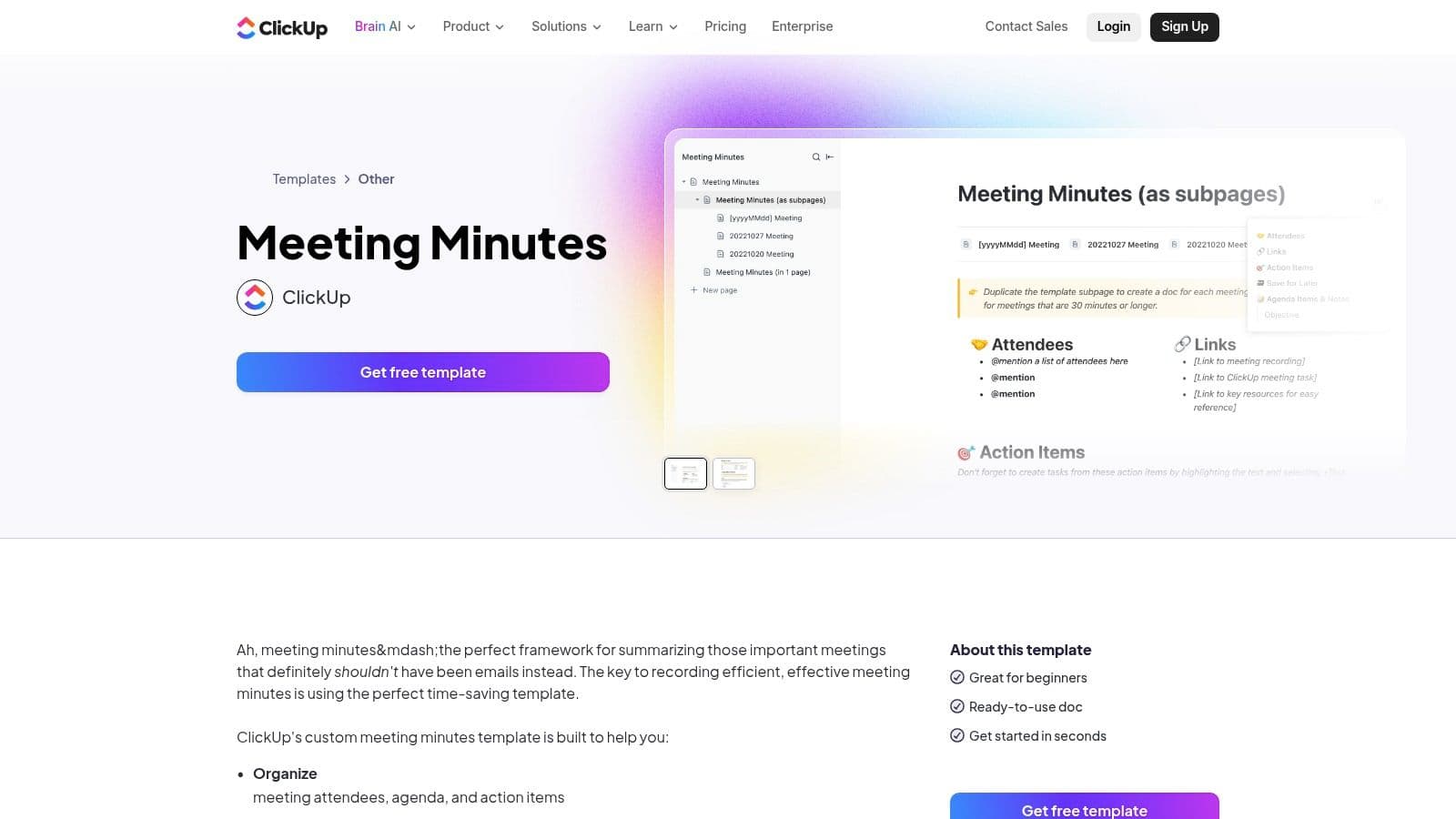
While the templates themselves are free, the platform’s power is fully realized with the paid ClickUp AI add-on. This tool can join, record, and transcribe meetings from Zoom, Google Meet, and Microsoft Teams, then automatically generate a summary and extract action items. Users can then, with a single click, turn these identified action items into assigned tasks within their ClickUp projects, closing the loop between conversation and execution.
Key Features & User Experience
- Action-Oriented Templates: ClickUp Docs templates are structured to capture attendees, agenda items, decisions, and action items that are ready for conversion.
- Direct Task Integration: The ability to highlight any text in a meeting doc and instantly create a ClickUp task is a major workflow accelerator.
- AI Notetaker: A powerful paid add-on that automates recording, transcription, and summarization, feeding actionable intelligence directly into your workspace.
- Centralized Workspace: All meeting notes, tasks, and project documents live in one interconnected system, eliminating the need to switch between apps.
The core templates are accessible on all ClickUp plans, including the free tier. However, to leverage the full automation of the AI Notetaker, a paid subscription and the AI add-on are required. For teams already using ClickUp for project management, these meeting summary templates provide an unmatched level of integration and efficiency.
7. Smartsheet Template Library
Smartsheet's Template Library is a valuable resource for teams seeking structured, project-oriented meeting summary templates without an initial software commitment. It provides a straightforward hub where users can download free, well-designed templates in multiple common formats, including Microsoft Word, Google Docs, and PDF. This approach is ideal for organizations that need professional-grade documents but aren't ready to adopt a full project management platform.
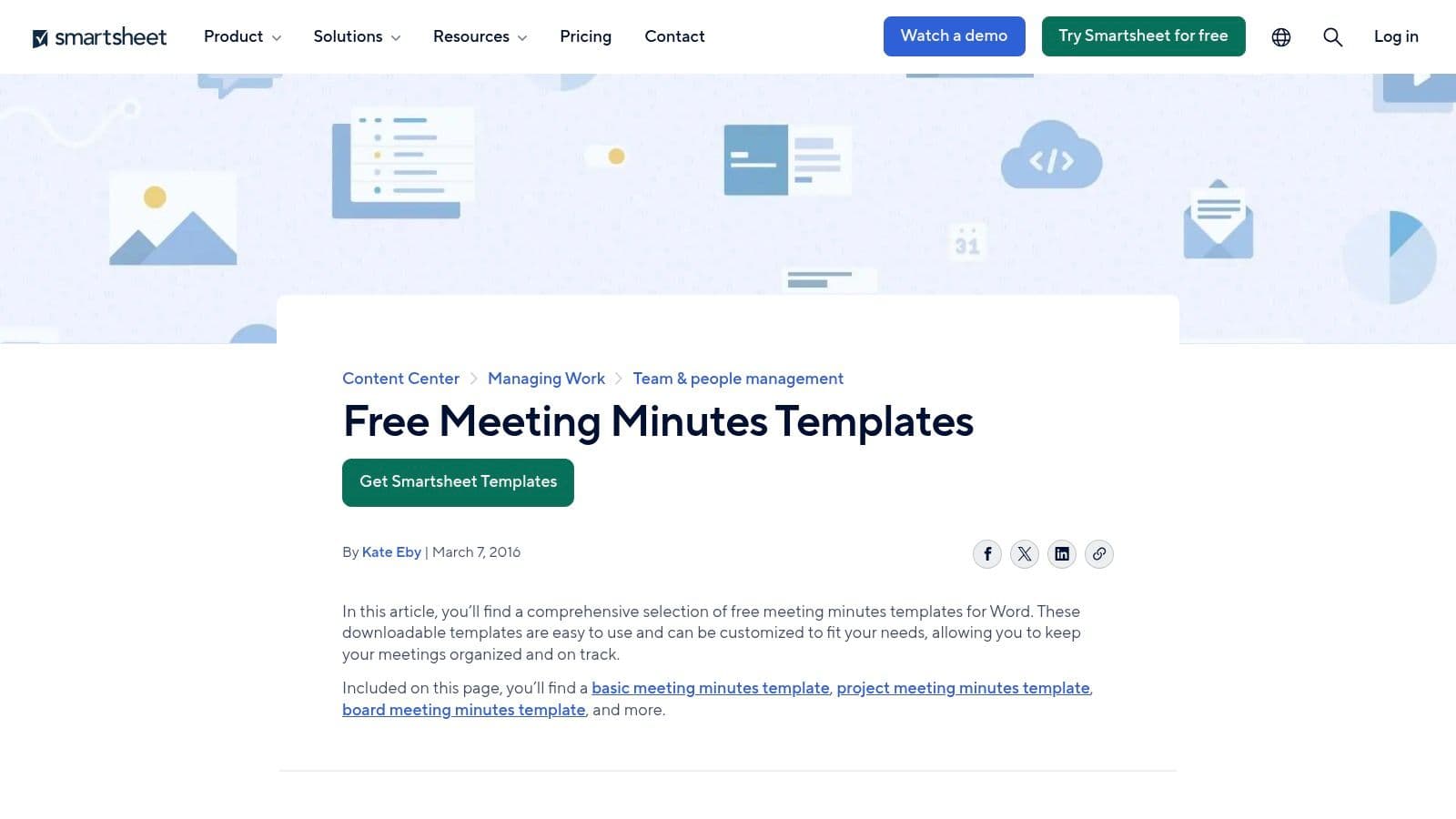
The key advantage of Smartsheet's offering is its blend of accessibility and project management focus. The templates for project status meetings, formal minutes, and staff check-ins are designed with clear sections for action items, decisions, and deadlines. This format encourages a disciplined approach to meeting documentation. While the templates can be used as standalone files, they also serve as a gateway to the full Smartsheet platform, where they can be imported to enable advanced tracking, automation, and dashboard reporting.
Key Features & User Experience
- Multi-Format Downloads: Offers free templates in Word, Google Docs, Excel, and PDF formats, providing excellent flexibility.
- Project-Focused Design: Templates are specifically structured for project management, including sections for tracking progress and assigning tasks.
- Best-Practice Guidance: The site includes helpful documentation and examples, educating users on effective meeting documentation.
- Platform Integration Pathway: While the templates are free, they are designed for easy import into Smartsheet's paid platform to unlock powerful automation and collaborative features.
The free downloads are a significant plus, but users should be aware that the templates are fairly traditional and may require customization to fit agile or less formal workflows. Realizing their full potential with features like real-time updates and automated reminders necessitates a paid Smartsheet subscription. Nonetheless, for teams needing reliable, downloadable meeting summary templates with a project-centric view, Smartsheet provides a high-quality, no-cost starting point.
8. Canva Meeting Minutes
Canva has established itself as the go-to platform for accessible design, and its collection of meeting summary templates extends this strength into document creation. Known for its visually appealing and highly customizable approach, Canva Docs provides hundreds of templates perfect for teams that want their meeting outputs to be as polished and on-brand as their marketing materials. It’s an ideal choice for creating summaries that are meant to be shared widely, either internally or with external stakeholders.
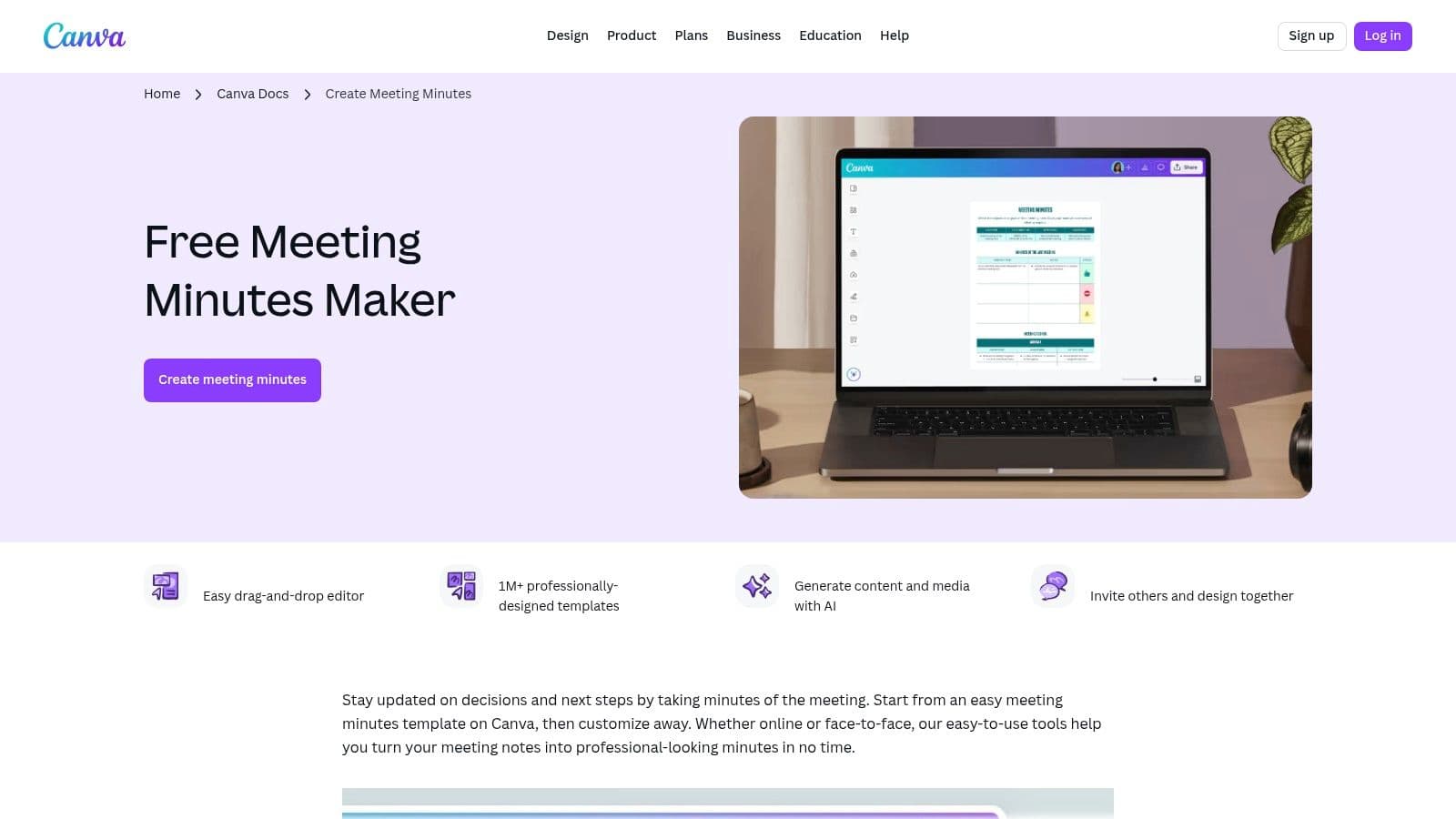
The platform shines in its user-friendly, drag-and-drop interface, allowing anyone to produce a professional-looking document in minutes. You can easily incorporate brand colors, logos, charts, and other visual elements directly into your meeting notes. Real-time collaboration allows multiple team members to edit a document simultaneously, and sharing is simple via a public link or by exporting to a high-quality PDF. This makes it great for creative teams, marketing departments, and anyone who values presentation.
Key Features & User Experience
- Extensive Template Library: Hundreds of templates filterable by style, theme, and format, from minimalist notes to comprehensive, multi-page reports.
- Strong Brand Customization: Easily apply brand kits (colors, fonts, logos) to maintain corporate identity across all documents.
- Real-time Collaboration: Multiple users can edit simultaneously, with comments and sharing features built-in.
- Versatile Export Options: Share as a live, view-only link or export as a polished PDF, PNG, or other formats.
While the core functionality and many templates are free, advanced features like Brand Kits and access to premium stock photos and elements require a Canva Pro or Teams subscription. The design-heavy options can also be a double-edged sword; it’s easy to create a visually cluttered summary if the focus shifts too far from clear, concise content.
9. Evernote Templates
Evernote provides an official Meeting Notes template tailored for individuals and small teams who prioritize cross-device synchronization and powerful search capabilities. For users already integrated into the Evernote ecosystem, this template offers a seamless way to capture, organize, and retrieve meeting outcomes. It presents a simple, structured format for logging attendees, key discussion points, and most importantly, clear action items, making it ideal for straightforward, no-fuss documentation.
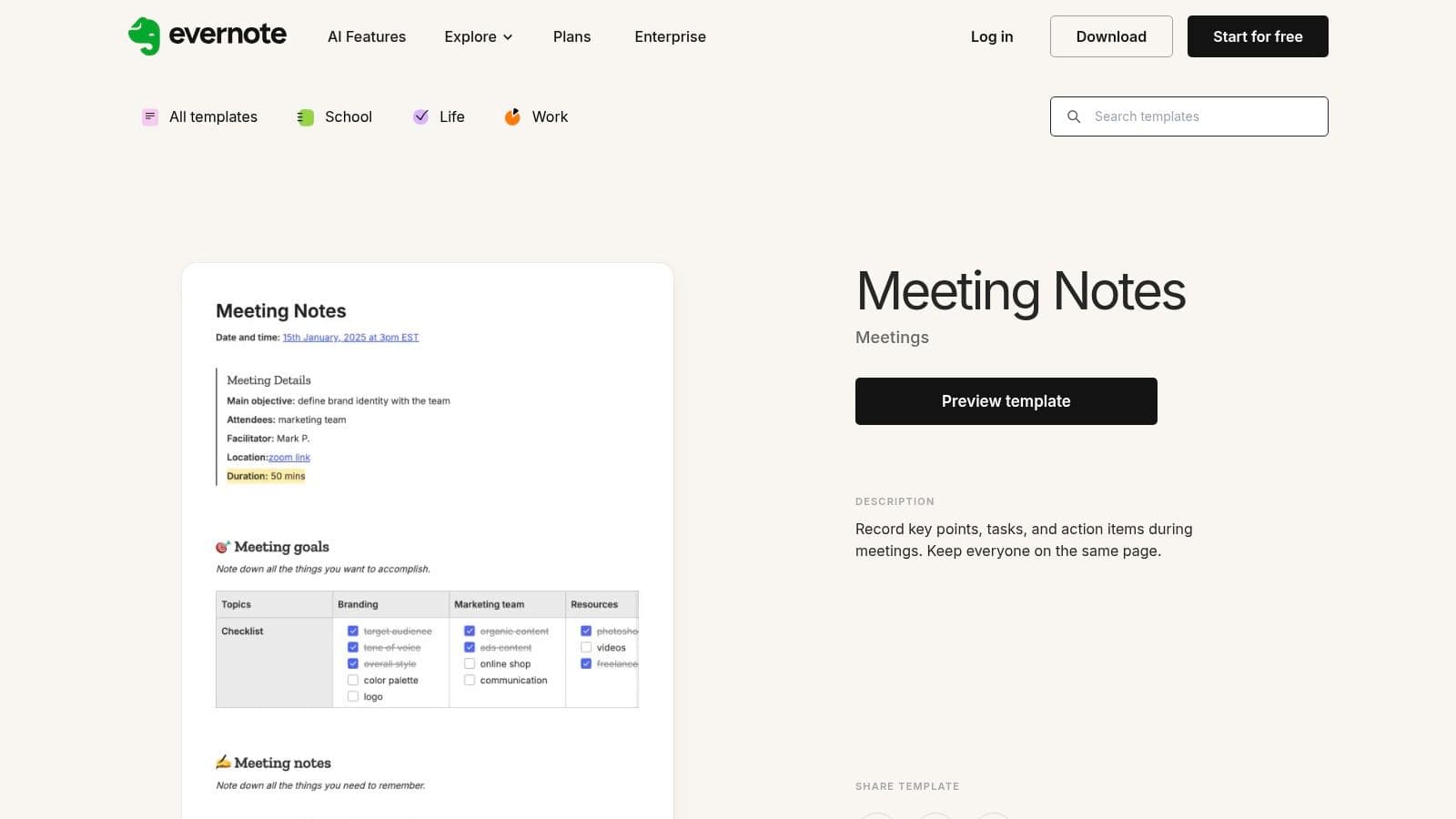
The key advantage of Evernote is its exceptional synchronization and offline access. You can start a summary on your laptop during a meeting and add follow-up notes from your phone later, even without an internet connection. The changes sync automatically once you're back online. Furthermore, Evernote's robust search function allows you to find specific meeting details instantly, even searching within handwritten notes or attached documents, making it a powerful personal knowledge base.
Key Features & User Experience
- Cross-Device Sync: Notes and templates are available and synchronized across desktop, web, and mobile apps.
- Offline Capture: Create and edit your meeting summaries without an internet connection, ensuring you never miss a detail.
- Powerful Search: Evernote's search can find text within typed notes, PDFs, and even images, making information retrieval effortless.
- Simple Sharing: Share notes with colleagues via a public link or by inviting them to view or edit the note directly within Evernote.
While the basic template and core features are available on the free plan, accessing more advanced capabilities like larger uploads, offline notebooks on mobile, and enhanced integrations requires a paid subscription (Personal or Professional). For dedicated Evernote users, these meeting summary templates are a natural and highly efficient extension of their existing workflow, keeping crucial information organized and instantly accessible.

